
Searoute
FreeNot checkedProvides maritime routing capabilities, enabling computation of oceangoing route distances and full routes in GeoJSON format via MCP tools.

About
Provides maritime routing capabilities, enabling computation of oceangoing route distances and full routes in GeoJSON format via MCP tools.
README
Maritime Routing MCP Server (Python)


Table of Contents
- Overview
- Installation
- Quickstart
- Core Tools
- Example Prompts
- Running Your Server
- Contributing
- License
- References
Overview
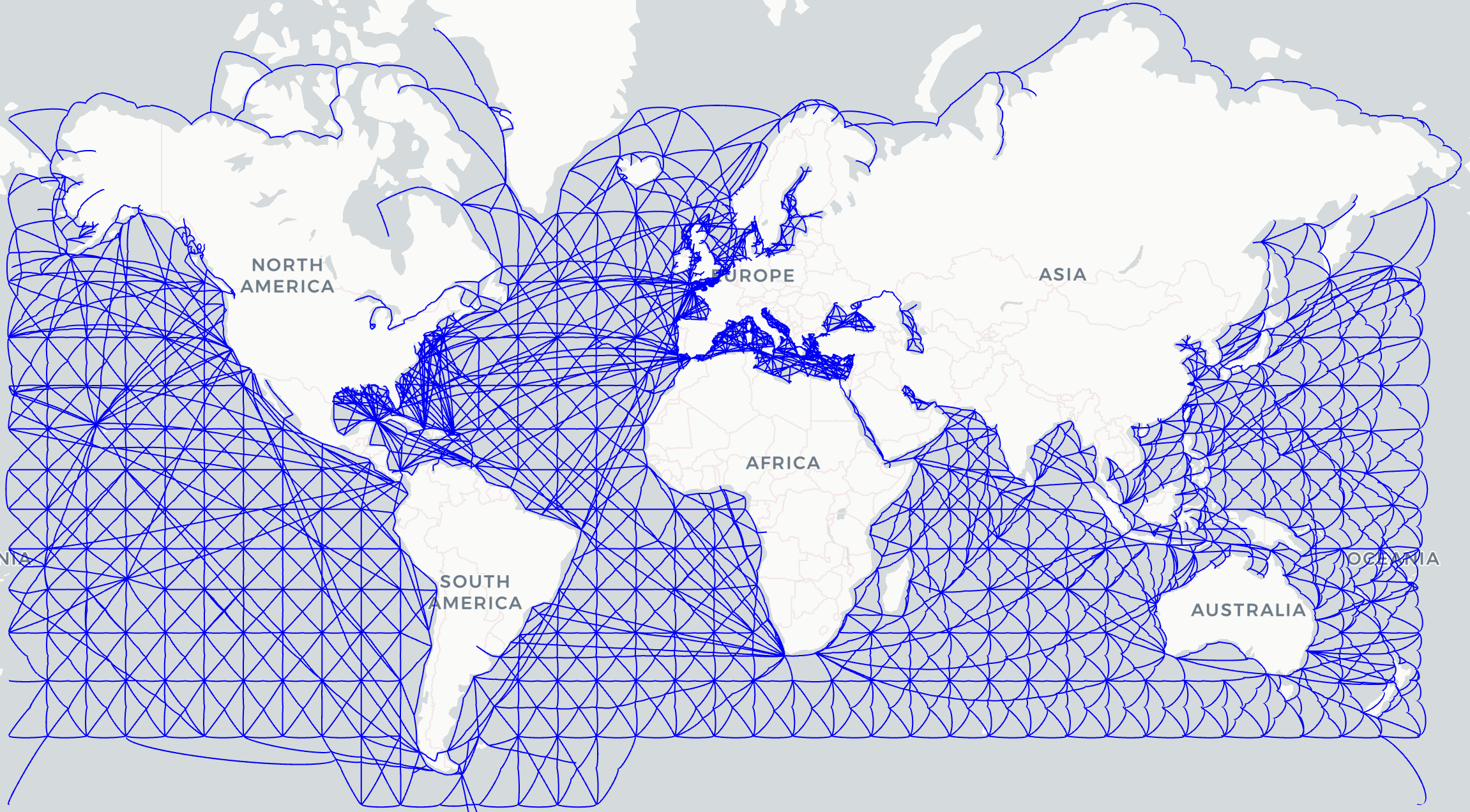
searoute_mcp is a Model Context Protocol (MCP) server for maritime routing.
It integrates searoute-py with MCP, exposing tools that allow LLM clients (e.g. Claude Desktop) to:
- Compute oceangoing route distances (in nautical miles)
- Retrieve full oceangoing routes with waypoints (GeoJSON format)
- Compare against geodesic great-circle distances
All tools accept latitude, longitude as inputs for user friendliness, while internally converting to the required searoute format.
Installation
Clone the repository and install dependencies:
git clone https://github.com/ShippingIntel/searoute_mcp.git
cd searoute_mcp
python3 -m venv .venv
source .venv/bin/activate   # Linux/macOS
.venv\Scripts\activate      # Windows

pip install -r requirements.txt
Dependencies:
mcp[python]>=0.1.0searoute>=1.4.3geopy>=2.4.1
Quickstart
Run the server locally:
python -m mcp_server.main
Install into Claude Desktop:
mcp install mcp_server/main.py
Test with the MCP Inspector:
mcp dev mcp_server/main.py
Core Tools
compute_distanceShortest oceangoing route distance (nm) between two coordinates.compute_routeFull oceangoing route (GeoJSON geometry + distance).compute_geodesicGreat-circle (sphere) distance in nautical miles, ignoring land/sea constraints.
Example Prompts
All prompts use latitude, longitude ordering.
{
  "tool": "compute_distance",
  "arguments": {
    "start_lat": 47.6062,
    "start_lon": -122.3321,
    "end_lat": 35.6895,
    "end_lon": 139.6917
  }
}
{
  "tool": "compute_route",
  "arguments": {
    "start_lat": 40.7128,
    "start_lon": -74.0060,
    "end_lat": 48.8566,
    "end_lon": 2.3522
  }
}
{
  "tool": "compute_geodesic",
  "arguments": {
    "start_lat": 51.5072,
    "start_lon": -0.1276,
    "end_lat": -33.8688,
    "end_lon": 151.2093
  }
}
Examples:
- Seattle → Tokyo (oceangoing distance)
- New York → Paris (full route with waypoints)
- London → Sydney (geodesic great-circle)
Running Your Server
Choose a transport:
# stdio (local dev)
python -m mcp_server.main stdio

# Streamable HTTP (for deployment)
python -m mcp_server.main streamable-http
Contributing
Contributions are welcome! See CONTRIBUTING.md for setup and workflow guidelines.
License
This project is licensed under the MIT License — see the LICENSE file for details.
References
searoute_mcp builds upon prior open-source and research projects in maritime routing and network analysis:
Marnet Project — Atlas of Marine Socio-economic Indicators for the Atlantic Area EU transnational project led by the Northern & Western Regional Assembly, developing a socio-economic data network for the Atlantic regions.
searoute-py Python package for generating shortest sea routes between two points, designed for visualizing realistic maritime routes and customizable with ports and networks.
NetworkX Python package for the creation, manipulation, and study of complex networks. Provides the graph algorithms underpinning routing logic.
Eurostat SeaRoute Java-based library and webservice by Eurostat computing shortest maritime routes from global shipping networks enriched with AIS data, using Dijkstra’s algorithm via GeoTools.
Installing Searoute
This server has no published package — it is built from source. Open the repository and follow its README.
▸ github.com/Project-Harrison/searoute-mcpFAQ
Is Searoute MCP free?
Yes, Searoute MCP is free — one-click install via Unyly at no cost.
Does Searoute need an API key?
No, Searoute runs without API keys or environment variables.
Is Searoute hosted or self-hosted?
A hosted option is available: Unyly runs the server in the cloud, no local setup required.
How do I install Searoute in Claude Desktop, Claude Code or Cursor?
Open Searoute on unyly.org, pick your client tab (Claude Desktop, Claude Code, Cursor) and press Install — the config is generated automatically, no JSON editing.
Related MCPs
GitHub
PRs, issues, code search, CI status
 by GitHub
Filesystem
Secure file operations with configurable access controls.
Memory
Knowledge graph-based persistent memory system.
Template MCP Server
A CLI tool to create a new Model Context Protocol server project with TypeScript support, dual transport options, and an extensible structure
 by mcpdotdirect
Compare Searoute with
Not sure what to pick?
Find your stack in 60 seconds
Author?
Embed badge for your README
Browse similar
All development MCPs