

About
Server Watch — Model Context Protocol server
README
A straight-forward CLI wrapper that monitors and captures output from any running command and exposes it as an MCP server. Perfect for development workflows where you need to access server logs, build output, or any process output.
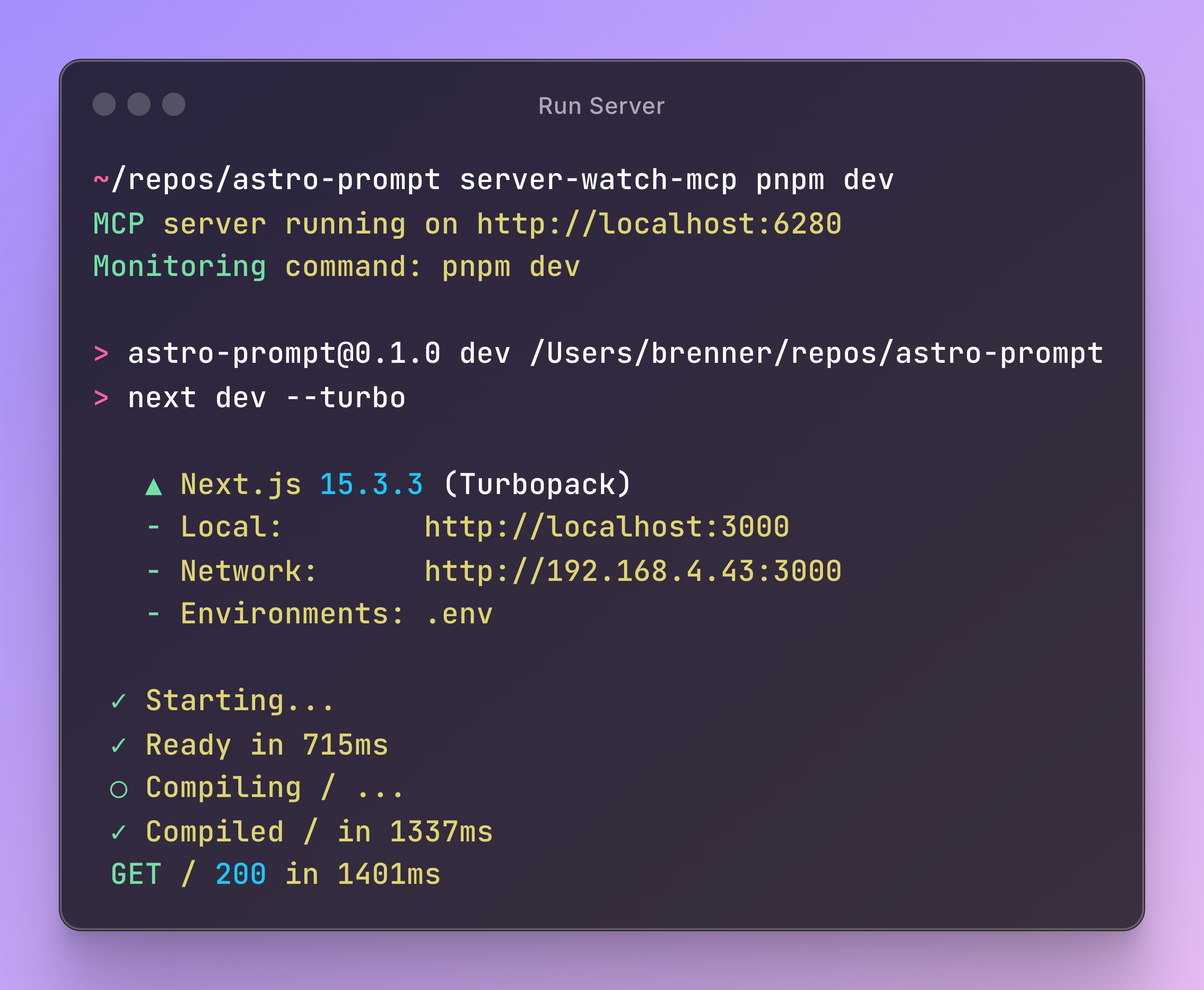
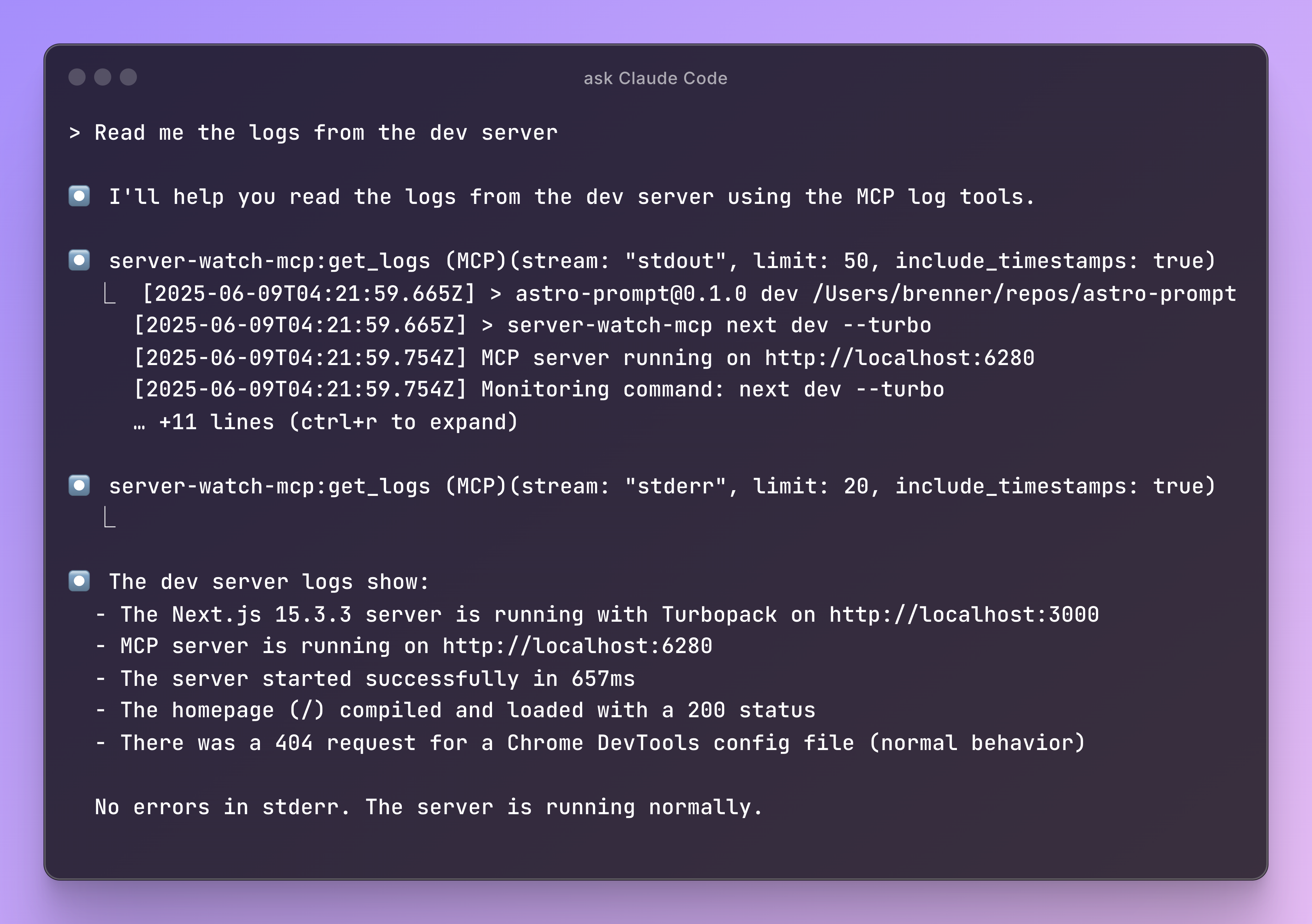
Features
- HTTP-based MCP server - Run as a standalone service that clients can connect to
- Real-time log capture - Captures stdout and stderr from any command
- Circular buffer storage - Maintains last 5000 log entries in memory
- Two MCP tools:
get_logs- Retrieve recent logs with optional filtering by stream typesearch_logs- Search through logs with case-insensitive substring matching
Installation
npm install -g server-watch-mcp
# or
pnpm add -g server-watch-mcp
# or in your project
pnpm add -D server-watch-mcp
Usage
1. Add the MCP server to Claude Code
claude mcp add -s user -t sse server-watch-mcp http://localhost:6280/sse
Which should configure it like this:
{
  "mcpServers": {
    "server-watch-mcp": {
      "type": "sse", // Even though SSE is deprecated, Claude Code only supports SSE
      "url": "http://localhost:6280/sse"
    }
  }
}
2. Start the MCP server with your command
option 1: wrap the command when calling it
# Monitor a development server
server-watch-mcp npm run dev

# Monitor a build process
server-watch-mcp npm run build:watch

# Monitor any command
server-watch-mcp python app.py
option 2: wrap the command in your package.json (or script file)
// In your package.json
{
  "scripts": {
    "dev": "server-watch-mcp next dev --turbo",
  }
}
The server will:
- Start an HTTP server on port
6280(orSERVER_WATCH_MCP_PORTenvironment variable) - Execute your command as a child process
- Capture all output from the command
- Continue running even if the child process exits
3. Use the tools in Claude
Once connected, you can use these tools:
- Get recent logs: "Show me the last 50 logs from stderr"
- Search logs: "Search for any errors in the logs"
- Monitor output: "What's happening with my dev server?"
Environment Variables
SERVER_WATCH_MCP_PORT - Override the default port (6280)
SERVER_WATCH_MCP_PORT=6281 server-watch-mcp npm run dev
Development
# Install dependencies
pnpm install

# Build
pnpm run build

# Run tests
pnpm test

# Run in development
pnpm run dev
License
ISC
Installing Server Watch
This server has no published package — it is built from source. Open the repository and follow its README.
▸ github.com/BrennerSpear/server-watch-mcpFAQ
Is Server Watch MCP free?
Yes, Server Watch MCP is free — one-click install via Unyly at no cost.
Does Server Watch need an API key?
No, Server Watch runs without API keys or environment variables.
Is Server Watch hosted or self-hosted?
Self-hosted: the server runs locally on your machine via the install command above.
How do I install Server Watch in Claude Desktop, Claude Code or Cursor?
Open Server Watch on unyly.org, pick your client tab (Claude Desktop, Claude Code, Cursor) and press Install — the config is generated automatically, no JSON editing.
Related MCPs
GitHub
PRs, issues, code search, CI status
 by GitHub
Filesystem
Secure file operations with configurable access controls.
Memory
Knowledge graph-based persistent memory system.
Template MCP Server
A CLI tool to create a new Model Context Protocol server project with TypeScript support, dual transport options, and an extensible structure
 by mcpdotdirect
Compare Server Watch with
Not sure what to pick?
Find your stack in 60 seconds
Author?
Embed badge for your README
Browse similar
All development MCPs