
StealThis
FreeNot checkedExposes the StealThis.dev resource library of reusable web components, animations, and page templates to AI tools for browsing, searching, and retrieving code s

About
Exposes the StealThis.dev resource library of reusable web components, animations, and page templates to AI tools for browsing, searching, and retrieving code snippets.
README
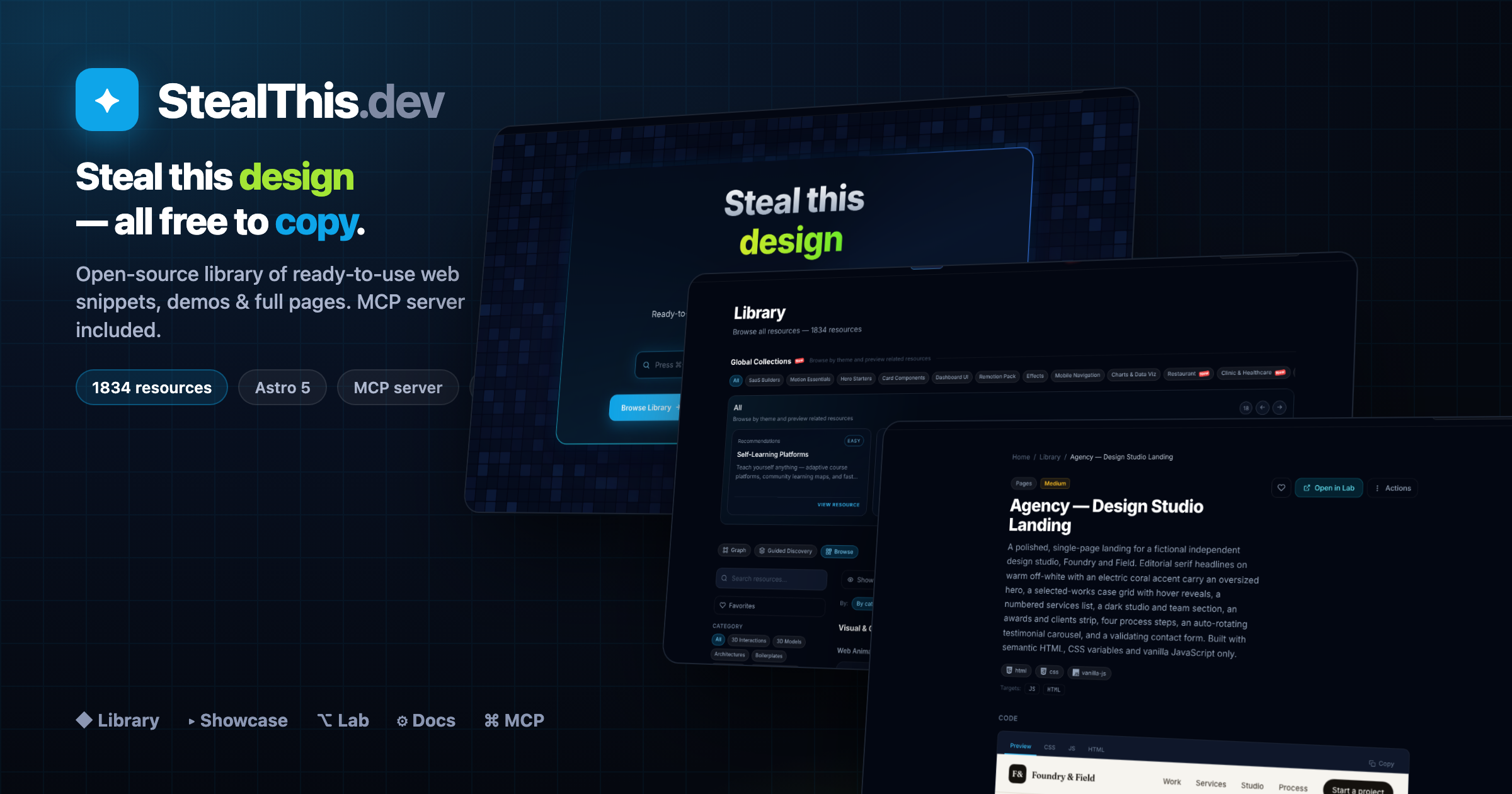
StealThis.dev is a Bun-workspace monorepo for an open-source resource library of reusable web implementations:
- Showcase site (
www) for browsing and copying resources - Documentation site (
docs) with Starlight guides - Full-screen demo runner (
lab) for runnable snippets - Project graph explorer (
build) for planning implementations - DB visualizer (
dbviz) for relational schema commands and diagrams - MCP server (
mcp) to expose the catalog to AI tools - Remotion app (
remotion) for animation/video compositions
The canonical source of resource content lives in packages/content/resources/<slug>/.
Website Locales
apps/www currently exposes these localized routes:
en— Englishes— Spanishfr— Frenchar— Arabicja— Japanesems— Malayhi— Hindiko— Koreannl— Dutchde— Germanpt-br— Brazilian Portuguesezh-hk— Traditional Chinese (Hong Kong)zh-cn— Simplified Chinese (China)de-ch— Swiss Germanit— Italianpl— Polishru— Russianuk— Ukrainian
Browser locale detection also maps RU users to ru and UA users to uk.
Monorepo Structure
.
├── apps
│   ├── www        # Astro 5 showcase + library
│   ├── docs       # Astro + Starlight docs
│   ├── lab        # Full-screen demo runner (iframe srcdoc)
│   ├── build      # Astro + React graph builder
│   ├── dbviz      # Astro + React database visualizer
│   ├── mcp        # Hono + Cloudflare Worker MCP server
│   └── remotion   # Remotion compositions
├── packages
│   ├── content    # Source-of-truth resources and docs
│   ├── schema     # Zod schema + loaders/types
│   └── config     # Shared tsconfig/tailwind presets
└── scripts        # Import + vendor sync utilities
Tech Stack
- Bun workspaces
- Astro 5 (multi-app)
- Starlight (docs)
- React (builder/remotion integrations)
- Tailwind CSS
- Hono + Wrangler (Cloudflare Worker for MCP)
- Zod + gray-matter + fast-glob (content schema/loading)
- Biome (lint/format)
Local Prerequisites
- Bun installed
- Node-compatible environment for Wrangler/Remotion tooling
Quick Start
# from repo root
bun install
Run any app independently:
bun run dev:www      # http://localhost:4321
bun run dev:docs     # http://localhost:4322
bun run dev:lab      # http://localhost:4323
bun run dev:build    # http://localhost:4324
bun run dev:dbviz    # http://localhost:4327
bun run dev:mcp      # http://localhost:8787 (Wrangler)
bun run dev:remotion # http://localhost:4325
Root Scripts
# development
bun run dev:www
bun run dev:docs
bun run dev:lab
bun run dev:build
bun run dev:dbviz
bun run dev:mcp
bun run dev:remotion

# builds
bun run build         # www + docs + lab + build + styleforge + dbviz + mcp
bun run build:www
bun run build:docs
bun run build:lab
bun run build:build
bun run build:dbviz
bun run build:mcp
bun run build:remotion

# quality
bun run lint
bun run format

# content/catalog tooling
bun run sync:vendor
bun run import:examples
bun run --filter @stealthis/mcp catalog
Production URLs
- Main site: https://stealthis.dev
- Docs: https://docs.stealthis.dev
- Lab: https://lab.stealthis.dev
- Builder: https://build.stealthis.dev
- DBViz: https://dbviz.stealthis.dev
- MCP: https://mcp.stealthis.dev/mcp
Resource Content Model
Each resource is a self-contained folder:
packages/content/resources/<slug>/
├── index.mdx
└── snippets/
    ├── html.html
    ├── style.css
    ├── script.js
    └── react.tsx (optional, plus other targets)
If a resource should appear in Lab:
- Set
labRoute: /<category>/<slug>in frontmatter - Provide
html.html,style.css, andscript.js
Supported category IDs:
web-animationsweb-pagesui-componentspatternscomponentspagespromptsskillsmcp-serversarchitecturesboilerplatesremotion
Add a New Resource
- Create
packages/content/resources/<slug>/index.mdxwith valid frontmatter. - Add snippets in
packages/content/resources/<slug>/snippets/. - If runnable in Lab, add
labRouteand include HTML/CSS/JS snippets. - Regenerate MCP catalog:
bun run --filter @stealthis/mcp catalog
- Validate:
bun run lint
bun run build:www
bun run build:lab
bun run build:mcp
Building a Whole Phase (multi-agent workflow)
The ROADMAP.md is organized into phases, each a themed vertical with
20–35 resources (Clinic, Gym, Salon, Real Estate, …). Building those one by one is slow, so
the repo has a documented pattern for generating a whole phase with a parallel multi-agent
Workflow in Claude Code — one subagent per resource, running concurrently.
To kick off the next phase, just ask Claude Code in plain language including the keyword
workflow (that keyword is what authorizes the multi-agent run — without it, Claude builds
by hand). For example:
finish Phase 30 (Gym) of the ROADMAP using a workflow
Claude then automatically:
- Reads PHASE-WORKFLOW.md (the full how-to) and the Phase 30 table in
ROADMAP.md. - Studies the pattern by opening a finished resource (e.g.
clinic-appointment-list) to match structure/quality. - Wires the new collection (
gym) in the 4 places it must exist (schema enum,apps/www/src/content/config.ts,apps/www/src/lib/collections.ts, i18n strings). - Builds the
SPECSlist (one entry per resource) from the roadmap table. - Launches the workflow — a subagent per resource, in parallel (watch live with
/workflows). - Regenerates the MCP catalog and ticks the ROADMAP checkboxes.
Handy add-ons you can append to the request:
| If you want… | Say… |
|---|---|
| It to stop for review when done | "…and pause when Phase 30 is done" |
| Several phases back-to-back | "finish Phases 30, 31 and 32 with workflows, one after another" |
| To limit scope | "only sections 30.A and 30.B" or "only the 5 landings" |
| To recover after a cutoff (e.g. session limit) | "resume the workflow" → re-runs only what failed; finished ones return from cache for free |
A workflow spins up dozens of agents — fast in wall-clock but token-heavy. Worth it for 20+ resources; for 1–3, build by hand (see Add a New Resource). Full mechanics, the script template, and how to read
/workflowslive in PHASE-WORKFLOW.md.
Replicating a Design into Resources (/replicate-resource)
Sometimes you have a one-off page you love — a standalone HTML file, an internal doc, an existing resource — and you want it in the library. The repo ships a skill + agent pair for exactly that:
/replicate-resource(.claude/skills/replicate-resource/SKILL.md) — the orchestrator: analyzes the source design, scrubs anything sensitive/company-specific, asks the few decisions that matter (language, scrub depth, design directions), fans out builds, then regenerates the catalog and verifies every page live.resource-replicator(.claude/agents/resource-replicator.md) — the builder: one agent per resource, with the authoring rules baked in (snippet wiring, thescrollIntoViewfix for sandboxedsrcdociframes, valid frontmatter enums, responsive rules, self-scrub grep).
It does two things, together or separately:
- Replicate — same design, new generalized English content (internal names replaced
by a fictional
acme-service). - Alternatives — same educational intent, but each on a topic you choose and with a deliberately different aesthetic that fills a gap in the library (it checks what looks already exist before proposing).
Example
/replicate-resource my-cool-page.html "docker networking" "git internals"
Claude will: read my-cool-page.html → build a scrubbed replica resource with its exact
design → propose distinct design directions for the two extra topics (with ASCII previews
to pick from) → build all resources in parallel → run the catalog build, a scrub grep
(zero hits required), and live checks on /r/<slug> and the Lab route → report each new
slug and its URLs.
Real-world run: an internal scheduled-tasks-book.html became
wiki-scheduled-tasks-book
(paper/serif concept book, replicated + scrubbed), plus three alternatives with brand-new
designs: wiki-localstack-notebook
(Jupyter notebook with typed cell outputs),
wiki-lambda-blueprint (navy/cyan
engineering drawings with dimension lines), and
wiki-rendering-split (CSR-vs-SSR
split screen with an animated page-load race).
Scale note: 1–4 resources is this skill's sweet spot. For a 20+ resource phase, use the multi-agent workflow instead.
Schema + Consumer Alignment
If you add/rename category/type/target fields, keep these in sync:
packages/schema/src/schema.tspackages/schema/src/types.tsapps/www/src/content/config.tsapps/www/src/i18n/index.ts(labels/filters)
MCP Server
The MCP Worker serves a generated catalog (apps/mcp/src/catalog.json) built from packages/content.
Important commands:
# regenerate catalog after content changes
bun run --filter @stealthis/mcp catalog

# local worker
bun run dev:mcp

# validate worker bundle
bun run build:mcp
Primary endpoints:
POST /mcp(MCP JSON-RPC transport)GET /tools/list_resourcesGET /tools/get_resource/:slugGET /tools/get_snippet/:slug/:targetGET /tools/search?q=...GET /tools/get_lab/:slug
Codebase Graph (graphify)
graphify turns this repo into a local, queryable knowledge graph of how apps, modules, and docs connect. Output lands in graphify-out/ — that folder is gitignored (cache, JSON, HTML, reports). Regenerate on your machine or in a separate checkout; do not commit it.
Requires the graphify skill/CLI (e.g. /graphify in Claude Code, or uv tool install graphifyy).
Build and refresh
/graphify apps              # Full extraction on apps/ (~2k nodes, 3k edges on last run)
/graphify apps --update     # Incremental — only new/changed files (fast after first run)
/graphify apps --cluster-only   # Re-run community detection on existing graph.json
/graphify apps --mode deep      # More aggressive INFERRED edges (slower, richer graph)
/graphify apps --directed       # Preserve edge direction (source → target) for call tracing
/graphify packages/content  # Narrow scope to content package only
/graphify apps --watch      # Auto-rebuild on file changes (no LLM, graph structure only)
After a full build, open graphify-out/graph.html in a browser for the interactive view, or read graphify-out/GRAPH_REPORT.md for community hubs, god nodes, and import cycles.
Explore without rebuilding
These read the existing graphify-out/graph.json — no token cost if the graph is already built:
/graphify query "How does the MCP catalog get built?"
/graphify query "What connects ResourceCard to i18n?" --dfs      # Trace one path (depth-first)
/graphify query "How does lab inline snippets?" --budget 1500      # Cap answer length
/graphify path "ForceGraph" "useI18n"                              # Shortest path between two nodes
/graphify explain "DbVizStudioInner"                               # Plain-language node summary
Optional exports
/graphify apps --svg            # graph.svg (Notion, GitHub embeds)
/graphify apps --graphml        # graph.graphml (Gephi, yEd)
/graphify apps --neo4j          # graphify-out/cypher.txt for Neo4j import
/graphify apps --obsidian       # Obsidian vault (one note per node)
/graphify apps --wiki           # Agent-crawlable wiki (index + articles)
/graphify apps --no-viz         # Skip HTML — report + JSON only
What belongs in git vs locally
| Keep in repo (stable) | Local only (graphify-out/, gitignored) |
|---|---|
App inventory under apps/ |
cache/ extraction cache |
Content flow: packages/content → www/lab collections + apps/mcp catalog |
graph.json, graph.html, manifest.json, cost.json |
Cross-app hubs: useI18n(), ResourceCard.astro, ForceGraph, per-app shells |
GRAPH_REPORT.md, community labels, Obsidian/wiki exports |
Full flag list: /graphify --help.
Workspace Notes
- Do not edit generated output in
dist/orgraphify-out/. - Prefer reusing shared modules from
packages/schemaandpackages/config. - Use Bun commands across the monorepo (project standard).
- For app-specific docs:
apps/mcp/README.mdapps/remotion/README.md
Deployment (Cloudflare)
Current deployment workflow uses:
- Cloudflare Pages for
www,docs,lab,build - Cloudflare Workers for
mcp
Reference commands are documented in COMMANDS.md.
Repository Health Checks
For routing/UI smoke tests after local dev starts:
curl -s -o /dev/null -w "%{http_code}" http://localhost:4321/
curl -s -o /dev/null -w "%{http_code}" http://localhost:4321/library
curl -s -o /dev/null -w "%{http_code}" http://localhost:4323/
curl -s -o /dev/null -w "%{http_code}" http://localhost:4323/<category>/<slug>
Supply-Chain Security
This repo is hardened against malicious dependency updates: a 3-day install
cooldown (minimumReleaseAge), a Socket pre-install scanner, and blocked
postinstall scripts by default. Full explanation in SUPPLY_CHAIN_SECURITY.md.
Verify the project is not compromised — runs every defense check, scans for
known CVEs and blocked install scripts, and writes a timestamped report to
SECURITY_REPORT.md:
bun run security:verify
Run it before pulling new dependencies, before a deploy, and routinely. Exit code is non-zero only when a defense layer is broken (the real "repo no longer hardened" signal); known transitive CVEs do not fail it.
bun run audit            # bun audit — known CVEs in the lockfile
bun run outdated         # outdated deps across all workspaces
bun run security:trust   # review blocked postinstall scripts
For prioritized triage of what to update vs. what is still inside the cooldown
window, run the /pkg-audit command.
License
Resources default to MIT via frontmatter metadata.
If you need a repository-wide license, add a top-level LICENSE file.
Installing StealThis
This server has no published package — it is built from source. Open the repository and follow its README.
▸ github.com/foodhy/stealthisFAQ
Is StealThis MCP free?
Yes, StealThis MCP is free — one-click install via Unyly at no cost.
Does StealThis need an API key?
No, StealThis runs without API keys or environment variables.
Is StealThis hosted or self-hosted?
Self-hosted: the server runs locally on your machine via the install command above.
How do I install StealThis in Claude Desktop, Claude Code or Cursor?
Open StealThis on unyly.org, pick your client tab (Claude Desktop, Claude Code, Cursor) and press Install — the config is generated automatically, no JSON editing.
Related MCPs
GitHub
PRs, issues, code search, CI status
 by GitHub
Filesystem
Secure file operations with configurable access controls.
Memory
Knowledge graph-based persistent memory system.
Template MCP Server
A CLI tool to create a new Model Context Protocol server project with TypeScript support, dual transport options, and an extensible structure
 by mcpdotdirect
Compare StealThis with
Not sure what to pick?
Find your stack in 60 seconds
Author?
Embed badge for your README
Browse similar
All development MCPs