loading…
en/
Browse all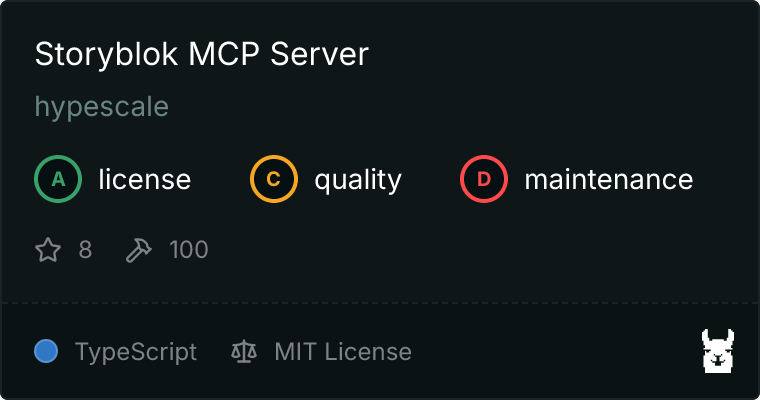
Storyblok Server
FreeNot checkedA Storyblok MCP Server built on TypeScript with more than 130+ Actions

About
A Storyblok MCP Server built on TypeScript with more than 130+ Actions
README
License: MIT Node.js MCP TypeScript
A TypeScript Model Context Protocol server for the Storyblok Management API. It lets AI assistants and agents manage Storyblok content, workflows, and configuration safely and programmatically.
Why this project
Storyblok is powerful, but repetitive content operations and release workflows can be time-consuming. This server bridges MCP-compatible assistants with Storyblok so teams can:
- Automate content ops (bulk updates, tagging, assets)
- Orchestrate releases and workflows with less manual effort
- Keep component libraries and schemas consistent
- Give AI agents structured, typed access to Storyblok
Highlights
- 160 tools across 30 modules mapped to Storyblok Management API capabilities
- Typed schemas with Zod for safer tool calls
- MCP-first design for MCP-compatible clients
- Simple config using environment variables
What it does in 15 seconds
Prompt
Find all stories updated in the last 7 days and tag them as "reviewed".
Response (example)
Found 12 stories updated since 2025-12-28.
Applied tag "reviewed" to 12 stories.
Quick Start
# Clone the repository
git clone https://github.com/hypescale/storyblok-mcp-server.git
cd storyblok-mcp-server

# Install dependencies
npm install

# Build
npm run build
Create a .env file from the example and fill in your credentials:
cp .env.example .env
Then start the server:
npm run start
Requirements
- Node.js >= 20
- A Storyblok space with Management + Public/Preview tokens
Configuration
The server requires three environment variables (see .env.example):
STORYBLOK_SPACE_ID=your_space_id
STORYBLOK_MANAGEMENT_TOKEN=your_management_token
STORYBLOK_DEFAULT_PUBLIC_TOKEN=your_public_token
What they are used for:
| Variable | Description |
|---|---|
STORYBLOK_SPACE_ID |
Your numeric Storyblok space ID |
STORYBLOK_MANAGEMENT_TOKEN |
Management API token with appropriate permissions |
STORYBLOK_DEFAULT_PUBLIC_TOKEN |
Public/Preview token for content delivery |
Tip: Use the smallest permission set possible for safety.
Usage with MCP Clients
This server is designed to work with any MCP-compatible client. Here are ready-to-copy configs for popular tools.
Claude Desktop
Show config
Add to your claude_desktop_config.json:
{
  "mcpServers": {
    "storyblok": {
      "command": "node",
      "args": ["/path/to/storyblok-mcp-server/dist/index.js"],
      "env": {
        "STORYBLOK_SPACE_ID": "your_space_id",
        "STORYBLOK_MANAGEMENT_TOKEN": "your_management_token",
        "STORYBLOK_DEFAULT_PUBLIC_TOKEN": "your_public_token"
      }
    }
  }
}
Codex CLI / IDE
Show config
Codex supports MCP servers via CLI or by editing ~/.codex/config.toml. The CLI and IDE extension share the same config.
Option A: Configure with the Codex CLI
codex mcp add storyblok \
  --env STORYBLOK_SPACE_ID=your_space_id \
  --env STORYBLOK_MANAGEMENT_TOKEN=your_management_token \
  --env STORYBLOK_DEFAULT_PUBLIC_TOKEN=your_public_token \
  -- node /path/to/storyblok-mcp-server/dist/index.js
Option B: Configure with ~/.codex/config.toml
[mcp_servers.storyblok]
command = "node"
args = ["/path/to/storyblok-mcp-server/dist/index.js"]

[mcp_servers.storyblok.env]
STORYBLOK_SPACE_ID = "your_space_id"
STORYBLOK_MANAGEMENT_TOKEN = "your_management_token"
STORYBLOK_DEFAULT_PUBLIC_TOKEN = "your_public_token"
Cursor
Show config
Create a project config at .cursor/mcp.json (or use the global config at ~/.cursor/mcp.json):
{
  "mcpServers": {
    "storyblok": {
      "command": "node",
      "args": ["/path/to/storyblok-mcp-server/dist/index.js"],
      "env": {
        "STORYBLOK_SPACE_ID": "your_space_id",
        "STORYBLOK_MANAGEMENT_TOKEN": "your_management_token",
        "STORYBLOK_DEFAULT_PUBLIC_TOKEN": "your_public_token"
      }
    }
  }
}
Windsurf
Show config
Create ~/.codeium/mcp_config.json:
{
  "mcpServers": {
    "storyblok": {
      "command": "node",
      "args": ["/path/to/storyblok-mcp-server/dist/index.js"],
      "env": {
        "STORYBLOK_SPACE_ID": "your_space_id",
        "STORYBLOK_MANAGEMENT_TOKEN": "your_management_token",
        "STORYBLOK_DEFAULT_PUBLIC_TOKEN": "your_public_token"
      }
    }
  }
}
VS Code
Show config
Create .vscode/mcp.json in your workspace:
{
  "servers": {
    "storyblok": {
      "type": "stdio",
      "command": "node",
      "args": ["/path/to/storyblok-mcp-server/dist/index.js"],
      "env": {
        "STORYBLOK_SPACE_ID": "your_space_id",
        "STORYBLOK_MANAGEMENT_TOKEN": "your_management_token",
        "STORYBLOK_DEFAULT_PUBLIC_TOKEN": "your_public_token"
      }
    }
  }
}
Continue
Show config
Create a YAML config at .continue/mcpServers/storyblok.yaml:
name: Storyblok MCP
version: 1.0.0
schema: v1
mcpServers:
  - name: storyblok
    command: node
    args:
      - /path/to/storyblok-mcp-server/dist/index.js
    env:
      STORYBLOK_SPACE_ID: your_space_id
      STORYBLOK_MANAGEMENT_TOKEN: your_management_token
      STORYBLOK_DEFAULT_PUBLIC_TOKEN: your_public_token
Cline
Show config
Open Cline settings and use "Configure MCP Servers" to open cline_mcp_settings.json, then add:
{
  "mcpServers": {
    "storyblok": {
      "command": "node",
      "args": ["/path/to/storyblok-mcp-server/dist/index.js"],
      "env": {
        "STORYBLOK_SPACE_ID": "your_space_id",
        "STORYBLOK_MANAGEMENT_TOKEN": "your_management_token",
        "STORYBLOK_DEFAULT_PUBLIC_TOKEN": "your_public_token"
      }
    }
  }
}
Available Tools
The tool surface mirrors Storyblok's Management API. Total tool count and modules are defined in src/tools/index.ts.
| Module | Tools | Description |
|---|---|---|
| Stories | 18 | CRUD, bulk operations, publishing, versioning |
| Components | 9 | Schema management, versioning, usage tracking |
| Assets | 9 | Upload, organize, bulk operations |
| Workflows | 6 | Workflow management and stages |
| Releases | 5 | Release scheduling and deployment |
| Datasources | 5 | Key-value data management |
| Tags | 5 | Content tagging and organization |
| Webhooks | 5 | Event notifications |
| Collaborators | 4 | Team management |
| Space Roles | 5 | Permissions and access control |
| ... | ... | And 20+ more modules |
Example Prompts
Use these prompts in your MCP client to see quick wins:
- "List all stories updated in the last 7 days and tag them as 'reviewed'."
- "Create a release for next Friday and add the homepage and pricing stories."
- "Find unused components and tell me which stories still reference them."
- "Upload these assets and organize them into a new 'Campaign' folder."
Development
# Run in development mode with hot reload
npm run dev

# Type check
npm run typecheck

# Build for production
npm run build
Project Structure
src/index.ts- MCP server entry pointsrc/tools/*- Tool modules mapped to Storyblok API areassrc/types/*- Shared API and Storyblok typessrc/utils/*- HTTP helpers and response formattingsrc/config.ts- Environment configuration and validation
Troubleshooting
ConfigError: STORYBLOK_* is missing- ensure.envis present and filled out.401 Unauthorized- verify the Management and Public/Preview tokens.404 Not Found- double-check theSTORYBLOK_SPACE_ID.
Tech Stack
- TypeScript with strict type checking
- @modelcontextprotocol/sdk for MCP implementation
- Zod for runtime schema validation
- Native fetch API for HTTP requests
Release and Versioning
When you're ready to cut a release:
- Update
package.jsonversion (semantic versioning recommended). - Update
README.mdif behavior or setup changed. - Tag the release and publish a GitHub Release with notes.
This keeps the project easy to consume for open source users and downstream tools.
Security Notes
- Never commit
.envfiles or tokens to git. - Prefer tokens scoped to a dedicated Storyblok space for automation.
- Rotate tokens if you suspect exposure.
Contributing
Issues and PRs are welcome. If you're planning a large change, open an issue first so we can align on scope and direction.
License
MIT
Built by hypescale | Maintained by Martin Kogut
How to install
Run in your terminal:
claude mcp add storyblok-mcp-server -- npx 
