
Structurizr MCP Server Setup
FreeNot checkeda short description of the installation of Structurizr and its MCP Server.

About
a short description of the installation of Structurizr and its MCP Server.
README
Self-hosted Structurizr combined with an MCP Server integration for Claude Desktop. Describe your software architecture in plain language — Claude generates valid C4 Model diagrams directly in Structurizr.
What This Is
This setup connects Claude Desktop to a self-hosted Structurizr instance via the Model Context Protocol (MCP). Claude can read, validate, and generate Structurizr DSL workspaces — and render them as C4 diagrams without manual editing.
Typical flow:
Describe your system in plain language  ─or─  sketch it by hand
        ↓
Claude reads the text or image and generates a validated Structurizr DSL workspace
        ↓
Paste the DSL into Structurizr
        ↓
C4 diagrams are rendered automatically
Example: PIM System
The included example models a Product Information Management (PIM) System — a realistic, multi-tier enterprise application.
Prompt
pim-prompt.txt contains the plain-language description used as input for Claude:
- 3 personas (Product Manager, Supplier, Channel)
- 3 software systems (PIM, ERP, Shop)
- 8 containers with technology tags
- Components for two services
- Full relationship mapping
- Kubernetes production deployment
- 5 C4 views with auto-layout and styles
Generated DSL
PIM-dsl.json is the Structurizr DSL workspace produced by Claude from the prompt above. It can be imported directly into Structurizr.
Rendered Diagrams
The diagrams below were rendered by Structurizr from the generated DSL:
| View | Diagram |
|---|---|
| System Context | 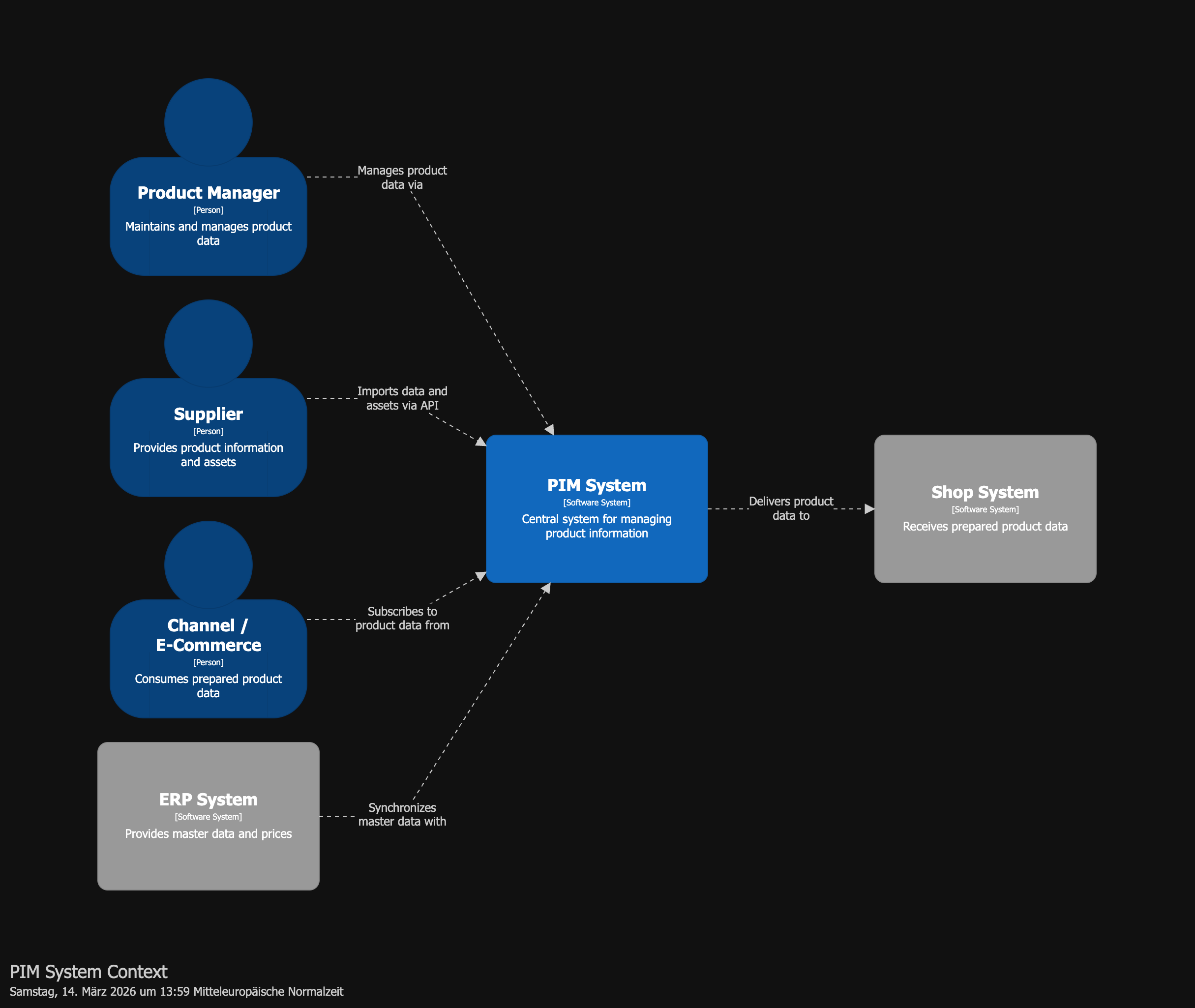 |
| Container Overview | 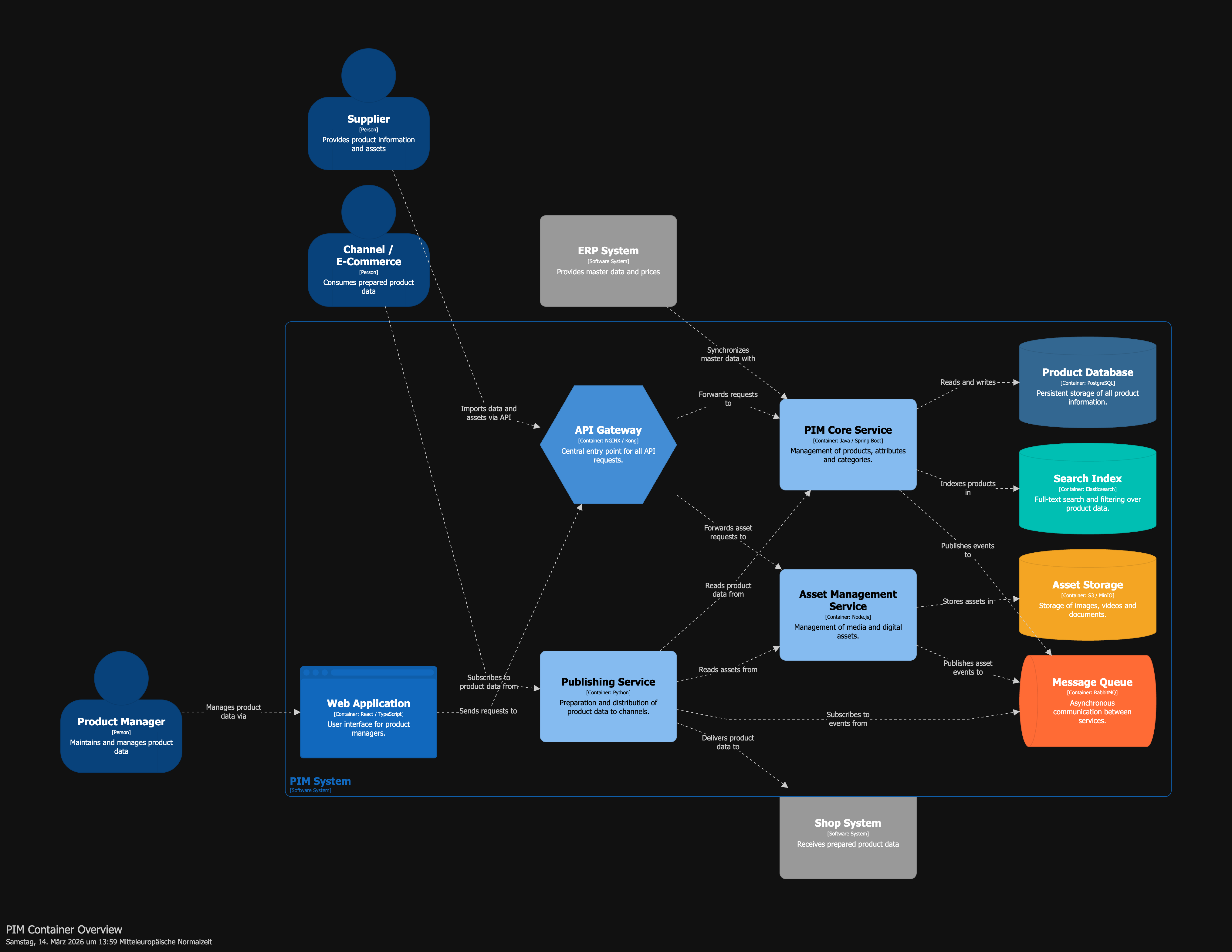 |
| Core Service Components | 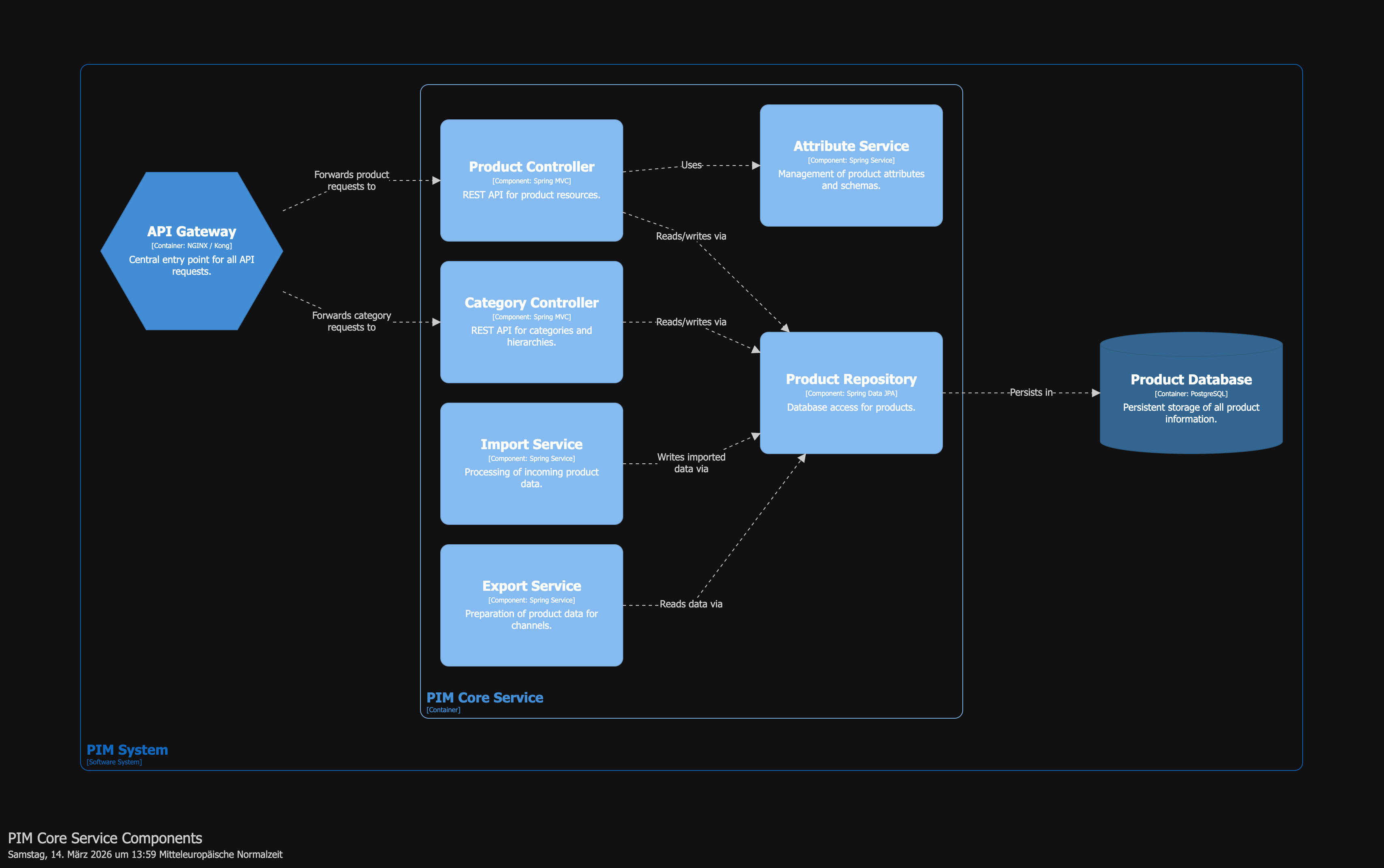 |
| Asset Service Components | 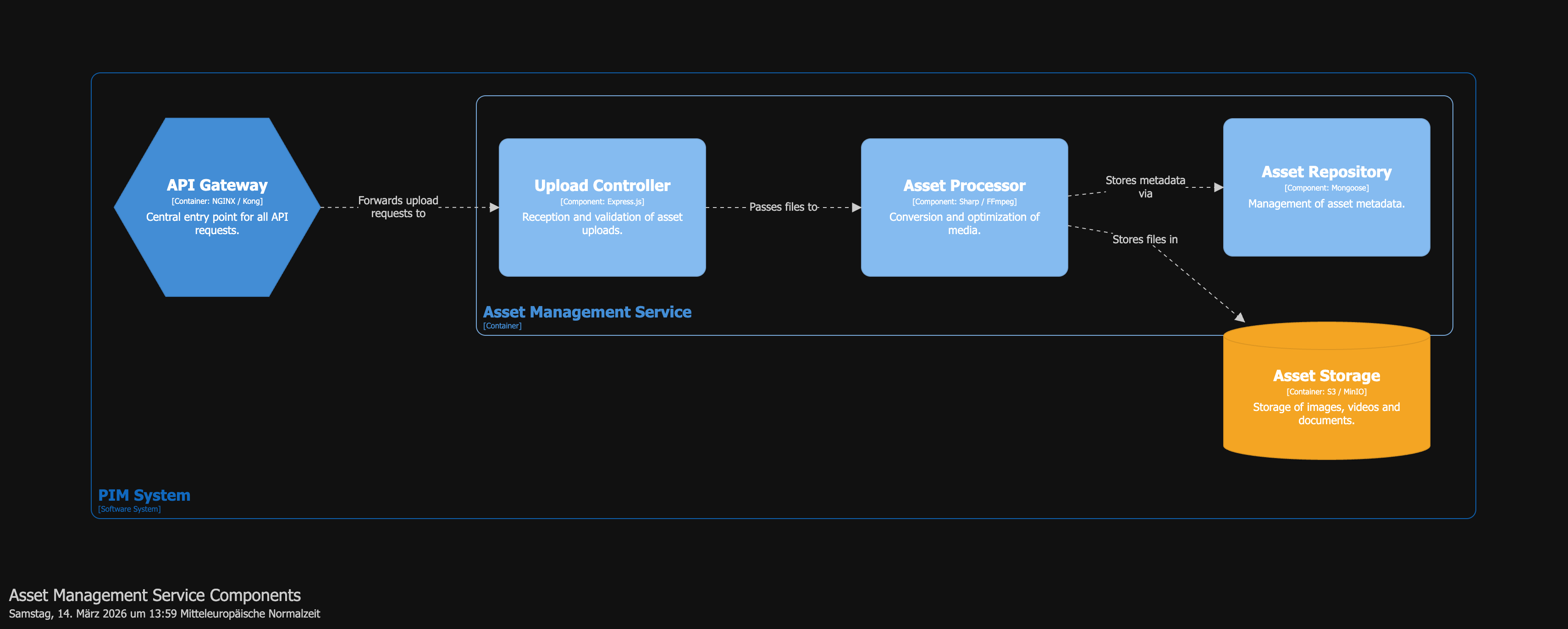 |
| Deployment (Production) | 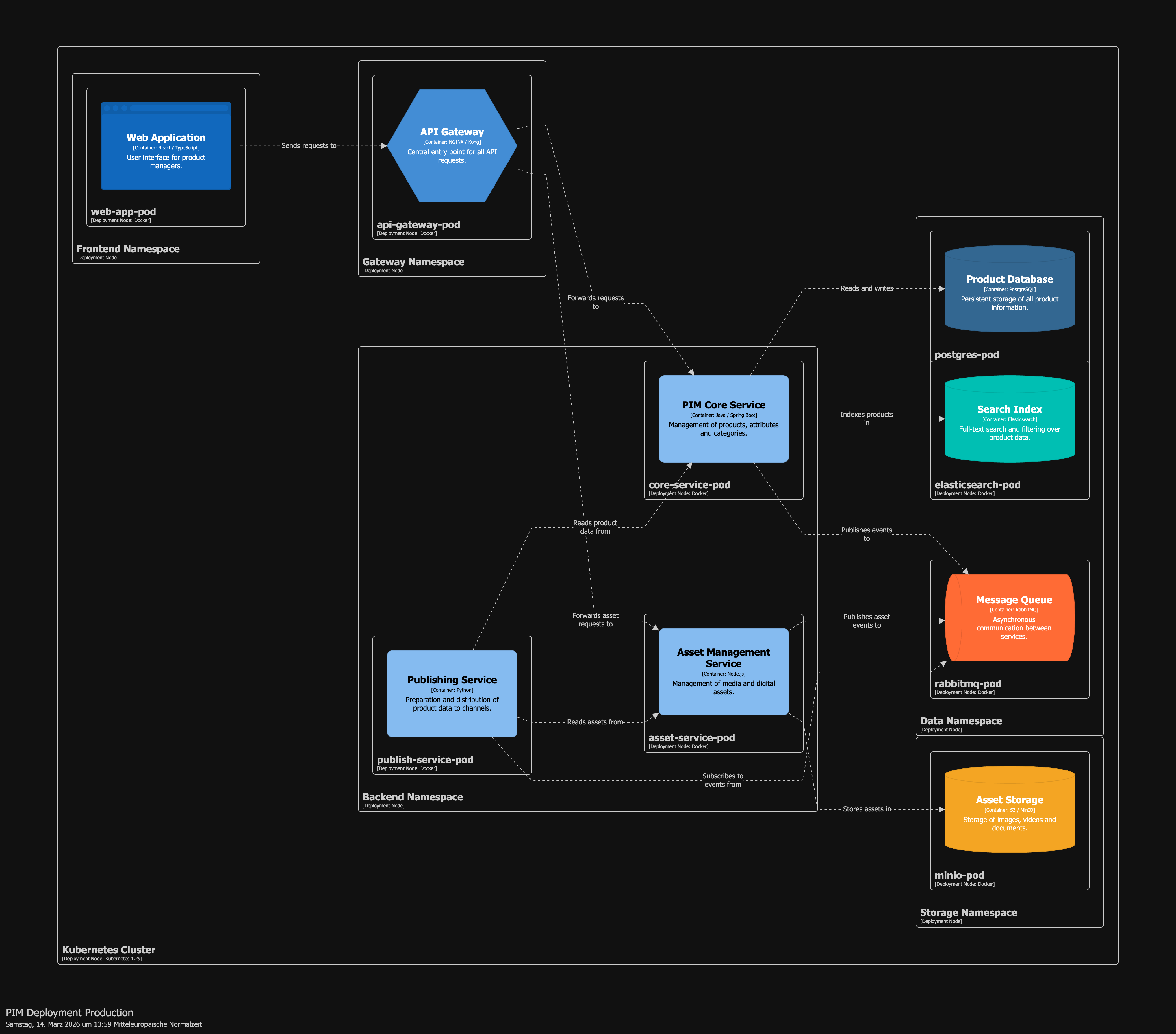 |
Iteration 2: Extending via Handwritten Sketch
In a second iteration, the architecture was extended using a handwritten sketch — drawn on a reMarkable tablet and uploaded directly to Claude.
The Sketch
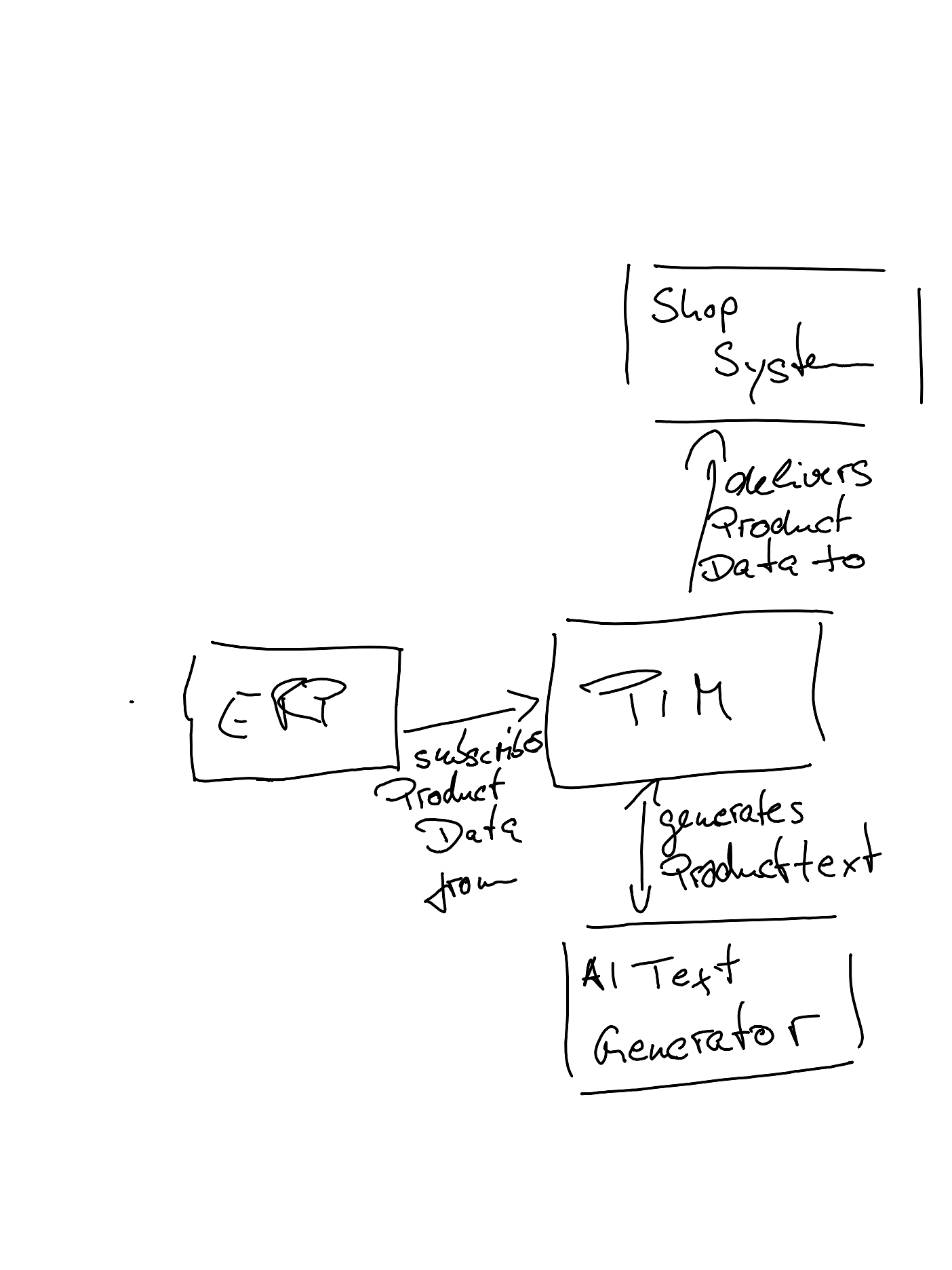
The sketch shows a new component — an AI Text Generator — connected to the PIM system. Claude reads the sketch as an image, identifies the new element and its relationships, and integrates them into the existing DSL workspace:
- PIM → AI Text Generator: generates product text
- The AI Text Generator becomes a new container inside the PIM system
No prompt engineering required — the image itself is the specification.
Updated Diagrams
After Claude merged the sketch into the DSL, Structurizr rendered the updated architecture:
| View | Diagram |
|---|---|
| System Context | 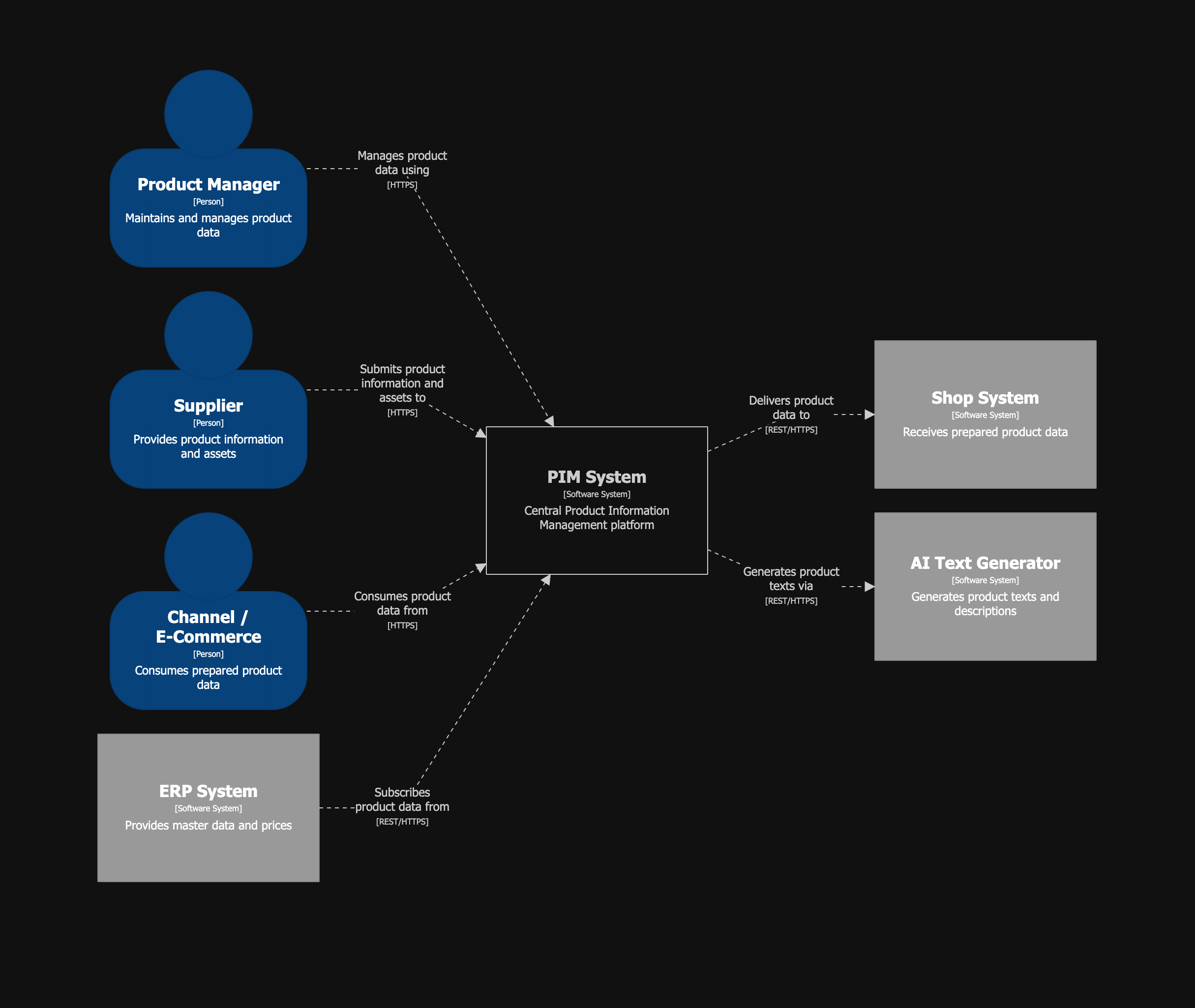 |
| Container Overview | 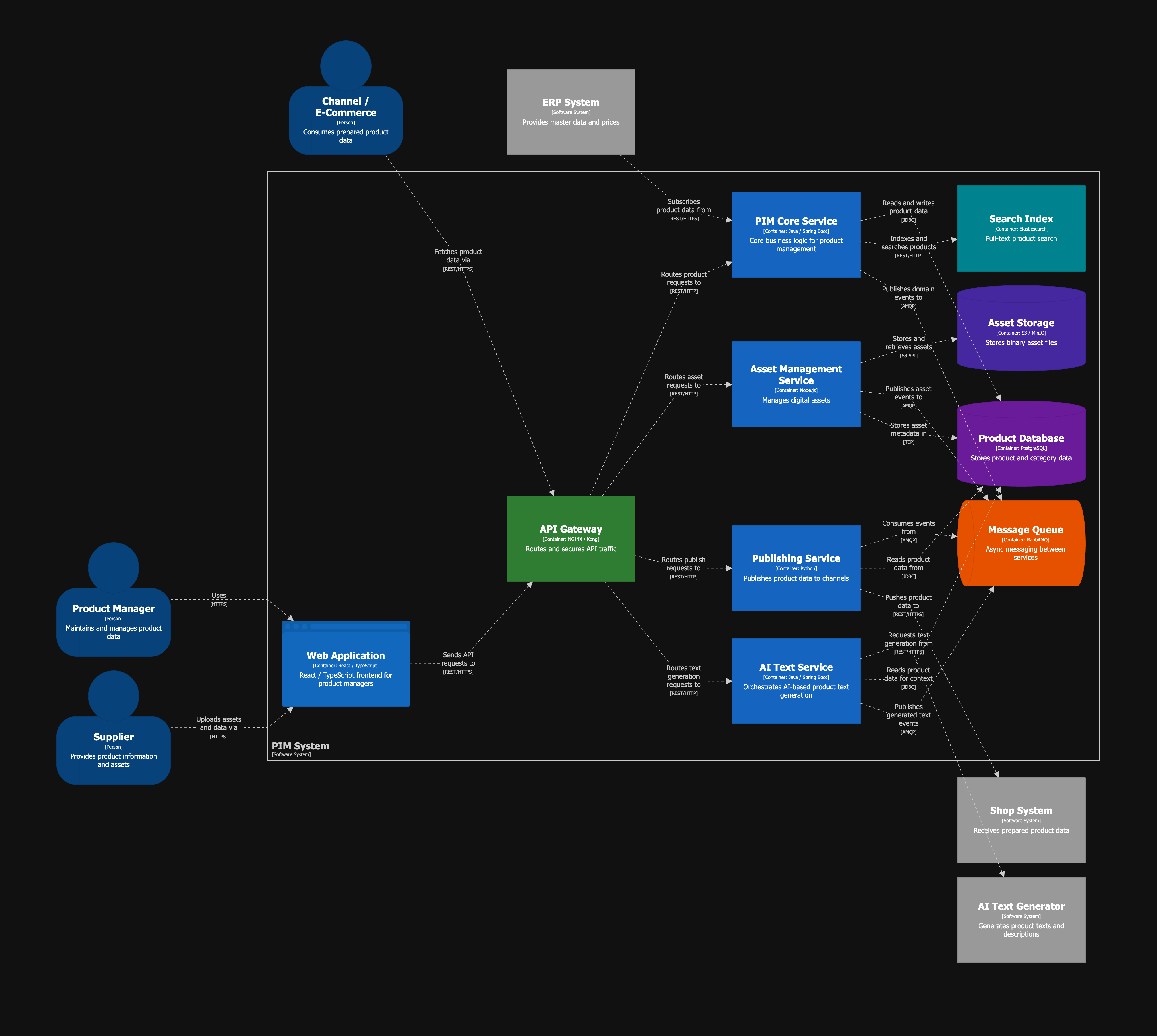 |
| Core Service Components | 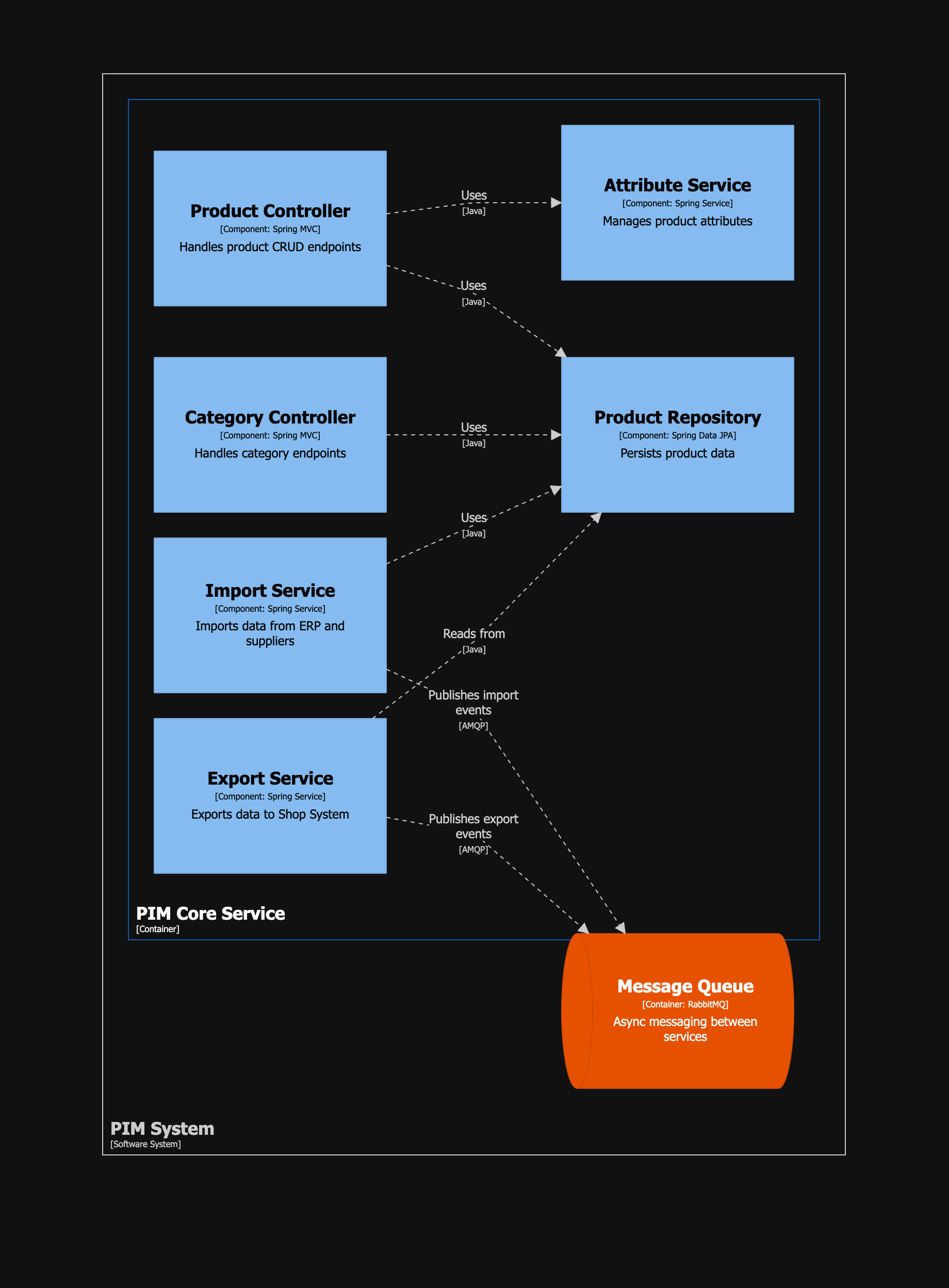 |
| Asset Service Components | 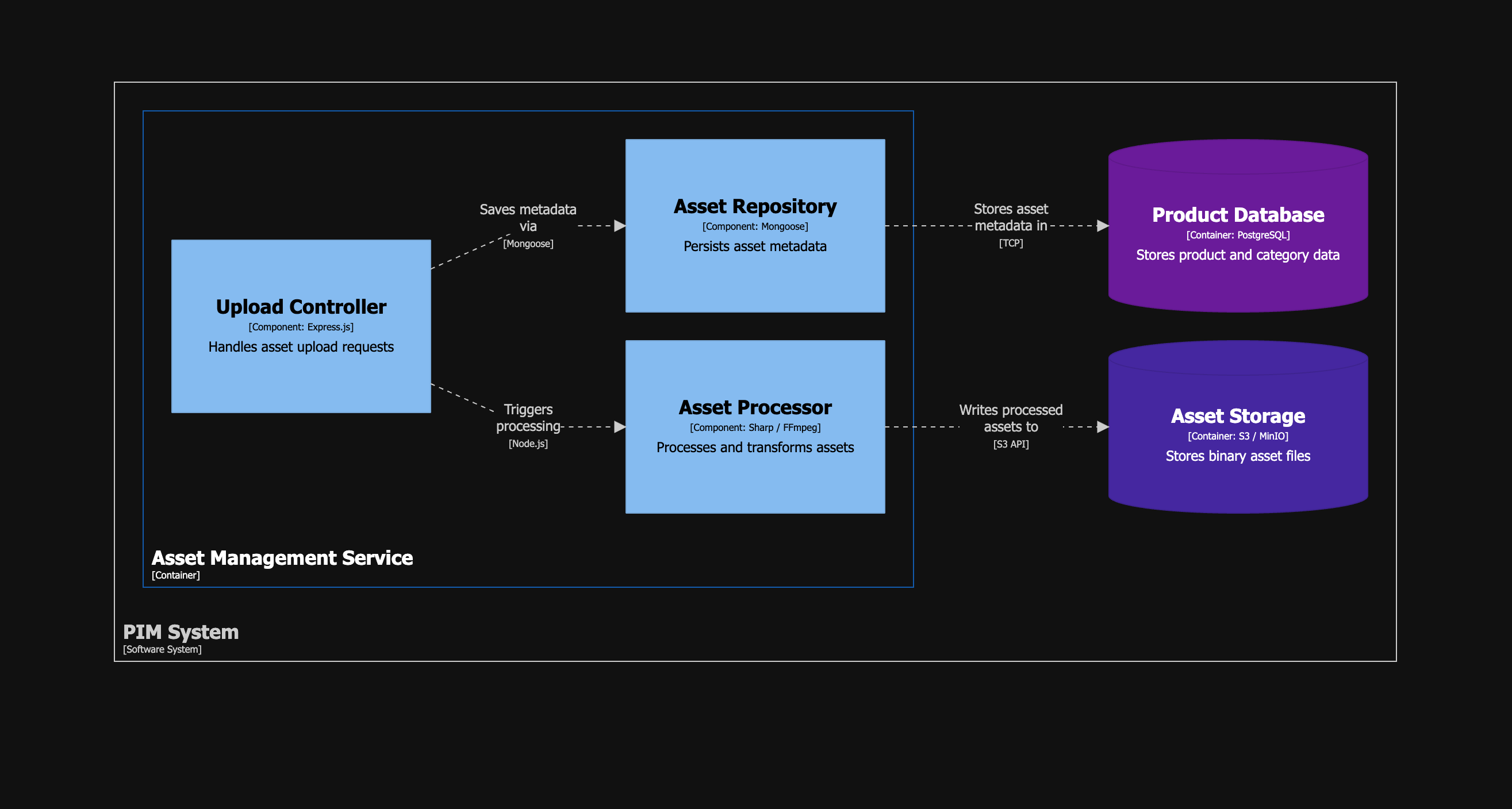 |
| AI Text Service Components | 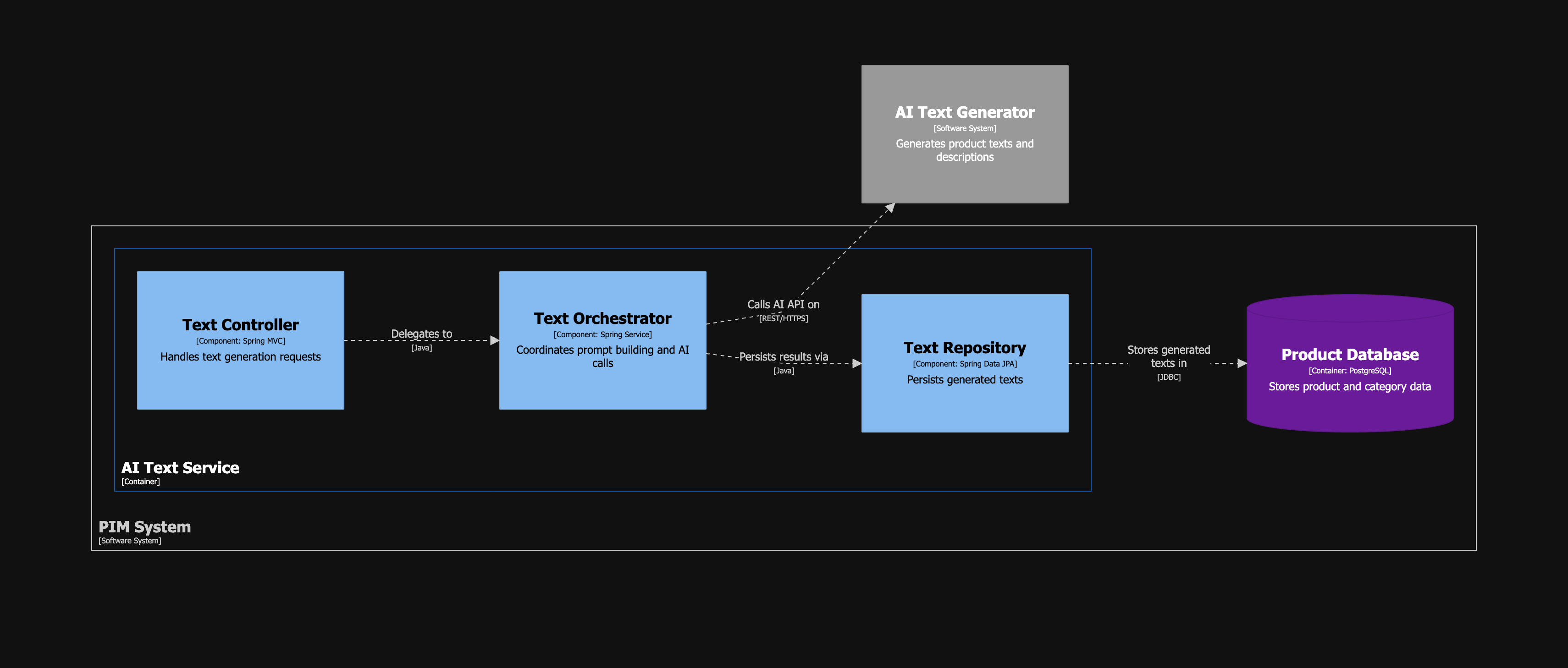 |
| Deployment (Production) | 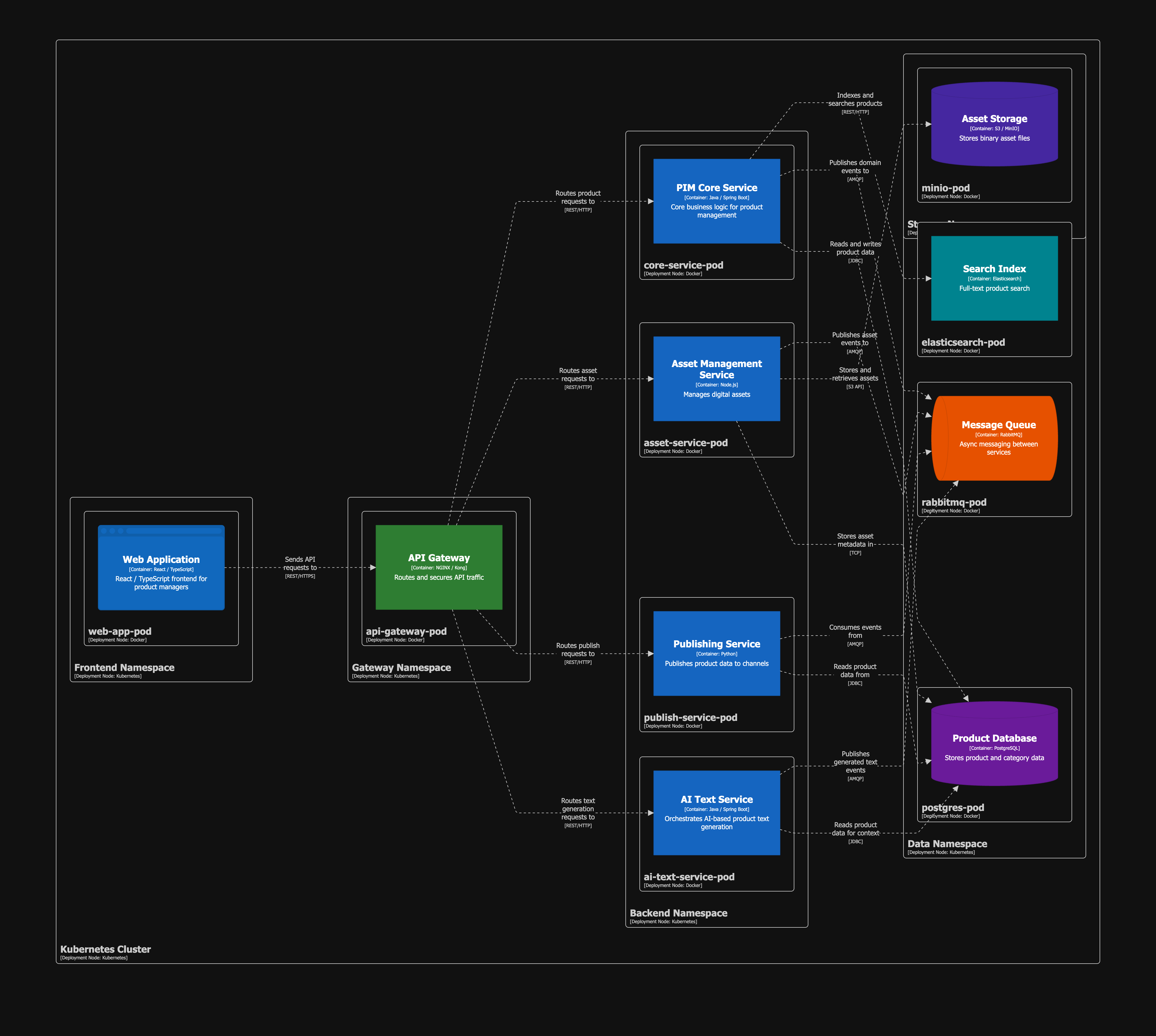 |
Installation
See Installation.md for the full setup guide, including:
- Building the Structurizr Docker image
- Docker Compose configuration (Structurizr + MCP Server)
- Optional Caddy reverse proxy with HTTPS
- Claude Desktop configuration
- Claude project system prompt
- Available MCP tools
- Troubleshooting
References
Installing Structurizr MCP Server Setup
This server has no published package — it is built from source. Open the repository and follow its README.
▸ github.com/mrebbert/Structurizr-MCP-Server-SetupFAQ
Is Structurizr MCP Server Setup MCP free?
Yes, Structurizr MCP Server Setup MCP is free — one-click install via Unyly at no cost.
Does Structurizr MCP Server Setup need an API key?
No, Structurizr MCP Server Setup runs without API keys or environment variables.
Is Structurizr MCP Server Setup hosted or self-hosted?
Self-hosted: the server runs locally on your machine via the install command above.
How do I install Structurizr MCP Server Setup in Claude Desktop, Claude Code or Cursor?
Open Structurizr MCP Server Setup on unyly.org, pick your client tab (Claude Desktop, Claude Code, Cursor) and press Install — the config is generated automatically, no JSON editing.
Related MCPs
GitHub
PRs, issues, code search, CI status
 by GitHub
Filesystem
Secure file operations with configurable access controls.
Memory
Knowledge graph-based persistent memory system.
Template MCP Server
A CLI tool to create a new Model Context Protocol server project with TypeScript support, dual transport options, and an extensible structure
 by mcpdotdirect
Compare Structurizr MCP Server Setup with
Not sure what to pick?
Find your stack in 60 seconds
Author?
Embed badge for your README
Browse similar
All development MCPs