
StyleTrace
FreeNot checkedAnalyzes website references, images, screenshots, and HTML snippets to produce a design brief with style constraints, and reviews generated HTML against those c

About
Analyzes website references, images, screenshots, and HTML snippets to produce a design brief with style constraints, and reviews generated HTML against those constraints.
README
English | 繁體中文 | 日本語 | 한국어 | Français | Español





StyleTrace is an MCP server that analyzes references and returns a prompt-ready design brief for agents and reviewers. One use case is helping developers build websites without getting distracted by design decisions, then review generated output against the original style constraints.
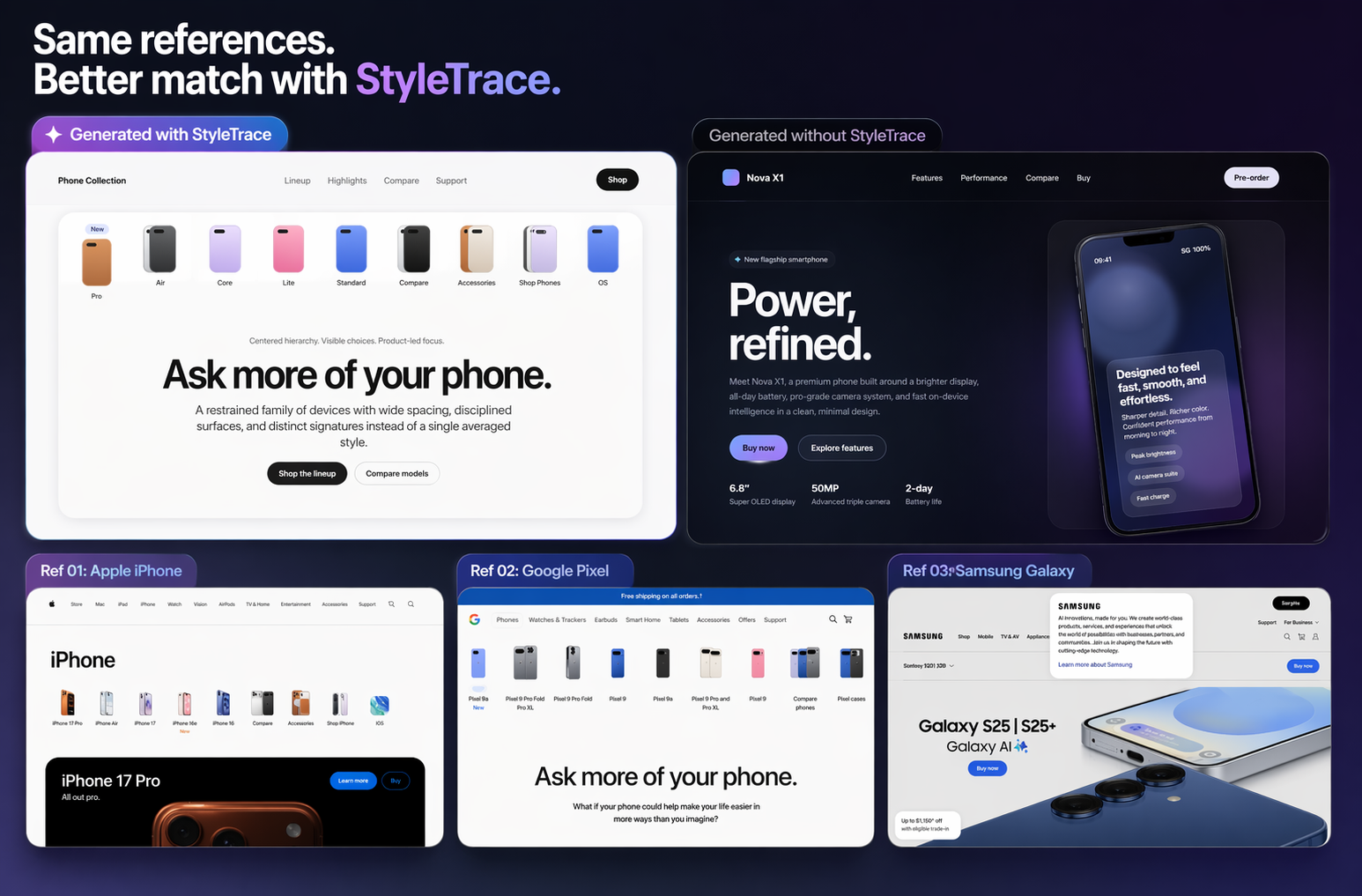
Additional example using the same references with and without StyleTrace in the review flow:
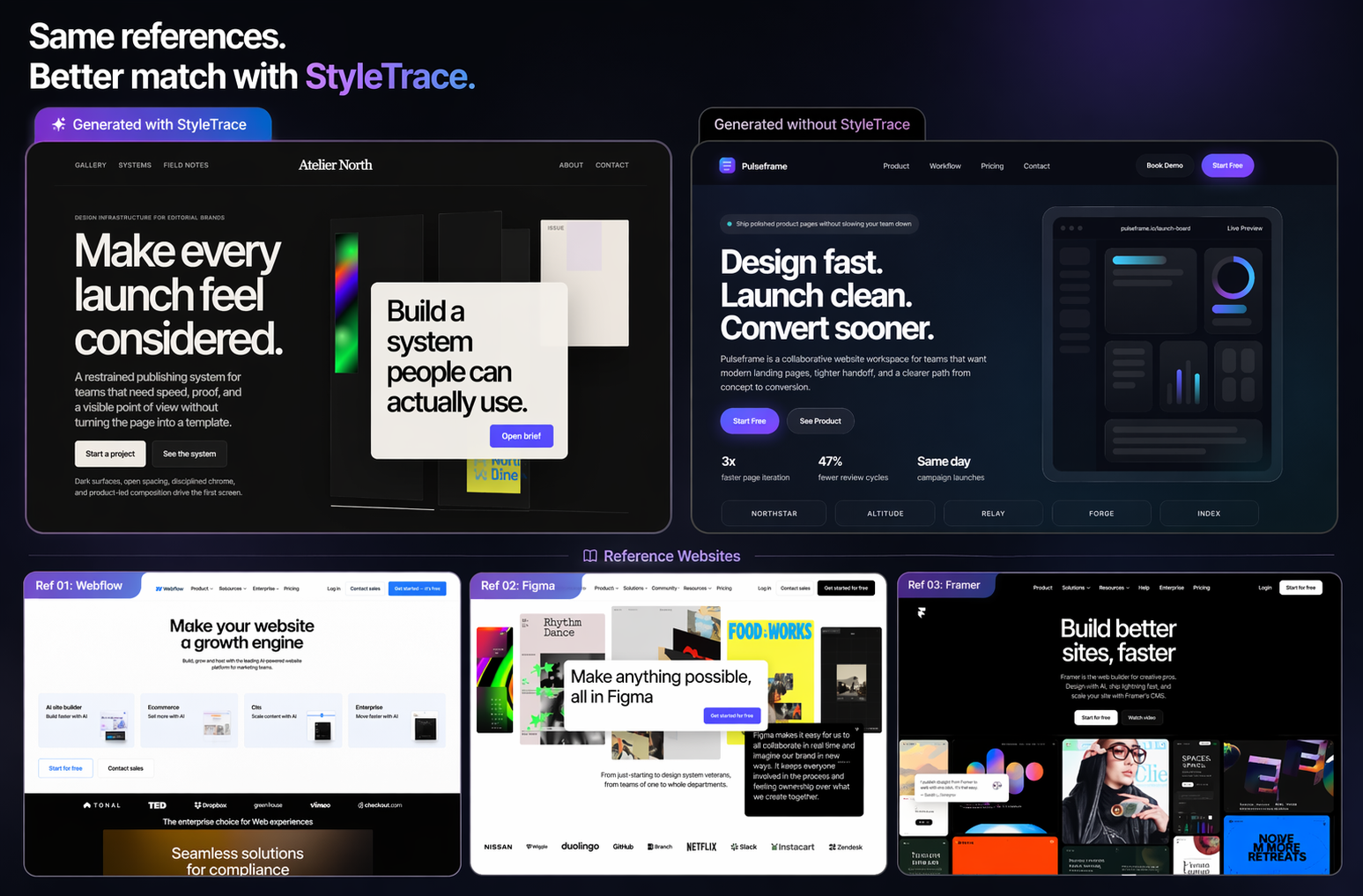
Why Use It
- turn a few reference pages, screenshots, or HTML snippets into a prompt-ready design brief an agent can actually use
- make website regeneration less generic by preserving the parts that feel distinctive
- review generated HTML or screenshots against the extracted style constraints instead of relying on vague visual judgment
- analyze only the exact URLs you give it, so the result stays predictable and reviewable
Installation
Requirements:
- Node.js
>=20 - Playwright Chromium
Install from npm:
npm install -g @agenticbridge/style-trace
npx playwright install chromium
Or run from a local clone:
npm install
npx playwright install chromium
npm run build
Usage
Connect it from your MCP client.
Published package:
{
  "mcpServers": {
    "style-trace": {
      "command": "npx",
      "args": ["-y", "@agenticbridge/style-trace"]
    }
  }
}
Local clone:
{
  "mcpServers": {
    "style-trace": {
      "command": "node",
      "args": ["/absolute/path/to/style-trace/dist/src/index.js"]
    }
  }
}
The server exposes two tools:
analyze_website_stylereview_generated_style
analyze_website_style accepts exact website URLs:
{
  "urls": ["https://www.apple.com", "https://www.framer.com"],
  "targetArtifact": "landing-page",
  "fidelity": "high"
}
It also accepts mixed references:
{
  "references": [
    { "type": "url", "value": "https://www.apple.com/iphone/" },
    { "type": "image", "value": "https://example-cdn.com/reference/hero-shot.png" },
    { "type": "screenshot", "value": "https://example-cdn.com/reference/hero-capture.png" },
    { "type": "html", "value": "<main><section><h1>Hero</h1></section></main>" }
  ],
  "targetArtifact": "prototype",
  "fidelity": "medium",
  "designIntent": "preserve the hero hierarchy and chrome discipline",
  "evidenceMode": "inline"
}
urls remains supported for website-only input. Use references when you want to mix website, image, screenshot, and bounded HTML sources in one request.
The result now includes prompt-ready fields such as visualVocabulary, styleInvariants, styleRisks, softGuesses, compositionBlueprint, variationAxes, blendModes, promptReadyBrief, reviewContract, and originalityBoundary.
review_generated_style checks generated HTML or a generated image URL against a StyleTrace result:
{
  "styleResult": { "...": "StyleTrace analyze_website_style output" },
  "generatedHtml": "<!doctype html><html>...</html>",
  "viewportWidth": 1440,
  "viewportHeight": 900
}
It returns matched invariants, violated constraints, drift notes, and review confidence.
How It Works
analyze_website_style visits exactly the public website URLs you provide with Playwright, and it can also analyze direct public image URLs, screenshot references, and bounded HTML snippets. It extracts narrow, reviewable signals such as module structure, hero treatment, CTA patterns, proof modules, imagery, forms, breakpoints, and signature motifs, then compiles them into a prompt-ready design brief with hard constraints, drift risks, composition structure, and review checks. It does not crawl additional pages, and it does not try to invent a new design system or make speculative recommendations.
review_generated_style runs the generated artifact back through the same lens and compares it to the extracted style contract. The goal is to make style review explicit: what matched, what drifted, and what likely became generic.
Limits
- public
httpandhttpsURLs only - image and screenshot references must point to direct public image assets such as
.png,.jpg,.webp,.gif,.avif, or.svg - HTML references are bounded snippets, not full browsing sessions
- image-only or screenshot-only references produce weaker inference for typography, navigation, forms, motion, and breakpoints than live website references
- no auth flows or private-network targets
- stdio transport only
- no persistence, queueing, or web UI
Contributing and Testing
Run the local checks:
npm run typecheck
npm run build
npm test
For a real MCP transport smoke test:
npm run test:mcp-cli
For the full review artifact flow with source captures, with MCP vs without MCP LLM regeneration, and a composite diff board:
built-in comparison set:
npm run test:e2e -- --instance apple-pixel-samsung
npm run test:e2e -- --instance figma-framer-webflow
Or run it against your own public URLs:
bash scripts/test-mcp-cli.sh https://www.apple.com https://www.framer.com
License
MIT
Install StyleTrace in Claude Desktop, Claude Code & Cursor
unyly install styletraceInstalls into Claude Desktop, Claude Code, Cursor & VS Code — handles npx, uvx and build-from-source repos for you.
First time? Get the CLI: curl -fsSL https://unyly.org/install | sh
Or configure manually
Run in your terminal:
claude mcp add styletrace -- npx -y @agenticbridge/style-traceFAQ
Is StyleTrace MCP free?
Yes, StyleTrace MCP is free — one-click install via Unyly at no cost.
Does StyleTrace need an API key?
No, StyleTrace runs without API keys or environment variables.
Is StyleTrace hosted or self-hosted?
Self-hosted: the server runs locally on your machine via the install command above.
How do I install StyleTrace in Claude Desktop, Claude Code or Cursor?
Open StyleTrace on unyly.org, pick your client tab (Claude Desktop, Claude Code, Cursor) and press Install — the config is generated automatically, no JSON editing.
Related MCPs
LibreOffice Tools
Enables AI agents to read, write, and edit Office documents via LibreOffice with token-efficient design. Supports multiple formats including DOCX, XLSX, PPTX, a
 by passerbyflutter
dannote/figma-use
Full Figma control: create shapes, text, components, set styles, auto-layout, variables, export. 80+ tools.
 by dannote
Logo.dev
Search and retrieve company logos by brand or domain. Customize size, format, and theme to match your design needs. Accelerate design, prototyping, and content
 by NOVA-3951
PIX4Dmatic
Enables GUI automation for controlling PIX4Dmatic on Windows through MCP. Supports launching, focusing, capturing screenshots, sending hotkeys, clicking UI elem
 by jangjo123
Compare StyleTrace with
Not sure what to pick?
Find your stack in 60 seconds
Author?
Embed badge for your README
Browse similar
All design MCPs