
Supos Server
FreeNot checkedEnables querying topic tree structures, topic details, and real-time data from supOS via MCP protocol.

About
Enables querying topic tree structures, topic details, and real-time data from supOS via MCP protocol.
README
本MCP服务器是基于Model Context Protocol (MCP)[https://modelcontextprotocol.io/introduction]协议提供的typescript-sdk进行开发,可以让任何支持MCP协议的客户端使用它。 它提供了一系列supOS open-api的功能,例如:查询topic树结构,topic详情等。
接下来跟随文档一起使用吧
系统要求
本服务基于typescript-sdk开发,需要具备Node.js环境
Tools
get-model-topic-tree- 查询topic 树结构菜单数据
- 输入:
key(string): Fuzzy search keyword for child nodesshowRec(string): Number of records to displaytype(string): Search type: 1--Text search, 2--Tag search
- 返回: topic 树结构菜单数据
get-model-topic-detail- 获取某个topic详情
- 输入:
topic(string): The topic path corresponding to the model
- 返回: 某个topic详情
get-topic-realtime-data- 获取某个topic的实时数据
- 输入:
topic(string): The topic path corresponding to the model
- 返回: 某个topic实时数据
get-all-topic-realtime-data- 获取所有topic的实时数据并分析
- 返回: 所有topic实时数据
接下来跟随文档一起使用吧
开始使用
系统要求
- Node.js
安装客户端
目前支持MCP协议的客户端已有很多,比如桌面端应用 Claude for Desktop,或者IDE的一些插件等(VSCode 的 Cline 插件),想了解已支持的客户端可访问 Model Context Protocol Client。
这里以 Claude for Desktop 为例。
为
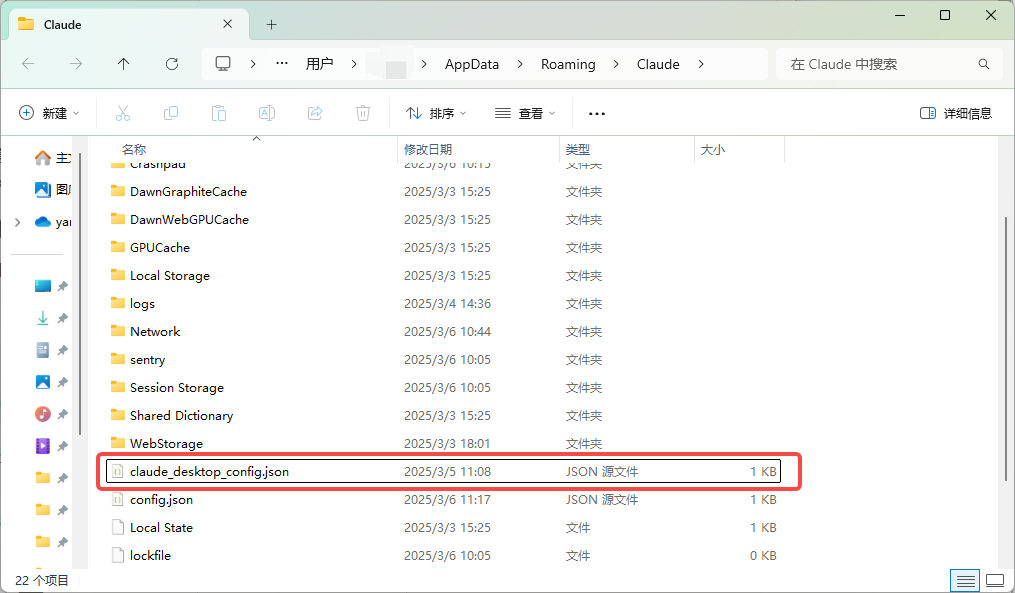
Claude for Desktop配置所需的MCP 服务器。- 在文本编辑器中打开您的
Claude for Desktop配置:~/Library/Application Support/Claude/claude_desktop_config.json。
- 在文本编辑器中打开您的
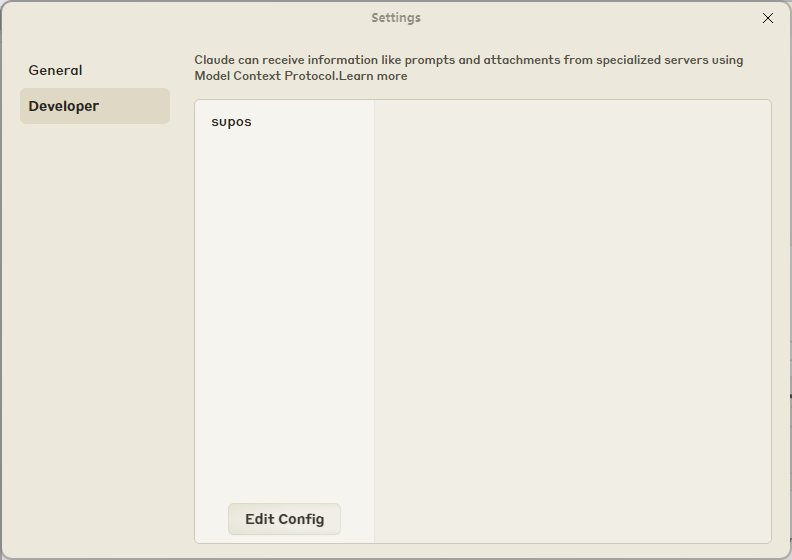
- 也可以通过
File -> Setting -> Developer点击Edit Config找到该配置文件位置: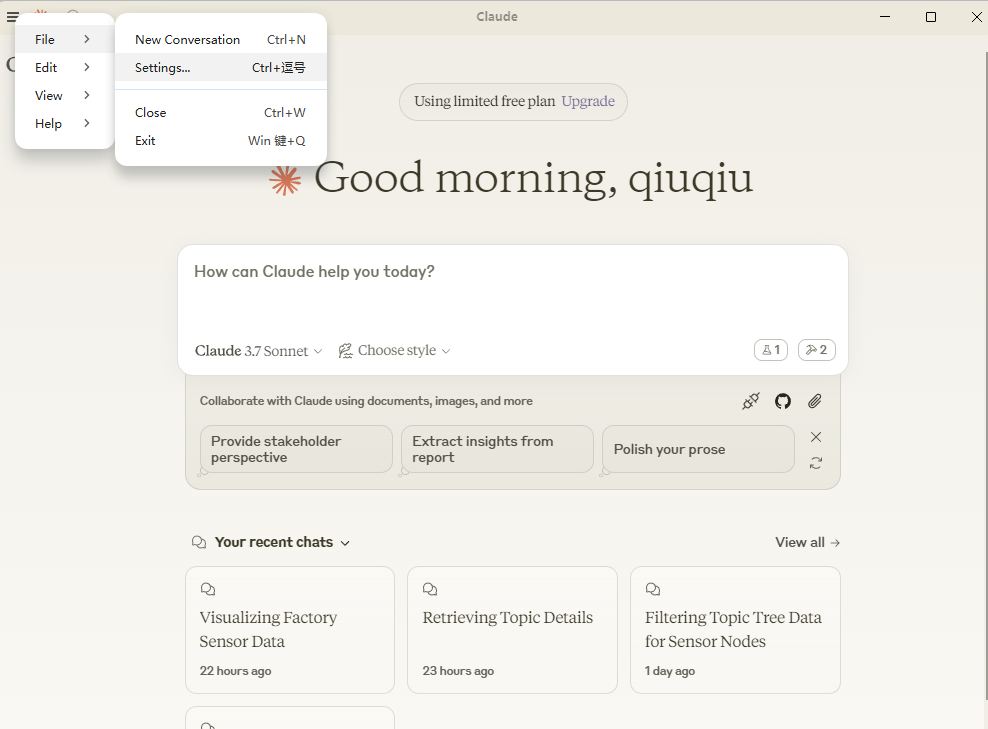
- 也可以通过
打开配置文件后,添加以下内容到
claude_desktop_config.json中,并重启应用:
注意:每次修改该配置文件后都需要重启应用才会生效。{ "mcpServers": { "supos": { "command": "npx", "args": [ "-y", "mcp-server-supos" ], "env": { "SUPOS_API_KEY": "<API_KEY>", "SUPOS_API_URL": "<API_URL>", "SUPOS_MQTT_URL": "<MQTT_URL>" } } } }
- 其中
API_URL是可访问的supOS社区版地址。API_KEY可通过登录社区版后,进入DataModeling -> 查看某个具体的topic详情 -> Data Operation -> Fetch,找到对应的ApiKey复制即可,MQTT_URL可通过访问UNS -> MqttBroker -> Listeners查看可订阅的地址。
- 其中
NODE
由于Windows环境下npx执行可能有环境变量的问题,可以先本地安装mcp-server-supos包,再用node本地执行:
npm install mcp-server-supos -g
{
  "mcpServers": {
    "supos": {
      "command": "node",
      "args": [
        "C://Users//xxx//AppData//Roaming//npm//node_modules//mcp-server-supos//dist//index.js"
      ],
      "env": {
        "SUPOS_API_KEY": "<API_KEY>",
        "SUPOS_API_URL": "<API_URL>",
        "SUPOS_MQTT_URL": "<MQTT_URL>"
      }
    }
  }
}
2.下载该项目本地执行
Install
npm ci
Build
npm run build
{
  "mcpServers": {
    "supos": {
      "command": "node",
      "args": [
        "<本地项目地址>//dist//index.js"
      ],
      "env": {
        "SUPOS_API_KEY": "<API_KEY>",
        "SUPOS_API_URL": "<API_URL>",
        "SUPOS_MQTT_URL": "<MQTT_URL>"
      }
    }
  }
}
结语
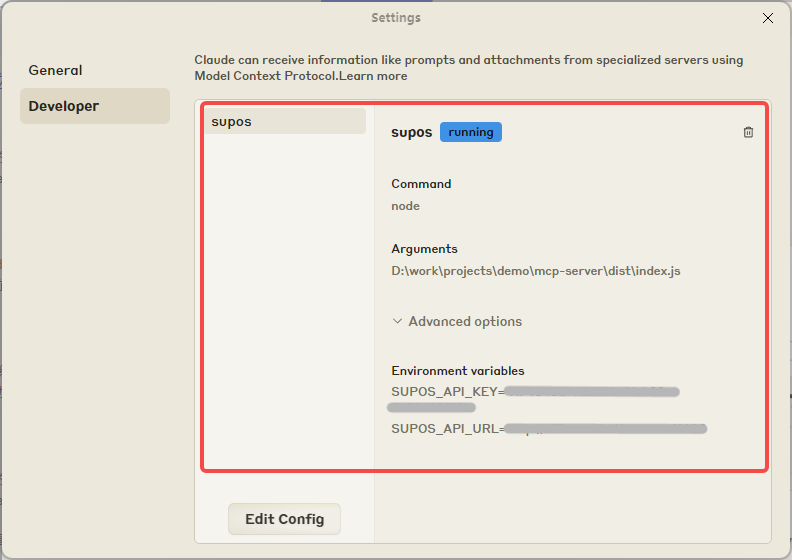
以上就是使用该服务的全部教程,配置成功后可在以下面板中看到对应的服务和工具等:
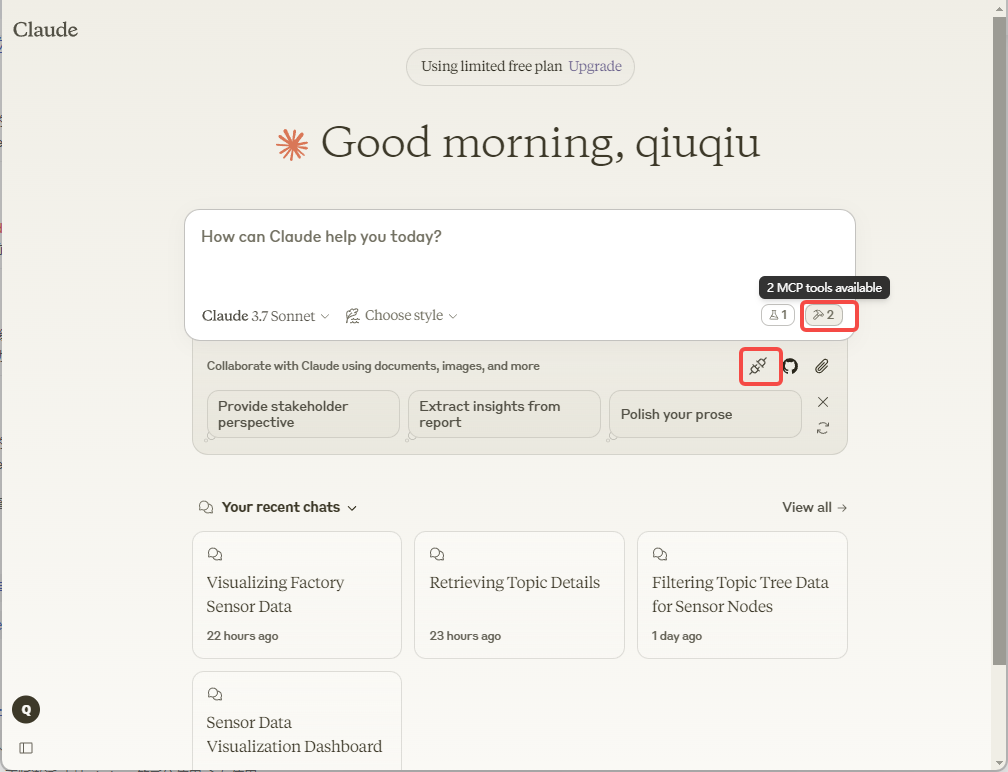
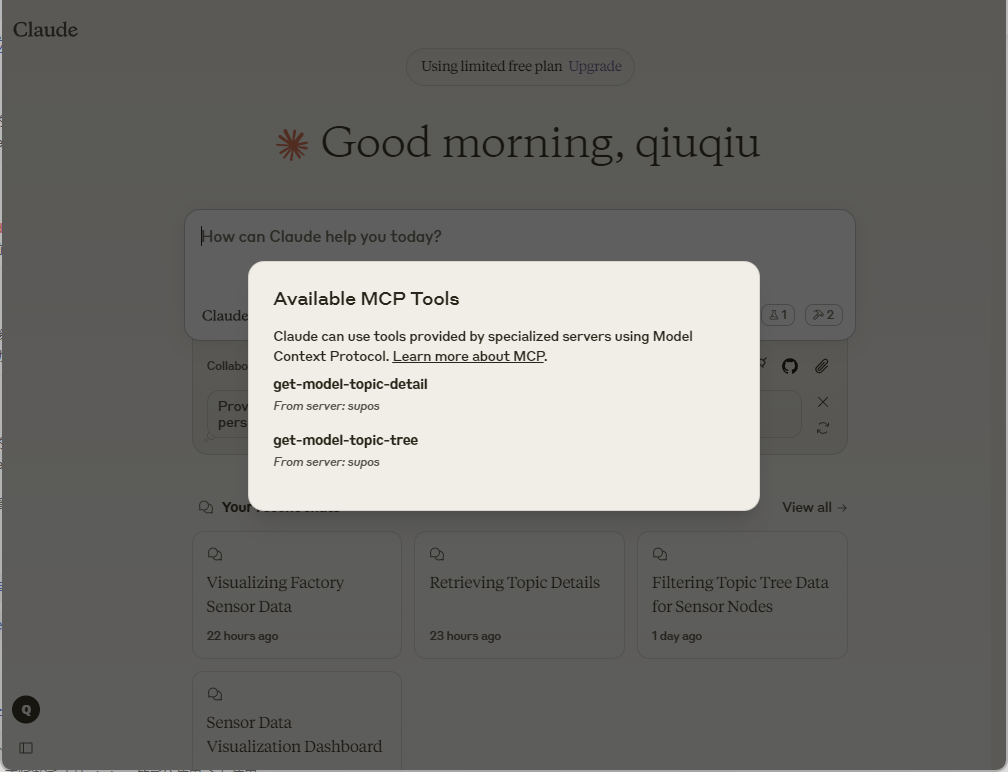
最后的最后
supOS社区版 已集成 CopilotKit 作者开源的 open-mcp-client,并内置了 mcp-server-supos 服务,且支持ts版本的 agent,源码可访问 supOS-CE-McpClient。
Install Supos Server in Claude Desktop, Claude Code & Cursor
unyly install supos-mcp-serverInstalls into Claude Desktop, Claude Code, Cursor & VS Code — handles npx, uvx and build-from-source repos for you.
First time? Get the CLI: curl -fsSL https://unyly.org/install | sh
Or configure manually
Run in your terminal:
claude mcp add supos-mcp-server -- npx -y mcp-server-suposFAQ
Is Supos Server MCP free?
Yes, Supos Server MCP is free — one-click install via Unyly at no cost.
Does Supos Server need an API key?
No, Supos Server runs without API keys or environment variables.
Is Supos Server hosted or self-hosted?
A hosted option is available: Unyly runs the server in the cloud, no local setup required.
How do I install Supos Server in Claude Desktop, Claude Code or Cursor?
Open Supos Server on unyly.org, pick your client tab (Claude Desktop, Claude Code, Cursor) and press Install — the config is generated automatically, no JSON editing.
Related MCPs
GitHub
PRs, issues, code search, CI status
 by GitHub
Filesystem
Secure file operations with configurable access controls.
Memory
Knowledge graph-based persistent memory system.
Template MCP Server
A CLI tool to create a new Model Context Protocol server project with TypeScript support, dual transport options, and an extensible structure
 by mcpdotdirect
Compare Supos Server with
Not sure what to pick?
Find your stack in 60 seconds
Author?
Embed badge for your README
Browse similar
All development MCPs