loading…
en/
Browse all
SystemManager
FreeNot checkedProvides system-specific metadata through a tool that returns data for a given category.

About
Provides system-specific metadata through a tool that returns data for a given category.
README
1. Core Architecture
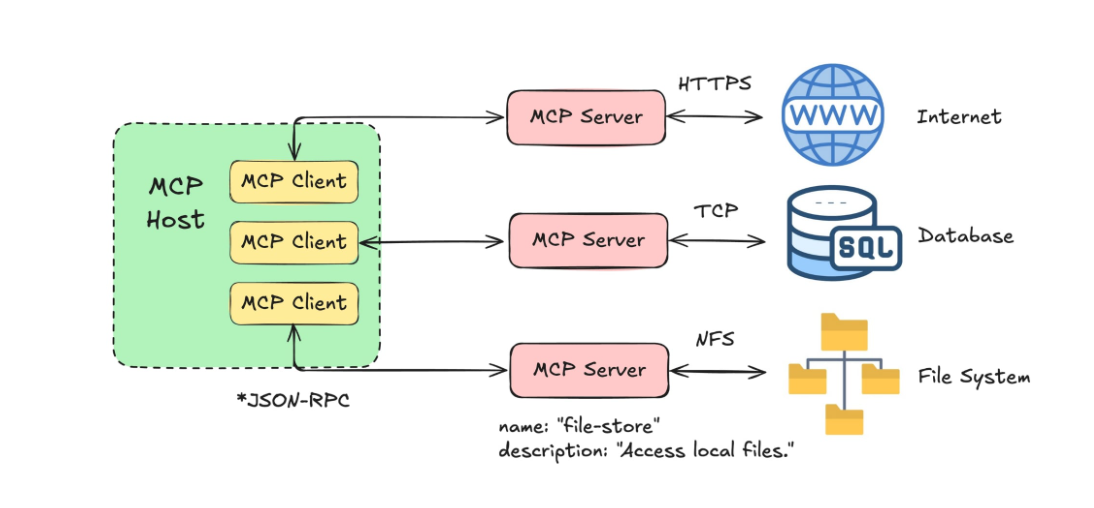
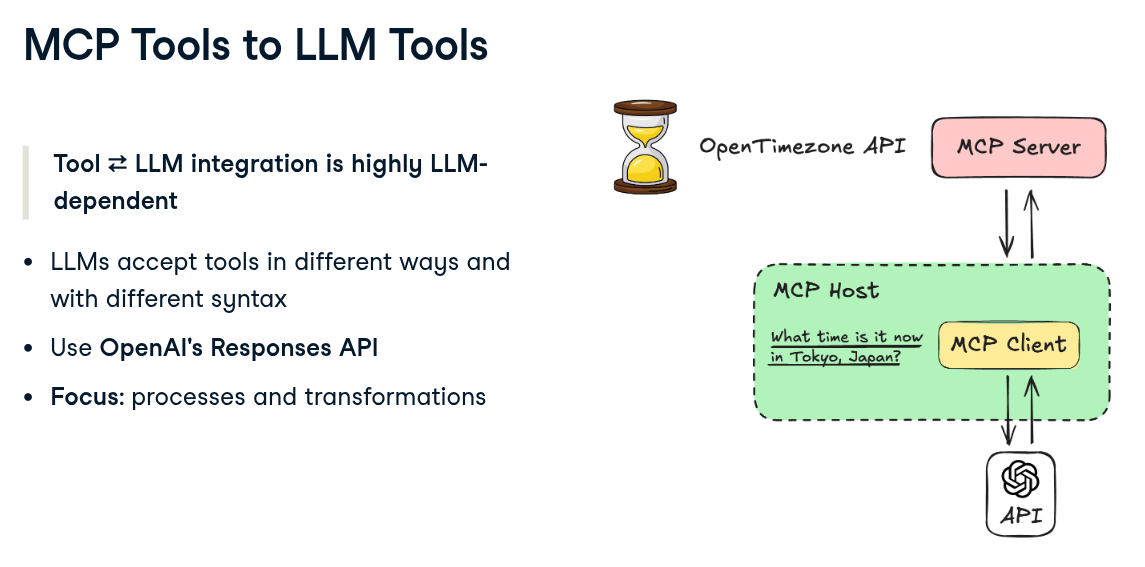
MCP uses a structured three-tier model to separate the AI's reasoning from the technical execution of tools.
The Three Components:
Host: The primary application (e.g., Claude Desktop, Cursor, or a custom IDE) that the user interacts with.
Client: A component within the Host that manages the connection, security, and protocol negotiation with the server.
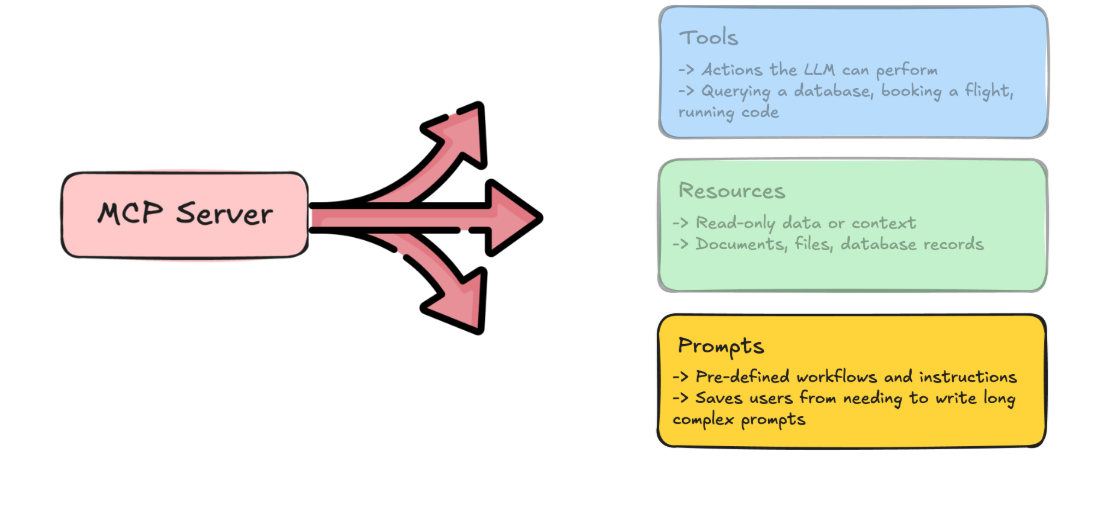
Server: A lightweight, specialized service that exposes specific data (Resources), logic (Tools), or context (Prompts) to the AI.
2. Server Implementation (Python)
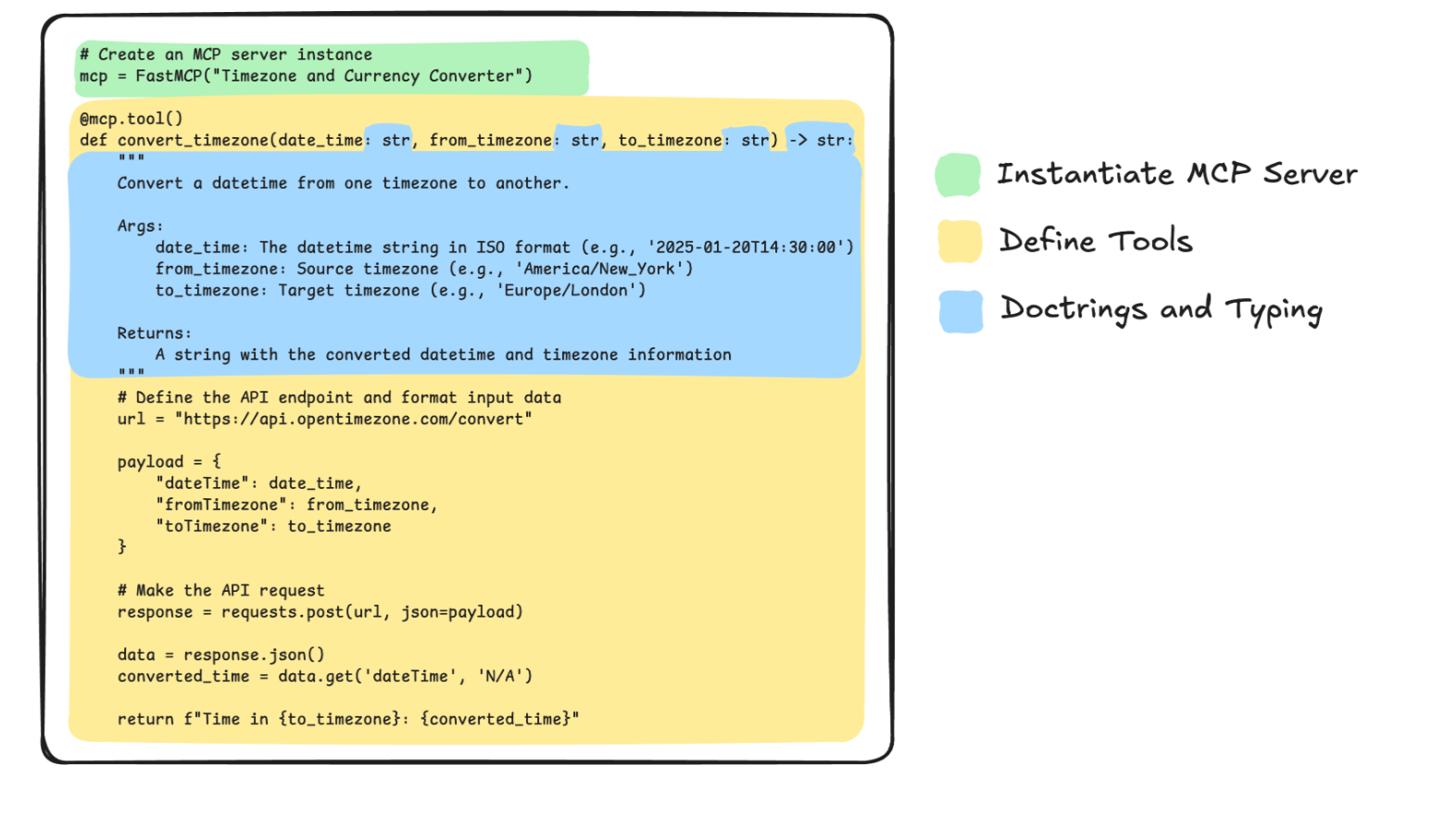
The FastMCP SDK provides a high-level abstraction for building servers quickly.
Defining a Server and Tool:
Tools allow the LLM to perform actions, such as querying a database or interacting with a local API.
from mcp.server.fastmcp import FastMCP
# 1. Initialize the FastMCP server instance
mcp = FastMCP("SystemManager")
# 2. Define a tool using the @mcp.tool decorator
@mcp.tool()
def get_system_info(category: str) -> str:
\"\"\"Provides system-specific metadata.\"\"\"

return f"Data for {category}"
3. The Communication Layer: JSON-RPC
MCP relies on JSON-RPC 2.0 for all messaging. This ensures that every request from the client and every response from the server follows a strict, predictable format.
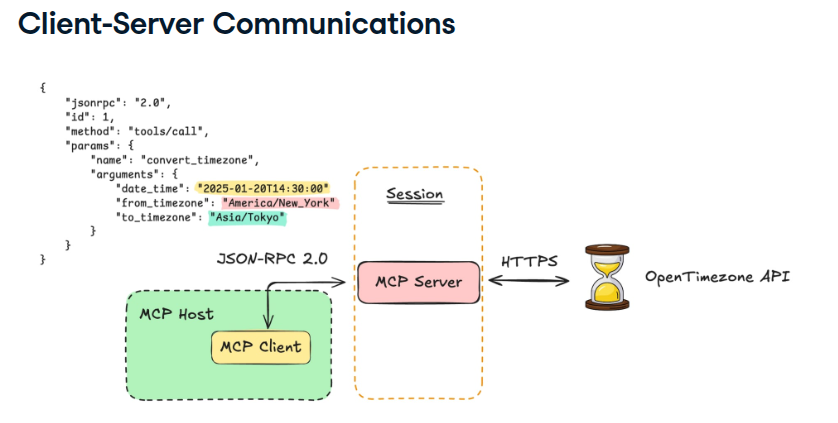
4. Transport Mechanisms
To move JSON-RPC messages between the Client and Server, MCP defines two primary "pipes" or transport layers:
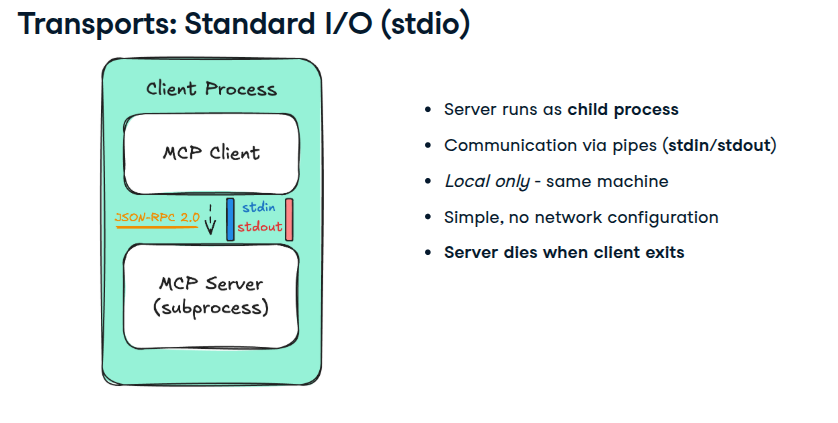
A. Standard I/O (stdio)
Used primarily for local integrations where the server runs as a subprocess.
- No Network Configuration: Ideal for local development and desktop apps.
- Subprocess Lifecycle: The server starts when the client connects and terminates when the client exits.
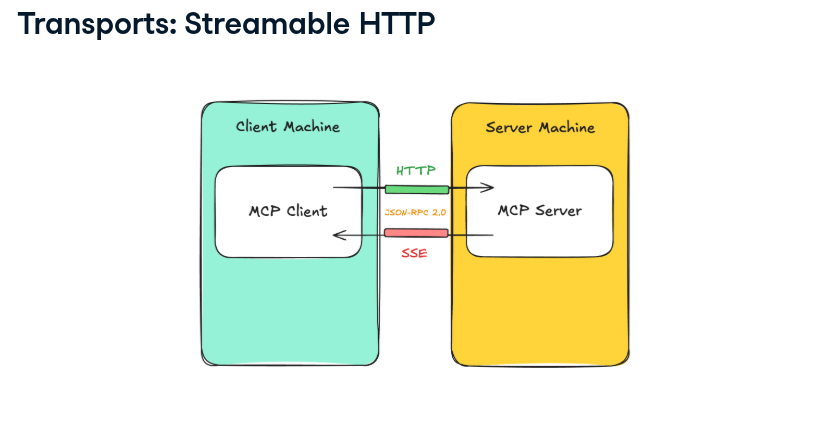
B. Streamable HTTP (SSE)
Used for remote or networked servers.
Server-Sent Events (SSE): The server sends events to the client.
HTTP POST: The client sends commands back to the server.
Scalability: Allows the AI to connect to tools hosted in the cloud.
from mcp import ClientSession, StdioServerParameters
from mcp.client.stdio import stdio_client

async def call_mcp_tool(tool_name: str, arguments: dict) -> str:
    params = StdioServerParameters(
        command=sys.executable,
        args=["currency_server.py"],
    )

    async with stdio_client(params) as (reader, writer):
        async with ClientSession(reader, writer) as session:
            await session.initialize()

            # Call the currency conversion tool
            result = await session.call_tool(tool_name, arguments)
            print("result  : " ,result)
            # Extract and print the text content of the server response
            text_content = result.content[0].text
            print("text_content  : " , text_content)

            # print(f"Conversion Result: {text_content}")
            return text_content

# Run the "convert_currency" tool
asyncio.run(
    call_mcp_tool("convert_currency",
                  {"amount": 250.0, "from_currency": "USD", "to_currency": "EUR"})
)
Resources in MCP Servers
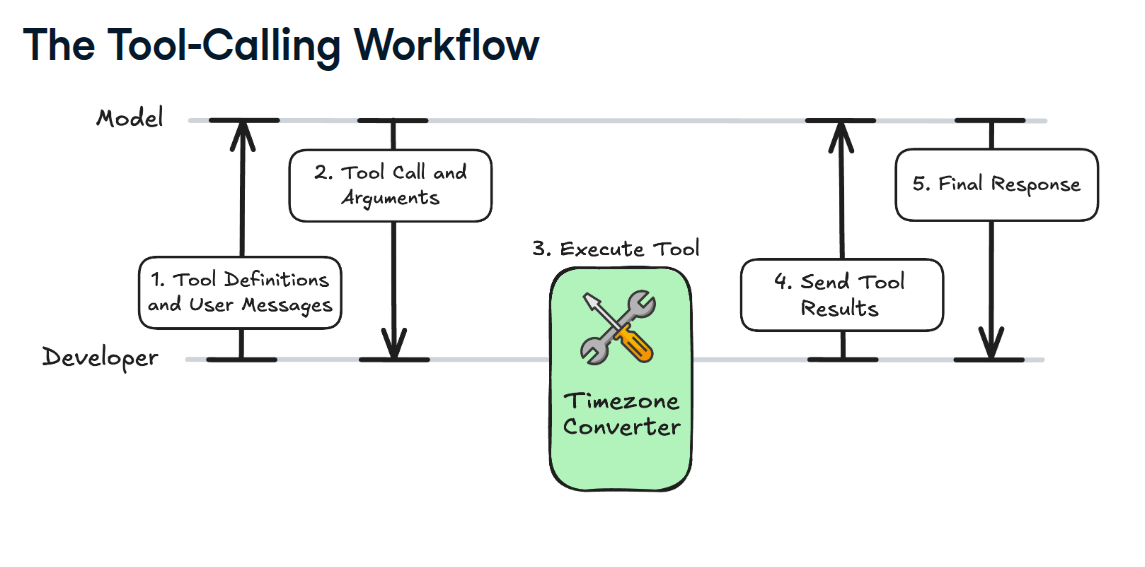
MCP and LLMs: Tools
Install SystemManager in Claude Desktop, Claude Code & Cursor
Run in your terminal:
claude mcp add systemmanager -- npx FAQ
Is SystemManager MCP free?
Yes, SystemManager MCP is free — one-click install via Unyly at no cost.
Does SystemManager need an API key?
No, SystemManager runs without API keys or environment variables.
Is SystemManager hosted or self-hosted?
Self-hosted: the server runs locally on your machine via the install command above.
How do I install SystemManager in Claude Desktop, Claude Code or Cursor?
Open SystemManager on unyly.org, pick your client tab (Claude Desktop, Claude Code, Cursor) and press Install — the config is generated automatically, no JSON editing.
Related MCPs


Compare SystemManager with
Not sure what to pick?
Find your stack in 60 seconds
Author?
Embed badge for your README
Browse similar
All development MCPs