
Temp Mail
FreeNot checkedAn MCP Server for Temporary Email related services, built on top of mail.tm

About
An MCP Server for Temporary Email related services, built on top of mail.tm
README

📧 Temporary Email MCP Server
MCP server integrating with mail.tm API to provide temporary email capabilities for LLM agents, create, register, and recieve emails in a temporary email address through your chat.
Features
Account Management
- 🆕 Create a random temporary email account
- 📝 Register accounts with a custom name of your choosing
- 🔑 Login to existing accounts
- 👤 Fetch logged-in user information
Email Operations
- 📬 Retrieve all messages for an account
- 📩 Fetch specific messages by ID
Demo
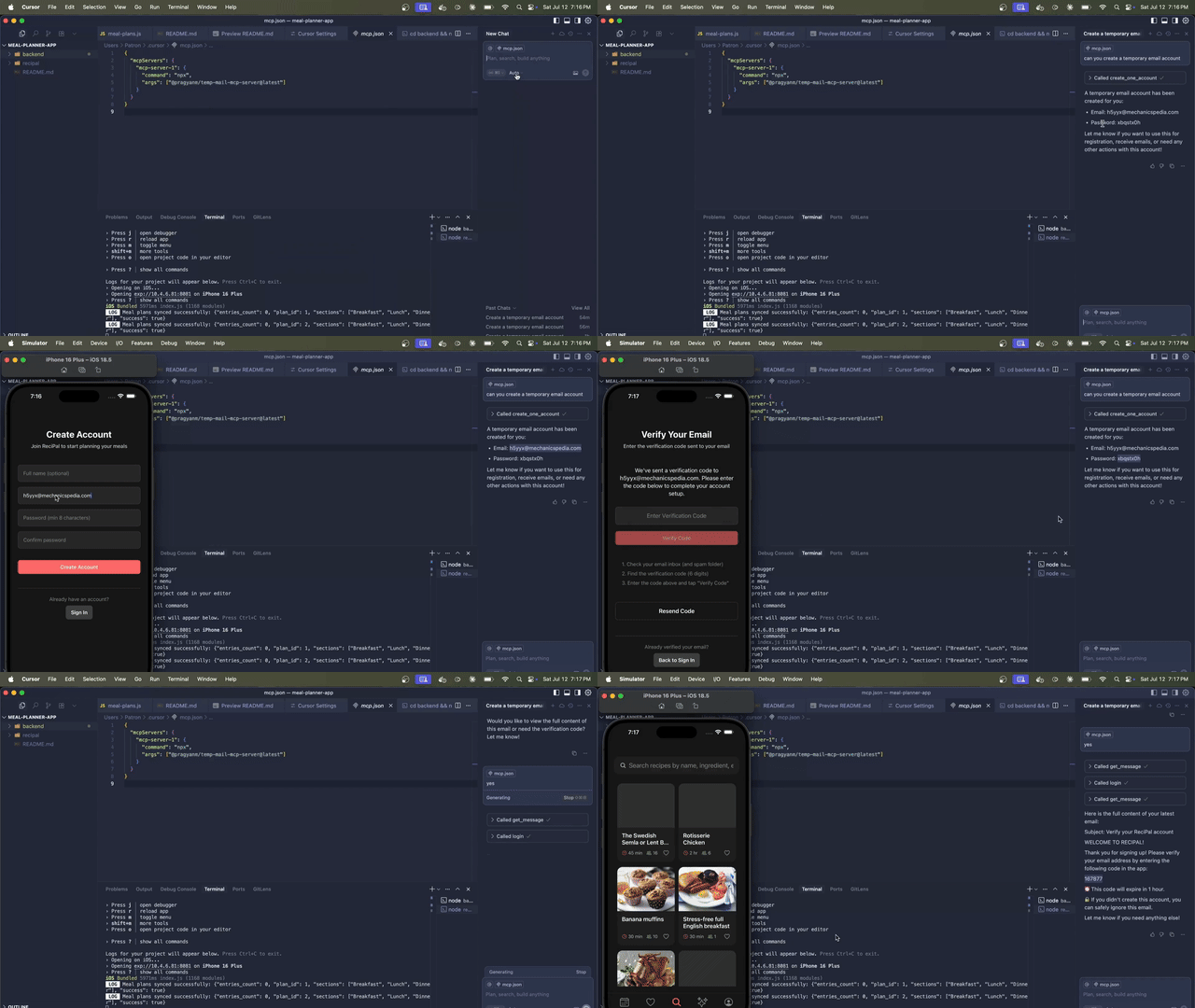
MCP Tools Exposed
The server exposes the following tools via MCP:
create_one_account: Creates a new random temporary email account.register_account: Registers a new account with provided email and password.login: Logs in to the temporary email service with email and password.me: Fetches the current logged-in user's information.get_messages: Fetches all messages from the temporary email service.get_message: Fetches a specific message by its ID.
Each tool accepts input parameters as defined in their respective schemas and returns JSON responses.
Usage
To use this mcp server simply add the following config to your mcp client:
{
    "temp-mail-mcp-server": {
        "command": "npx",
        "args": ["@pragyanm/temp-mail-mcp-server@latest"],
    }
}
Technical Notes
Uses the mailjs npm package
Responses follow mail.tm API schema
Contact
Powered by mail.tm temporary email service
Installing Temp Mail
This server has no published package — it is built from source. Open the repository and follow its README.
▸ github.com/pragyanmehrotra/temp-mail-mcp-serverFAQ
Is Temp Mail MCP free?
Yes, Temp Mail MCP is free — one-click install via Unyly at no cost.
Does Temp Mail need an API key?
No, Temp Mail runs without API keys or environment variables.
Is Temp Mail hosted or self-hosted?
Self-hosted: the server runs locally on your machine via the install command above.
How do I install Temp Mail in Claude Desktop, Claude Code or Cursor?
Open Temp Mail on unyly.org, pick your client tab (Claude Desktop, Claude Code, Cursor) and press Install — the config is generated automatically, no JSON editing.
Related MCPs
Gmail
Read, send and search emails from Claude
 by Google
Slack
Send, search and summarize Slack messages
 by Slack
Runbear
No-code MCP client for team chat platforms, such as Slack, Microsoft Teams, and Discord.
Discord Server
A community discord server dedicated to MCP by [Frank Fiegel](https://github.com/punkpeye)
Compare Temp Mail with
Not sure what to pick?
Find your stack in 60 seconds
Author?
Embed badge for your README
Browse similar
All communication MCPs