
Todo Platform
FreeNot checkedA cloud-native Kubernetes application demonstrating GitOps with ArgoCD, self-hosted GitHub Actions runners, OpenTelemetry distributed tracing, automated Postgre

About
A cloud-native Kubernetes application demonstrating GitOps with ArgoCD, self-hosted GitHub Actions runners, OpenTelemetry distributed tracing, automated PostgreSQL HA with CloudNativePG, and Model Context Protocol (MCP) integration.
README
A production-style Todo platform demonstrating DevOps/ChatOps/MLOps: design, build, deploy, observe.
Quick Links: Documentation | Architecture | About This Lab | How This Runs | Deployment | Key Takeaways
Architecture
A compact, production-ready stack built for reliability, observability, and safe deployments:
- Services: Go todo-api, Go todo-mcp (Model Context Protocol server), Python Slack bot, Python CLIs
- Infrastructure: Kubernetes (K3s), GitOps with ArgoCD
- Observability: OpenTelemetry traces/metrics, Loki centralized logs, Prometheus + Grafana dashboards
- Storage/Database: PostgreSQL with CloudNativePG (CNPG), automated S3/MinIO backups, point-in-time recovery (PITR) ready
- Security: Cloudflare Access for zero-trust auth
- CI/CD: GitHub Actions self-hosted runners (ARC) -> Docker build/push -> Kustomize updates -> ArgoCD sync -> Slack #builds notifications
See Deployment Documentation for detailed architecture diagrams and workflows.
About This Lab
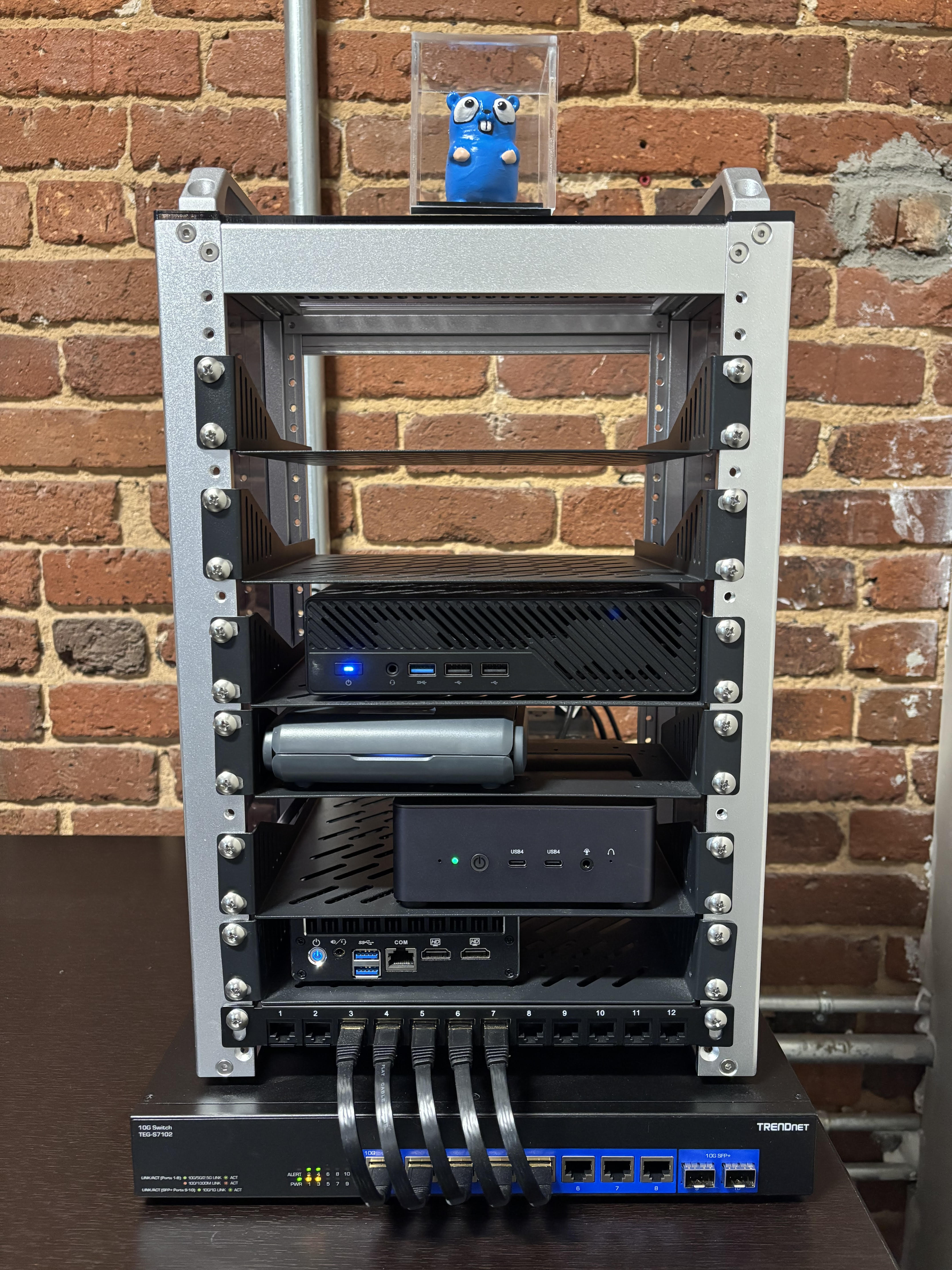
Purpose: Build a realistic, reproducible environment to practice production operations end-to-end (design -> code -> CI/CD -> K8s -> observability -> rollback).
What It Demonstrates
Designing small, composable services: Services communicate through well-defined contracts (REST APIs, OpenAPI specs). The todo-mcp server implements the Model Context Protocol, enabling AI assistants to interact with the todo platform through standardized tools and schemas.
Shipping with rollback strategies: Blue-green deployments(TODO).
ChatOps for safe, auditable deployments: Slack commands (
/deploy) provide visibility and control. All deployment actions are logged to the #builds channel with full context: version, status, and links to workflow runs.Operability first: Traces, metrics, and logs are correlated by service and version. Alerts include context (traces, runbooks) so responders can act quickly. Every service exports Prometheus metrics and OTEL traces.
Data safety: Automated daily backups to S3-compatible storage (MinIO), point-in-time recovery tested and documented. Database schema changes are tracked and reversible.(TODO)
Why a Homelab?
It lets me iterate faster, test failure modes safely, and document choices transparently—skills I carry into team environments. Running this on my own hardware means I can:
- Simulate failures
- Test disaster recovery procedures without risk
- Experiment with new tools and patterns before proposing them
- Maintain full control over cost and resources
How This Demo Runs
A practical view of key operations:
| Operation | Command / Flow |
|---|---|
| Build | cd services/todo-api && go build |
| Release (CI) | Push to main -> GitHub Actions builds image -> pushes to DockerHub -> updates Kustomize -> ArgoCD syncs |
| Deploy (ChatOps) | In Slack: /deploy -> triggers rollout -> posts status link to #builds |
| Observe | Grafana dashboards (service health, metrics) -> Tempo/New Relic for distributed traces -> Loki for log aggregation |
| Backup/Restore | Scheduled CNPG backups to S3/MinIO (daily 2 AM) -> PITR via recovery cluster |
| Load test | k6 run k6/todo-api/todo-api-load-test.js |
What to Review First
For hiring managers and technical reviewers, start here:
- Architecture & Deployment Flow - Detailed mermaid diagrams showing GitOps workflow
- Development Setup Guide - How to run services locally, hot reloading with Air, Python venv setup
- GitHub Actions Workflows - CI/CD pipelines for building, testing, and deploying services
- Kubernetes Manifests - Kustomize overlays , resource limits
- MCP Server Implementation - Model Context Protocol server enabling AI assistant integration
Key Takeaways
What this repository demonstrates about my approach to production systems:
- End-to-end delivery with rollback controls and ChatOps visibility
- Observable by default: every service exports traces, metrics, and structured logs
- Secure by default: Cloudflare Access, no hardcoded credentials
- Data-safe: automated backups, tested restore procedures(TODO), point-in-time recovery capability
- Contract-driven development: OpenAPI specs + generated clients prevent API drift and enable rapid iteration
- GitOps discipline: all changes tracked in Git, automated syncing, immutable deployments
- Progressive delivery: blue-green strategies
- Self-service operations: Slack bots and CLI tools empower teams to deploy, observe, and troubleshoot independently
Repository Structure
.
├── .github/workflows/       # CI/CD pipelines: build, test, deploy, notify
├── apps/
│   └── todops-cli/         # Python CLI for platform operations (Loki search, ignore lists, Slack)
├── services/
│   ├── todo-api/           # Go REST API with OTEL, /metrics, PostgreSQL
│   ├── todo-mcp/           # Go MCP server (Model Context Protocol)
│   └── todo-bot/           # Python Slack bot (/deploy)
├── clients/
│   └── todo-client-go/     # Generated Go client from OpenAPI spec
├── deploy/
│   ├── manifests/applications/       # Kustomize overlays per service
│   ├── manifests/infrastructure/     # Infrastructure services (CNPG, Prometheus, Loki, MinIO)
│   └── argocd/apps/                  # ArgoCD Application manifests (app-of-apps)
├── docs/                   # MkDocs documentation site
│   ├── docs/
│   │   ├── development/    # Getting started
│   │   └── deployment/     # Kubernetes, GitOps
│   └── mkdocs.yml
├── infra/
│   ├── homer/              # Homer dashboard service
│   ├── runner/             # Custom GitHub Actions runner image (ARC)
│   └── dagu/               # Dagu workflow orchestrator
├── k6/
│   └── load.js             # Load testing scenarios with SLO validation
└── CLAUDE.md               # AI assistant guide to this repository
Getting Started
Prerequisites
- Go 1.21+
- Python 3.11+
- Docker
- kubectl (for K8s cluster interaction)
Quick Start
Run todo-api locally:
cd services/todo-api
cp .env.example .env
# Edit .env with local PostgreSQL credentials
go run main.go
Set up todops CLI:
cd apps/todops-cli
python3 -m venv venv
source venv/bin/activate
pip install -e .
todops --help
Deploy to Kubernetes: See Deployment Documentation
Documentation
Full documentation is available in the docs/ directory:
- Getting Started - Local development setup for Go and Python
- Kubernetes Deployment - GitOps workflow, ArgoCD, self-hosted runners
Technology Stack
Core Services:
- Go (Gin, GORM, OTEL SDK)
- Python (Click, Slack SDK, Minio client)
Infrastructure:
- Kubernetes (K3s)
- ArgoCD (GitOps)
- CloudNativePG (PostgreSQL operator)
Observability:
- OpenTelemetry (traces, metrics)
- Prometheus + Grafana
- Loki + Fluent Bit
- New Relic
CI/CD:
- GitHub Actions
- Actions Runner Controller (ARC)
- Kustomize
- Docker / DockerHub
Storage:
- PostgreSQL (CNPG with HA)
- MinIO (S3-compatible object storage)
License
This project is built for demonstration and learning purposes. Major OSS components used:
- Kubernetes, ArgoCD, Prometheus, Grafana, Loki (Apache 2.0)
- Go, Python (various OSS licenses)
- CloudNativePG (Apache 2.0)
Contact
Built by scottseo.tech to demonstrate production-ready platform engineering practices.
Installing Todo Platform
This server has no published package — it is built from source. Open the repository and follow its README.
▸ github.com/scottseotech/todo-platformFAQ
Is Todo Platform MCP free?
Yes, Todo Platform MCP is free — one-click install via Unyly at no cost.
Does Todo Platform need an API key?
No, Todo Platform runs without API keys or environment variables.
Is Todo Platform hosted or self-hosted?
Self-hosted: the server runs locally on your machine via the install command above.
How do I install Todo Platform in Claude Desktop, Claude Code or Cursor?
Open Todo Platform on unyly.org, pick your client tab (Claude Desktop, Claude Code, Cursor) and press Install — the config is generated automatically, no JSON editing.
Related MCPs
GitHub
PRs, issues, code search, CI status
 by GitHub
Filesystem
Secure file operations with configurable access controls.
Memory
Knowledge graph-based persistent memory system.
Template MCP Server
A CLI tool to create a new Model Context Protocol server project with TypeScript support, dual transport options, and an extensible structure
 by mcpdotdirect
Compare Todo Platform with
Not sure what to pick?
Find your stack in 60 seconds
Author?
Embed badge for your README
Browse similar
All development MCPs