

About
TRON-based-MCP-server
README
面向 RobinPump.fun 的交易前辅助系统:提供报价预演、滑点评估与拆单计划,帮助用户更高效完成交易决策。
🧠 项目背景
在 bonding curve 交易场景中,常见问题包括:
- 单笔下单金额较大时,价格冲击明显
- 缺少下单前的可视化预演
- 无法快速判断“单笔执行”还是“拆单执行”更优
🛠 解决方案
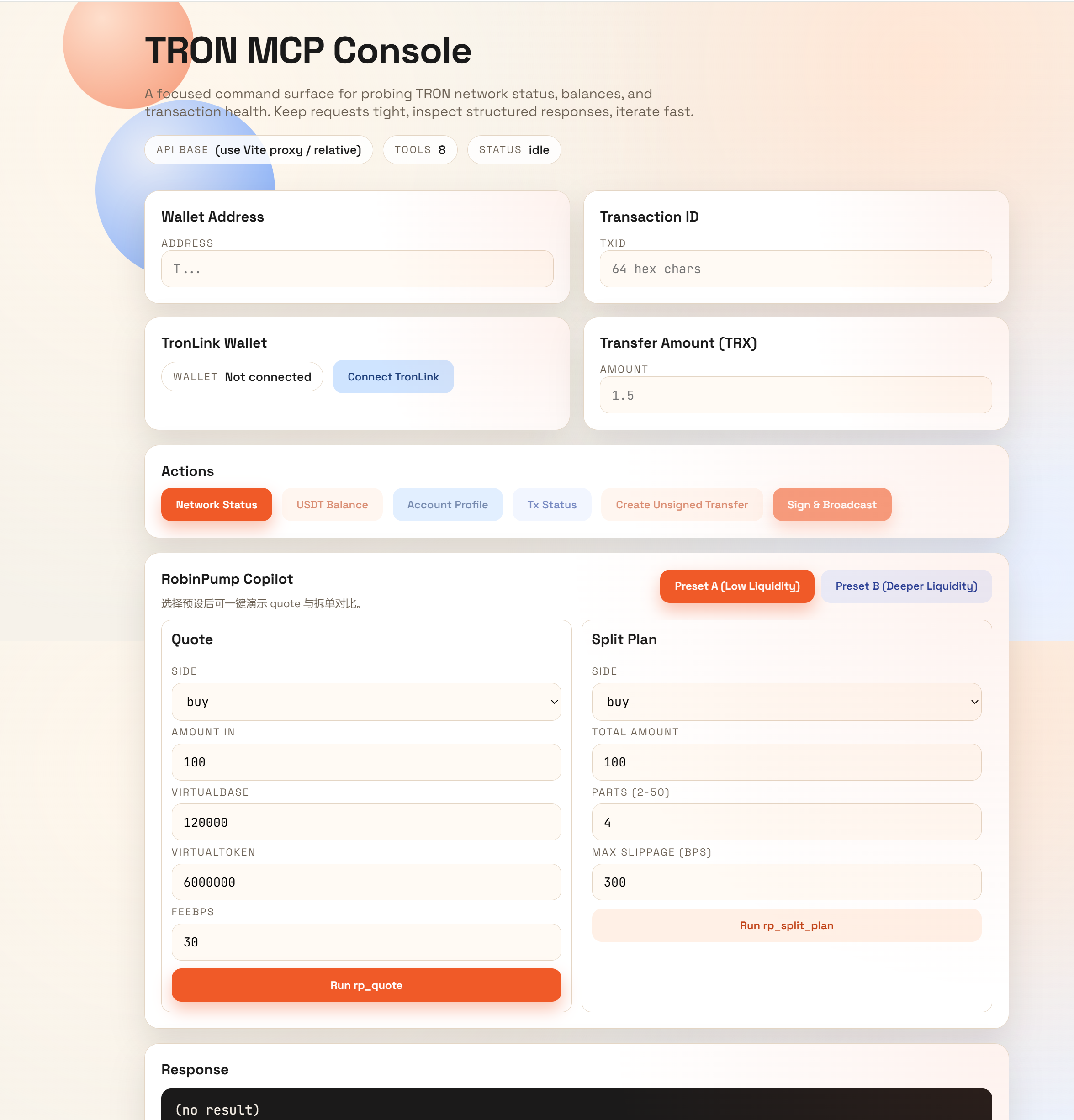
本项目在 TRON MCP Server 基础上扩展了 RobinPump Copilot 能力:
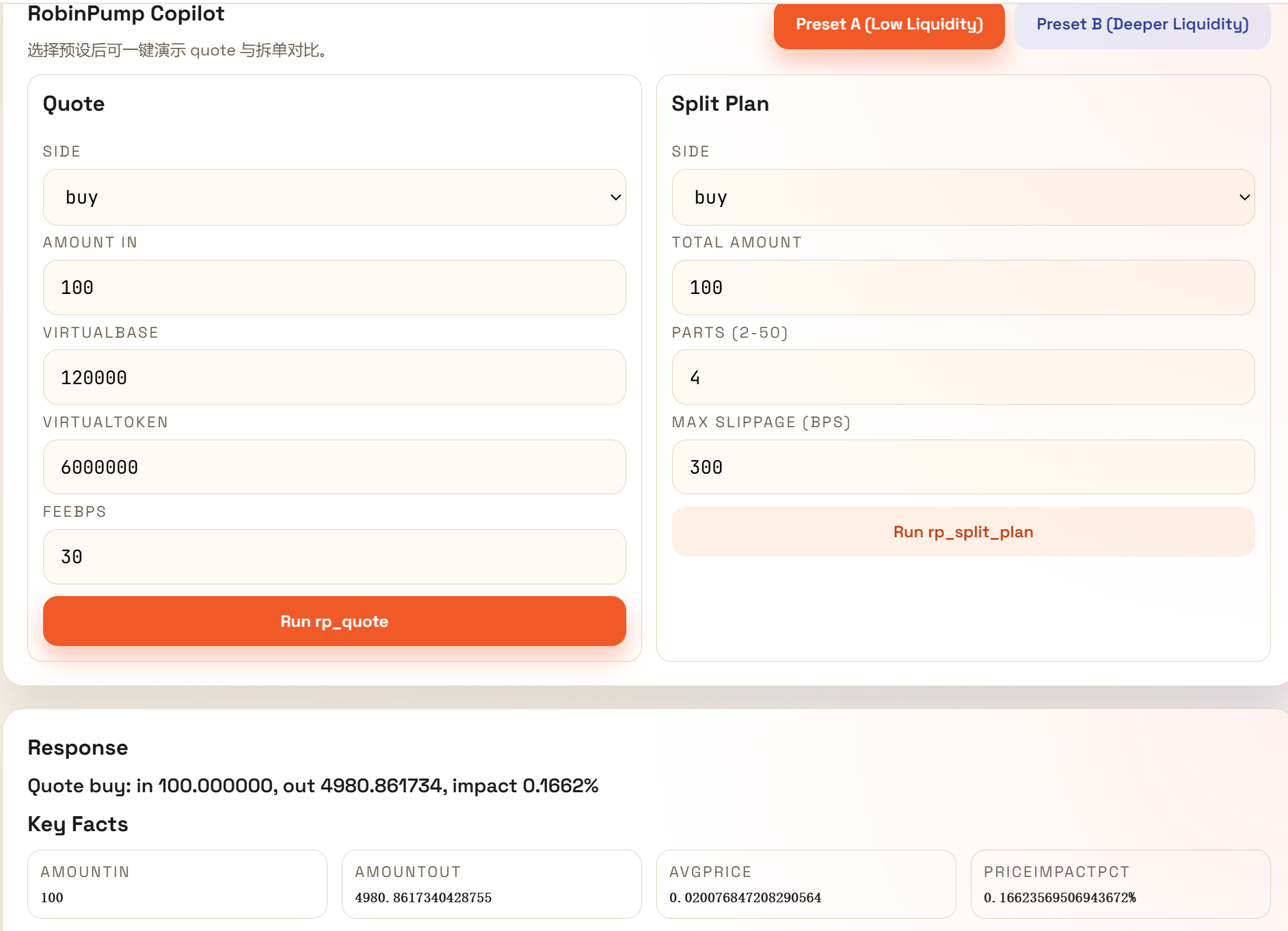
rp_quote:交易前报价与价格冲击预演rp_split_plan:拆单执行计划与单笔对比- 同时保留 TRON 核心工具(网络、余额、交易状态、账户画像、未签名交易)
⚙️ 技术栈
- Node.js(ESM)
@modelcontextprotocol/sdk- TronGrid API / TronScan API
- React + Vite
- TronLink(前端签名与广播)
🔗 与 TRON 链的交互流程
- 客户端调用
/tools获取工具目录。 - 通过
/call调用rp_quote、rp_split_plan等工具。 - 服务端向 TronGrid / TronScan 请求链上数据并返回结构化结果。
- 交易闭环场景中,服务端生成 unsigned tx,前端用 TronLink 完成签名与广播。
🧩 工具清单
RobinPump Copilot
rp_quoterp_split_plan
TRON 核心工具
get_network_statusget_usdt_balanceget_tx_statusget_account_profileverify_unsigned_txcreate_unsigned_transfer
⚡ 评委快速验证(Judge Quickstart)
先启动后端:
cd server
npm install
npm run dev
执行 3 条命令:
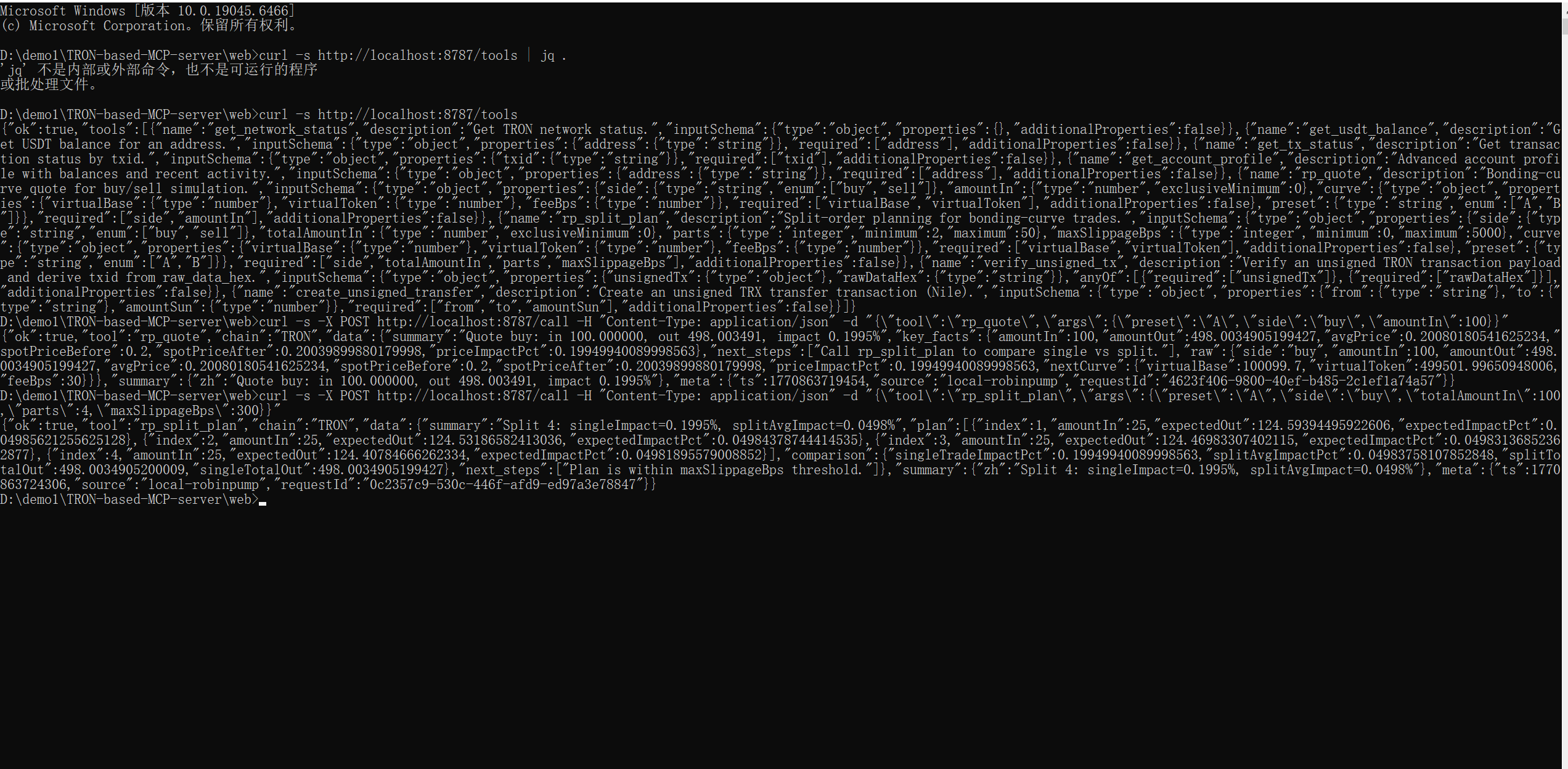
curl -s http://localhost:8787/tools | jq .
curl -X POST http://localhost:8787/call -H "Content-Type: application/json" -d '{"tool":"rp_quote","args":{"preset":"A","side":"buy","amountIn":100}}' | jq .
curl -X POST http://localhost:8787/call -H "Content-Type: application/json" -d '{"tool":"rp_split_plan","args":{"preset":"A","side":"buy","totalAmountIn":100,"parts":4,"maxSlippageBps":300}}' | jq .
预期结果:
- 工具列表包含
rp_quote与rp_split_plan singleTradeImpactPct > splitAvgImpactPctsummary给出明确拆单建议
🎬 提交素材入口
- Canva Slides:
https://www.canva.com/design/TODO_REPLACE - Demo 视频:
demo/videos/demo-video.mp4 - Loom 讲解视频:
demo/videos/loom-walkthrough.mp4
UI 截图路径
demo/screenshots/web-console-main.pngdemo/screenshots/mcp-call-result.pngdemo/screenshots/terminal-curl.png
📁 项目结构
.
├─ README.md
├─ LICENSE
├─ server/
├─ web/
├─ docs/
└─ demo/
   ├─ screenshots/
   └─ videos/
Installing TRON Based
This server has no published package — it is built from source. Open the repository and follow its README.
▸ github.com/ABCLabsA/TRON-based-MCP-serverFAQ
Is TRON Based MCP free?
Yes, TRON Based MCP is free — one-click install via Unyly at no cost.
Does TRON Based need an API key?
No, TRON Based runs without API keys or environment variables.
Is TRON Based hosted or self-hosted?
Self-hosted: the server runs locally on your machine via the install command above.
How do I install TRON Based in Claude Desktop, Claude Code or Cursor?
Open TRON Based on unyly.org, pick your client tab (Claude Desktop, Claude Code, Cursor) and press Install — the config is generated automatically, no JSON editing.
Related MCPs
GitHub
PRs, issues, code search, CI status
 by GitHub
Filesystem
Secure file operations with configurable access controls.
Memory
Knowledge graph-based persistent memory system.
Template MCP Server
A CLI tool to create a new Model Context Protocol server project with TypeScript support, dual transport options, and an extensible structure
 by mcpdotdirect
Compare TRON Based with
Not sure what to pick?
Find your stack in 60 seconds
Author?
Embed badge for your README
Browse similar
All development MCPs