
UOFastMCP
FreeNot checkedEnables interaction with U2 UniData/UniVerse databases through MCP tools for file, record, dictionary, and BP program operations, with built-in admin UI, JWT au

About
Enables interaction with U2 UniData/UniVerse databases through MCP tools for file, record, dictionary, and BP program operations, with built-in admin UI, JWT authentication, RBAC, and audit logging.
README
Enterprise MCP server for U2 UniData/UniVerse — JWT auth, RBAC, audit logging, built-in admin UI to simplify the setup process.
Developer: RokiPark · License: MIT · Python: 3.11+
Install & Run
# 1. Create a folder and virtual environment
python -m venv .venv
source .venv/bin/activate        # Windows: .venv\Scripts\activate

# 2. Install
pip install uofast-mcp

# 3. Set required env var
export JWT_SECRET_KEY=$(python -c "import secrets; print(secrets.token_hex(32))")
# Windows: set JWT_SECRET_KEY=<paste output of above>

# 4. Start
uofast-mcp
Server starts at http://localhost:8000
First-Time Setup
- Open http://localhost:8000/admin
- Log in:
admin/changeme123!
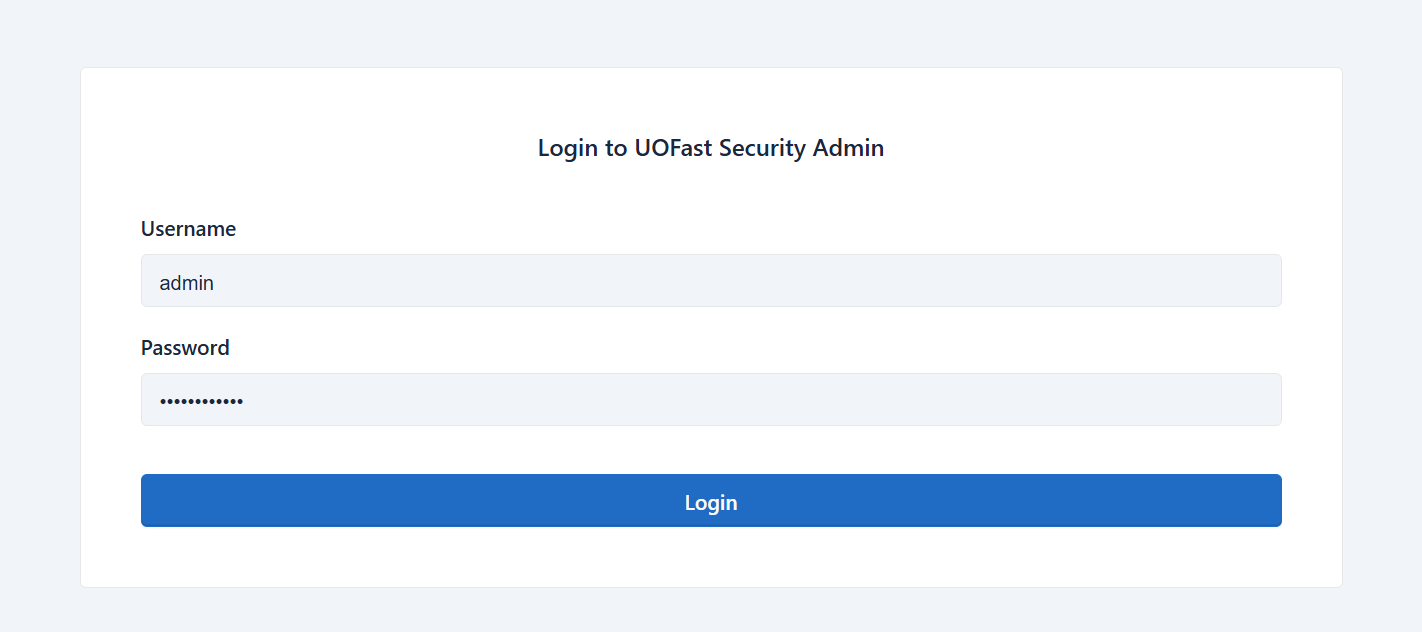
- Click Server Setup in the left menu
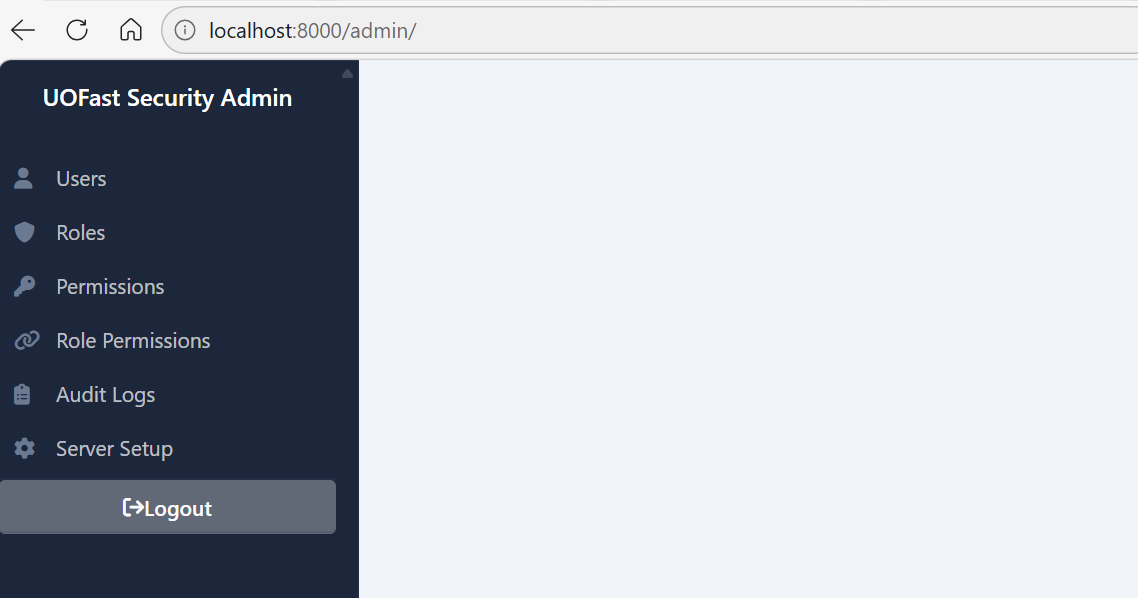
- Follow the 5-step wizard:
- Check prerequisites
- Set JWT secret + change admin password
- Configure your U2 connection (with live test)
- Review generated
.envandunidata_config.ini - Copy your Claude / VSCode / CLI connection config

Connect Claude
Run the command from Step 5 of the wizard, or get it any time from http://localhost:8000/auth/login.
claude mcp add --transport sse UOFastMCP http://localhost:8000/sse \
  --header "Authorization: Basic <your-base64-token>"
MCP Tools (20 tools)
| Category | Tools |
|---|---|
| Connections | list_connections, add_connection, close_connection |
| Files & Records | list_files, select_records, read_record, query_file, read_record_with_fields, write_record_with_fields |
| Dictionary | get_dict_items, query_with_dict_fields, read_dict_item, write_dict_item, update_dict_item, delete_dict_item |
| Commands & BP | execute_command, read_bp_program, write_bp_program, compile_bp_program |
Roles
| Role | Access |
|---|---|
admin |
Everything |
developer |
Read/write records, DICT, BP + manage connections |
analyst |
Read records, DICT + execute commands |
readonly |
Read connections, files, records, DICT |
service_account |
Same as readonly — customisable |
Manage users and permissions at http://localhost:8000/admin.
Admin UI
http://localhost:8000/admin — login with admin credentials.
| Section | URL | Purpose |
|---|---|---|
| Users | /admin/user/list |
Create/edit users, assign roles |
| Roles / Permissions | /admin/role/list |
Manage RBAC |
| Audit Logs | /admin/auditlog/list |
Every tool call logged — read-only |
| UniData Connections | /admin/connections |
View unidata_config.ini, test connections live |
| Server Setup | /admin/setup |
Change password, JWT secret, U2 connection |
Environment Variables
| Variable | Required | Default | Description |
|---|---|---|---|
JWT_SECRET_KEY |
Yes | — | Long random string — keep secret |
INITIAL_ADMIN_PASSWORD |
No | changeme123! |
Admin password on first startup |
DATABASE_URL |
No | sqlite+aiosqlite:///./data/security.db |
Security DB location |
ENABLE_DOCS |
No | true |
Set false to hide /docs in production |
API Endpoints
| Endpoint | Auth | Description |
|---|---|---|
GET /health |
None | Health check |
GET /sse |
Basic | MCP SSE connection |
GET/POST /auth/login |
None | Login page — returns ready-to-use connection config |
POST /auth/provision |
Admin | Create user + return their connection command |
GET /admin |
Admin session | Web admin UI |
GET /admin/connections |
Admin session | View UniData connections from unidata_config.ini |
GET /admin/setup |
Admin session | Server setup wizard |
GET /docs |
None | Swagger UI |
Troubleshooting
Server won't start — JWT_SECRET_KEY not set, or port 8000 in use (uvicorn uofast_mcp.app:app --port 8001).
401 Unauthorized — get credentials from /auth/login.
403 Forbidden — user's role lacks the required permission; check Admin → Role Permissions.
U2 connection fails — re-run Server Setup wizard to update credentials and test live.
Reset everything — delete data/security.db and restart (loses all users and audit logs).
License
MIT — © 2025 RokiPark. All rights reserved.
Install UOFastMCP in Claude Desktop, Claude Code & Cursor
unyly install uofastmcpInstalls into Claude Desktop, Claude Code, Cursor & VS Code — handles npx, uvx and build-from-source repos for you.
First time? Get the CLI: curl -fsSL https://unyly.org/install | sh
Or configure manually
Run in your terminal:
claude mcp add uofastmcp -- uvx uofast-mcpFAQ
Is UOFastMCP MCP free?
Yes, UOFastMCP MCP is free — one-click install via Unyly at no cost.
Does UOFastMCP need an API key?
No, UOFastMCP runs without API keys or environment variables.
Is UOFastMCP hosted or self-hosted?
Self-hosted: the server runs locally on your machine via the install command above.
How do I install UOFastMCP in Claude Desktop, Claude Code or Cursor?
Open UOFastMCP on unyly.org, pick your client tab (Claude Desktop, Claude Code, Cursor) and press Install — the config is generated automatically, no JSON editing.
Related MCPs
LibreOffice Tools
Enables AI agents to read, write, and edit Office documents via LibreOffice with token-efficient design. Supports multiple formats including DOCX, XLSX, PPTX, a
 by passerbyflutter
dannote/figma-use
Full Figma control: create shapes, text, components, set styles, auto-layout, variables, export. 80+ tools.
 by dannote
Logo.dev
Search and retrieve company logos by brand or domain. Customize size, format, and theme to match your design needs. Accelerate design, prototyping, and content
 by NOVA-3951
PIX4Dmatic
Enables GUI automation for controlling PIX4Dmatic on Windows through MCP. Supports launching, focusing, capturing screenshots, sending hotkeys, clicking UI elem
 by jangjo123
Compare UOFastMCP with
Not sure what to pick?
Find your stack in 60 seconds
Author?
Embed badge for your README
Browse similar
All design MCPs