
V2ex
FreeNot checkedMCP server for V2EX API 2.0, exposing notifications, tokens, nodes, topics, comments, and daily summaries for MCP-compatible agents.

About
MCP server for V2EX API 2.0, exposing notifications, tokens, nodes, topics, comments, and daily summaries for MCP-compatible agents.
README
Description
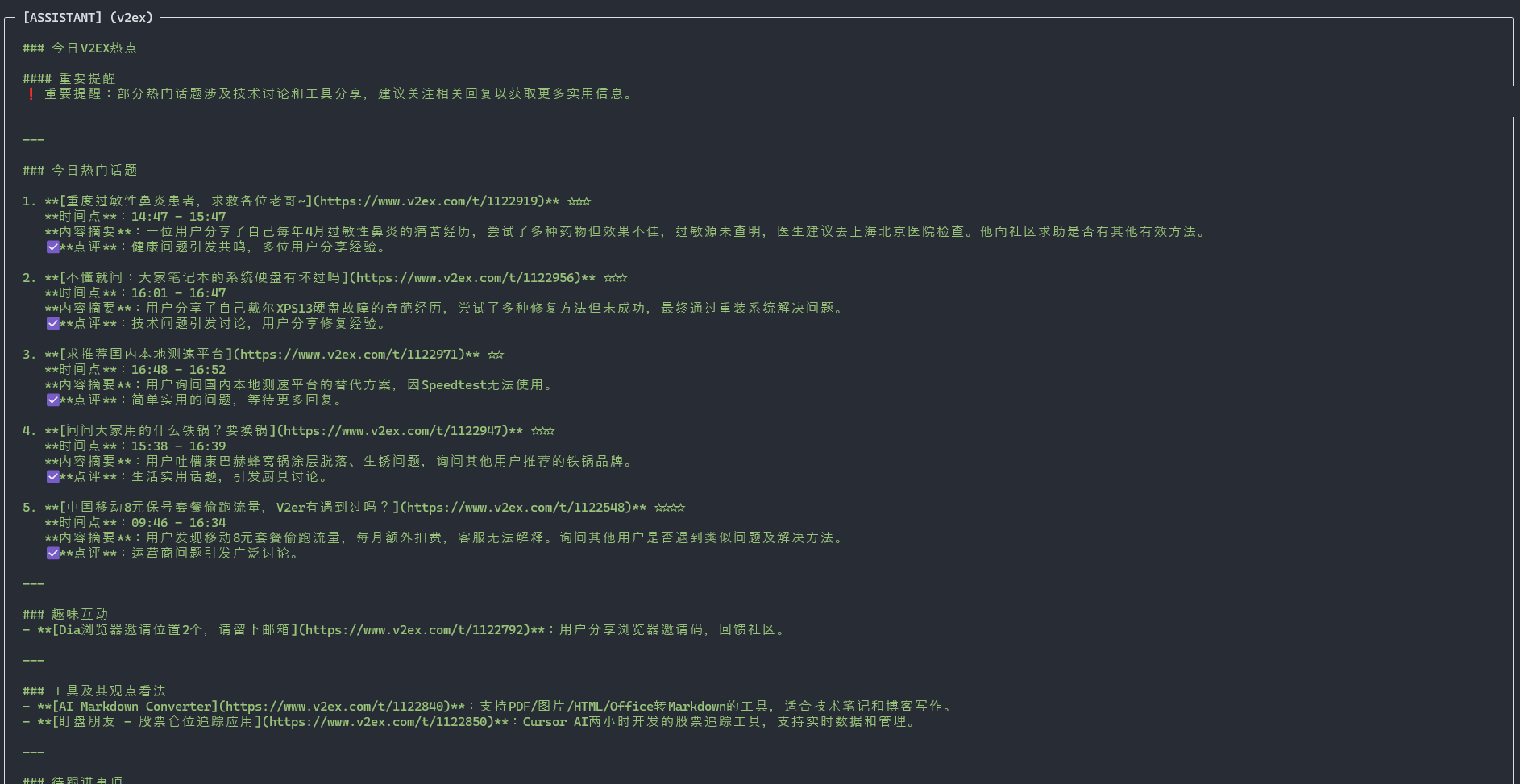
mcp-server-v2ex is an MCP server that wraps the V2EX API 2.0 for MCP-compatible agents and developer tools. It exposes structured operations for notifications, token management, member profile lookup, node browsing, topic retrieval, comment retrieval, and daily hot-topic summaries.
The project is designed as a reusable integration layer for general-purpose agents rather than a client-specific plugin, so it can be connected to Claude Desktop, Codex, and other tools that support the Model Context Protocol.
For Chinese documentation, see README.zh-CN.md.
Available tools
notifications: Fetch the latest notificationsdelete_notifications: Delete selected notificationsmember_profile: Get the profile of the user associated with the API tokentoken: Inspect the current API tokencreate_token: Create a new API tokennodes: Get node informationnode_topics: List topics under a specific nodetopic_detail: Get the content of a topictopic_comments: Get replies for a topicdaily_summary: Generate a summary of recent hot topics
Installation
Install the package from npm:
npm install -g mcp-server-v2ex
Configuration
First, create or retrieve a V2EX API token from V2EX token settings.
Example MCP client configuration:
{
  "v2ex": {
    "command": "%APP_DATA%\\Local\\nvm\\v22.14.0\\node.exe",
    "args": [
      "%APP_DATA%\\Local\\nvm\\v22.14.0\\node_modules\\mcp-server-v2ex\\dist\\index.js"
    ],
    "env": {
      "V2EX_API_KEY": "your-token-here",
      "NODE_TLS_REJECT_UNAUTHORIZED": "0"
    }
  }
}
NODE_TLS_REJECT_UNAUTHORIZED=0 is only useful in special local networking setups, such as MITM proxy tooling. Do not enable it unless you understand the security tradeoff.
Changelog
v0.1.1/2025-04-02- Added daily hot-topic summaries
v0.1.0- Initial feature-complete release
Roadmap
- Improve daily hot-topic summarization for agent-driven workflows
- Expand documentation for broader MCP client integrations
Installing V2ex
This server has no published package — it is built from source. Open the repository and follow its README.
▸ github.com/funnythingfunnylove/mcp-server-v2exFAQ
Is V2ex MCP free?
Yes, V2ex MCP is free — one-click install via Unyly at no cost.
Does V2ex need an API key?
No, V2ex runs without API keys or environment variables.
Is V2ex hosted or self-hosted?
Self-hosted: the server runs locally on your machine via the install command above.
How do I install V2ex in Claude Desktop, Claude Code or Cursor?
Open V2ex on unyly.org, pick your client tab (Claude Desktop, Claude Code, Cursor) and press Install — the config is generated automatically, no JSON editing.
Related MCPs
GitHub
PRs, issues, code search, CI status
 by GitHub
Filesystem
Secure file operations with configurable access controls.
Memory
Knowledge graph-based persistent memory system.
Template MCP Server
A CLI tool to create a new Model Context Protocol server project with TypeScript support, dual transport options, and an extensible structure
 by mcpdotdirect
Compare V2ex with
Not sure what to pick?
Find your stack in 60 seconds
Author?
Embed badge for your README
Browse similar
All development MCPs