
Video Research
БесплатноНе проверен45-tool MCP server for video analysis, deep research, content extraction, web search, and Weaviate knowledge storage. Powered by Gemini 3.1 Pro.

Описание
45-tool MCP server for video analysis, deep research, content extraction, web search, and Weaviate knowledge storage. Powered by Gemini 3.1 Pro.
README
Claude Code can't process video or generate media. Gemini 3.5 Flash and ElevenLabs can. This plugin bridges them all -- giving Claude access to video understanding, deep research, web search, and a full media production toolkit through MCP.
CI PyPI npm License: MIT Python 3.11+
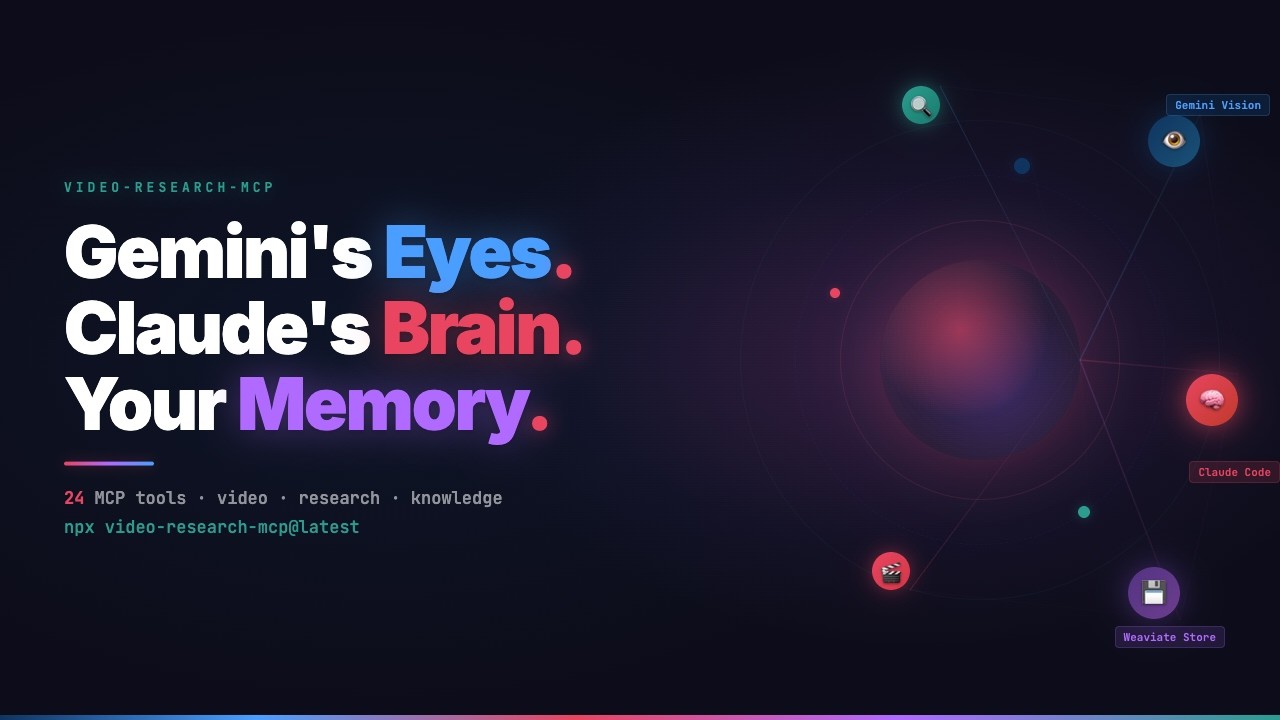
Watch the full demo on YouTube
What's in the box
A Claude Code plugin with 51 tools, 17 slash commands, 12 skills, and 7 sub-agents. The MCP servers provide the tools. The commands give you quick workflows (/gr:video, /gr:research). The skills teach Claude how to use everything -- from research to cinematic video production. The agents handle background tasks like parallel research and visualization.
| Server | Tools | Purpose |
|---|---|---|
| video-research-mcp | 34 | Video analysis, deep research, content extraction, web search, academic papers, knowledge store |
| video-explainer-mcp | 15 | Synthesize explainer videos from research (wraps video_explainer) |
| video-agent-mcp | 2 | Parallel scene generation via Claude Agent SDK |
Install
npx video-research-mcp@latest
export GEMINI_API_KEY="your-key-here"
One command. One API key. The installer copies 17 commands, 12 skills, and 7 agents to ~/.claude/ and configures the MCP servers to run via uvx from PyPI.
npx video-research-mcp@latest --check     # show install status
npx video-research-mcp@latest --uninstall  # clean removal
npx video-research-mcp@latest --local      # install for this project only
Requires Python >= 3.11, uv, Node.js >= 16, and a Google AI API key.
What it does
Watch a meeting recording
/gr:video-chat ~/recordings/project-kickoff.mp4
> "Create meeting minutes in Dutch. Screenshot every shared screen."
Gemini watches the full video and pulls out timestamps, decisions, and action items. For local files, ffmpeg extracts frames at key visual moments. Files over 20MB are uploaded to Gemini's File API and context-cached -- follow-up questions reuse the cache instead of re-uploading.
Analyze a YouTube tutorial
/gr:video https://youtube.com/watch?v=...
Same capabilities, applied to YouTube. Precise timestamps, a concept map, and comment sentiment analyzed in the background.
Research a topic with evidence grading
/gr:research "HNSW index parameters for high-dimensional embeddings"
Runs web search and Gemini analysis in parallel. Every finding gets an evidence tier -- Confirmed, Strong Indicator, Inference, or Speculation -- so you know how much weight to give each claim. Results are visualized as an interactive evidence network.
Analyze papers, URLs, or directories
/gr:analyze https://arxiv.org/abs/2401.12345
/gr:analyze ~/papers/attention-is-all-you-need.pdf
/gr:analyze ~/papers/                              # cross-document comparison
Works with PDFs, URLs, and raw text. Extracts entities, relationships, and key arguments. Point it at a directory and it compares all documents in a single pass. Supports PDF, TXT, MD, HTML, XML, JSON, CSV.
Research grounded in source documents
/gr:research-doc ~/papers/
/gr:research-doc paper1.pdf paper2.pdf "Compare methodologies and find contradictions"
Four-phase pipeline: Document Mapping, Evidence Extraction, Cross-Reference, Synthesis. Every claim is cited back to document and page number.
Search the web
/gr:search "latest developments in MCP protocol"
Google Search via Gemini grounding with source citations.
Recall what you've learned
/gr:recall                                # overview: stats + saved analyses
/gr:recall "kubernetes"                   # semantic search + filesystem grep
/gr:recall ask "what do I know about X?"  # AI-powered Q&A with source citations
Nothing gets lost. Every analysis and research finding is stored automatically. Weeks later, in a different project, you just ask. When Weaviate is configured, searches use semantic matching. Without it, recall falls back to exact keyword grep over saved files.
Use it as a standalone MCP server
The tools are standard MCP. Any MCP client can call them -- no Claude Code required.
{
  "mcpServers": {
    "video-research": {
      "command": "uvx",
      "args": ["video-research-mcp"],
      "env": { "GEMINI_API_KEY": "${GEMINI_API_KEY}" }
    }
  }
}
Commands
| Command | What it does |
|---|---|
/gr:video <source> |
One-shot video analysis with concept map and frame extraction |
/gr:video-chat <source> |
Multi-turn video Q&A with progressive note-taking |
/gr:research <topic> |
Deep research with evidence-tier labeling |
/gr:research-deep <topic> |
Launch Gemini Deep Research Agent with interview-built brief |
/gr:research-doc <files> |
Evidence-tiered research grounded in source documents |
/gr:analyze <content> |
Analyze any URL, file, text, or directory of documents |
/gr:search <query> |
Web search via Gemini grounding |
/gr:recall [filter] |
Browse past analyses from memory |
/gr:models [preset] |
Switch Gemini model preset (best/stable/budget) |
/gr:getting-started |
Guided onboarding and environment check |
/gr:ingest <file> |
Import external structured knowledge into Weaviate |
/gr:traces [filter] |
Query, debug, and evaluate MLflow traces |
/gr:doctor [quick|full] |
Diagnose MCP wiring, API keys, Weaviate, and MLflow connectivity |
/gr:advisor <task> |
Get workflow advice -- which /gr command fits your task |
/ve:explainer <project> |
Create and manage explainer video projects |
/ve:explain-video <project> |
Generate a full explainer video from project content |
/ve:explain-status <project> |
Check render progress and pipeline state |
How a command runs
/gr:video-chat ~/recordings/call.mp4
> "Summarize this meeting, extract action items"

 Phase 1   Gemini analyzes the video
 Phase 2   Results saved to memory
 Phase 2.5 ffmpeg extracts frames (local files only)
 Phase 3   Concepts and relationships enriched
 Phase 4   Interactive visualization generated (opt-in)
 Phase 5   Playwright screenshots it
 Phase 6   Everything copied to output/<slug>/
Visualization and comment analysis run as background agents, so they don't block the conversation.
Output structure
output/project-kickoff-2026-02-28/
├── analysis.md          # timestamped analysis with YAML frontmatter
├── frames/              # extracted video frames (local files)
├── concept-map.html     # interactive visualization
└── screenshot.png       # static capture
Tools
video-research-mcp -- 34 tools
Video (4): video_analyze, video_create_session, video_continue_session, video_batch_analyze
YouTube (3): video_metadata, video_comments, video_playlist
Research (4): research_deep, research_plan, research_assess_evidence, research_document
Deep Research Agent (4): research_web, research_web_status, research_web_followup, research_web_cancel
Academic Research (5): research_paper_search, research_paper_details, research_paper_citations, research_paper_recommendations, research_author_search
Content (3): content_analyze, content_batch_analyze, content_extract
Search (1): web_search
Infrastructure (2): infra_cache, infra_configure
Knowledge (8): knowledge_search, knowledge_related, knowledge_stats, knowledge_fetch, knowledge_ingest, knowledge_schema, knowledge_ask, knowledge_query
video-explainer-mcp -- 15 tools
Project (4): explainer_create, explainer_inject, explainer_status, explainer_list
Pipeline (6): explainer_generate, explainer_step, explainer_render, explainer_render_start, explainer_render_poll, explainer_short
Quality (3): explainer_refine, explainer_feedback, explainer_factcheck
Audio (2): explainer_sound, explainer_music
video-agent-mcp -- 2 tools
Scene Generation (2): agent_generate_scenes, agent_generate_single_scene
Skills
Skills teach Claude how to use tools and workflows correctly. They load automatically when relevant -- you never invoke them manually.
Research & analysis
| Skill | What it teaches |
|---|---|
| video-research | All 34 video-research-mcp tools -- selection, caching, error handling |
| video-explainer | The 15 explainer tools -- pipeline order, rendering, TTS config |
| gemini-visualize | Interactive HTML visualizations from analysis results |
| weaviate-setup | Guided Weaviate onboarding and connection setup |
| mlflow-traces | MLflow trace querying, debugging, and evaluation |
| research-brief-builder | Structured research briefs for deep research |
| gr-advisor | Recommends the right /gr command for your task |
Media production (new in v0.6.0)
| Skill | What it teaches |
|---|---|
| tts-production | ElevenLabs TTS -- API patterns, voice presets, cosine-ease ducking, multilingual narration |
| ffmpeg-production | Post-processing chain order, codec selection, platform export presets |
| video-generation | AI video with Veo or Sora -- provider selection matrix, draft-to-final workflow |
| video-production | Cinematic multi-shot -- style anchors, 4 chaining patterns, frame-level QA |
| image-generation | Style anchor prompt optimization for mcp-image (Subject-Context-Style) |
The production skills use progressive disclosure: core patterns load when triggered (~1,000 words each), detailed recipes and reference tables live in references/ and load on demand.
Knowledge store
Connect Weaviate, and everything you learn gets stored -- searchable across projects, across sessions. Without it, the plugin works the same; you just don't get persistent semantic search.
Thirteen collections are created on first connection:
| Collection | Filled by |
|---|---|
ResearchFindings |
research_deep, research_assess_evidence, research_document |
VideoAnalyses |
video_analyze, video_batch_analyze |
ContentAnalyses |
content_analyze, content_batch_analyze |
VideoMetadata |
video_metadata |
SessionTranscripts |
video_continue_session |
WebSearchResults |
web_search |
ResearchPlans |
research_plan |
DeepResearchReports |
research_web_status, research_web_followup |
CommunityReactions |
comment analysis (via /gr:video agent) |
ConceptKnowledge |
concept extraction from analyses |
RelationshipEdges |
relationship mapping between concepts |
CallNotes |
meeting/call analysis notes |
AcademicPapers |
research_paper_search, research_paper_details, research_paper_citations, research_paper_recommendations |
Knowledge graph
Analysis tools (content_analyze, video_analyze, research_deep, research_web, research_document, content_batch_analyze) automatically extract concepts and relationships. Over time this builds a queryable knowledge graph across all your research -- no manual step required.
Eight knowledge tools query this data: hybrid search with optional Cohere reranking, semantic similarity, fetch by UUID, manual ingest, schema introspection, and collection stats. knowledge_ask uses Weaviate's QueryAgent for AI-generated answers with source citations.
# install QueryAgent support
uv pip install 'video-research-mcp[agents]'
To set up Weaviate:
export WEAVIATE_URL="https://your-cluster.weaviate.network"
export WEAVIATE_API_KEY="your-key"
Configuration
| Variable | Default | What it does |
|---|---|---|
GEMINI_API_KEY |
(required) | Google AI API key |
GEMINI_MODEL |
gemini-3.5-flash |
Primary model |
GEMINI_FLASH_MODEL |
gemini-3.5-flash |
Same as GEMINI_MODEL by default; infra_configure presets unlock Pro |
DEEP_RESEARCH_AGENT |
deep-research-pro-preview-12-2025 |
Interactions API agent |
WEAVIATE_URL |
"" |
Weaviate URL (empty = knowledge store disabled) |
WEAVIATE_API_KEY |
"" |
Required for Weaviate Cloud |
COHERE_API_KEY |
"" |
Enables Cohere reranker in knowledge search |
ELEVENLABS_API_KEY |
"" |
For TTS voice-over production |
OPENAI_API_KEY |
"" |
For Sora video generation and OpenAI TTS |
YOUTUBE_API_KEY |
"" |
YouTube Data API key (falls back to GEMINI_API_KEY) |
S2_API_KEY |
"" |
Semantic Scholar API key (higher rate limits) |
MLFLOW_TRACKING_URI |
"" |
MLflow server URL (empty = tracing disabled) |
EXPLAINER_PATH |
"" |
Path to cloned video_explainer repo |
EXPLAINER_TTS_PROVIDER |
"mock" |
TTS provider: mock, elevenlabs, openai, gemini, edge |
All configuration variables
| Variable | Default | What it does |
|---|---|---|
GEMINI_THINKING_LEVEL |
medium |
Thinking depth (minimal / low / medium / high) |
GEMINI_TEMPERATURE |
1.0 |
Sampling temperature |
GEMINI_CACHE_DIR |
~/.cache/video-research-mcp/ |
Cache directory |
GEMINI_CACHE_TTL_DAYS |
30 |
Cache expiry |
GEMINI_MAX_SESSIONS |
50 |
Max concurrent video sessions |
GEMINI_SESSION_TIMEOUT_HOURS |
2 |
Session TTL |
GEMINI_SESSION_MAX_TURNS |
24 |
Max turns per session |
GEMINI_SESSION_DB |
"" |
SQLite path for session persistence (empty = in-memory) |
MLFLOW_EXPERIMENT_NAME |
video-research-mcp |
MLflow experiment name |
Other install methods
Standalone MCP server (no plugin assets)
{
  "mcpServers": {
    "video-research": {
      "command": "uvx",
      "args": ["video-research-mcp"],
      "env": { "GEMINI_API_KEY": "${GEMINI_API_KEY}" }
    }
  }
}
Claude Desktop
Add to claude_desktop_config.json:
{
  "mcpServers": {
    "video-research": {
      "command": "uvx",
      "args": ["video-research-mcp"],
      "env": { "GEMINI_API_KEY": "your-key-here" }
    }
  }
}
From source
git clone https://github.com/Galbaz1/video-research-mcp
cd video-research-mcp
uv venv && source .venv/bin/activate && uv pip install -e ".[dev]"
node bin/install.js --global
Development
uv venv && source .venv/bin/activate
uv pip install -e ".[dev]"
uv run pytest tests/ -v        # 781 tests, all mocked
uv run ruff check src/ tests/  # lint
Troubleshooting
| Problem | Fix |
|---|---|
| No API key error | Set GEMINI_API_KEY |
| 429 / quota exceeded | Wait 60s, or switch to /gr:models budget for higher rate limits |
| Video analysis empty | Video may be private, age-restricted, or region-locked |
| No frames extracted | Install ffmpeg: brew install ffmpeg |
| Visualization missing | Ensure Node.js is on PATH (Playwright runs via npx) |
| Weaviate won't connect | Check WEAVIATE_URL and that the instance is running |
| Knowledge tools empty | Set WEAVIATE_URL to enable the knowledge store |
weaviate-agents not installed |
uv pip install 'video-research-mcp[agents]' |
| MLflow tools unavailable | Set MLFLOW_TRACKING_URI and start mlflow server --port 5001 |
| ElevenLabs MCP tools 404 | Use curl API calls instead -- see tts-production skill |
Contributing
See CONTRIBUTING.md for development setup and PR guidelines. See ROADMAP.md for planned work. Report security issues via SECURITY.md.
Author
Fausto Albers -- Lead Gen AI Research & Development at the Industrial Digital Twins Lab, Amsterdam University of Applied Sciences (HvA), in the research group of Jurjen Helmus. Founder of Wonder Why.
Credits
- Google Gemini (
google-genaiSDK) -- Gemini 3.1 Pro provides native video understanding, thinking mode, context caching, and the 1M token window that makes all of this work. - FastMCP -- MCP server framework. The composable sub-server pattern (
app.mount()) keeps 51 tools organized across 3 servers. - Weaviate -- vector database powering the knowledge store. Thirteen collections, hybrid search, and the Weaviate Claude Code skill that inspired the knowledge architecture.
- ElevenLabs -- text-to-speech with word-level timestamps for voiceover generation.
- video_explainer by prajwal-y -- the video synthesis engine behind the explainer pipeline.
- Pydantic -- schema validation for all tool I/O. Structured generation via
model_json_schema(). - MLflow (
mlflow-tracing) -- optional observability. Every Gemini call becomes a traceable span with token counts and latency. - Cohere -- optional reranking in knowledge search for better result relevance.
- Remotion -- React-based video rendering for the explainer pipeline.
- Claude Agent SDK -- powers parallel scene generation in
video-agent-mcp.
License
MIT
Установить Video Research в Claude Desktop, Claude Code, Cursor
unyly install video-research-mcpСтавит в Claude Desktop, Claude Code, Cursor и VS Code — сам разбирается с npx, uvx и сборкой из исходников.
Впервые? Поставь CLI: curl -fsSL https://unyly.org/install | sh
Или настроить вручную
Выполни в терминале:
claude mcp add video-research-mcp -- npx -y video-research-mcpПошаговые гайды: как установить Video Research
FAQ
Video Research MCP бесплатный?
Да, Video Research MCP бесплатный — установка в пару кликов через Unyly без оплаты.
Нужен ли API-ключ для Video Research?
Нет, Video Research работает без API-ключей и переменных окружения.
Video Research — hosted или self-hosted?
Доступен hosted-вариант: Unyly запускает сервер в облаке, локальная установка не обязательна.
Как установить Video Research в Claude Desktop, Claude Code или Cursor?
Открой Video Research на unyly.org, выбери вкладку своего клиента (Claude Desktop, Claude Code, Cursor) и нажми Install — конфиг сгенерируется автоматически, без правки JSON.
Похожие MCP
ARA
Generate images, video and audio from any AI agent — one connector.
 автор: ARA
Omni Video
An MCP server that transforms LLM-enabled IDEs into professional video editors by pre-processing footage into text proxies, generating motion graphics via HTML/
 автор: buildwithtaza
YouTube
Transcripts, channel stats, search
 автор: YouTube
EverArt
AI image generation using various models.
 автор: modelcontextprotocol
Compare Video Research with
Не уверен что выбрать?
Найди свой стек за 60 секунд
Автор?
Embed-бейдж для README
Похожее
Все в категории media