
Visual Explainer Extension
FreeNot checkedRefactor of https://github.com/nicobailon/visual-explainer Nico Bailons excellent agent skill repository into a gemini-cli extension that utilises nano-banana-2

About
Refactor of https://github.com/nicobailon/visual-explainer Nico Bailons excellent agent skill repository into a gemini-cli extension that utilises nano-banana-2 for image generation and has gemini-3.1-pro-preview enhanced aesthethics and outlooks
README
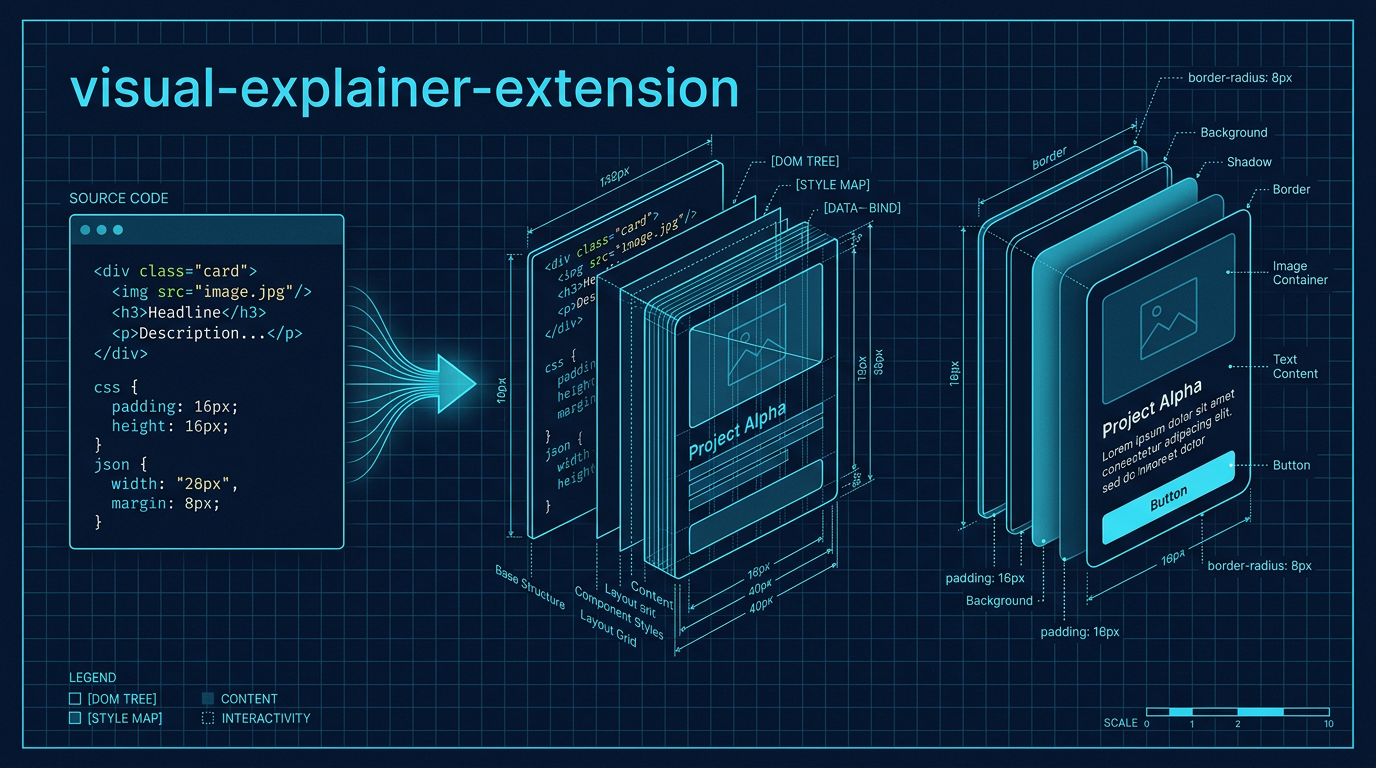
Strikingly well-designed HTML diagrams and reports for the Gemini CLI.
ABOUTME: visual-explainer-extension is a high-fidelity fork of the original visual-explainer project. It transforms complex terminal output into sophisticated, human-crafted HTML pages featuring advanced CSS orchestration, premium typography, and native AI image generation.
Project Overview
This extension replaces generic ASCII art and "AI-slop" templates with interactive HTML pages that follow a strict Design Engineering Mandate. It uses modern CSS techniques like @layer and @container to produce layouts that feel professional, intentional, and high-contrast.
🚀 Next-Level Features (v1.0.0+)
- Advanced CSS Orchestration: Uses CSS Layers (
@layer) for robust style management and Container Queries (@container) for modular, adaptive components. - Premium Typography: Strictly forbids generic fonts (Inter, Roboto). Employs "High-Character" pairings like Instrument Serif + JetBrains Mono and IBM Plex Sans + Mono.
- Aesthetic Recipes: Built-in high-fidelity modes for Blueprint, Editorial, and Paper/Ink aesthetics.
- Interactive Components:
- Intent Bridge: Maps natural language intent directly to code implementation.
- Archetype Cards: Modular system overviews with AI-generated icons.
- Enhanced Code Windows: IDE-like blocks with file tabs and sophisticated syntax highlighting.
- Proactive Image Generation: Automatically generates hero banners, module icons, and background patterns using the built-in Gemini Image tools.
- Anti-Slop Enforcement: Hard rules to prevent generic AI patterns (no indigo gradients, no emoji headers, no unstructured code dumps).
Main Technologies
- HTML5 / Modern CSS: Vanilla implementation leveraging CSS Layers and Container Queries.
- Mermaid.js (ESM): For topology-heavy diagrams with
layout: 'elk'support. - Chart.js: For data-driven dashboards and metric visualizations.
- Lucide Icons: Clean, consistent technical icons via SVG.
- Node.js / MCP: Native image generation tools using the Gemini API.
Installation
# Link the extension to your Gemini CLI
gemini extensions link .
Available Commands
Visualization Commands
| Command | Description |
|---|---|
/diff-review |
Visual diff review with architecture comparison. |
/fact-check |
Verify accuracy of a document against code. |
/generate-slides |
Generate a magazine-quality slide deck. |
/generate-visual-plan |
Generate a visual implementation plan. |
/generate-web-diagram |
Generate an HTML diagram for any topic. |
/plan-review |
Compare a plan against the codebase. |
/project-recap |
Mental model snapshot for context-switching. |
/visual-code-explain |
Explain the logic of a code file using Intent Bridges. |
/code-archetype |
Generate structural cards for a module or subsystem. |
Image Generation (Nanobanana Integration)
| Command | Description |
|---|---|
/visual-generate |
Generate high-quality images from prompts. |
/visual-icon |
Create app icons and UI elements. |
/visual-pattern |
Generate seamless, tileable textures. |
/visual-story |
Create visually consistent story sequences. |
/visual-diagram |
Generate professional diagrams as images. |
Model Instructions (SKILL.md)
The core logic and design principles are located in skills/visual-explainer/SKILL.md. The model follows a Design Tokens first workflow, ensuring every output meets the "Squint Test" for visual hierarchy and the "Swap Test" for design intent.
Development
- Testing: Use
gemini extensions link .to test locally. - Portability: Keep HTML self-contained. All styles and logic are inlined for single-file portability.
- Performance: Minimizes turns by reading reference materials in parallel.
Forked from the original visual-explainer repository. Re-engineered for aesthetic excellence.
Installing Visual Explainer Extension
This server has no published package — it is built from source. Open the repository and follow its README.
▸ github.com/Jakedismo/visual-explainer-extensionFAQ
Is Visual Explainer Extension MCP free?
Yes, Visual Explainer Extension MCP is free — one-click install via Unyly at no cost.
Does Visual Explainer Extension need an API key?
No, Visual Explainer Extension runs without API keys or environment variables.
Is Visual Explainer Extension hosted or self-hosted?
Self-hosted: the server runs locally on your machine via the install command above.
How do I install Visual Explainer Extension in Claude Desktop, Claude Code or Cursor?
Open Visual Explainer Extension on unyly.org, pick your client tab (Claude Desktop, Claude Code, Cursor) and press Install — the config is generated automatically, no JSON editing.
Related MCPs
GitHub
PRs, issues, code search, CI status
 by GitHub
Filesystem
Secure file operations with configurable access controls.
Memory
Knowledge graph-based persistent memory system.
Template MCP Server
A CLI tool to create a new Model Context Protocol server project with TypeScript support, dual transport options, and an extensible structure
 by mcpdotdirect
Compare Visual Explainer Extension with
Not sure what to pick?
Find your stack in 60 seconds
Author?
Embed badge for your README
Browse similar
All development MCPs