

About
a mcp server for get weather.use python
README
📖 项目简介
这是一个基于 MCP 协议开发的天气信息服务端,通过和风天气 API 实时获取气象数据。
🚀 主要功能
- 🌍 获取指定城市的实时天气信息。
- ☁️ 支持通过和风天气API获取天气数据。
- 📊 提供详细的天气信息,包括温度、湿度、风速、降水量等。
📋 环境要求
- Python 3.13.2
- Docker (可选,如果使用Docker部署)
- 和风天气API密钥
🔧 安装步骤
🐳 通过Docker运行
- 构建Docker镜像
docker pull bellababy/mcp-server-weather-python:1.0.0
- 运行Docker容器
docker run -d -p 8000:8000 -e WEATHER_API_KEY=你的API密钥 bellababy/mcp-server-weather-python:1.0.0
环境变量
| 变量名 | 说明 | 必填 |
|---|---|---|
| WEATHER_API_KEY | 和风天气API密钥 | 是 |
🍒 在CherryStudio中使用
- 配置MCP服务器
在CherryStudio中,打开设置页面,找到"MCP服务器"选项卡。
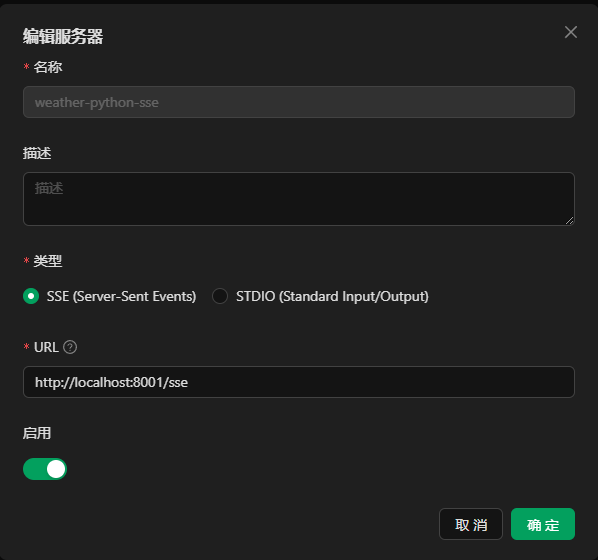
填写以下信息:
- 服务器地址:
http://你的服务器IP:8000 - 选择SSE模式
点击"确定"完成配置。
- 在对话中询问天气
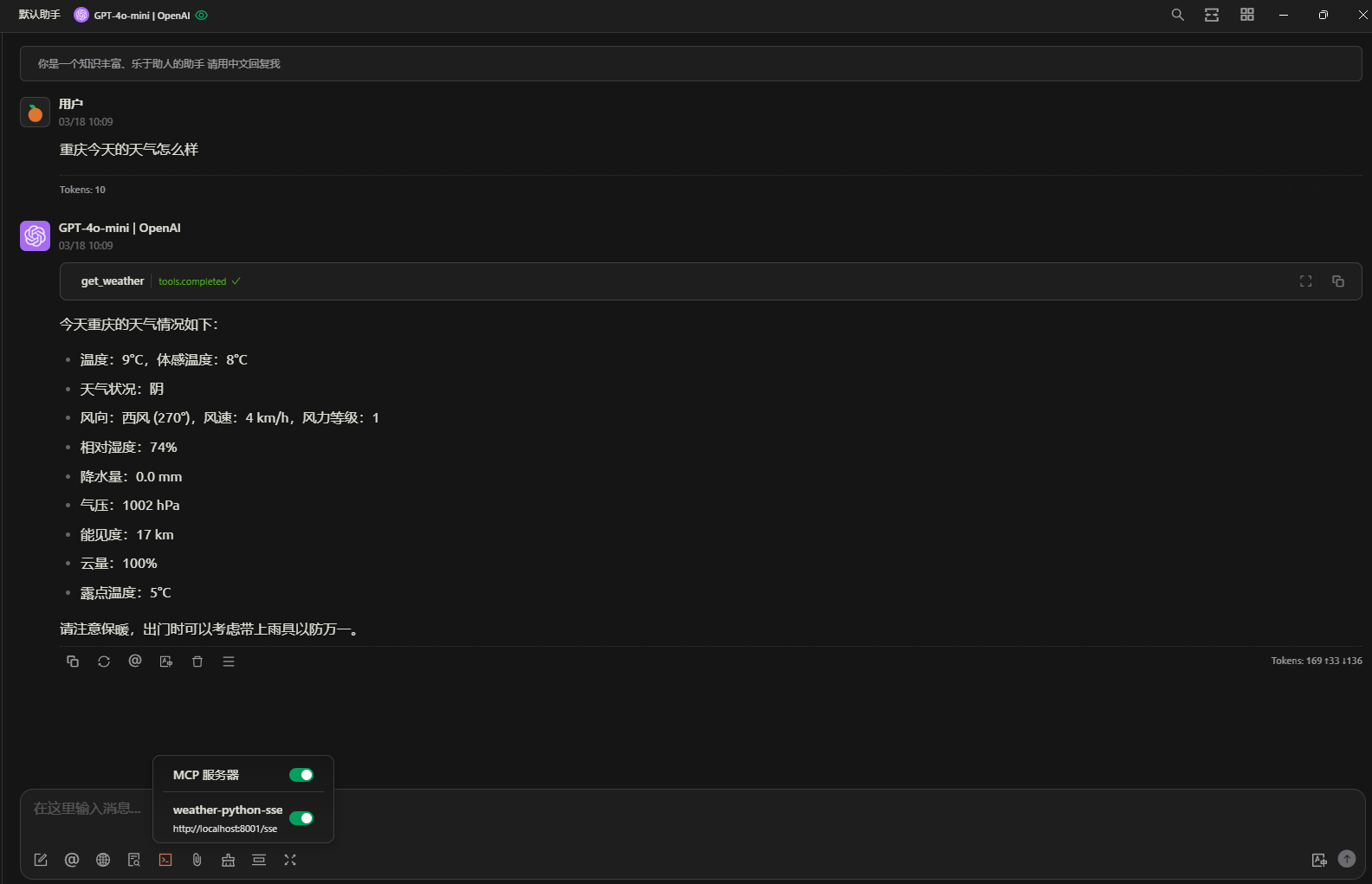
📄 许可证
本项目采用 MIT 许可证。详情请见 LICENSE 文件。
🙏 致谢
- 和风天气 - 提供天气数据API
Installing Weather Python
This server has no published package — it is built from source. Open the repository and follow its README.
▸ github.com/yestarz/mcp-server-weather-pythonFAQ
Is Weather Python MCP free?
Yes, Weather Python MCP is free — one-click install via Unyly at no cost.
Does Weather Python need an API key?
No, Weather Python runs without API keys or environment variables.
Is Weather Python hosted or self-hosted?
Self-hosted: the server runs locally on your machine via the install command above.
How do I install Weather Python in Claude Desktop, Claude Code or Cursor?
Open Weather Python on unyly.org, pick your client tab (Claude Desktop, Claude Code, Cursor) and press Install — the config is generated automatically, no JSON editing.
Related MCPs
GitHub
PRs, issues, code search, CI status
 by GitHub
Filesystem
Secure file operations with configurable access controls.
Memory
Knowledge graph-based persistent memory system.
Template MCP Server
A CLI tool to create a new Model Context Protocol server project with TypeScript support, dual transport options, and an extensible structure
 by mcpdotdirect
Compare Weather Python with
Not sure what to pick?
Find your stack in 60 seconds
Author?
Embed badge for your README
Browse similar
All development MCPs