
Zesarux
FreeNot checkedControls the ZEsarUX ZX Spectrum emulator via ZRCP protocol for debugging, memory operations, tape/disk loading, and more.

About
Controls the ZEsarUX ZX Spectrum emulator via ZRCP protocol for debugging, memory operations, tape/disk loading, and more.
README
MCP server for ZEsarUX ZX Spectrum emulator using ZRCP protocol.
dtz-labs - Vibe coding 8-bit machines like there is no tomorrow
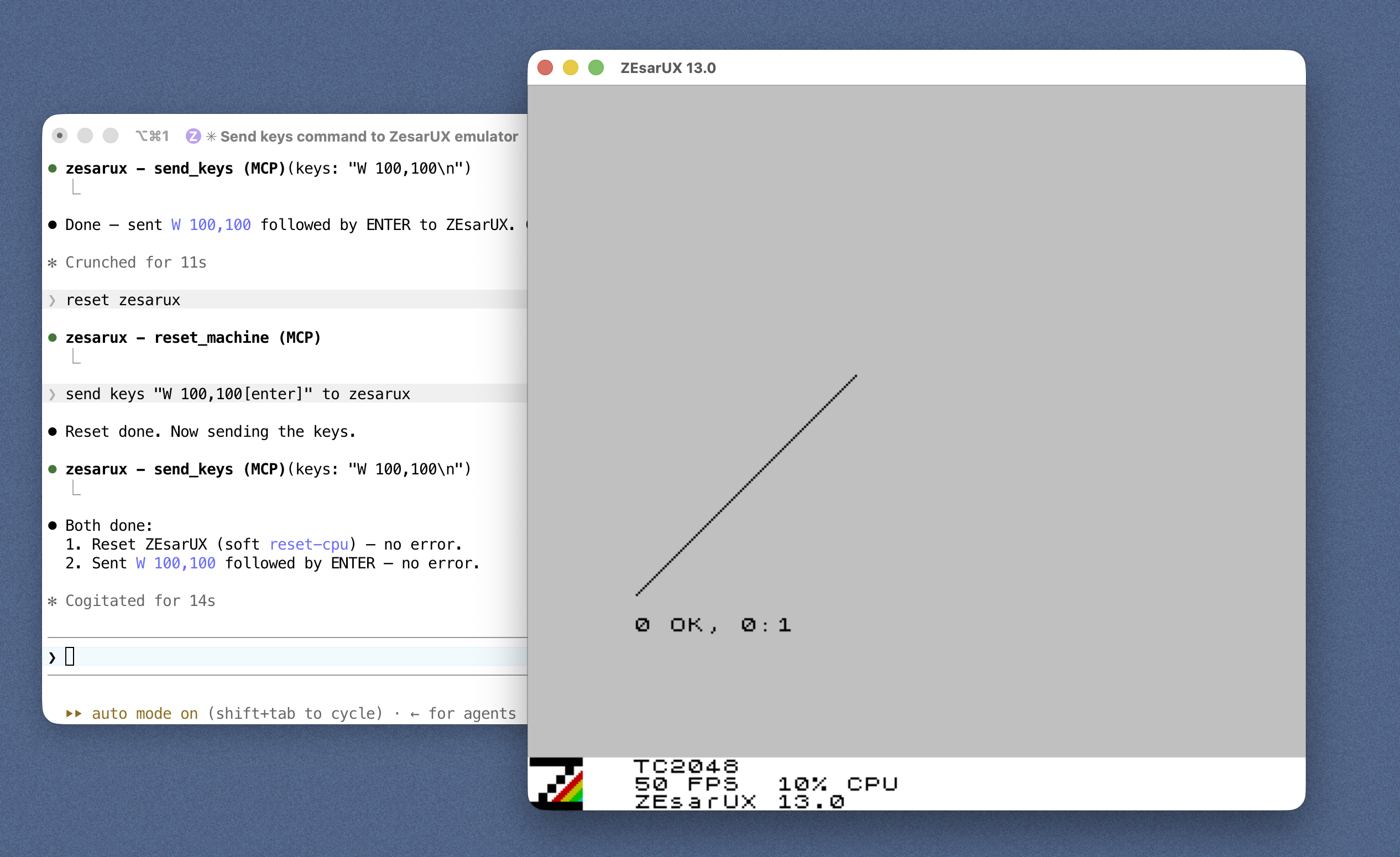
Features
13 tool categories with 50+ operations: machine control, PEEK/POKE, debugging (breakpoints, registers, disassembly), tape/disk loading, snapshots, keyboard input, assembly, and more.
Quick Start
Each client launches the server over stdio via npx — no clone or build needed.
The server then connects to ZEsarUX on ZRCP port 10000, auto-launching it for you
if nothing is listening there (on by default). Pick your client below; you'll
still need ZEsarUX installed — see Installation.
Claude Code
Register the server with one command:
claude mcp add zesarux -- npx -y @dtz-labs/zesarux-mcp
Auto-launch is on by default. To disable it (only connect to a ZEsarUX you start yourself), set the env var:
claude mcp add zesarux --env ZESARUX_AUTOLAUNCH=false -- npx -y @dtz-labs/zesarux-mcp
Claude Desktop
Edit claude_desktop_config.json (macOS:
~/Library/Application Support/Claude/claude_desktop_config.json; Windows:
%APPDATA%\Claude\claude_desktop_config.json), then restart Claude Desktop:
{
  "mcpServers": {
    "zesarux": {
      "command": "npx",
      "args": ["-y", "@dtz-labs/zesarux-mcp"]
    }
  }
}
Codex
Add to ~/.codex/config.toml:
[mcp_servers.zesarux]
command = "npx"
args = ["-y", "@dtz-labs/zesarux-mcp"]
Opencode
Add to opencode.json (project) or ~/.config/opencode/opencode.json (global):
{
  "$schema": "https://opencode.ai/config.json",
  "mcp": {
    "zesarux": {
      "type": "local",
      "command": ["npx", "-y", "@dtz-labs/zesarux-mcp"],
      "enabled": true
    }
  }
}
Installation
1. Install ZEsarUX
macOS:
brew install zesarux
xattr -dr com.apple.quarantine /Applications/zesarux.app
Why the second command? macOS Gatekeeper tags any app that wasn't downloaded through the App Store (or signed/notarized by an identified developer) with a
com.apple.quarantineextended attribute. ZEsarUX isn't notarized, so the first time you launch it Gatekeeper refuses to open it ("can't be opened because Apple cannot check it for malicious software").xattr -drrecursively strips that attribute from the app bundle, telling Gatekeeper to trust it. This is needed because the Homebrew cask drops the.appinto/Applicationsbut cannot clear the quarantine flag for you.
Linux:
sudo apt-get install zesarux
Or download from: ZEsarUX releases
For Windows, compiling from source, and enabling ZRCP via the config file, see the full Installation & Configuration guide.
2. Start ZEsarUX with ZRCP
zesarux --enable-remoteprotocol --remoteprotocol-port 10000
Or skip this step — the server auto-launches ZEsarUX for you by default (see Auto-launching ZEsarUX below).
3. Install the MCP Server
The server is published to npm as @dtz-labs/zesarux-mcp.
Your MCP client launches it on demand via npx (see Quick Start),
so nothing needs installing. To have it on your PATH as zesarux-mcp, install
it globally:
npm install -g @dtz-labs/zesarux-mcp
From source (for development)
git clone https://github.com/dtz-labs/zesarux-mcp.git
cd zesarux-mcp
npm install
npm run build   # produces dist/index.js
Then point your config at "command": "node", "args": ["/absolute/path/to/zesarux-mcp/dist/index.js"].
Environment variables
| Variable | Default | Description |
|---|---|---|
ZESARUX_HOST |
localhost |
Host where ZEsarUX ZRCP is listening |
ZESARUX_PORT |
(auto) | ZRCP port (matches --remoteprotocol-port). Unset in AUTO mode → first free port ≥ 10000; set it to pin a specific port |
LOG_LEVEL |
info |
debug | info | warn | error (all logs go to stderr) |
ZESARUX_TIMEOUT |
30000 |
ZRCP request timeout, ms |
ZESARUX_RETRY_ATTEMPTS |
3 |
Connection retry attempts |
ZESARUX_AUTO_RECONNECT |
true |
Reconnect automatically if the link drops |
ZESARUX_AUTOLAUNCH |
true |
Start ZEsarUX automatically if it isn't reachable (set false to opt out) |
ZESARUX_PATH |
(auto-detected) | Explicit path to the ZEsarUX binary |
ZESARUX_ARGS |
(none) | Extra args appended when launching (e.g. --vo null --ao null for headless) |
ZESARUX_LAUNCH_TIMEOUT |
20000 |
How long to wait for the ZRCP port after launching, ms |
Auto-launching ZEsarUX
By default, when ZEsarUX isn't reachable on startup the server finds a local
ZEsarUX binary, launches it with --enable-remoteprotocol --remoteprotocol-port <port>, waits for the port, then connects. Set ZESARUX_AUTOLAUNCH=false to opt
out (only connect to a ZEsarUX you started yourself). An emulator the server
launched is terminated when the server stops; a ZEsarUX you started yourself is
left untouched. See
Installation & Configuration for
binary discovery order and headless use.
You can also control the emulator process at runtime with the launch_emulator
and kill_emulator tools (the latter only stops an emulator the server
started). And if a tool call fails because the connection dropped, the server
will — unless ZESARUX_AUTOLAUNCH=false — try once to relaunch ZEsarUX and
reconnect before retrying the call.
Running several servers (automatic ports)
In AUTO mode (auto-launch on, ZESARUX_PORT not set) the server picks the
first free port ≥ 10000 and launches its own ZEsarUX there. So you can
register several MCP servers with no port configuration at all and they fan out
automatically — the first takes 10000, the next 10001, then 10002, … each
with its own emulator:
claude mcp add zesarux-a -- npx -y @dtz-labs/zesarux-mcp
claude mcp add zesarux-b -- npx -y @dtz-labs/zesarux-mcp
To pin a server to a specific port — or to attach to an emulator that is
already running — set ZESARUX_PORT explicitly (e.g. ZESARUX_PORT=10000); the
server then uses exactly that port and does not scan. Automatic port selection
only happens in AUTO mode; with ZESARUX_AUTOLAUNCH=false the server just
connects to ZESARUX_PORT (default 10000).
Documentation
- Documentation index - Start here
- Installation & Configuration - Install ZEsarUX and the server
- Configuring MCP Clients - Claude Desktop/Code, Codex, OpenCode, JetBrains
- Available Tools - All tools with examples
- Example Usage - Talk-to-it and quick call examples
- Development - Build, structure, protocol mapping
- Troubleshooting - Common problems
- ZRCP Specification - Complete protocol reference
Quick Examples
// Reset and set machine
{"name": "reset_machine"}
{"name": "set_machine", "arguments": {"machine": "128k"}}

// Read/write memory
{"name": "peek", "arguments": {"address": "4000", "length": 256}}
{"name": "poke", "arguments": {"address": "4000", "value": [255, 0]}}

// Debugging
{"name": "get_registers"}
{"name": "set_breakpoint", "arguments": {"index": 1, "type": "execute", "address": "8000"}}

// Load tape
{"name": "load_file", "arguments": {"filename": "/path/game.tap"}}
License
MIT
dtz-labs - Keeping 8-bit alive until 2065
Install Zesarux in Claude Desktop, Claude Code & Cursor
unyly install zesarux-mcpInstalls into Claude Desktop, Claude Code, Cursor & VS Code — handles npx, uvx and build-from-source repos for you.
First time? Get the CLI: curl -fsSL https://unyly.org/install | sh
Or configure manually
Run in your terminal:
claude mcp add zesarux-mcp -- npx -y @dtz-labs/zesarux-mcpFAQ
Is Zesarux MCP free?
Yes, Zesarux MCP is free — one-click install via Unyly at no cost.
Does Zesarux need an API key?
No, Zesarux runs without API keys or environment variables.
Is Zesarux hosted or self-hosted?
Self-hosted: the server runs locally on your machine via the install command above.
How do I install Zesarux in Claude Desktop, Claude Code or Cursor?
Open Zesarux on unyly.org, pick your client tab (Claude Desktop, Claude Code, Cursor) and press Install — the config is generated automatically, no JSON editing.
Related MCPs
GitHub
PRs, issues, code search, CI status
 by GitHub
Filesystem
Secure file operations with configurable access controls.
Memory
Knowledge graph-based persistent memory system.
Template MCP Server
A CLI tool to create a new Model Context Protocol server project with TypeScript support, dual transport options, and an extensible structure
 by mcpdotdirect
Compare Zesarux with
Not sure what to pick?
Find your stack in 60 seconds
Author?
Embed badge for your README
Browse similar
All development MCPs