
Bible Server
БесплатноНе проверенEnables Bible search and verse retrieval with multiple translations, deployable on Cloudflare Workers.

Описание
Enables Bible search and verse retrieval with multiple translations, deployable on Cloudflare Workers.
README
A Model Context Protocol (MCP) server that provides Bible search and verse retrieval tools, deployed on Cloudflare Workers. This server uses the Scripture API Bible service to provide access to various Bible translations.
Quick Start
1. Get API Key
- Go to https://scripture.api.bible/
- Sign up for a free account
- Get your API key from the dashboard
2. Deploy to Cloudflare
# Install dependencies
npm install

# Login to Cloudflare
npx wrangler login

# Set your API key (you'll be prompted to enter it securely)
npx wrangler secret put BIBLE_API_KEY

# Deploy to Cloudflare Workers
npx wrangler deploy
Secrets:
- BIBLE_API_KEY (required): Your API key from scripture.api.bible
Optional configuration (in wrangler.toml or .dev.vars):
- BIBLE_ID: Bible translation ID (default:
de4e12af7f28f599-02for KJV) - BASE_URL: Scripture API base URL (default:
https://api.scripture.api.bible/v1)
3. Test Your Deployment
# Test health endpoint
curl https://your-worker-domain.workers.dev/health

# Should return: OK
Available Bible Tools
Your MCP server provides two consolidated tools with multiple actions:
1. bible_content (Bible Content)
Read and search Bible verses. Use the action parameter to specify what to do:
| Action | Description | Required Parameters |
|---|---|---|
search |
Find verses by text | query |
verse |
Get a single verse (e.g., GEN.1.1, JHN.3.16) | verse_id |
passage |
Get a verse range (e.g., GEN.1.1-GEN.1.5) | passage_id |
chapter |
Get a full chapter | book_id, chapter |
Optional: response_format — concise (default, essential info only) or detailed (full text with verse numbers). Use detailed when the user needs verse-by-verse structure.
2. bible_reference (Bible Reference)
Navigate Bible structure:
| Action | Description | Required Parameters |
|---|---|---|
list_books |
List all Bible books with names and abbreviations | — |
list_chapters |
List chapters for a book | book_id |
Optional: response_format — concise (default) or detailed (includes IDs for follow-up tool calls).
Common Bible Translations
You can use these Bible IDs:
de4e12af7f28f599-02- King James Version (KJV)06125adad2d5898a-01- New International Version (NIV)f72b840c855f362c-04- English Standard Version (ESV)592420522e16049f-01- New American Standard Bible (NASB)
For Development
# Start local development server
npm run dev

# Deploy changes
npm run deploy
Using Your MCP Server
Claude Desktop
Add this configuration to your Claude Desktop MCP settings:
- Open Claude Desktop
- Go to Settings → Developer → Edit Config
- Add this configuration to the config file:
{
  "mcpServers": {
    "bible": {
      "command": "npx",
      "args": ["mcp-remote", "https://your-worker-domain.workers.dev/sse"]
    }
  }
}
- Install mcp-remote (first time only):
npm install -g mcp-remote
- Restart Claude Desktop
After restarting, you'll see the Bible connector available in Claude's settings and chat menu:
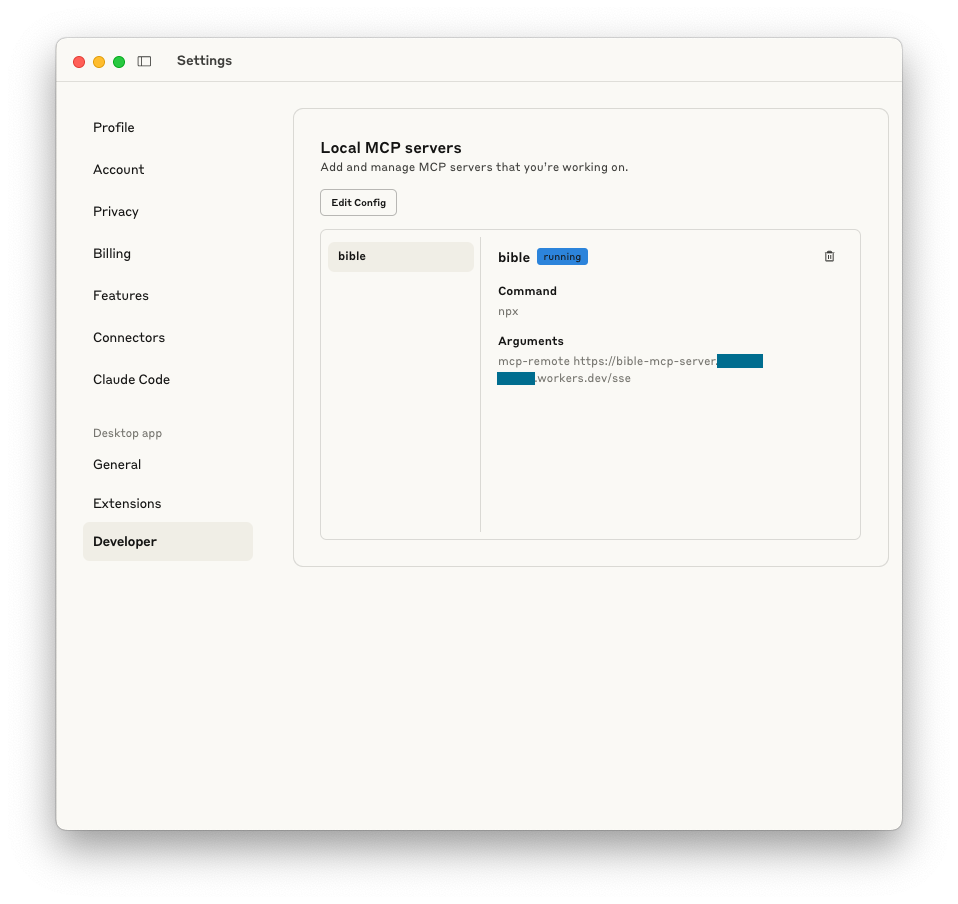
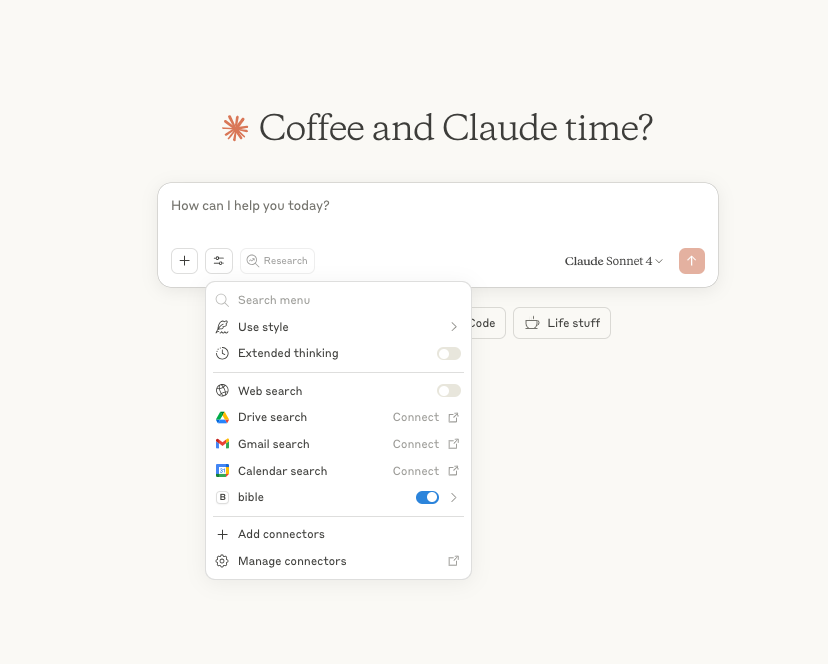
You can now ask Claude to search Bible verses, get specific passages, or explore different books!
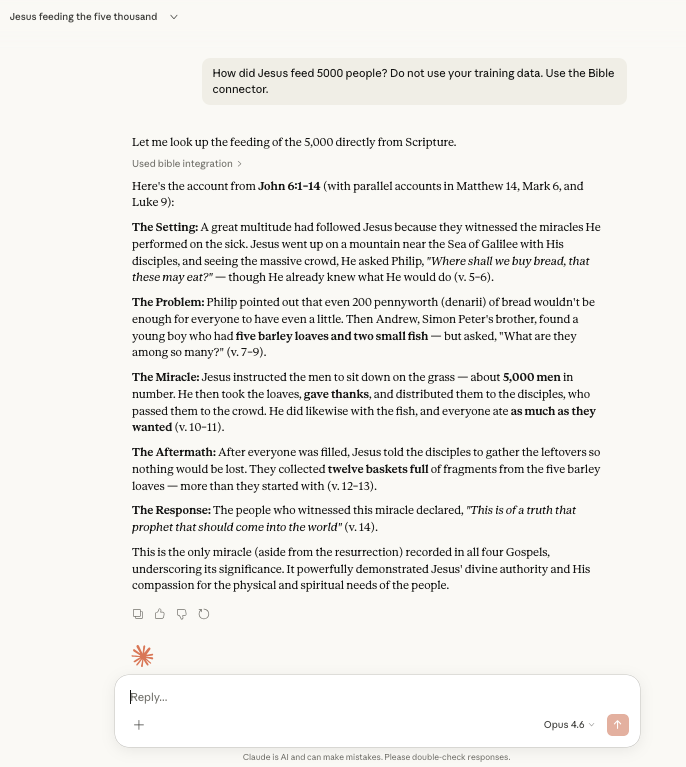
Example prompts to try:
- "How did Jesus feed 5,000 people?"
- "Get me Genesis 1:1"
- "What verses are in Psalm 23?"
What's Deployed
Your Cloudflare Worker provides:
- Health Check:
https://your-domain.workers.dev/health - MCP SSE Endpoint:
https://your-domain.workers.dev/sse(GET for SSE, POST for JSON-RPC) - Main Page:
https://your-domain.workers.dev/(info page)
Troubleshooting
- Authentication Error: Make sure you've run
npx wrangler login - API Key Issues: Verify your Scripture API key is valid and set correctly
- Deployment Failed: Check you have the correct permissions in Cloudflare
- Claude Desktop Connection Issues:
- Make sure
mcp-remoteis installed globally:npm install -g mcp-remote - Restart Claude Desktop after adding the configuration
- Check that your worker URL is correct in the config
- Make sure
- MCP Tools Not Appearing: Verify BIBLE_API_KEY is set correctly using
npx wrangler secret list
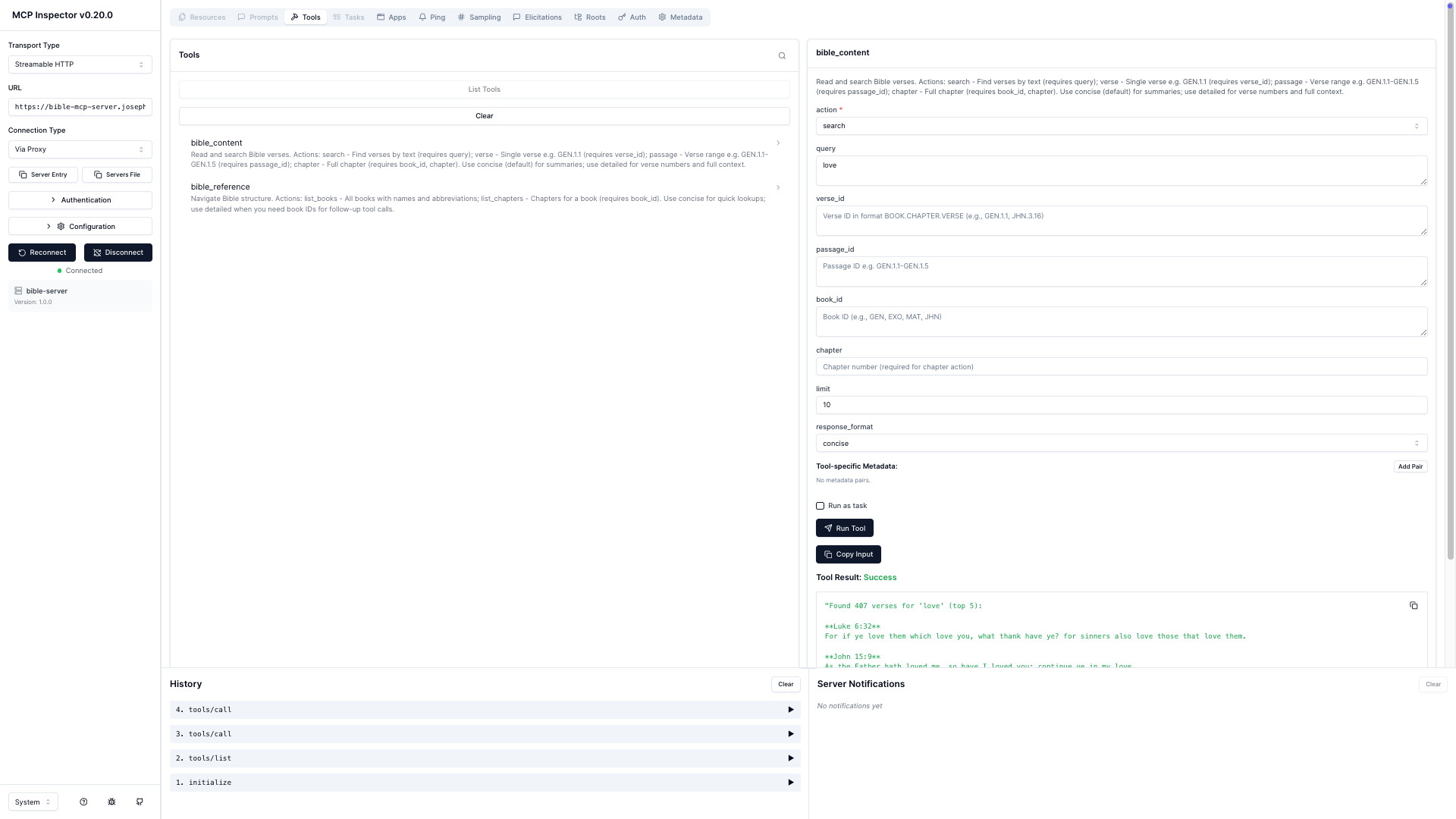
Testing Your Server
You can test your MCP server using the MCP Inspector before connecting it to Claude Desktop:
Helpful Resources
- MCP Inspector - Debug and test MCP servers
- Cloudflare Remote MCP Guide - Deploy MCP on Workers
- Anthropic Custom Connectors - Connect remote MCP to Claude Desktop
License
MIT
Установка Bible Server
У этого сервера нет опубликованного пакета — он собирается из исходников. Открой репозиторий и следуй инструкции в README.
▸ github.com/sprider/cloudflare-mcp-server-bibleFAQ
Bible Server MCP бесплатный?
Да, Bible Server MCP бесплатный — установка в пару кликов через Unyly без оплаты.
Нужен ли API-ключ для Bible Server?
Нет, Bible Server работает без API-ключей и переменных окружения.
Bible Server — hosted или self-hosted?
Доступен hosted-вариант: Unyly запускает сервер в облаке, локальная установка не обязательна.
Как установить Bible Server в Claude Desktop, Claude Code или Cursor?
Открой Bible Server на unyly.org, выбери вкладку своего клиента (Claude Desktop, Claude Code, Cursor) и нажми Install — конфиг сгенерируется автоматически, без правки JSON.
Похожие MCP
GitHub
PRs, issues, code search, CI status
 автор: GitHub
Filesystem
Secure file operations with configurable access controls.
Memory
Knowledge graph-based persistent memory system.

Unyly Deploy
Deploy sites and MCP servers to Unyly straight from your AI agent
 автор: Unyly
Amap Maps Mcp Server
MCP server for using the AMap Maps API
 автор: duxiaohui
PayMCP
Lightweight payments layer for MCP servers: turn tools into paid endpoints with a two-line decorator. [PyPI](https://pypi.org/project/paymcp/) · [npm](https://w
 автор: blustAI
Server For Power BI
Enables exploring Microsoft Fabric / Power BI workspaces and semantic models, and executing ad-hoc DAX queries.
 автор: Mitsubishi-Fuso
Gpt Image 2 Mcp
RunAPI GPT Image 2 MCP server for image generation: create tasks, poll results, and check pricing across 1 model from Claude Code, Codex, Cursor, and VS Code.
 автор: runapi-ai
Template MCP Server
A CLI tool to create a new Model Context Protocol server project with TypeScript support, dual transport options, and an extensible structure
 автор: mcpdotdirect
Supabase
Database, auth and storage
 автор: Supabase
Compare Bible Server with
Не уверен что выбрать?
Найди свой стек за 60 секунд
Автор?
Embed-бейдж для README
Похожее
Все в категории development