
Dcc Shogun
БесплатноНе проверенA local-first MCP adapter for Vicon Shogun Post that provides read-only inspection of motion-capture scenes, including subject markers and trajectory queries vi

Описание
A local-first MCP adapter for Vicon Shogun Post that provides read-only inspection of motion-capture scenes, including subject markers and trajectory queries via the official SDK.
README
A typed, local-first DCC-MCP adapter for Vicon Shogun Post motion-capture inspection, timeline control, bounded cleanup, processing, and file workflows.
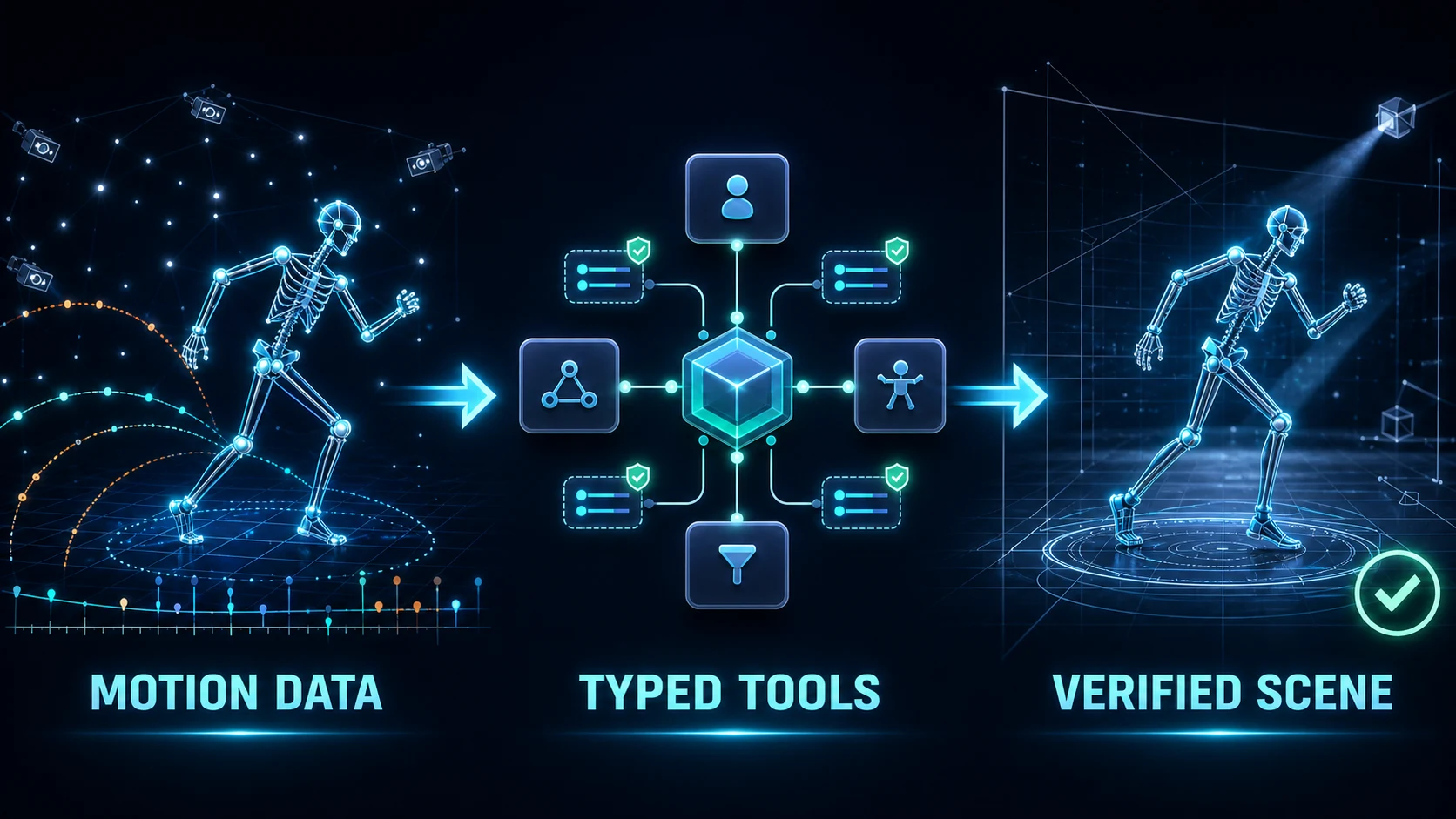
The adapter uses Vicon's official local ViconShogunPost control-stream SDK and
its Scene, Timeline, Offline, Channel, FIRFilter, and
WeightedAverageFilter contracts. It does not expose arbitrary Python or HSL
execution. One operator-allowlisted, fixed-signature HSL pipeline bridge covers
host-installed production commands that have no official Offline equivalent.
Application controls not exposed by the SDK remain an explicit, exact-window
DCC UI Control fallback.
Shogun Post ships an external Python SDK. The adapter runs in its own Python process and connects to the application's local control stream; it does not rely on a general-purpose Python interpreter embedded in the Shogun Post UI.
Part of the DCC-MCP host matrix
dcc-mcp-shogun — Vicon Shogun Post adapter with 67 typed Scene, channel, camera, file, Timeline, editing, production-context, pipeline-context, and capability-gated Offline processing tools.
It is one of 47 host adapters in the DCC-MCP catalog. Every adapter speaks the same MCP protocol and builds on the same core runtime contract; each one exposes the tools its own host needs on top of that.
This block is generated from the catalog entry in dcc-mcp-catalog.yml. Re-run the generator after changing the catalog.
Installation
Install the released wheel, then verify the exact Shogun Post process before starting the adapter:
python -m pip install "dcc-mcp-shogun==0.11.2" # x-release-please-version
$env:DCC_MCP_SHOGUN_HOST_PID = "<SHOGUN_POST_PID>"
dcc-mcp-shogun doctor --json
dcc-mcp-shogun verify --json
Continue only when directly_usable is true. See the complete
Install SOP for the agent quick path, supported platforms and
versions, upgrade, uninstall, stable exit codes, and troubleshooting.
Capabilities
- inspect path-redacted scene metadata and bounded subject lists;
- inspect subject markers, skeleton hierarchy, constraints, and static subject parameters;
- query one marker trajectory value or an inclusive window of at most 2,000 frames;
- inspect the capability-gated Scene object graph, hierarchy, transforms, attribute/channel names, bounded channel samples and gaps, expression-safe labeling/solving setup parameters, rigid-body transforms and attached markers, optical/video-camera calibration and presentation summaries, selection, visibility, selectability, and opacity;
- inspect and explicitly change current frame, selected time ranges,
range selection derived from keys, play/animation ranges, and playback through
the capability-gated
Timelineinterface; - inspect bounded Clip timing, offsets, time scale, lock and SMPTE alignment; read or explicitly change the active Clip; and update an allowlisted Clip timing subset with vendor read-back verification and rollback;
- inspect Character frame bounds and shot-QA flags, and update only six allowlisted Boolean workflow fields with vendor read-back verification and rollback, while excluding artist identities and free-form notes;
- repair one explicit marker sample with read-back verification; select channel keys from the current ranges, delete one explicit key or selected keys, and apply bounded FIR or weighted-average filtering that defaults to selected keys;
- inspect a stable allowlist of processing settings and invoke reconstruct,
ROM labeling, subject calibration, auto-label, occlusion fixing, solve,
QuickPost, or retarget through the official
Offlineinterface; reconstruction, occlusion, and solving setting updates are allowlisted and rollback-aware; - invoke one exact host-installed HSL pipeline command from an operator-owned allowlist with only bounded load, mode, export, gap-fill, filter, and labeling parameters; no command is enabled by default and no HSL source is accepted;
- expose capability-gated import, save, and export calls that map directly to the official SDK;
- register one Shogun Post GUI instance with the DCC-MCP local gateway.
The mutating surface is deliberately narrow. Clip mutation cannot create,
remove, rename, or reparent NLE objects, and Character mutation cannot read or
write artist identities or free-form notes. Both mutation paths validate every
field before connecting, verify the vendor read-back, and attempt rollback on
partial failure. Cleanup never exposes the SDK's
unbounded DeleteAllKeys operation. Single-sample writes are finite and bounded,
return the previous value, and fail if Shogun does not return the requested
sample. Processing requires an explicit
current_frame or selected_ranges scope; the complete play range is not an
available implicit default. The adapter does not expose scene replacement,
arbitrary HSL/Python execution, unallowlisted pipeline commands, or bulk raw
trajectory writes. Existing outputs
fail closed unless overwrite=true, and public results omit full file-system
paths. The Scene surface does not expose object creation, removal, reparenting,
setup-parameter creation/expression edits, or raw attribute writes. Attribute
values, setup expression source, camera device identifiers, firmware, and
capture/video file paths are intentionally omitted from inspection results.
The subject, marker, skeleton, constraint, parameter, and trajectory queries in
shogun-scene are live-validated against Shogun Post 1.19. The newer official
Scene object model is live-validated for scene-object, rigid-body, and
video-camera inventories in an initialized 100-frame blank session. A fresh
zero-frame placeholder session rejects those same official object-list commands
with ControlError; the adapter reports that host-state boundary instead of
claiming an empty inventory. Individual object-detail operations remain
scene-state gated. A live 1.19 host also rejected the SDK's ImportFile call
with ControlError, without partially changing the scene. The separate
shogun-files Skill therefore remains explicitly host-build and
license-capability gated: its tools are typed and fail closed, but import,
save, and export are not claimed as live-supported on 1.19.
The setup-parameter, rigid-body, and video-camera extensions use the official
1.19 object types and are schema- and contract-tested. Wheel-installed and
public-PyPI adapters both registered all 27 Scene tools in live 1.19 hosts. The
three inventory calls completed in the initialized blank session; in a separate
zero-frame placeholder they returned only bounded ControlError results, and
follow-up typed inspection confirmed that the exact host remained available.
Successful parameter and detail reads from a disposable non-empty scene are not
yet claimed.
The same 1.19 host exposes the official Timeline and Offline Python classes
but rejects their commands as invalid for that host application. The
shogun-timeline and shogun-processing Skills therefore remain explicitly
capability-gated: their schemas and SDK mappings are tested, while 1.19 support
is not claimed. A rejection is returned as a bounded typed error and never
triggers UI automation.
shogun-editing is separately capability-gated. Its schemas and SDK mappings
are tested against the 1.19 SDK contract. All five tools were also loaded and
dispatched through a live 1.19 host: against an empty scene, each mutation was
safely rejected as a bounded ControlError, with the scene remaining empty.
Trajectory write and filter effects on a non-empty disposable take are not yet
claimed as live-validated. A host-build or scene-state rejection never falls
back to arbitrary script execution.
shogun-production-context exposes eight Clip and Character tools. Its four
read-only tools were loaded and dispatched through a live 1.19 host; the blank
scene returned bounded ControlError responses and the host remained
available. All eight current tools were then loaded from the packaged Skill in
a live 1.19 adapter; get_active_clip reached the official Scene interface and
returned the same bounded ControlError on the blank scene without affecting
host availability. The active-Clip, Clip-timing, and Character-QA mutation
contracts are SDK-mapped, schema-tested, read-back verified, rollback-aware,
and remain capability-gated until a disposable non-empty scene is available
for live mutation evidence. The official Database interface is intentionally
not public: an isolated read probe coincided with host termination, so it
remains deferred until that stability signal can be reproduced and resolved.
The implemented contracts follow Vicon's official Shogun Post documentation, Python scripting guide, and HSL command reference. See the maintained official SDK coverage matrix for implemented and intentionally deferred interface families.
Showcase
The repository includes an original, deterministic 240-frame BVH motion source and generator under examples/showcase. It is intended for reproducible import experiments without redistributing production capture data.
See docs/showcase.md for the full launch, discovery, inspection, and evidence workflow.
Local development
For repository development only, start Vicon Shogun Post with your normal application launcher and use an editable install:
python -m pip install -e ".[dev]"
dcc-mcp-shogun --host-pid <SHOGUN_POST_PID>
The adapter discovers the official SDK beside the selected host process. An
operator can instead set DCC_MCP_SHOGUN_SDK_PATH to the SDK's Win64
directory. The adapter resolves the selected host process's control-stream
listener; DCC_MCP_SHOGUN_CONTROL_PORT may override it only when that port is
owned by the same host process.
Shogun Post opens its control-stream listener late in startup. Vicon documents
803 as the default port; additional local instances search incrementally upward,
and operators can configure a fixed port. The adapter therefore waits for the
selected host process to open a listener in its bounded 803-899 discovery window
and confirms candidates with a real SDK handshake before serving. It never
binds or changes Shogun's port. For a fixed port outside that discovery window,
set DCC_MCP_SHOGUN_CONTROL_PORT explicitly. The wait defaults to 120 seconds
and can be tuned with DCC_MCP_SHOGUN_CONTROL_PORT_TIMEOUT (seconds).
The DCC-MCP listener uses an OS-assigned loopback port unless --mcp-port or
DCC_MCP_SHOGUN_PORT is explicitly set. Use dcc-mcp-cli list, search,
describe, and call rather than storing the resolved endpoint.
Custom production pipelines are disabled by default. To enable the fixed typed
pipeline bridge, set DCC_MCP_SHOGUN_PIPELINE_ALLOWLIST before starting the
adapter to a comma-separated list of exact host-installed HSL command
identifiers. Also set DCC_MCP_SHOGUN_PIPELINE_ABI=fixed9-v1 to attest that
each command implements the fixed positional contract. No-argument scripts
require a separately audited host wrapper and are not directly compatible. The
settings grant access only to those identifiers; they do not accept HSL source,
paths, or command fragments.
Use dcc-mcp-shogun verify --pipeline-command <COMMAND> --json to check one
identifier before a destructive call. The non-gating pipeline_policy receipt
reports only configuration validity, command count, restart requirements, and
the requested membership result; it never returns command names or environment
contents. Policy changes still require restarting the adapter.
Validation
python -m ruff check src tests tools
python -m ruff format --check src tests tools
python -m pytest
python tools/lint_skills.py
python -m build
Privacy and safety
- Connections are limited to the local Shogun control stream.
- Tool results reduce file paths to base names.
- Errors report exception classes, not SDK install paths or machine details.
- Attribute inspection returns names only, and camera summaries omit device IDs.
- The scene Skill limits mutation to selection and display state; the file Skill exposes only bounded import/save/export operations; editing requires an explicit object/channel or subject/marker/frame; processing never defaults to the full play range; pipeline execution requires an operator-owned exact command allowlist and fixed typed arguments.
- Authentication, licensing, UAC, and security dialogs are never automated.
Vicon and Shogun are trademarks of Vicon Motion Systems Ltd. This independent adapter is not affiliated with or endorsed by Vicon.
License
MIT
Установка Dcc Shogun
У этого сервера нет опубликованного пакета — он собирается из исходников. Открой репозиторий и следуй инструкции в README.
▸ github.com/dcc-mcp/dcc-mcp-shogunFAQ
Dcc Shogun MCP бесплатный?
Да, Dcc Shogun MCP бесплатный — установка в пару кликов через Unyly без оплаты.
Нужен ли API-ключ для Dcc Shogun?
Нет, Dcc Shogun работает без API-ключей и переменных окружения.
Dcc Shogun — hosted или self-hosted?
Self-hosted: сервер запускается локально на твоей машине командой из раздела установки.
Как установить Dcc Shogun в Claude Desktop, Claude Code или Cursor?
Открой Dcc Shogun на unyly.org, выбери вкладку своего клиента (Claude Desktop, Claude Code, Cursor) и нажми Install — конфиг сгенерируется автоматически, без правки JSON.
Похожие MCP
GitHub
PRs, issues, code search, CI status
 автор: GitHub
Filesystem
Secure file operations with configurable access controls.
Memory
Knowledge graph-based persistent memory system.

Unyly Deploy
Deploy sites and MCP servers to Unyly straight from your AI agent
 автор: Unyly
Amap Maps Mcp Server
MCP server for using the AMap Maps API
 автор: duxiaohui
PayMCP
Lightweight payments layer for MCP servers: turn tools into paid endpoints with a two-line decorator. [PyPI](https://pypi.org/project/paymcp/) · [npm](https://w
 автор: blustAI
Server For Power BI
Enables exploring Microsoft Fabric / Power BI workspaces and semantic models, and executing ad-hoc DAX queries.
 автор: Mitsubishi-Fuso
Gpt Image 2 Mcp
RunAPI GPT Image 2 MCP server for image generation: create tasks, poll results, and check pricing across 1 model from Claude Code, Codex, Cursor, and VS Code.
 автор: runapi-ai
Template MCP Server
A CLI tool to create a new Model Context Protocol server project with TypeScript support, dual transport options, and an extensible structure
 автор: mcpdotdirect
Supabase
Database, auth and storage
 автор: Supabase
Compare Dcc Shogun with
Не уверен что выбрать?
Найди свой стек за 60 секунд
Автор?
Embed-бейдж для README
Похожее
Все в категории development