
Diagram Server
БесплатноНе проверенEnables creating, manipulating, and managing Mermaid diagrams with automatic saving and multi-format conversion from JSON, CSV, Python, Markdown, and plain text

Описание
Enables creating, manipulating, and managing Mermaid diagrams with automatic saving and multi-format conversion from JSON, CSV, Python, Markdown, and plain text.
README
A powerful Model Context Protocol (MCP) server for creating, manipulating, and managing Mermaid diagrams with automatic saving and integrated multi-format support. Built with enterprise-grade persistence and designed for seamless AI workflow integration.
🌟 Key Features
🔄 Automatic Saving & Library System
- Auto-save on creation/modification - Never lose your work
- Persistent diagram library stored in
/diagramsdirectory - Metadata tracking with creation/modification timestamps
- Instant load from disk - Diagrams persist across sessions
📁 Integrated Multi-Format Support
- JSON → Flowcharts (hierarchical structure visualization)
- CSV → Organizational/Relationship charts
- Python Code → Class diagrams (automatic AST parsing)
- Markdown → Mind maps (hierarchical content mapping)
- Plain Text → Structured diagrams (with indentation detection)
🎨 Rich Diagram Types
- Flowcharts - Process flows and decision trees
- Sequence Diagrams - Interaction sequences
- Mind Maps - Concept organization and brainstorming
- Gantt Charts - Project timelines and scheduling
- Class Diagrams - Object-oriented system design
- Entity Relationship - Database schema visualization
- User Journey Maps - Experience flow mapping
- Git Graphs - Version control visualization
- Pie Charts - Data visualization
- State Diagrams - State machine modeling
🛠 Professional Tools
- Template Library with 8+ pre-built diagram templates
- Custom save locations in addition to auto-saving
- Smart format detection with conversion recommendations
- Resource access for MCP integration
- Background processing with robust task management
Note: If there is a syntax error converting a diagram remove any () in the underlined code error.

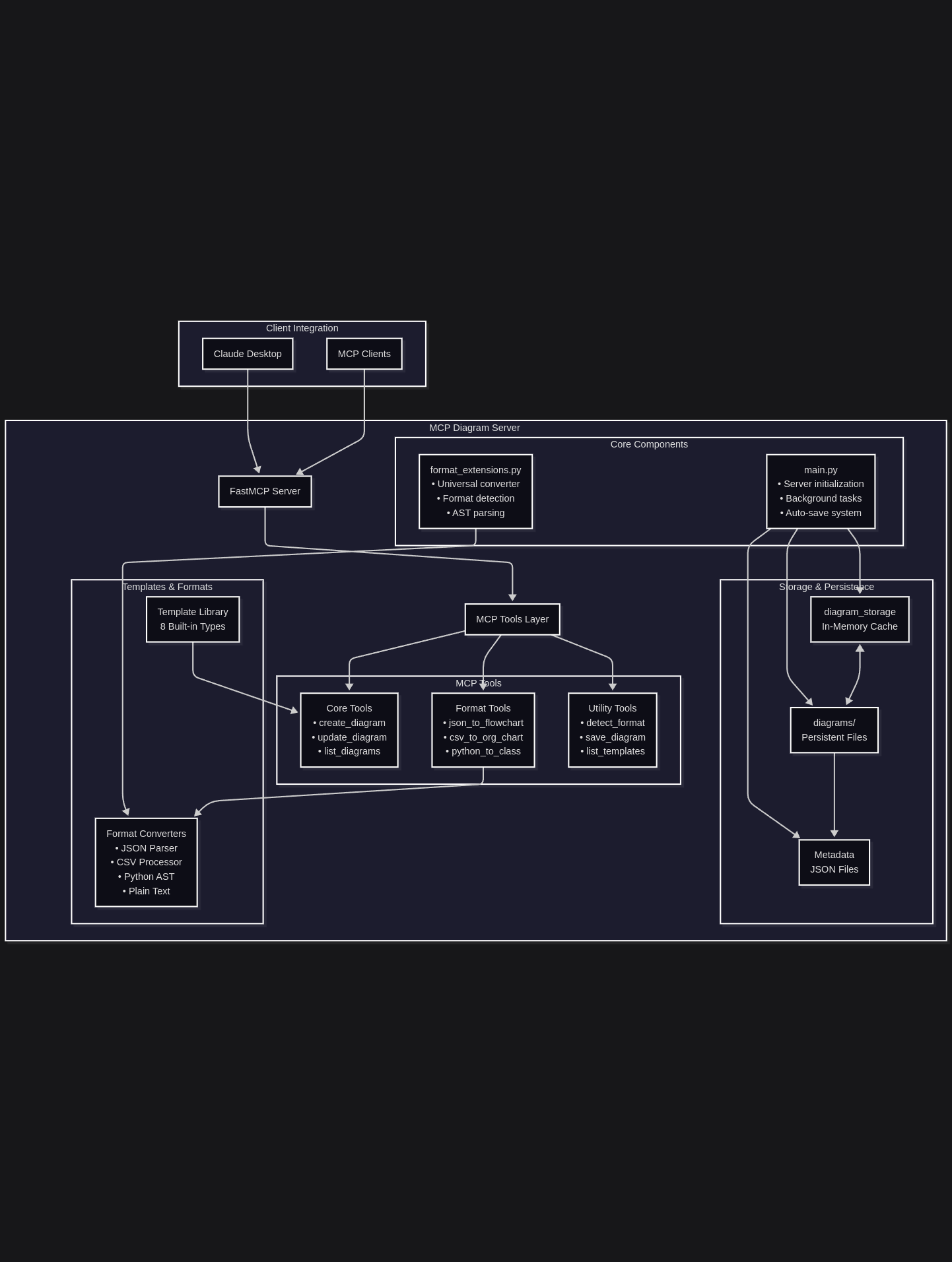
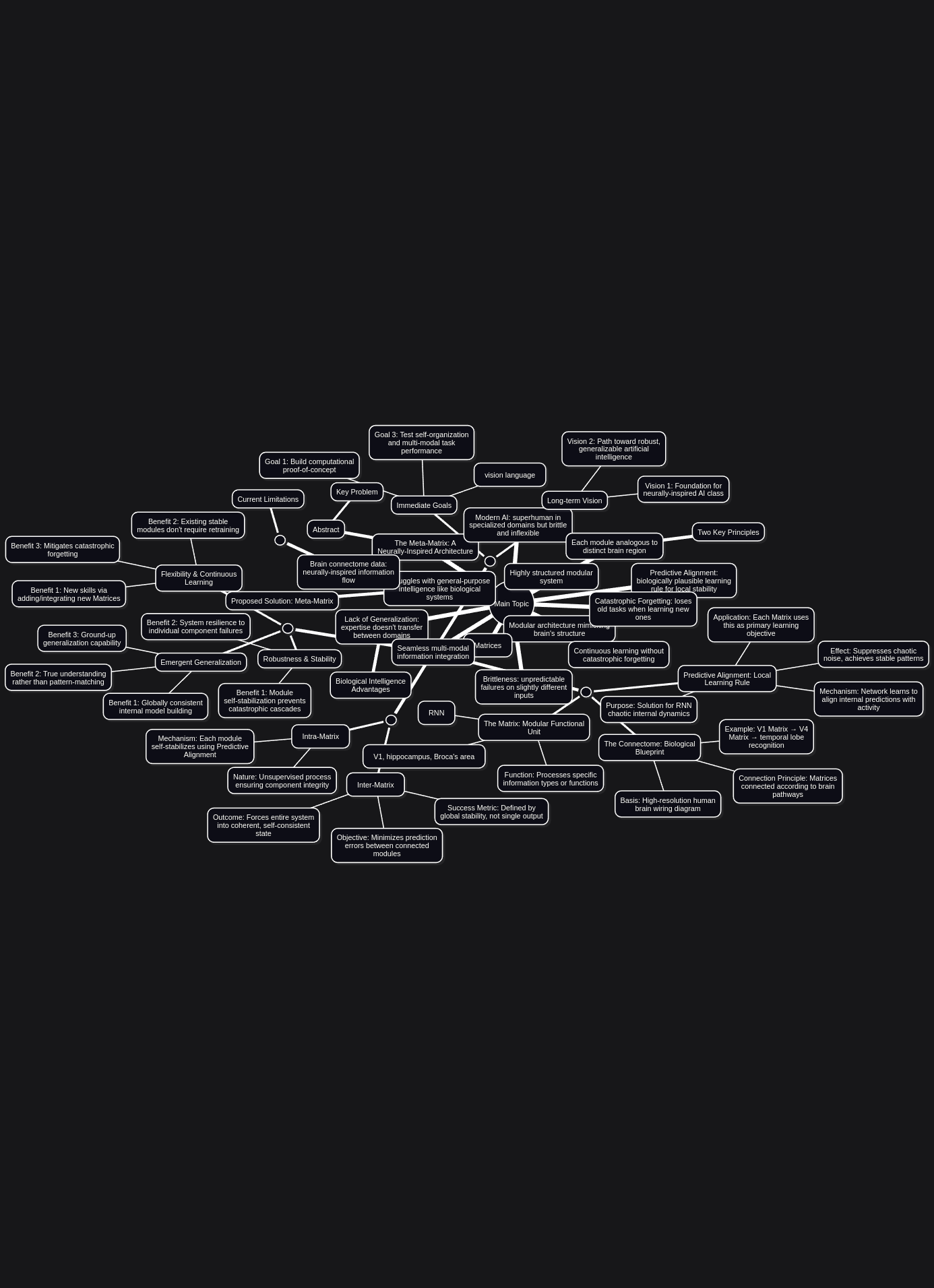
🚀 Quick Start- Simply clone the repository and add the following
Claude Desktop Configuration
Add to your Claude Desktop MCP configuration:
{
  "mcpServers": {
    "diagram-server": {
      "command": "uv",
      "args": [
        "--directory",
        "/your-path-to/mcp-diagram-server",
        "run",
        "main.py"
      ],
      "env": {
        "LOG_LEVEL": "INFO"
      }
    }
  }
}
Installation- will auto-install with config
- Clone the repository:
cd /mcp-diagram-server
- Set up the Python environment:
uv venv --python 3.12 --seed
source .venv/bin/activate
uv add -e .
- Optional - Install Playwright for rendering:
uv add playwright
uv run playwright install chromium
📚 Available MCP Tools
Core Diagram Operations
create_diagram- Create new diagrams with optional templatesupdate_diagram- Modify existing diagram content (auto-saves)get_diagram- Retrieve diagrams from memory or disklist_diagrams- Browse your diagram librarydelete_diagram- Remove diagrams from memory
Format Conversion Tools
convert_format_to_diagram- Universal format converter with auto-detectionjson_to_flowchart- Convert JSON structures to flowchartscsv_to_org_chart- Convert CSV data to organizational/relationship chartspython_to_class_diagram- Convert Python code to class diagramsmarkdown_to_mindmap- Convert structured markdown to mind mapsdetect_file_format- Smart format detection with conversion recommendations
Library Management
save_diagram- Manual save to custom locationslist_templates- Browse available diagram templates- Auto-saving - Automatic persistence (always active)
💡 Usage Examples
Universal Format Conversion
convert_format_to_diagram(
    content='{"api": {"users": ["get", "post"], "orders": ["get", "create"]}}',
    target_type="flowchart",
    name="APIStructure"
)
Result: Auto-saved flowchart showing API structure hierarchy
JSON to Flowchart
json_to_flowchart(
    json_content='{"system": {"frontend": "React", "backend": "FastAPI", "db": "PostgreSQL"}}',
    name="SystemArchitecture"
)
Result: Visual flowchart of system components and relationships
CSV to Organizational Chart
csv_to_org_chart(
    csv_content="Name,Role,Department\nAlice,Director,Engineering\nBob,Engineer,Engineering",
    name="TeamStructure"
)
Result: Organizational chart showing team hierarchy
Python Code to Class Diagram
python_to_class_diagram(
    python_code='''
class DatabaseManager:
    def __init__(self):
        self.connection = None
    def connect(self):
        pass
    def query(self, sql):
        pass
''',
    name="DatabaseDesign"
)
Result: UML class diagram from Python code structure
Smart Format Detection
detect_file_format(
    content='class User:\n    def __init__(self):\n        pass',
    filename="models.py"
)
Result: Format identification with conversion recommendations
Create with Template
create_diagram(diagram_type="sequence", use_template=True, name="UserFlow")
Result: Auto-saved sequence diagram template ready for customization
🔧 Understanding Save Systems
Auto-Save (Always Active)
- When: Every diagram creation and modification
- Where:
/diagramsdirectory with metadata - Format:
.mmdfile +_metadata.json - Purpose: Prevent data loss, maintain library
Manual Save (save_diagram)
- When: On-demand via tool call
- Where: Custom locations you specify
- Format:
.mmdfile +_metadata.json - Purpose: Backups, exports, custom workflows
Both systems work together - Auto-save maintains your library while manual save provides flexibility.
📁 Library Structure
diagrams/
├── SystemArchitecture_converted_20250824_120000.mmd
├── SystemArchitecture_converted_20250824_120000_metadata.json
├── TeamStructure_converted_20250824_130000.mmd
├── TeamStructure_converted_20250824_130000_metadata.json
├── UserFlow_diagram_20250824_140000.mmd
└── UserFlow_diagram_20250824_140000_metadata.json
🎯 Format Conversion Pipeline
The integrated conversion system handles multiple input formats:
JSON Processing
- Auto-detects nested JSON structures
- Generates hierarchical flowcharts showing data relationships
- Preserves key-value relationships and array structures
CSV Analysis
- Parses CSV headers and relationships
- Creates organizational charts or network diagrams
- Handles employee/role data and relationship matrices
Python AST Parsing
- Analyzes Python source code structure
- Extracts classes, methods, and inheritance relationships
- Generates UML class diagrams with method signatures
Plain Text Intelligence
- Detects indentation patterns and structure
- Converts to hierarchical mind maps
- Processes bullet points and numbered lists
Smart Detection
- Content analysis for format identification
- File extension recognition when available
- Conversion recommendations for optimal diagram types
🛡️ Enterprise Features
- Robust Error Handling: Comprehensive exception management
- Process Management: Background task cleanup and monitoring
- Data Integrity: Metadata validation and consistency checks
- Session Persistence: Diagrams survive server restarts
- Format Validation: Input validation for all supported formats
- Concurrent Access: Safe multi-client diagram access
🔄 Workflow Integration
Perfect for:
- AI-Powered Diagramming: Let AI create and modify diagrams from any format
- Documentation Generation: Convert data structures to visual documentation
- Process Visualization: Transform workflows into clear diagrams
- Code Architecture: Generate system diagrams from source code
- Data Visualization: Convert CSVs and JSON to visual representations
- Knowledge Mapping: Convert any structured content to mind maps
📝 License
MIT License - See LICENSE file for details
🤝 Contributing
Contributions welcome! The codebase follows modern Python patterns with comprehensive error handling and robust process management.
🙏 Acknowledgments
- Inspired by Drawnix - Open-source whiteboard tool
- Built with FastMCP
- Powered by Mermaid diagram syntax
- Format conversion powered by Python AST parsing and intelligent structure analysis
📞 Support
For issues or questions, please open an issue on GitHub.
System Requirements: Python 3.10+ | Compatible with Claude Desktop and MCP-enabled clients
🚀 Ready to convert any format to diagrams? Start creating visual representations from JSON, CSV, Python code, and more with automatic saving!
Установка Diagram Server
У этого сервера нет опубликованного пакета — он собирается из исходников. Открой репозиторий и следуй инструкции в README.
▸ github.com/angrysky56/mcp-diagram-serverFAQ
Diagram Server MCP бесплатный?
Да, Diagram Server MCP бесплатный — установка в пару кликов через Unyly без оплаты.
Нужен ли API-ключ для Diagram Server?
Нет, Diagram Server работает без API-ключей и переменных окружения.
Diagram Server — hosted или self-hosted?
Self-hosted: сервер запускается локально на твоей машине командой из раздела установки.
Как установить Diagram Server в Claude Desktop, Claude Code или Cursor?
Открой Diagram Server на unyly.org, выбери вкладку своего клиента (Claude Desktop, Claude Code, Cursor) и нажми Install — конфиг сгенерируется автоматически, без правки JSON.
Похожие MCP
GitHub
PRs, issues, code search, CI status
 автор: GitHub
Filesystem
Secure file operations with configurable access controls.
Memory
Knowledge graph-based persistent memory system.
Template MCP Server
A CLI tool to create a new Model Context Protocol server project with TypeScript support, dual transport options, and an extensible structure
 автор: mcpdotdirect
Compare Diagram Server with
Не уверен что выбрать?
Найди свой стек за 60 секунд
Автор?
Embed-бейдж для README
Похожее
Все в категории development