
Team Page People Extractor
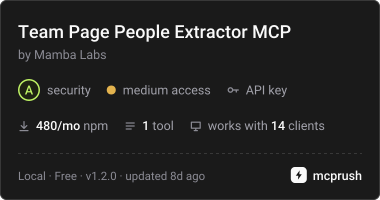
БесплатноПоддерживаетсяExtract the people a company publishes on its own team, leadership or about page.

Описание
Extract the people a company publishes on its own team, leadership or about page.
README
Smithery Glama score MCP Registry npm version npm downloads license mcpservers.org
MCP server for the Mamba Labs Team Page People Extractor actor on Apify.
Give it a company domain and it returns the people that company publishes on its own team, leadership or about page: names, titles, and the page each one came from. Nothing here reads LinkedIn or any other profile network.
Install
npx -y @mambalabsdev/mcp-team-page-people-extractor
Claude Desktop
{
  "mcpServers": {
    "mamba-team-page-people-extractor": {
      "command": "npx",
      "args": ["-y", "@mambalabsdev/mcp-team-page-people-extractor"],
      "env": { "APIFY_TOKEN": "your-apify-token" }
    }
  }
}
Get an Apify token at console.apify.com/account/integrations.
Tool
extract_team_page_people
Give it a company domain and it returns the people that company publishes on its own team, leadership or about page: names, titles, and the page each one came from. Nothing here reads LinkedIn or any other profile network.
| Input | Type | Required | Notes |
|---|---|---|---|
domain |
string | yes | A single company domain, for example swishdata.com. Protocol and path are stripped. |
output_grain |
enum | no | person returns one row per person, which is the default and what most Clay tables want. company returns one row per company with a people_json array plus the first five names and titles flattened into columns. |
seniority_filter |
enum | no | all keeps everyone the page published. executive keeps founders and C-level only. leadership adds VPs, directors and heads. |
max_people |
string | no | Sent as a string so Clay can map a column into it. Clamped to 1 to 200. People are ordered by seniority before the cap applies, and anything dropped is logged with the count. |
include_emails |
boolean | no | Off by default and you should probably leave it off. Across three domains that published an email on a team page we found one role mailbox, one placeholder in example content, and one literal [email protected] template string. Not one was a real person's address. When on, emails come back on the COMPANY row only, never attached to a named person, because nothing on these pages proves which address belongs to whom. |
skipCache |
enum | no | false uses the 14 day result cache. true re-crawls the company from scratch. |
max_charge_usd |
number | no | Optional spending cap for this call, in USD. The actor stops before any charge that would take the run past this amount and keeps every row already charged. |
Billing
You are charged per person found, plus a small actor start fee. A company that publishes nobody costs only the start fee.
Prices from the live pricing record, read 2026-10-16:
| Event | Price per event (USD) | Fires when |
|---|---|---|
apify-actor-start |
$0.00005 | Charged when the Actor starts running. Number of events charged depends on Actor memory (one event per GB, minimum one event). |
person-found |
$0.006 on the Free plan, down to $0.0051 on higher Apify plans | Charged once per person returned. A company with no readable team page returns a summary row and costs nothing beyond the run. In company grain the charge is once per person in the people array, not once per row, so a single row carrying 17 people bills 17 events. |
The current price is on the actor's Apify page. Running this server consumes Apify credits.
What this server does and does not do
It is a thin client for the Apify actor. It passes your input through and returns the actor's output unchanged. Every behavior described above lives in the actor, not here.
Errors are surfaced, never swallowed. An invalid input, an invalid token, an exhausted balance, a timeout, or a run that returns anything other than a dataset all come back as an explicit tool error rather than as an empty result.
Source
The actor is on the Apify Store. This wrapper is MIT licensed.
Built by Mamba Labs
Установить Team Page People Extractor в Claude Desktop, Claude Code, Cursor
unyly install mcp-team-page-people-extractorСтавит в Claude Desktop, Claude Code, Cursor и VS Code — сам разбирается с npx, uvx и сборкой из исходников.
Впервые? Поставь CLI: curl -fsSL https://unyly.org/install | sh
Или настроить вручную
Выполни в терминале:
claude mcp add mcp-team-page-people-extractor --env APIFY_TOKEN="" -- npx -y @mambalabsdev/mcp-team-page-people-extractorПошаговые гайды: как установить Team Page People Extractor
FAQ
Team Page People Extractor MCP бесплатный?
Да, Team Page People Extractor MCP бесплатный — установка в пару кликов через Unyly без оплаты.
Нужен ли API-ключ для Team Page People Extractor?
Да, требуются переменные окружения: APIFY_TOKEN. Unyly подставит их в конфиг при установке.
Team Page People Extractor — hosted или self-hosted?
Self-hosted: сервер запускается локально на твоей машине командой из раздела установки.
Как установить Team Page People Extractor в Claude Desktop, Claude Code или Cursor?
Открой Team Page People Extractor на unyly.org, выбери вкладку своего клиента (Claude Desktop, Claude Code, Cursor) и нажми Install — конфиг сгенерируется автоматически, без правки JSON.
Изменения
Версии и запрашиваемые доступы со временем.
- Новая версия опубликована
- Новая версия опубликована
- Новая версия опубликована
- Новая версия опубликована
- Новая версия опубликована
- Новая версия опубликована
- Новая версия опубликована
- Новая версия опубликована
Похожие MCP
GitHub
PRs, issues, code search, CI status
 автор: GitHub
Filesystem
Secure file operations with configurable access controls.
Memory
Knowledge graph-based persistent memory system.

Unyly Deploy
Deploy sites and MCP servers to Unyly straight from your AI agent
 автор: Unyly
Amap Maps Mcp Server
MCP server for using the AMap Maps API
 автор: duxiaohui
PayMCP
Lightweight payments layer for MCP servers: turn tools into paid endpoints with a two-line decorator. [PyPI](https://pypi.org/project/paymcp/) · [npm](https://w
 автор: blustAI
Server For Power BI
Enables exploring Microsoft Fabric / Power BI workspaces and semantic models, and executing ad-hoc DAX queries.
 автор: Mitsubishi-Fuso
Template MCP Server
A CLI tool to create a new Model Context Protocol server project with TypeScript support, dual transport options, and an extensible structure
 автор: mcpdotdirect
Supabase
Database, auth and storage
 автор: Supabase
Everything
Reference / test server with prompts, resources, and tools.
Compare Team Page People Extractor with
Не уверен что выбрать?
Найди свой стек за 60 секунд
Автор?
Embed-бейдж для README
Похожее
Все в категории development