
NocoDB
БесплатноНе проверенManage NocoDB server, support read and write databases

Описание
Manage NocoDB server, support read and write databases
README
MseeP.ai Security Assessment Badge
Nocodb MCP Server
Introduction
The NocoDB MCP Server enables seamless interaction with your NocoDB database using the Model Context Protocol (MCP). This server makes it easy to perform CRUD (Create, Read, Update, Delete) operations on NocoDB tables through natural language commands.
Example Prompt
[Get Records]
get data from nocodb, table: Shinobi

[Create Record]
add new row, with name: sasuke-2
add other row, with name: naruto-2

[Update Record]
update all rows, remove suffix -

[Delete Record]
delete all rows with name naruto

[Add Column]
add column with name: Age

update all rows, set Age to 18

[Delete Column]
delete column with name: Age
Example Prompt - Upload File
[Create table]
from the json files
put on nocodb database
table name is TableShinobi
JSON location file in: example_upload.json
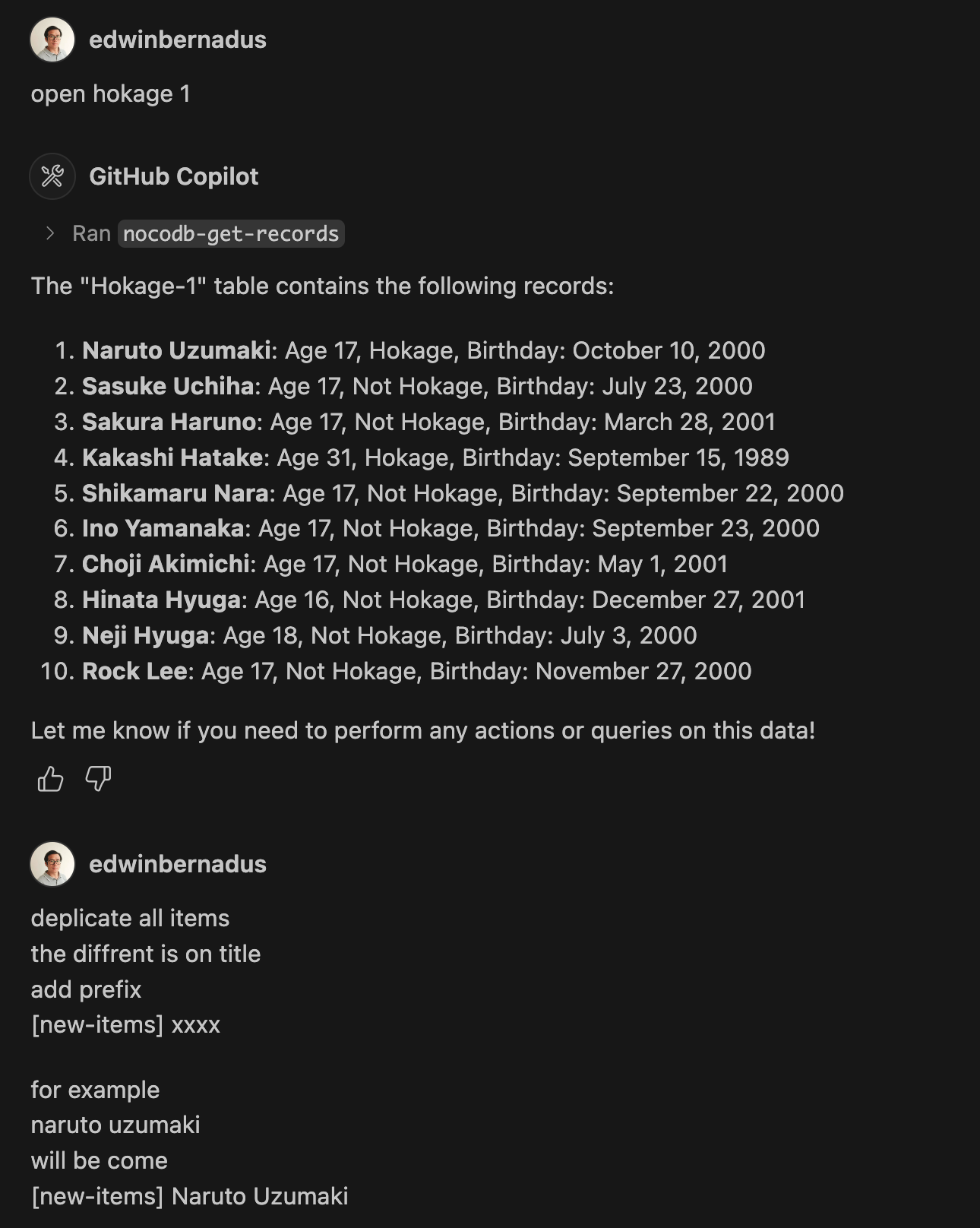
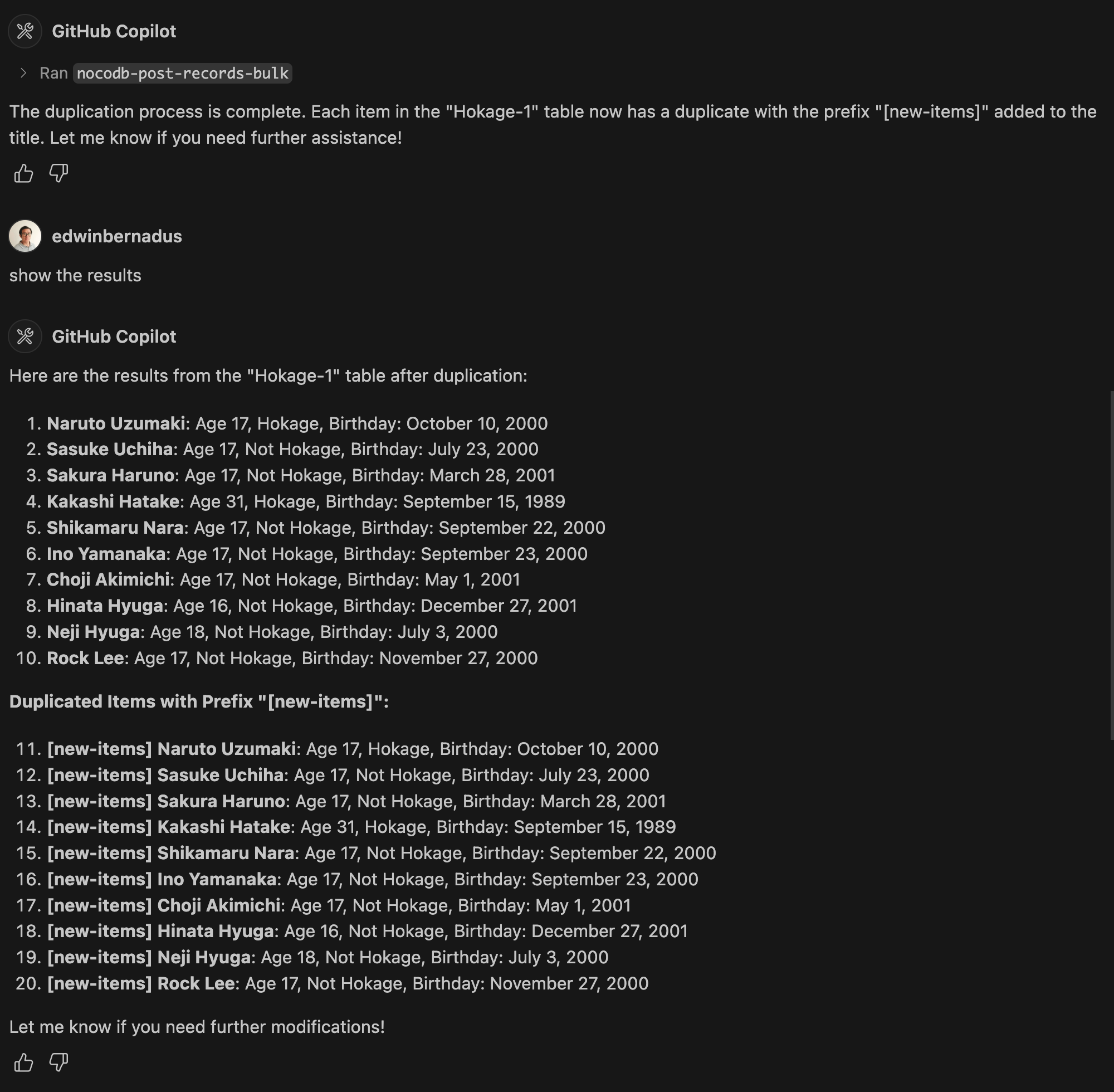
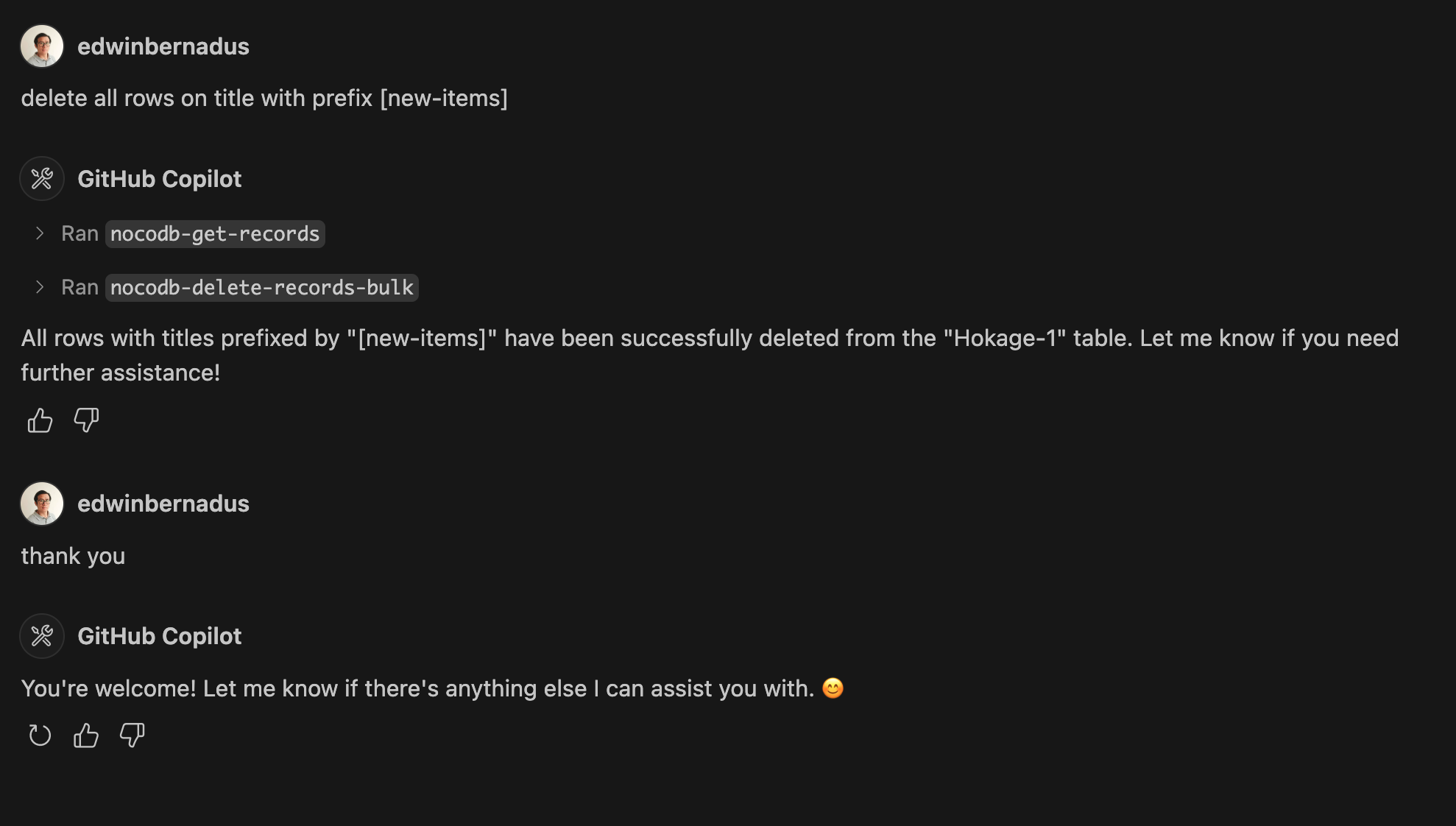
Example Prompt - Bulk Create Records and Bulk Delete Records
About This Fork
This repository is a TypeScript-based fork of NocoDB-MCP-Server. It retains the core functionality while improving maintainability and compatibility with modern TypeScript development practices.
Hosted deployment
A hosted deployment is available on Fronteir AI.
Setup
Ensure that Node.js and TypeScript are installed, then execute:
npm install
npm run build
Configuration
Define the required environment variables in a .env file:
NOCODB_URL=https://your-nocodb-instance.com
NOCODB_API_TOKEN=your_api_token_here
NOCODB_BASE_ID=your_base_id_here
Tip: You can copy the template from env.example and fill in your values.
How to Obtain NOCODB_BASE_ID
To find your NOCODB_BASE_ID, check the URL of your Nocodb instance.
For example:
https://app.nocodb.com/#/wi6evls6/pqmob3ammcknma5/maty9c5xkmf4012
In this URL format:
https://app.nocodb.com/#/{USERNAME}/{NOCODB_BASE_ID}/{TABLE_ID}
Integration with Claude Desktop
Modify claude_desktop_config.json to include:
{
  "mcpServers": {
    "nocodb": {
      "command": "node",
      "args": ["{working_folder}/dist/start.js"],
      "env": {
        "NOCODB_URL": "https://your-nocodb-instance.com",
        "NOCODB_BASE_ID": "your_base_id_here",
        "NOCODB_API_TOKEN": "your_api_token_here"
      }
    }
  }
}
Direct call from CLI
You can directly call the MCP server from the command line:
NOCODB_URL, NOCODB_API_TOKEN, and NOCODB_BASE_ID are required parameters.NOCODB_URL=https://app.nocodb.com if you are using NocoDB cloud.
npx -y nocodb-mcp-server {NOCODB_URL} {NOCODB_BASE_ID} {NOCODB_API_TOKEN}
Testing CLI
To run the tests, execute:
npx -y @wong2/mcp-cli npx nocodb-mcp-server {NOCODB_URL} {NOCODB_BASE_ID} {NOCODB_API_TOKEN}
API Functions
For detailed information about available API functions, please refer to API_FUNCTION.md.
Project Structure
/project-root
  ├── src/            # TypeScript source files
  ├── dist/           # Compiled JavaScript output
  ├── .env            # Environment variable configurations
  ├── package.json    # Project dependencies and scripts
  ├── tsconfig.json   # TypeScript settings
Contribution Guidelines
Contributions are encouraged! Feel free to open issues or submit pull requests.
License
This project is distributed under MIT.
Установка NocoDB
У этого сервера нет опубликованного пакета — он собирается из исходников. Открой репозиторий и следуй инструкции в README.
▸ github.com/edwinbernadus/nocodb-mcp-serverFAQ
NocoDB MCP бесплатный?
Да, NocoDB MCP бесплатный — установка в пару кликов через Unyly без оплаты.
Нужен ли API-ключ для NocoDB?
Нет, NocoDB работает без API-ключей и переменных окружения.
NocoDB — hosted или self-hosted?
Self-hosted: сервер запускается локально на твоей машине командой из раздела установки.
Как установить NocoDB в Claude Desktop, Claude Code или Cursor?
Открой NocoDB на unyly.org, выбери вкладку своего клиента (Claude Desktop, Claude Code, Cursor) и нажми Install — конфиг сгенерируется автоматически, без правки JSON.
Похожие MCP
GitHub
PRs, issues, code search, CI status
 автор: GitHub
Filesystem
Secure file operations with configurable access controls.
Memory
Knowledge graph-based persistent memory system.

Unyly Deploy
Deploy sites and MCP servers to Unyly straight from your AI agent
 автор: Unyly
Amap Maps Mcp Server
MCP server for using the AMap Maps API
 автор: duxiaohui
PayMCP
Lightweight payments layer for MCP servers: turn tools into paid endpoints with a two-line decorator. [PyPI](https://pypi.org/project/paymcp/) · [npm](https://w
 автор: blustAI
Server For Power BI
Enables exploring Microsoft Fabric / Power BI workspaces and semantic models, and executing ad-hoc DAX queries.
 автор: Mitsubishi-Fuso
Template MCP Server
A CLI tool to create a new Model Context Protocol server project with TypeScript support, dual transport options, and an extensible structure
 автор: mcpdotdirect
Supabase
Database, auth and storage
 автор: Supabase
Everything
Reference / test server with prompts, resources, and tools.
Compare NocoDB with
Не уверен что выбрать?
Найди свой стек за 60 секунд
Автор?
Embed-бейдж для README
Похожее
Все в категории development