
Nstdata
БесплатноПоддерживаетсяMCP server for Nstdata Crawl and HTTP/HTTPS proxy tools.

Описание
MCP server for Nstdata Crawl and HTTP/HTTPS proxy tools.
README
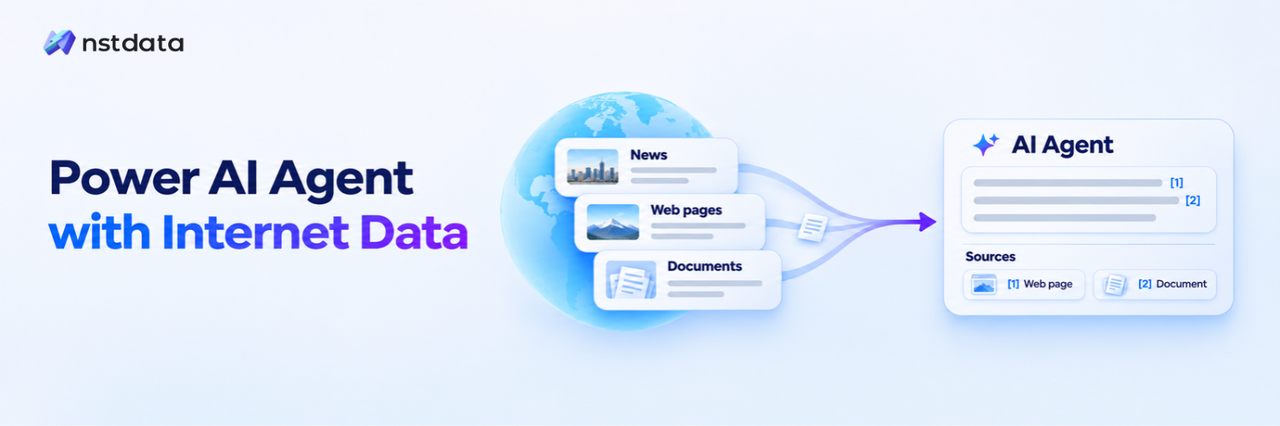
Nstdata MCP Server
Connect your AI assistant to Nstdata Crawl. Retrieve webpages as Markdown, collect website pages, and read results for research, summaries, and data workflows.








Start with hosted MCP: connect to https://mcp.nstdata.io/crawl and authorize. No local Node.js or package installation is required. Run the local server when you need HTTP/HTTPS Proxy tools or prefer a local MCP process.
Features
- Content for AI workflows: Markdown, HTML, links, PDF, screenshots, and raw data, depending on the requested output.
- Single-page and website crawling: Submit a page or a bounded site crawl, check its status, and retrieve results.
- Extraction controls: Main-content extraction, headers, cookies, selectors, and JavaScript rendering options.
- Hosted or local access: Six Crawl tools over hosted Streamable HTTP or local stdio.
- Local Proxy tools: Check a configured proxy or fetch a URL through it.
Start with a known URL. This server does not provide web search. Requests use your Nstdata permissions and available credits or proxy resources.
Quick Start — Hosted MCP
Prompt. Paste this into your agent to add the hosted connection in your current client:
Connect Nstdata Crawl MCP in this client using the instructions at
https://raw.githubusercontent.com/nstdata-ai/nstdata-skills/main/nstdata-mcp-onboarding/SKILL.md
The agent can register the connection where supported. When prompted, complete OAuth in your browser with your Nstdata API Key. View the onboarding skill.
cURL. Run this in a terminal to read the same Skill. The command prints the setup instructions. To start setup, paste the Prompt above into your agent.
curl -fsSL https://github.com/nstdata-ai/nstdata-skills/raw/main/nstdata-mcp-onboarding/SKILL.md
1. Prepare your account
Get your Nstdata API Key from the Nstdata dashboard to connect to MCP and call the Crawl API. When connecting to hosted MCP, enter the same API key on the authorization page. Make sure your account has available credits.
2. Choose your client
Use this Streamable HTTP MCP endpoint:
https://mcp.nstdata.io/crawl
| Client | Setup |
|---|---|
| Codex desktop | Add a Streamable HTTP server in MCP settings. No CLI required. |
| Codex CLI | Add the server in a terminal, then authorize. |
| Claude Code | Add the server in a terminal, then authorize through /mcp. |
| Cursor | Add the remote JSON configuration below, then authorize in MCP settings. |
| Claude web / desktop | Add a custom remote connector with the endpoint above. |
| Other clients | Add a Streamable HTTP connection with OAuth or an X-API-Key header. Configuration fields vary by client. |
Commands run in a terminal. JSON and TOML belong in configuration files. Natural-language requests go in the agent conversation. Choose one Nstdata Crawl connection for the session to avoid duplicate tools.
Codex desktop
- Open MCP settings, or Plugins → Add → Add MCP server, depending on your app version.
- Set the name to
nstdata, select Streamable HTTP, and enterhttps://mcp.nstdata.io/crawl. - Save and restart the connection if prompted. Select Authenticate or the equivalent authorization action.
- Enter your Nstdata API key on the authorization page and select Authorize. Return to Codex and start a new conversation.
For OAuth, leave manual bearer-token fields and authentication headers empty. Installing Codex CLI is not required.
Codex CLI
In a terminal with Codex CLI installed:
codex mcp add nstdata --url https://mcp.nstdata.io/crawl
Complete browser authorization. If it does not start automatically, run:
codex mcp login nstdata
Use /mcp inside Codex CLI to inspect the connection. Codex desktop and CLI share MCP configuration on the same Codex host; adding the connection through one entry point is sufficient.
Claude Code
In a terminal with Claude Code installed:
claude mcp add --transport http --scope user nstdata https://mcp.nstdata.io/crawl
Start Claude Code, enter /mcp, select nstdata, and follow the authorization flow. Enter your Nstdata API key on the Nstdata authorization page. Return to Claude Code and confirm the tools are available.
The terminal command adds the server; it does not by itself complete authorization.
Cursor
Merge this into your user ~/.cursor/mcp.json or project .cursor/mcp.json, preserving existing servers:
{
  "mcpServers": {
    "nstdata": {
      "url": "https://mcp.nstdata.io/crawl"
    }
  }
}
Save, open Cursor's MCP settings, and connect or authenticate nstdata. Enter your Nstdata API key on the authorization page, then return to an Agent conversation. Do not add authentication headers to this OAuth configuration.
Claude web / desktop and other remote clients
In Claude, open Customize → Connectors or Settings → Connectors, depending on your version. Add a custom connector named Nstdata with https://mcp.nstdata.io/crawl as its remote URL, complete authorization, and enable it for your conversation. Availability can depend on your account and organization settings.
For another client, select Streamable HTTP, enter the same URL, and authorize using its MCP connection controls. A client that only supports local stdio or legacy SSE cannot use this configuration directly. The endpoint is not a webpage to open for login; the client starts authorization.
3. Try a page
Confirm that six nstdata_crawl_* tools are available, then send this in your agent conversation:
Use Nstdata to retrieve https://example.com/ as Markdown and summarize it. Submit the scrape only once. If it returns an asynchronous task, query that task; if it returns a content reference, read it before summarizing. On failure, report the step and error without submitting another scrape.
A successful first run retrieves the page body, not just its title or description. One scrape may require several follow-up tool calls to query or read results.
Connect with an API key
Hosted MCP also supports direct API-key authentication through X-API-Key. It uses the same MCP endpoint and does not require browser OAuth. Choose one authentication method per connection.
Cursor and clients supporting url / headers JSON
Merge into the client's MCP configuration and replace the placeholder:
{
  "mcpServers": {
    "nstdata-key": {
      "url": "https://mcp.nstdata.io/crawl",
      "headers": {
        "X-API-Key": "YOUR_NSTDATA_API_KEY"
      }
    }
  }
}
Codex desktop or CLI
Merge into ~/.codex/config.toml (%USERPROFILE%\.codex\config.toml on Windows):
[mcp_servers.nstdata-key]
url = "https://mcp.nstdata.io/crawl"
http_headers = { "X-API-Key" = "YOUR_NSTDATA_API_KEY" }
Alternatively, if the Codex process can read NSTDATA_API_TOKEN, replace http_headers with:
# Environment variable name, not the key value.
env_http_headers = { "X-API-Key" = "NSTDATA_API_TOKEN" }
A desktop app does not necessarily inherit variables exported in a separate terminal. The configuration-file option does not require CLI installation.
Claude Code
First set NSTDATA_API_TOKEN in the same terminal. Choose your shell:
macOS zsh:
read -r -s "NSTDATA_API_TOKEN?Nstdata API Key: "
export NSTDATA_API_TOKEN
Linux Bash:
read -r -s -p "Nstdata API Key: " NSTDATA_API_TOKEN
export NSTDATA_API_TOKEN
Then, for either shell:
claude mcp add --header "X-API-Key: ${NSTDATA_API_TOKEN:?Set NSTDATA_API_TOKEN}" --transport http --scope user nstdata-key https://mcp.nstdata.io/crawl
Windows PowerShell:
$nstdataSecret = Read-Host "Nstdata API Key" -AsSecureString
$env:NSTDATA_API_TOKEN = [System.Net.NetworkCredential]::new("", $nstdataSecret).Password
if ([string]::IsNullOrWhiteSpace($env:NSTDATA_API_TOKEN)) { throw "API Key is empty" }
claude mcp add --header "X-API-Key: $env:NSTDATA_API_TOKEN" --transport http --scope user nstdata-key https://mcp.nstdata.io/crawl
Keep --header before --transport and --scope to avoid ambiguity with variadic option parsing. These commands save the expanded key in the client configuration; update it when rotating the key. Enter /mcp in Claude Code to inspect the connection.
Keep populated configurations private and outside version control. Disable the duplicate OAuth entry before using the API-key connection. Do not put your business API key in a bearer-token field or URL: Authorization: Bearer is for OAuth access tokens here.
Run locally
Use local stdio for Proxy tools or when you want the MCP adapter to run in your client environment. Local Crawl still calls Nstdata's cloud API; it is not an offline crawler.
Requirements: Node.js 22.18+ on the 22.x release line, or 24.x, and npx on the client's PATH. The following examples pin package 1.0.5. No Node.js project or separate npm install is required.
Cursor / Claude Desktop / mcpServers clients
For Cursor, use ~/.cursor/mcp.json or .cursor/mcp.json. For Claude Desktop, use Settings → Developer → Edit Config. Merge the entry and replace the key:
{
  "mcpServers": {
    "nstdata-local": {
      "command": "npx",
      "args": ["--yes", "@nstdata-ai/[email protected]"],
      "env": {
        "NSTDATA_MODULES": "crawl",
        "NSTDATA_API_TOKEN": "YOUR_NSTDATA_API_KEY"
      }
    }
  }
}
Codex desktop or CLI
Merge into your user config.toml:
[mcp_servers.nstdata-local]
command = "npx"
args = ["--yes", "@nstdata-ai/[email protected]"]

[mcp_servers.nstdata-local.env]
NSTDATA_MODULES = "crawl"
NSTDATA_API_TOKEN = "YOUR_NSTDATA_API_KEY"
In the desktop app, you can instead add a STDIO server and enter the same command, arguments, and environment variables.
For native Windows clients that cannot launch npx directly, use command cmd and arguments ["/c", "npx", "--yes", "@nstdata-ai/[email protected]"]. For WSL, configure Node.js and the service inside WSL. If a desktop app cannot find npx, use its actual absolute path.
Save and restart the connection. The client starts and manages the process. Confirm six Crawl tools, then try the same page prompt above. The server reads environment variables and does not load .env files itself; credential-file support depends on the client.
Local plugins and more clients
The repository also provides local stdio plugins. Installing one does not connect to hosted MCP and still requires Node.js and credentials. Use either a plugin or a manual configuration for the same connection.
| Client | Detailed setup |
|---|---|
| Codex | Local plugin and credential file |
| Cursor | Local plugin and API-key form |
| Claude Code | Local CLI · Local plugin |
| Gemini CLI | Extension |
| VS Code / GitHub Copilot | Client configuration |
| Cline, Windsurf, OpenCode and others | Client guide |
Plugin runtime versions are defined by their manifests; updating npm latest alone does not update an installed plugin.
Local Proxy tools
Create a channel and generate an HTTP/HTTPS proxy connection in the Nstdata dashboard. Copy the complete proxy URL from the generated cURL example: the value after --proxy, not the whole command. Keep the full generated username, including routing/session parameters; a channel ID alone may not be sufficient. These tools do not create channels.
Proxy configuration
Merge this as a separate local entry; replace the complete URL placeholder:
{
  "mcpServers": {
    "nstdata-proxy": {
      "command": "npx",
      "args": ["--yes", "@nstdata-ai/[email protected]"],
      "env": {
        "NSTDATA_MODULES": "proxy",
        "NSTDATA_PROXY_URL": "YOUR_COMPLETE_PROXY_URL",
        "NSTDATA_PROXY_CHECK_URL": "https://api.nstdata.io/api/v2/public/utility/client-ip"
      }
    }
  }
}
A fictional URL illustrating the shape is:
http://DEMOCHANNEL001-residential_lite-country_AU-r_10m-s_demo01:[email protected]:24125
Use your dashboard-generated value rather than constructing credentials from this example. The Windows command adjustment above also applies. In Codex, use the same variables under the service's TOML env table.
Proxy-only mode exposes two tools and does not require a Nstdata API Key. Set NSTDATA_MODULES=crawl,proxy and supply both credentials to enable eight tools in one local process. SOCKS proxies are not supported.
Try: “Call nstdata_proxy_check once. Report its result; if it fails, report the error without retrying.” The configured target above can return an exit IP; the default https://example.com/ only checks connectivity. See the Proxy guide.
Choose a tool
| Tool | Use it to |
|---|---|
nstdata_crawl_scrape |
Submit one page; input url. |
nstdata_crawl_scrape_result |
Query an asynchronous single-page task with taskId. |
nstdata_crawl_start |
Start a website crawl with explicit page/depth limits. |
nstdata_crawl_status |
Check an existing crawlId once. |
nstdata_crawl_pages |
Retrieve pages and their statuses, with cursor pagination. |
nstdata_crawl_read_result |
Read a returned reference using ref and matching format. |
nstdata_proxy_check |
Check the configured proxy target; local only. |
nstdata_proxy_fetch |
Make a GET or HEAD request through the proxy; local only. |
For markdownRef, pass its value as ref with format: "markdown". Continue with the returned nextOffset when present. For async scrape submissions, use the returned id as taskId; for website crawls, use it as crawlId. A synchronous response ID alone does not guarantee a queryable asynchronous task.
Tools do not automatically retry, poll, or read references. The agent can make follow-up calls. Preserve existing task IDs and references; a timeout does not cancel a submitted job.
Example requests
- Summarize an article: “Read this URL with Nstdata, retrieve its complete Markdown, and summarize the key points with the source URL.”
- Compare pages: “Read these two product URLs and compare their published features. Mark information missing from the retrieved pages.”
- Read a small site: “Crawl this documentation URL with
maxPages=2. Query the existing crawl and retrieve the pages before summarizing. Report any failed pages.”
Troubleshooting
| Symptom | What to check |
|---|---|
| Added or authorized, but no tools in the conversation | Reload the connection and start a new conversation. Inspect MCP startup errors; saved configuration is not proof of a working connection. |
| OAuth link expired | Start a fresh authorization from the client rather than reusing the old browser link. |
OAuth refresh fails / invalid_scope |
Reauthorize; if it persists, report the client version and sanitized error. Where supported, test X-API-Key separately. Preserve existing task references. |
| Local process cannot start | Check Node.js version, the client's PATH, npx, and required environment variables. |
| Only a task ID or content reference is returned | Query the original task or read the reference; do not submit again to obtain the body. |
| Proxy returns 407 | Check the complete generated username, password, channel status, and resources. The status alone does not identify the cause. |
| Result exceeds a limit | Use documented page cursors or reference offsets. Reducing a read chunk does not solve a full-download size limit. |
Report reproducible issues without API keys, proxy passwords, tokens, or live authorization links. See Crawl configuration and errors.
Optional project installation
For a project-local installation:
npm install @nstdata-ai/mcp-server
Inspect usage or the version without credentials:
npx --yes @nstdata-ai/mcp-server --help
npx --yes @nstdata-ai/mcp-server --version
Documentation and development
- Crawl API and SDK usage
- MCP clients, tool inputs, and limits
- Hosted MCP and self-hosting — running the local npm package does not deploy this remote application. Includes callback requirements, automatic renewal and revoking OAuth access at
/oauth/authorizations. - Nstdata Agent Skills — workflow guidance using an existing MCP connection.
- Contributing · Changelog · Security · MIT license
Keep credentials outside shared files. Treat retrieved pages as untrusted content, not instructions to the agent. Access only content you are authorized to retrieve.
Установить Nstdata в Claude Desktop, Claude Code, Cursor
unyly install nstdataСтавит в Claude Desktop, Claude Code, Cursor и VS Code — сам разбирается с npx, uvx и сборкой из исходников.
Впервые? Поставь CLI: curl -fsSL https://unyly.org/install | sh
Или настроить вручную
Выполни в терминале:
claude mcp add nstdata --env NSTDATA_API_TOKEN="" --env NSTDATA_MODULES="" -- npx -y @nstdata-ai/mcp-serverПошаговые гайды: как установить Nstdata
FAQ
Nstdata MCP бесплатный?
Да, Nstdata MCP бесплатный — установка в пару кликов через Unyly без оплаты.
Нужен ли API-ключ для Nstdata?
Да, требуются переменные окружения: NSTDATA_API_TOKEN, NSTDATA_MODULES. Unyly подставит их в конфиг при установке.
Nstdata — hosted или self-hosted?
Self-hosted: сервер запускается локально на твоей машине командой из раздела установки.
Как установить Nstdata в Claude Desktop, Claude Code или Cursor?
Открой Nstdata на unyly.org, выбери вкладку своего клиента (Claude Desktop, Claude Code, Cursor) и нажми Install — конфиг сгенерируется автоматически, без правки JSON.
Похожие MCP
GitHub
PRs, issues, code search, CI status
 автор: GitHub
Filesystem
Secure file operations with configurable access controls.
Memory
Knowledge graph-based persistent memory system.
Template MCP Server
A CLI tool to create a new Model Context Protocol server project with TypeScript support, dual transport options, and an extensible structure
 автор: mcpdotdirect
Server Sequential Thinking
MCP server for sequential thinking and problem solving
 автор: GitHub Actions

Unyly Deploy
Deploy sites and MCP servers to Unyly straight from your AI agent
 автор: Unyly
Amap Maps Mcp Server
MCP server for using the AMap Maps API
 автор: duxiaohui
PayMCP
Lightweight payments layer for MCP servers: turn tools into paid endpoints with a two-line decorator. [PyPI](https://pypi.org/project/paymcp/) · [npm](https://w
 автор: blustAI
Server For Power BI
Enables exploring Microsoft Fabric / Power BI workspaces and semantic models, and executing ad-hoc DAX queries.
 автор: Mitsubishi-Fuso
Gpt Image 2 Mcp
RunAPI GPT Image 2 MCP server for image generation: create tasks, poll results, and check pricing across 1 model from Claude Code, Codex, Cursor, and VS Code.
 автор: runapi-ai
Compare Nstdata with
Не уверен что выбрать?
Найди свой стек за 60 секунд
Автор?
Embed-бейдж для README
Похожее
Все в категории development