
Repo Radar
БесплатноНе проверенDiscover, rank, and compare GitHub repositories from any MCP-compatible AI client. Enables searching, filtering, ranking, and evaluating open-source repositorie

Описание
Discover, rank, and compare GitHub repositories from any MCP-compatible AI client. Enables searching, filtering, ranking, and evaluating open-source repositories by topic, language, stars, license, activity, and relevance.
README
Discover, rank and compare GitHub repositories from any MCP-compatible AI client.




🚀 What is Repo Radar MCP?
Repo Radar MCP is a Python-based MCP server that allows AI agents and MCP-compatible clients to search, rank, analyze and compare GitHub repositories using the GitHub API.
It helps developers, builders and AI agents answer one important question:
Which open-source repository is actually worth studying, using or comparing for my next project?
Instead of manually browsing GitHub, opening multiple tabs and comparing stars, licenses, activity and README files by hand, Repo Radar MCP gives your AI client a structured way to research repositories directly.
🎯 Why this project exists
AI agents can write code, generate ideas and help build products.
But they still need good technical context.
When you are starting a new project, you often need to know:
- Which repositories are popular around a topic.
- Which projects are still active.
- Which repositories have a license.
- Which ones are good references to study.
- Which repo has better signals: stars, forks, issues, activity and documentation.
- Which tools are worth comparing before making a technical decision.
Repo Radar MCP turns that research process into a tool your AI assistant can use.
✨ Features
- ✅ Search GitHub repositories by topic.
- ✅ Filter by programming language.
- ✅ Filter by minimum stars.
- ✅ Sort by stars, forks, updated date or relevance.
- ✅ Rank repositories with a practical usefulness score.
- ✅ Analyze a single repository.
- ✅ Compare multiple repositories.
- ✅ Fetch repository README content.
- ✅ Return results as JSON or clean Markdown.
- ✅ Use GitHub token safely from environment variables.
- ✅ Works with MCP Inspector, Claude Desktop, Cursor and other MCP-compatible clients.
🧠 How it works
AI Client
   ↓
MCP Tool Call
   ↓
Repo Radar MCP Server
   ↓
GitHub API
   ↓
Repository Analysis
   ↓
JSON / Markdown Result
The server exposes several MCP tools that can be called by an AI client.
For example, your assistant can ask Repo Radar MCP to:
- Search repositories about
rag assistant. - Filter only Python repositories.
- Rank them by usefulness.
- Compare several repositories.
- Read the README of a selected repository.
- Return a Markdown report that is easy to review.
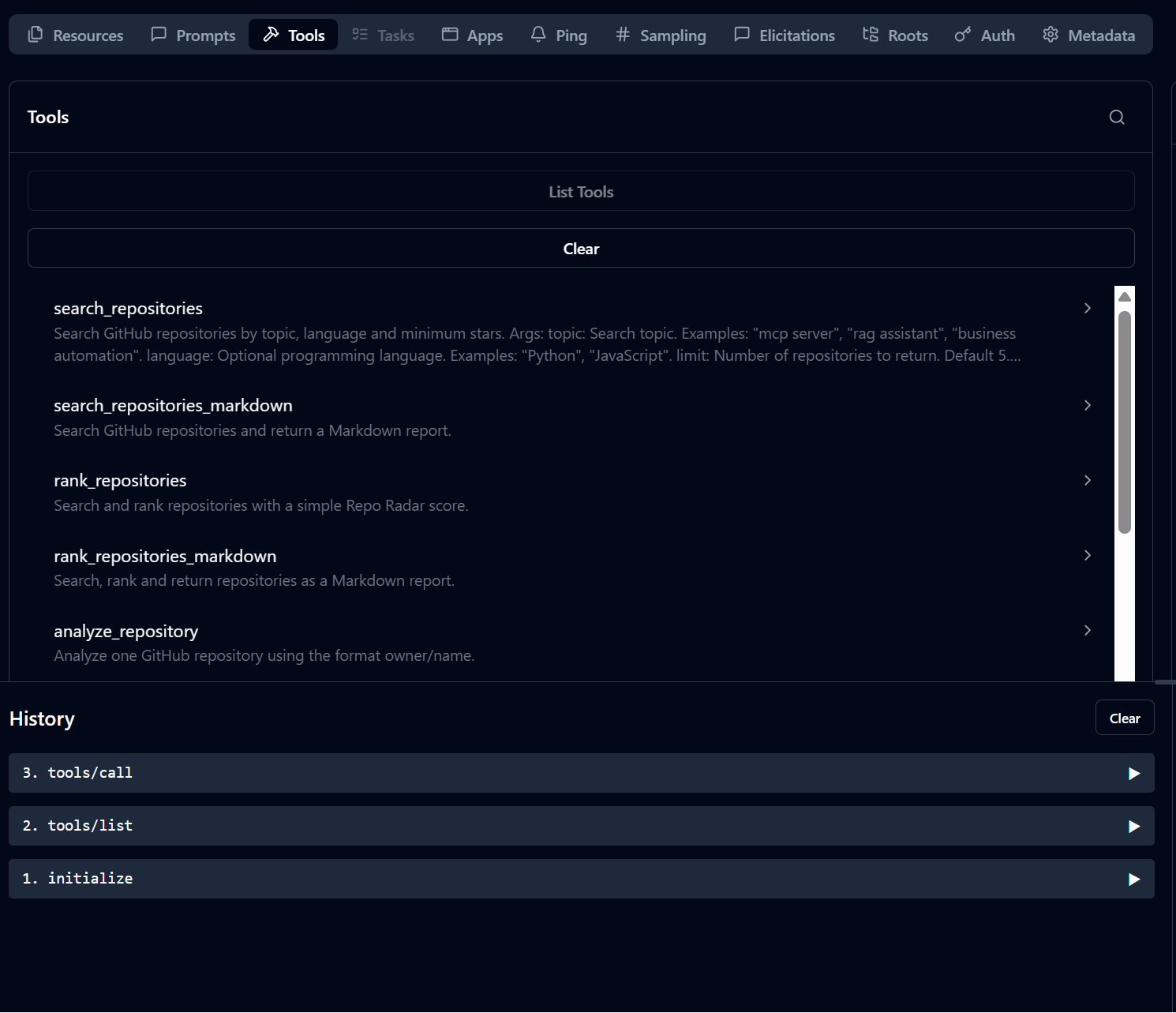
🛠️ MCP Tools
| Tool | Description |
|---|---|
search_repositories |
Search GitHub repositories by topic, language, stars and sorting mode. |
search_repositories_markdown |
Same as above, but returns a clean Markdown report. |
rank_repositories |
Search repositories and add a practical repository score. |
rank_repositories_markdown |
Search, rank and return repositories as Markdown. |
analyze_repository |
Analyze one repository by owner/name. |
analyze_repository_markdown |
Analyze one repository and return a Markdown report. |
compare_repositories |
Compare several repositories by owner/name. |
compare_repositories_markdown |
Compare several repositories and return a Markdown table. |
get_repository_readme |
Fetch the README of a repository. |
⚡ Quick Start
1. Clone the repository
git clone https://github.com/javiermorron/repo-radar-mcp.git
cd repo-radar-mcp
2. Create a virtual environment
Windows PowerShell
python -m venv .venv
.\.venv\Scripts\activate
macOS / Linux
python -m venv .venv
source .venv/bin/activate
3. Install the project
pip install -e .
4. Configure your GitHub token
Copy the example environment file:
cp .env.example .env
On Windows PowerShell:
copy .env.example .env
Edit .env:
GITHUB_TOKEN=your_github_token_here
GITHUB_API_VERSION=2022-11-28
GITHUB_USER_AGENT=repo-radar-mcp/1.0.0
Never commit your real
.envfile.
▶️ Run with MCP Inspector
From the project root:
mcp dev server.py
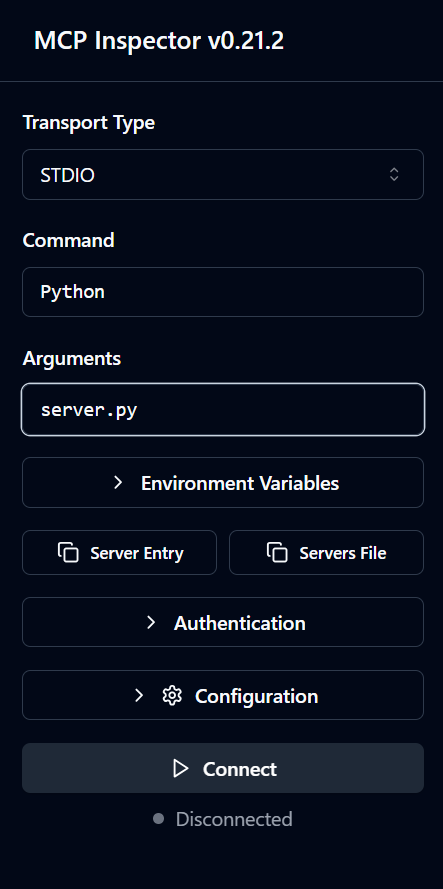
If MCP Inspector does not find uv, use this manual configuration:
Transport Type: STDIO
Command: python
Arguments: server.py
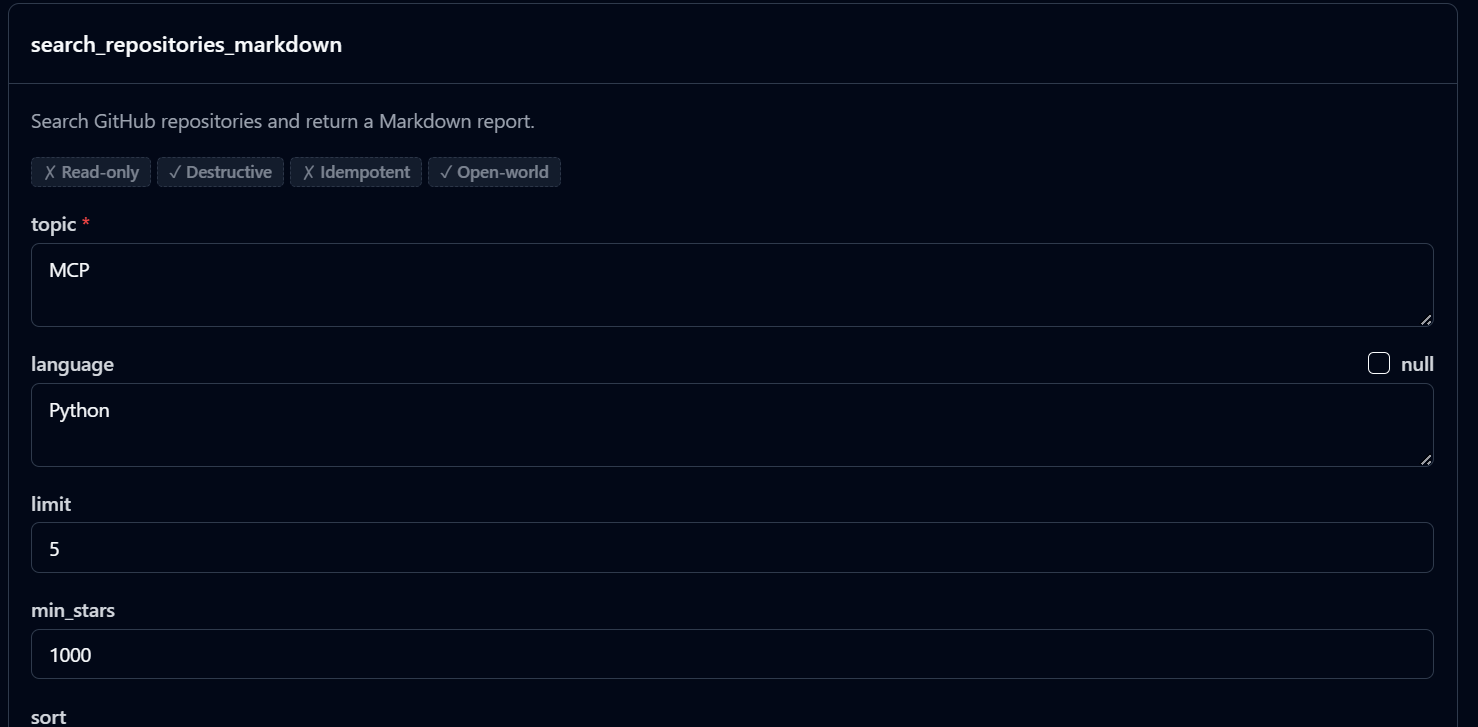
Then open the Tools tab and test a request like:
{
  "topic": "mcp server",
  "language": "Python",
  "limit": 5,
  "min_stars": 10
}
🧩 Claude Desktop Example
A sample configuration is available in:
examples/claude_desktop_config.example.json
Example Windows configuration:
{
  "mcpServers": {
    "repo-radar-mcp": {
      "command": "C:\\Users\\YOUR_USER\\repo-radar-mcp\\.venv\\Scripts\\python.exe",
      "args": [
        "C:\\Users\\YOUR_USER\\repo-radar-mcp\\server.py"
      ]
    }
  }
}
💬 Example prompts
You can ask your MCP-compatible assistant things like:
Search the 5 most popular Python repositories about "mcp server" and explain which one is best to study.
Compare these repositories: modelcontextprotocol/python-sdk, langchain-ai/langchain, run-llama/llama_index.
Find popular repositories about "rag assistant" in Python with more than 500 stars and rank them by usefulness.
Analyze microsoft/autogen and tell me if it is active, useful and worth studying.
Find GitHub repositories related to AI agents, compare them and suggest which one could inspire a new MVP.
More prompts are available in:
examples/prompts.md
📊 Repository Score
Repo Radar MCP includes a simple scoring system based on practical repository signals:
- Stars
- Forks
- Recent activity
- License availability
- Open issues
- Archived status
The score is not meant to replace human judgment.
It is a quick signal to help agents and developers decide what to inspect first.
📸 Screenshots and demo
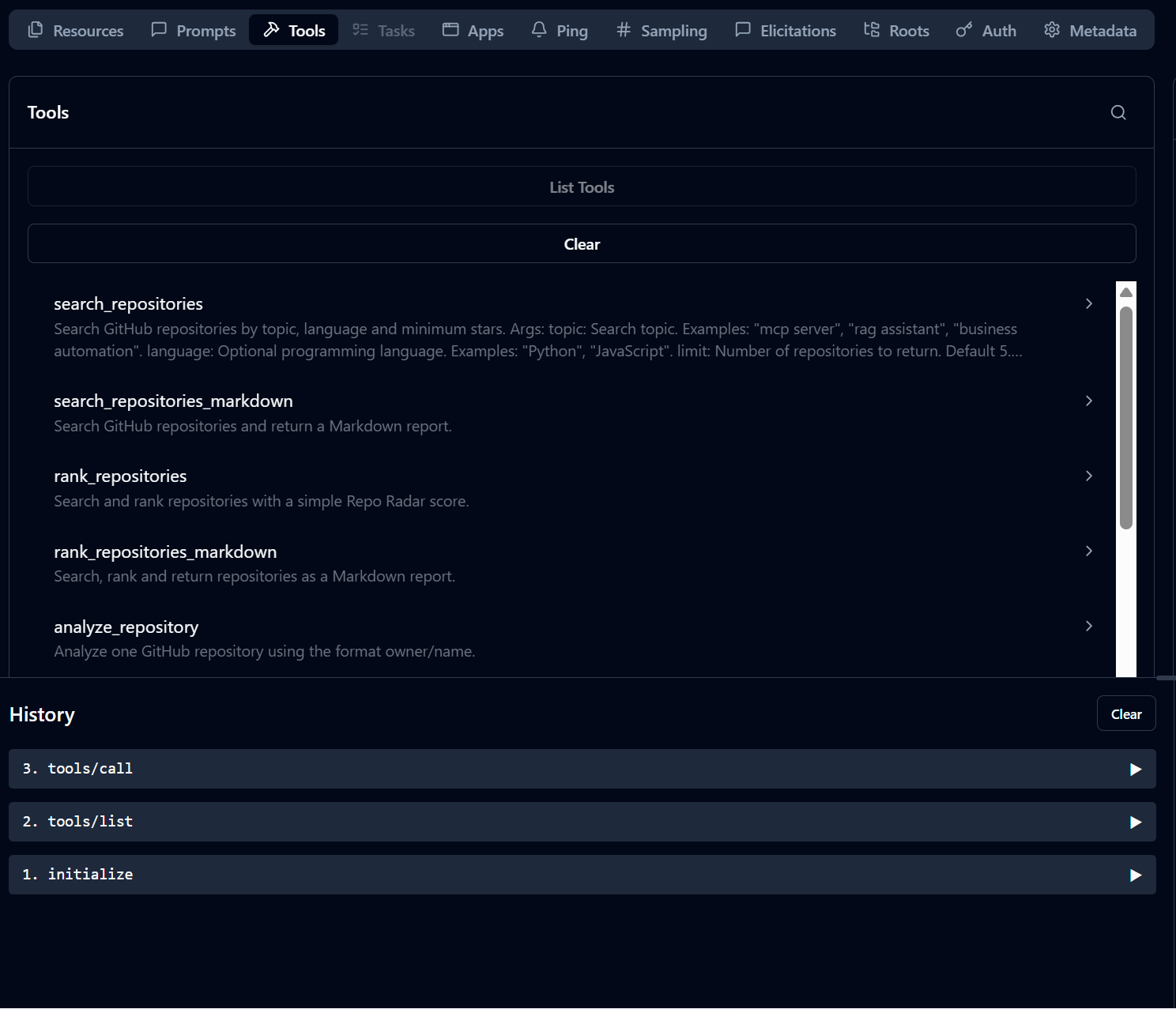
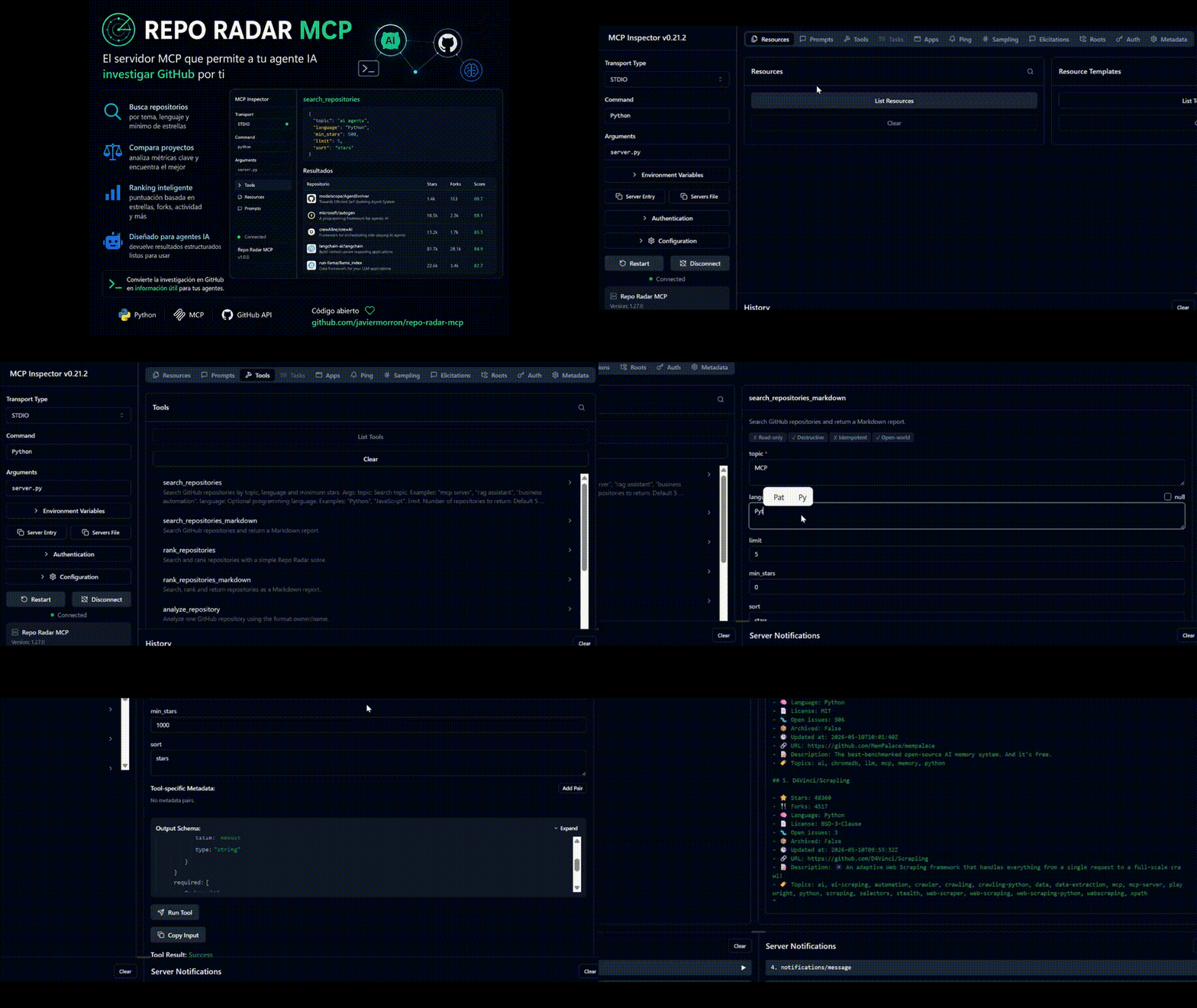
This project includes visual assets in the assets/ folder to show how Repo Radar MCP works inside MCP Inspector.
assets/
├── repo-radar-banner.png
├── mcp-inspector-connection.png
├── mcp-inspector-tools.png
├── search-repositories-markdown-form.png
├── markdown-report-example.png
└── Demo.mp4
Project banner
MCP Inspector connection
Configure MCP Inspector using STDIO transport with:
Command: python
Arguments: server.py
Available MCP tools
Repo Radar MCP exposes several tools that can be tested directly from MCP Inspector.
Search repositories form
Use search_repositories_markdown to search GitHub repositories and return a clean Markdown report.
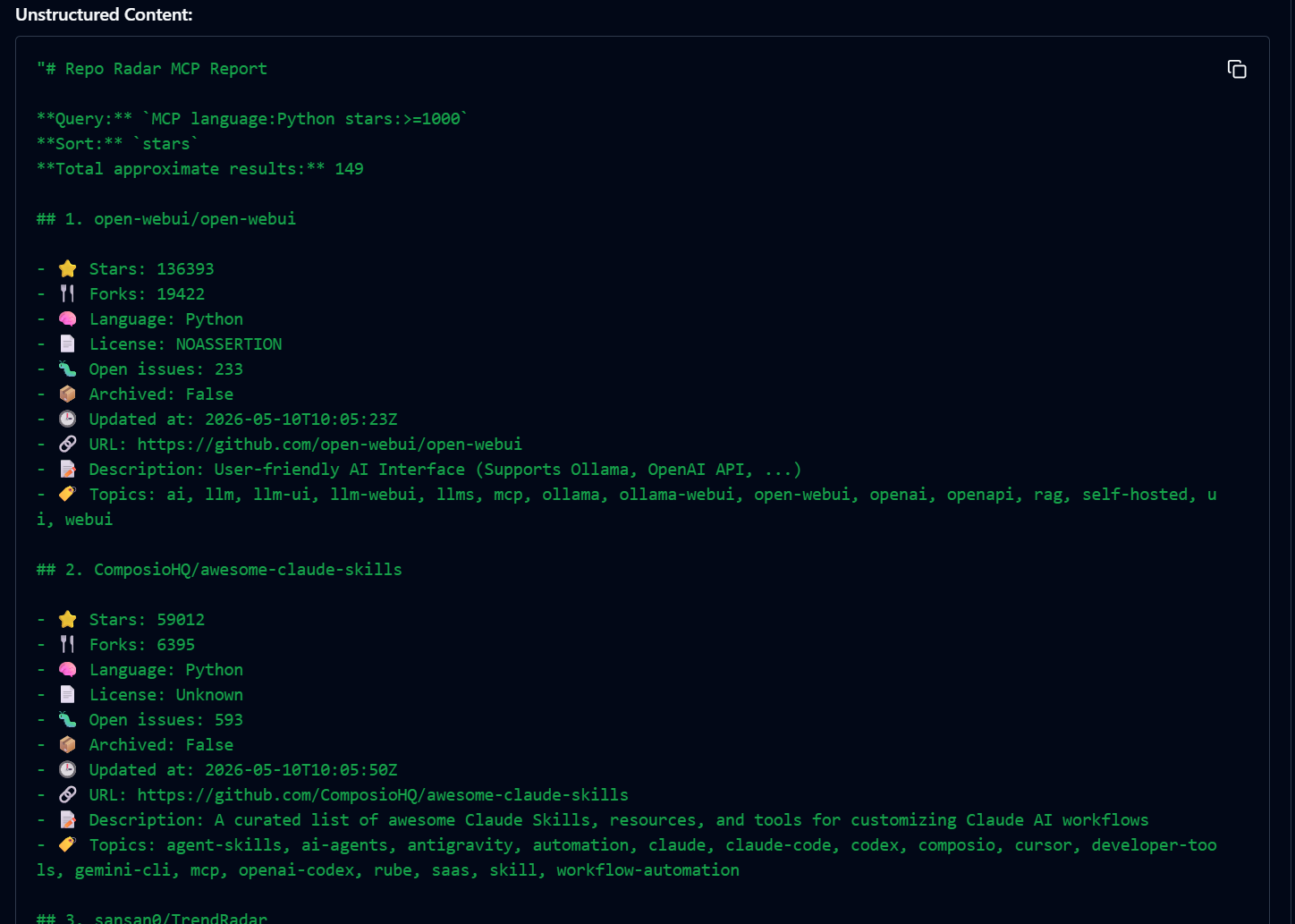
Markdown report example
Repo Radar MCP can return structured Markdown reports with repository name, stars, forks, license, open issues, update date, URL, description and topics.
Demo video
Watch Repo Radar MCP running inside MCP Inspector:
If the video does not preview correctly on GitHub, upload it as a release asset or replace it with a short GIF.
🧪 Example output
Example Markdown result:
# Repository Ranking: mcp server

| Repository | Stars | Forks | License | Updated | Score |
|---|---:|---:|---|---|---:|
| modelcontextprotocol/python-sdk | 9000+ | 800+ | MIT | Recently updated | 92 |
| example/mcp-server | 1200+ | 150+ | Apache-2.0 | Active | 78 |

Recommendation:
Start with the official SDK if you need a reliable reference implementation.
🧱 Project Structure
repo-radar-mcp/
│
├── src/
│   └── repo_radar_mcp/
│       ├── __init__.py
│       ├── server.py
│       ├── github_client.py
│       ├── scoring.py
│       ├── formatters.py
│       └── models.py
│
├── examples/
│   ├── claude_desktop_config.example.json
│   └── prompts.md
│
├── tests/
│   └── test_scoring.py
│
├── .env.example
├── .gitignore
├── CHANGELOG.md
├── LICENSE
├── README.md
├── pyproject.toml
├── requirements.txt
└── server.py
🔐 Security
Repo Radar MCP uses a GitHub token from environment variables.
Do not commit:
.env- Personal access tokens
- Private API keys
- Local virtual environments
- Temporary files
The .gitignore file already excludes common sensitive and generated files.
Recommended GitHub token permissions:
- Public repository read access is enough for public repository research.
- Avoid broad permissions unless you know exactly why you need them.
- Use a dedicated token for this project.
🗺️ Roadmap
- Add repository release analysis.
- Add issue quality analysis.
- Add contributor activity metrics.
- Add repository health report.
- Add topic recommendation support.
- Add CSV and JSON export helpers.
- Add Docker support.
- Add GitHub Actions for tests and linting.
- Add richer README analysis.
- Add examples for Cursor and Claude Desktop.
- Add demo GIFs and screenshots.
🧠 Use cases
Repo Radar MCP can help with:
- Researching open-source tools before starting a project.
- Comparing AI agent frameworks.
- Finding MCP servers worth studying.
- Discovering useful Python repositories.
- Building technical reports from GitHub data.
- Helping AI agents choose better technical references.
- Creating content around open-source tools and developer trends.
🤝 Contributing
Contributions are welcome.
Good first issues:
- Improve scoring logic.
- Add more output formats.
- Add tests.
- Improve MCP client examples.
- Add Docker support.
- Add screenshots and demo GIFs.
- Improve README analysis.
Before contributing, feel free to open an issue with your idea.
⭐ Support the project
If this project helps you discover better repositories, compare technical options or build smarter AI workflows, consider leaving a star on GitHub.
It helps more developers find the project and motivates future improvements.
👤 Author
Javier Morrón Consultant in Applied Artificial Intelligence and Automation.
I help professionals, small businesses and independent builders save time, reduce manual work and improve internal processes using artificial intelligence, AI agents and automation.
LinkedIn: https://www.linkedin.com/in/javiermorron
📄 License
This project is licensed under the MIT License.
You can use it, modify it and adapt it to your own needs while keeping the corresponding attribution.
Установка Repo Radar
У этого сервера нет опубликованного пакета — он собирается из исходников. Открой репозиторий и следуй инструкции в README.
▸ github.com/javiermorron/repo-radar-mcpFAQ
Repo Radar MCP бесплатный?
Да, Repo Radar MCP бесплатный — установка в пару кликов через Unyly без оплаты.
Нужен ли API-ключ для Repo Radar?
Нет, Repo Radar работает без API-ключей и переменных окружения.
Repo Radar — hosted или self-hosted?
Доступен hosted-вариант: Unyly запускает сервер в облаке, локальная установка не обязательна.
Как установить Repo Radar в Claude Desktop, Claude Code или Cursor?
Открой Repo Radar на unyly.org, выбери вкладку своего клиента (Claude Desktop, Claude Code, Cursor) и нажми Install — конфиг сгенерируется автоматически, без правки JSON.
Похожие MCP
GitHub
PRs, issues, code search, CI status
 автор: GitHub
Filesystem
Secure file operations with configurable access controls.
Memory
Knowledge graph-based persistent memory system.
Template MCP Server
A CLI tool to create a new Model Context Protocol server project with TypeScript support, dual transport options, and an extensible structure
 автор: mcpdotdirect
Amap Maps Mcp Server
MCP server for using the AMap Maps API
 автор: duxiaohui
Supabase
Database, auth and storage
 автор: Supabase
Everything
Reference / test server with prompts, resources, and tools.
Git
Tools to read, search, and manipulate Git repositories.
Sequential Thinking
Dynamic and reflective problem-solving through thought sequences.
Time
Time and timezone conversion capabilities.
Compare Repo Radar with
Не уверен что выбрать?
Найди свой стек за 60 секунд
Автор?
Embed-бейдж для README
Похожее
Все в категории development