
AntrikshGPT
FreeNot checkedAI-powered space exploration webapp with real-time satellite tracking, astronomical data, and intelligent conversational interfaces for cosmic discovery

About
AI-powered space exploration webapp with real-time satellite tracking, astronomical data, and intelligent conversational interfaces for cosmic discovery
README
Live Demo License: MIT Python Version Vercel Deployment
Antriksh ( अंतरिक्ष ) means "space" in Sanskrit/Hindi.
antrikshGPT is an AI-powered space exploration web application that combines the power of a large language model (LLM) with real-time space data to create an immersive and educational cosmic experience. This version is optimized for easy, serverless deployment on Vercel.
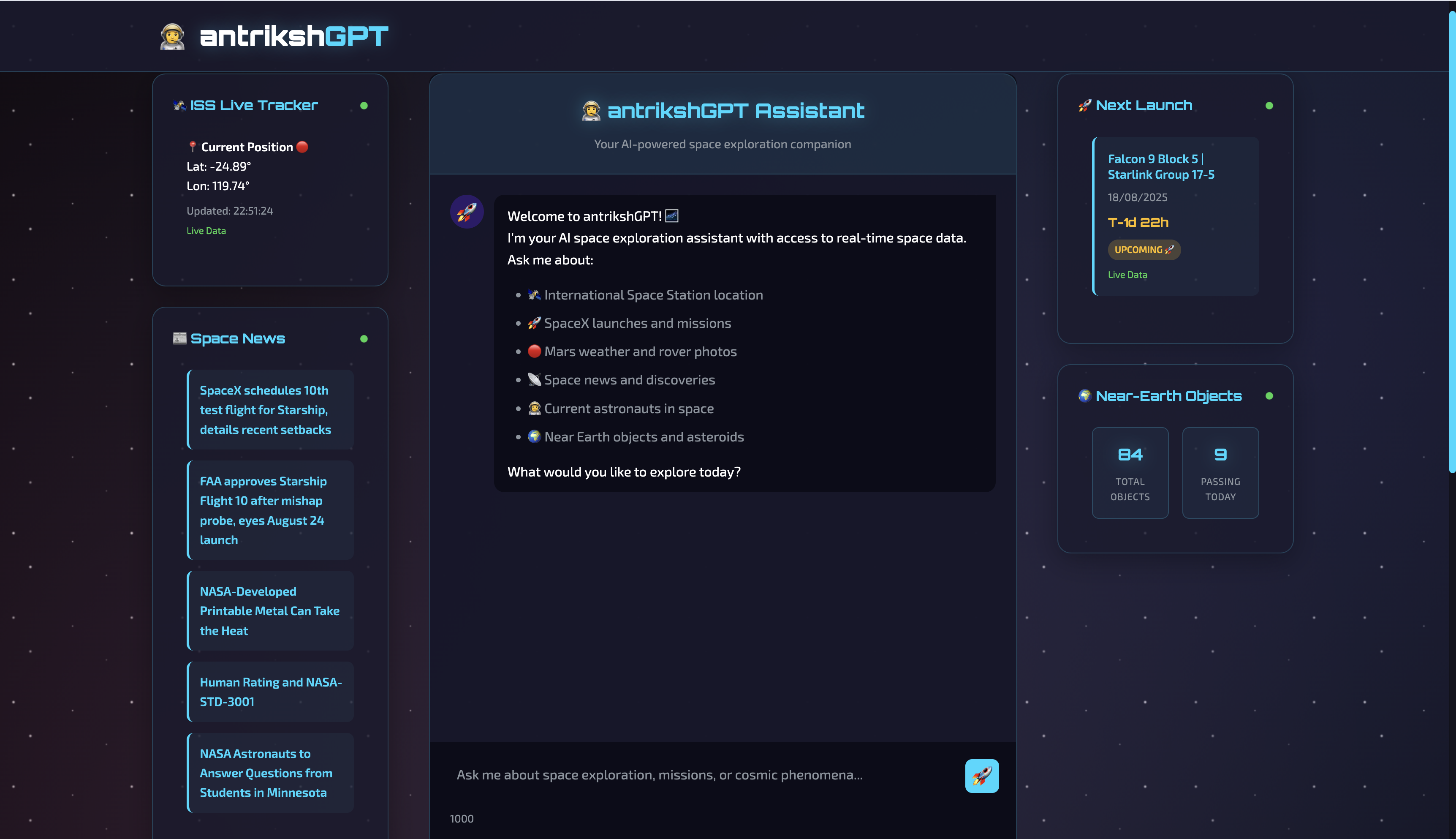
✨ Key Features
Conversational AI: Powered by an LLM via LangChain for accurate and engaging conversations about space.
Real-Time Space Data: Integrates with 13 specialized space APIs to provide live data on:
- 🛰️ ISS Tracking: Real-time location of the International Space Station.
- 🚀 SpaceX Missions: Details on upcoming and past launches.
- 📰 Space News: The latest discoveries and mission updates.
- 🧑🚀 Astronaut Tracker: Who is in space right now.
- 🪐 Planetary Data: Rich information about celestial bodies in our solar system.
- 🔭 And much more!
Production-Ready: Built with a smart caching system, rate limiting, and robust error handling to ensure high availability and low latency.
Stunning UI: A modern, responsive frontend with a beautiful space theme, CSS animations, and real-time updates via WebSockets.
🛠️ Technology Stack
- AI/ML: LLM, LangChain, LangGraph
- Backend: FastAPI, WebSockets, AsyncIO, AIOHTTP
- Frontend: HTML5, CSS3, JavaScript (ES6+)
- Deployment: Vercel (Serverless)
- Authentication: JWT, passlib, python-jose
- Data Sources: NASA, SpaceX, Launch Library, Open Notify, and more reliable space APIs.
⚙️ Getting Started
Prerequisites
- Python 3.8+
- Vercel Account & Vercel CLI
pippackage manager
Local Development
Clone the repository:
git clone https://github.com/tarun7r/antrikshGPT.git
cd antrikshGPT
Set up environment variables: Create a
.envfile from the sample and add your API keys.cp env.sample .envGOOGLE_API_KEY: Your Google AI API key for the LLM.SECRET_KEY: A secret key for JWT. Generate one withopenssl rand -hex 32.
Install dependencies:
pip install -r requirements.txtRun the application: The application uses a
users.jsonfile for user management. A default admin user is created with a random password on the first launch. Check the console output for the credentials.cd webapp/backend python3 main.pyOpen your browser: Navigate to
http://localhost:8000to see the application in action.
🚀 Demo Queries
Try these queries to see the system's capabilities:
- "Where is the ISS right now?"
- "What's the next SpaceX launch?"
- "What's the weather like on Mars?"
- "Who is currently in space?"
- "Show me recent photos from the Mars rover."
- "Tell me about black holes."
📁 Project Structure
antrikshGPT/
├── api/
│   └── index.py            # Vercel serverless function entrypoint
├── config/
│   └── settings.py         # Configuration and API keys
├── shared/
│   ├── langchain_agent.py  # Core AI agent
│   └── space_apis.py       # Space API integrations
├── webapp/
│   ├── backend/
│   │   └── main.py         # FastAPI server
│   └── frontend/           # Static frontend files
├── requirements.txt        # Python dependencies
├── users.json              # Simple user database
├── vercel.json             # Vercel deployment configuration
└── README.md
📜 License
This project is open-source and available under the MIT License.
Built with a passion for space exploration and AI innovation.
"ऋतं सत्यं परं ब्रह्म।" - "Cosmic order (ṛta) and truth (satya) are the supreme Brahman."
Installing AntrikshGPT
This server has no published package — it is built from source. Open the repository and follow its README.
▸ github.com/tarun7r/antrikshGPTFAQ
Is AntrikshGPT MCP free?
Yes, AntrikshGPT MCP is free — one-click install via Unyly at no cost.
Does AntrikshGPT need an API key?
No, AntrikshGPT runs without API keys or environment variables.
Is AntrikshGPT hosted or self-hosted?
Self-hosted: the server runs locally on your machine via the install command above.
How do I install AntrikshGPT in Claude Desktop, Claude Code or Cursor?
Open AntrikshGPT on unyly.org, pick your client tab (Claude Desktop, Claude Code, Cursor) and press Install — the config is generated automatically, no JSON editing.
Related MCPs
Fetch
Web content fetching and conversion for efficient LLM usage.
AWS KB Retrieval
Retrieval from AWS Knowledge Base using Bedrock Agent Runtime.
 by modelcontextprotocol
Spring AI MCP Server
Provides auto-configuration for setting up an MCP server in Spring Boot applications.
llm-analysis-assistant
A very streamlined mcp client that supports calling and monitoring stdio/sse/streamableHttp, and can also view request responses through the /logs page. It also
 by xuzexin-hz
Compare AntrikshGPT with
Not sure what to pick?
Find your stack in 60 seconds
Author?
Embed badge for your README
Browse similar
All ai MCPs