

About
使用LLM生成代码来对Excel进行分析的MCP Server
README
准备环境
配置LLM API Key
cp .env.example .env
编辑.env文件,填写LLM信息,要生成代码,建议填写相对比较强的模型,比如GLM 4.5、Qwen-235B-A22B、Kimi K2等,至少Qwen3-32B,规模再小的生成代码质量会比较差,分析效果差。
安装依赖
uv venv .venv --python=3.11
source .venv/bin/activate
uv pip install -r requirements.txt
运行服务
cd src
python pandas_mcp_server.py
使用
配置ChatBI MCP Server
使用任意支持MCP Server的客户端,比如Cherry Studio,配置如下:
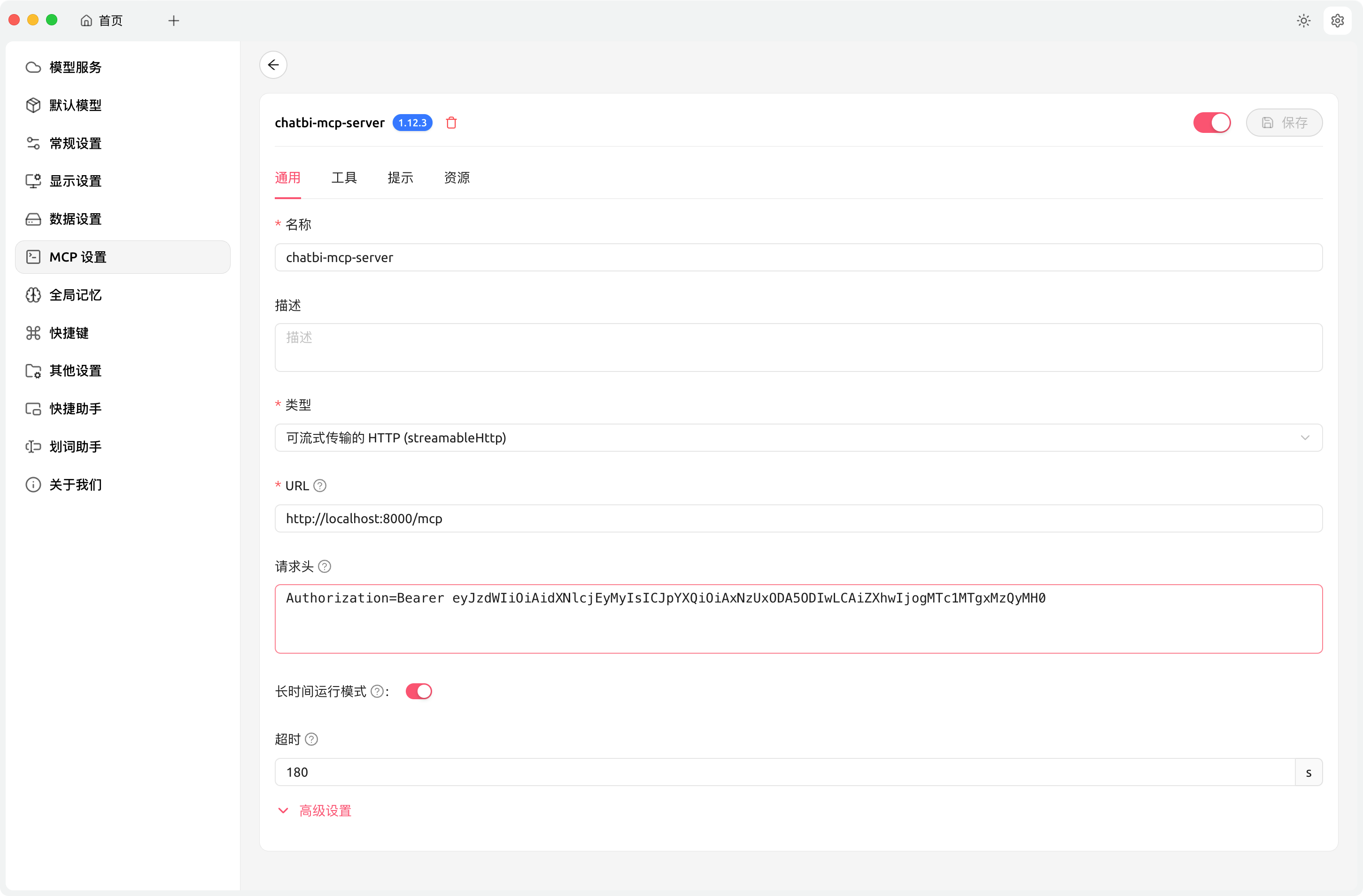
其中验证信息,在config.yaml中,可以自行修改。默认值为eyJzdWIiOiAidXNlcjEyMyIsICJpYXQiOiAxNzUxODA5ODIwLCAiZXhwIjogMTc1MTgxMzQyMH0。
注意:超时时间设置长一点,因为涉及LLM生成代码、如果出错还需要改错
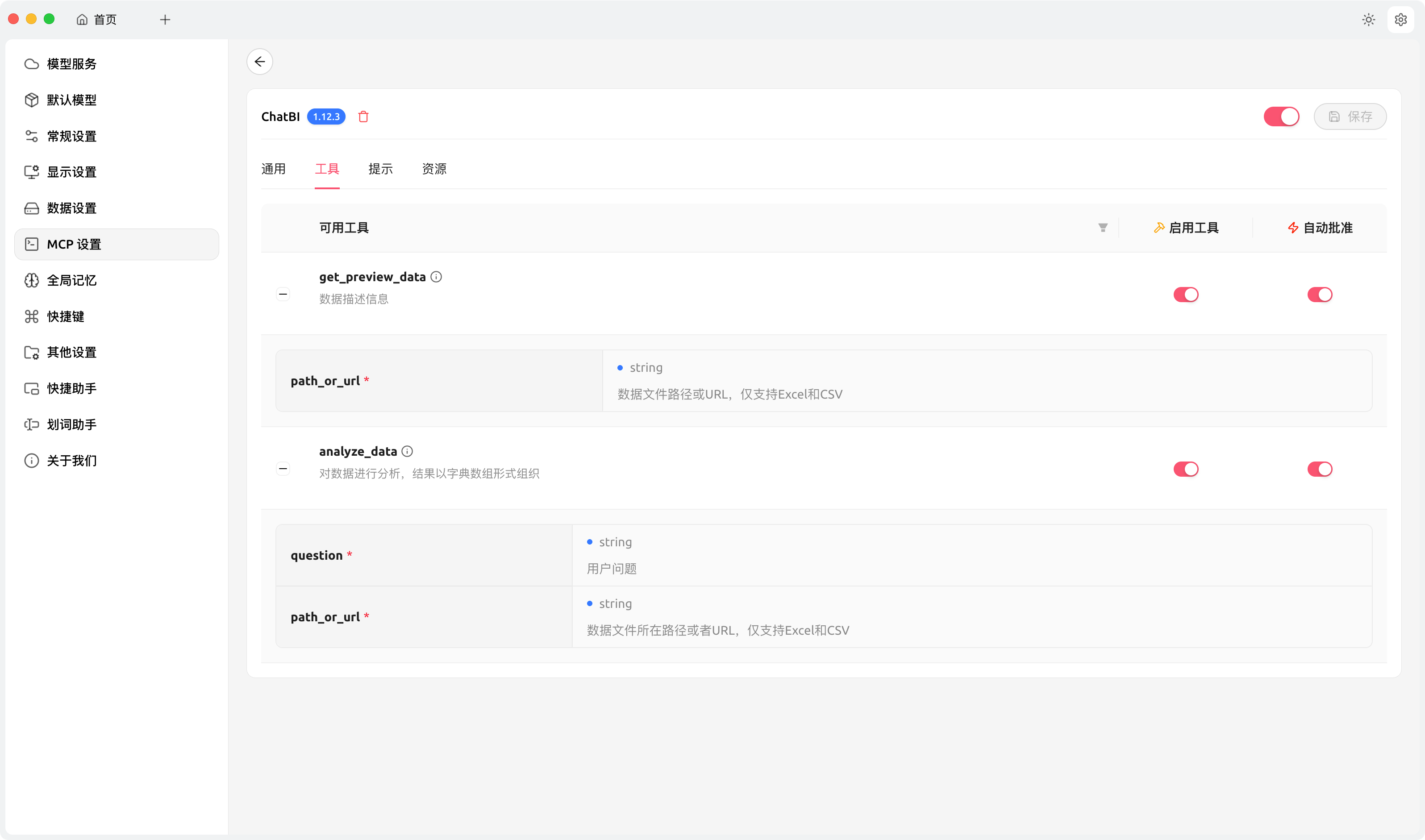
添加完成后,点击“保存”,然后点击又上方的开启选项,切换到“工具”标签页:
如果能正常列出工具,说明配置正确。
使用ChatBI MCP Server
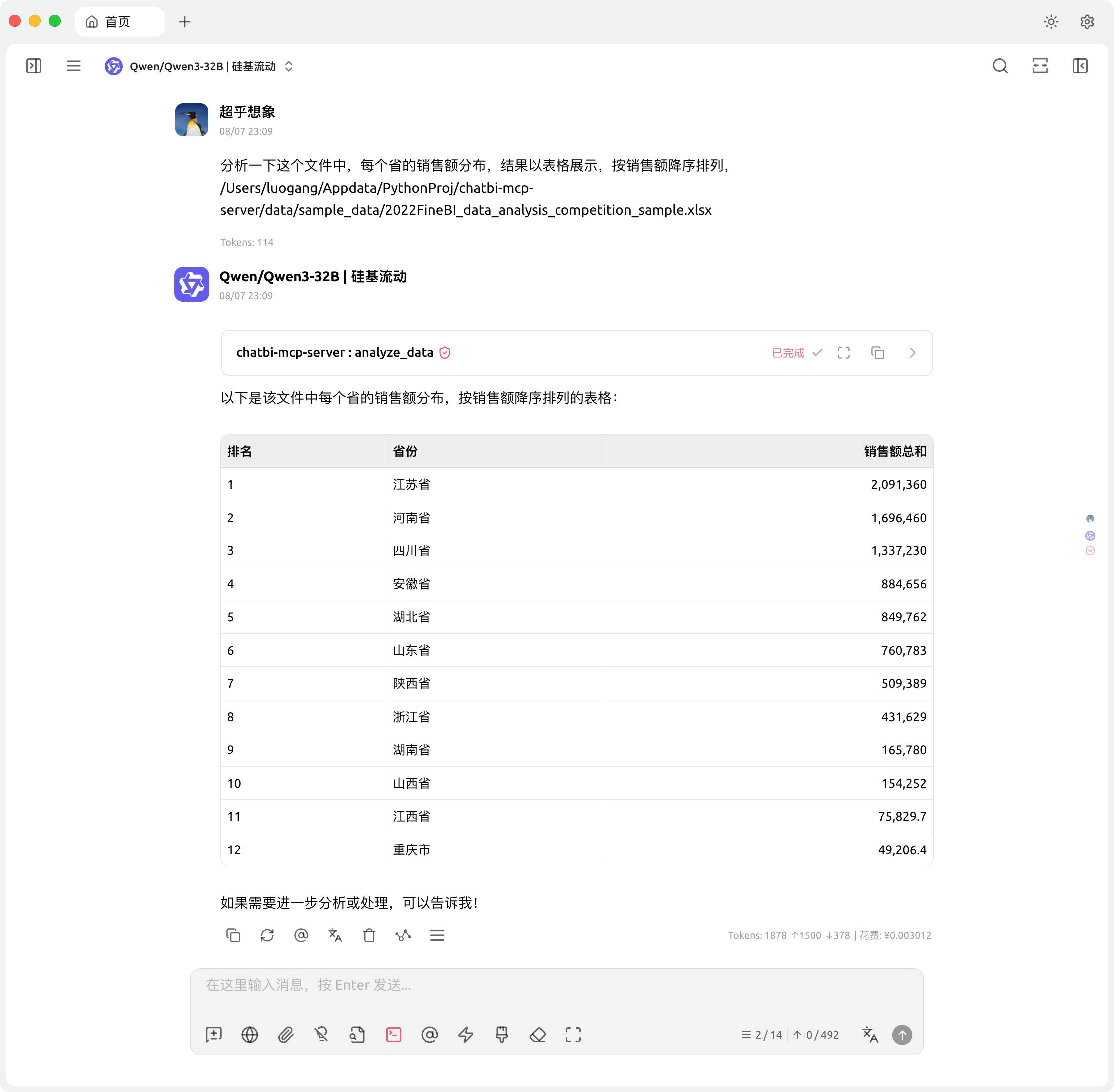
常规统计
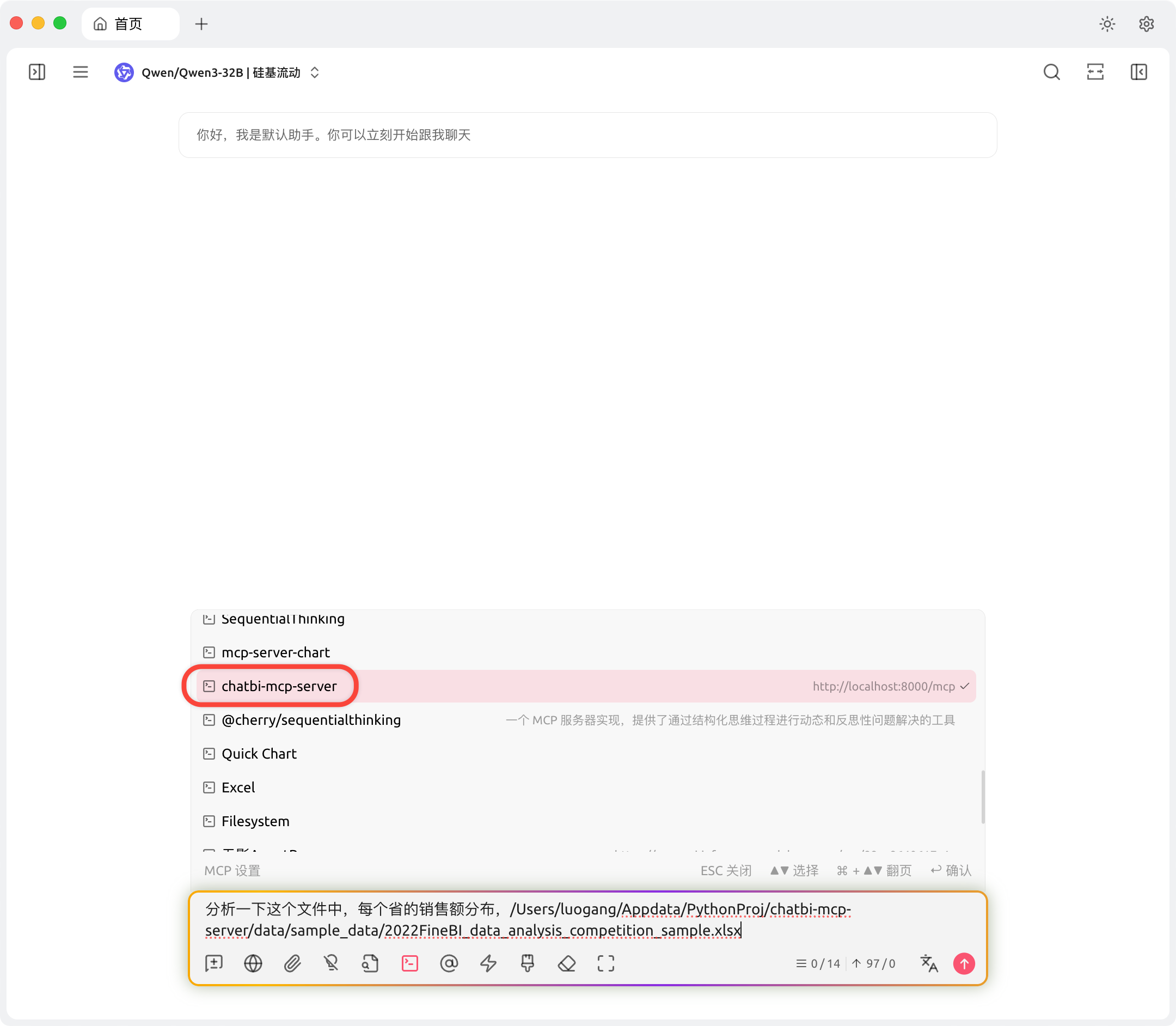
使用时,记得开启这个MCP Server:
可视化
结合mcp-server-chart使用
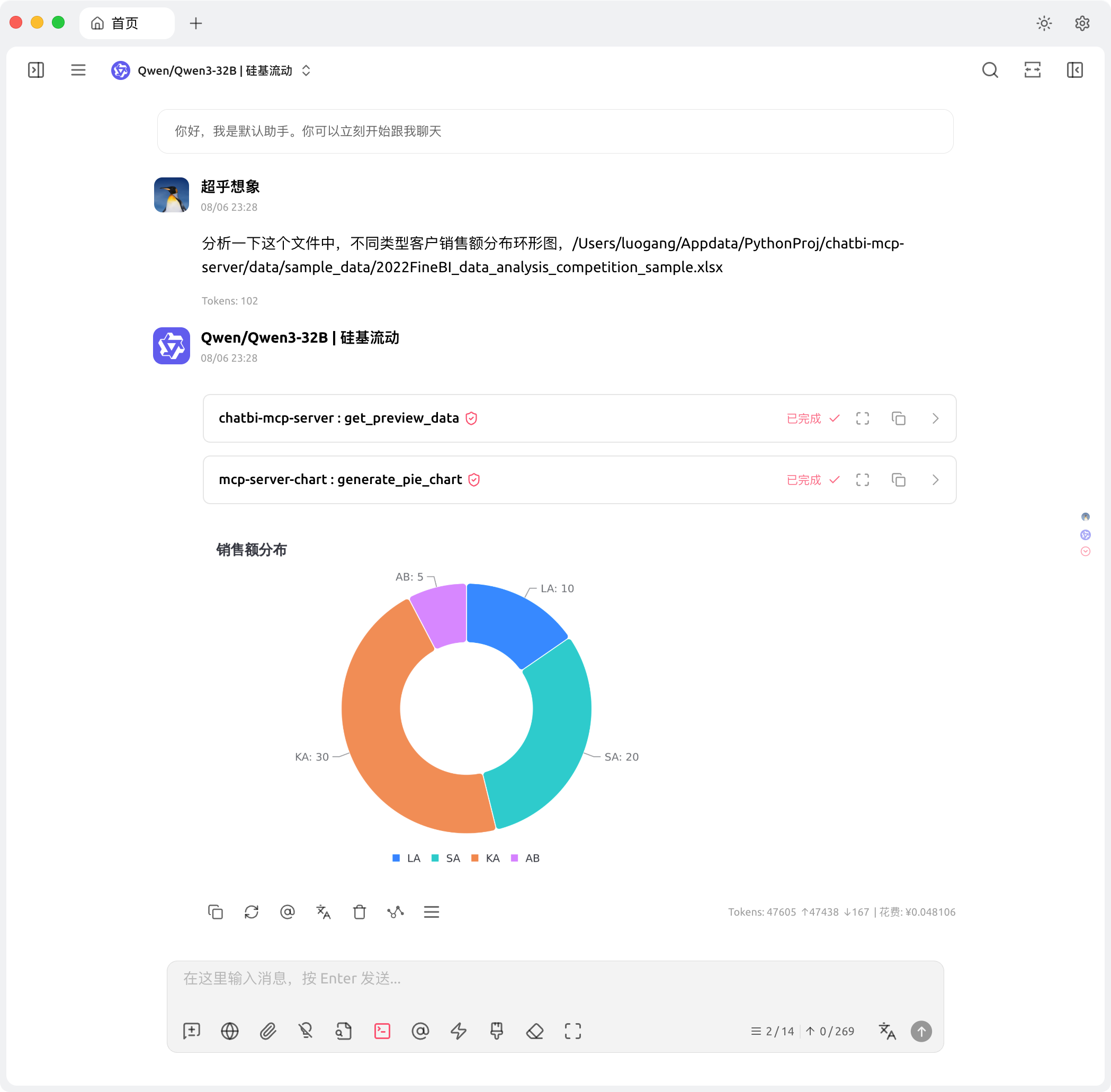
综合运用
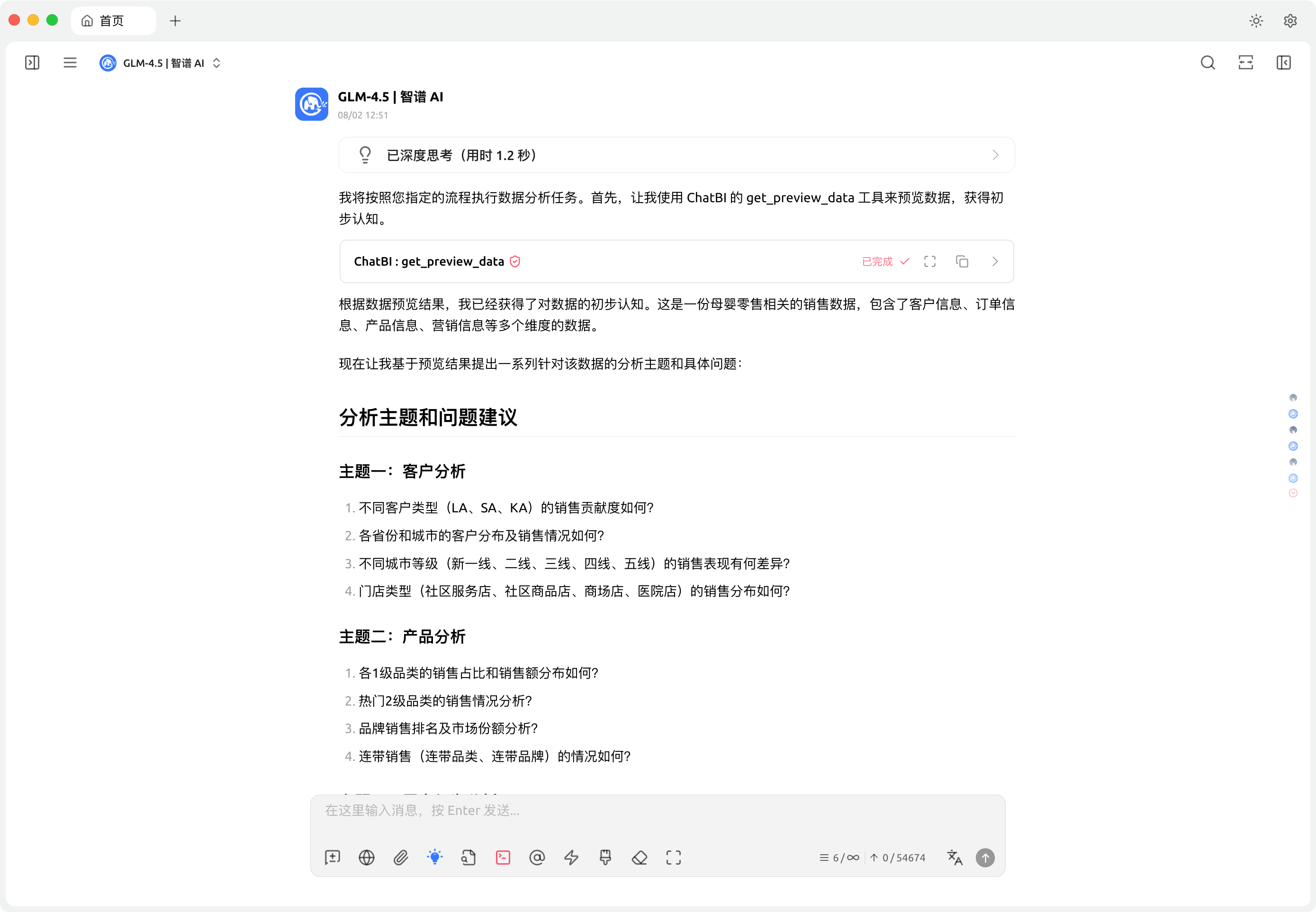
通过指令,自动化数据分析:
生成数据分析计划:
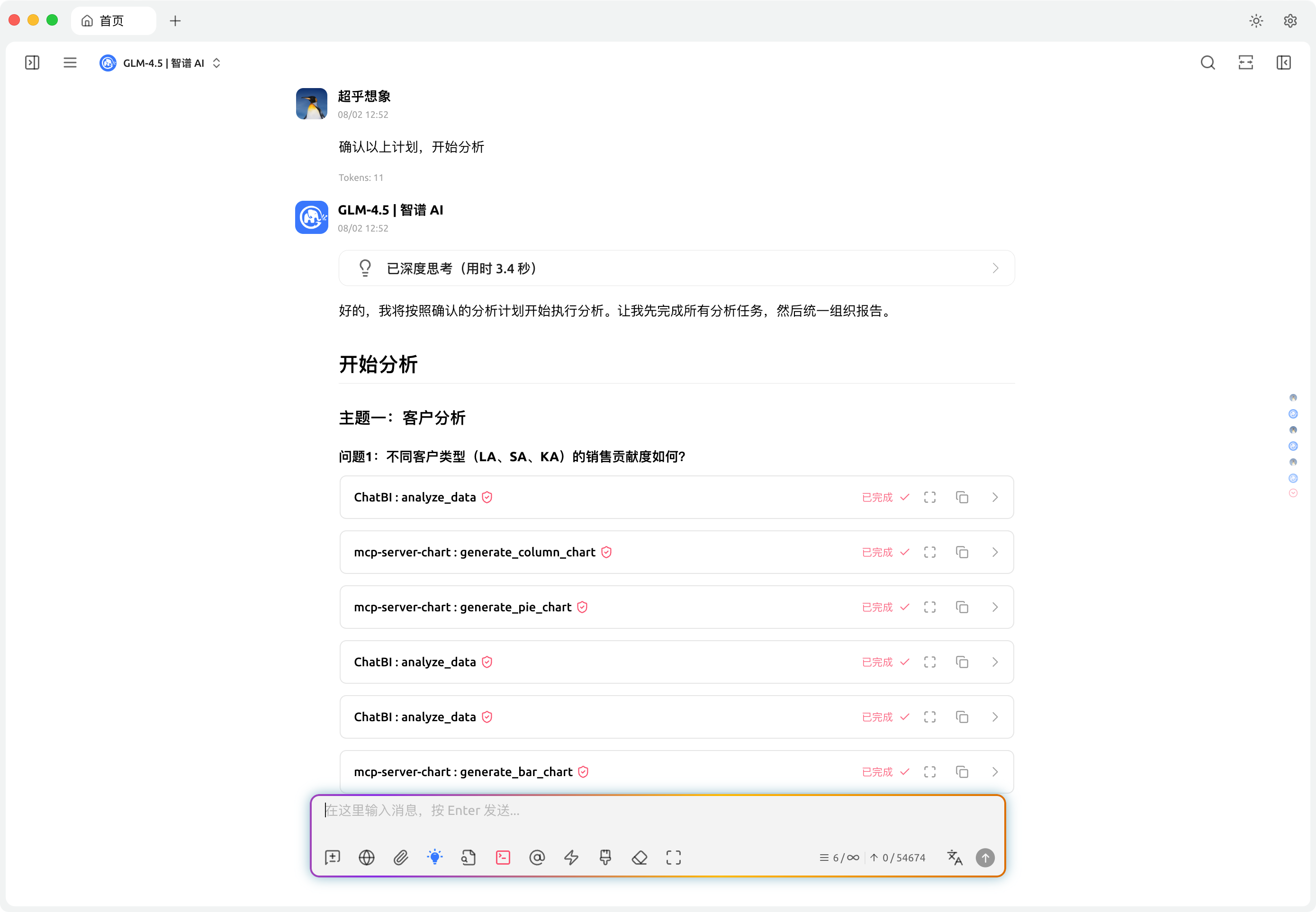
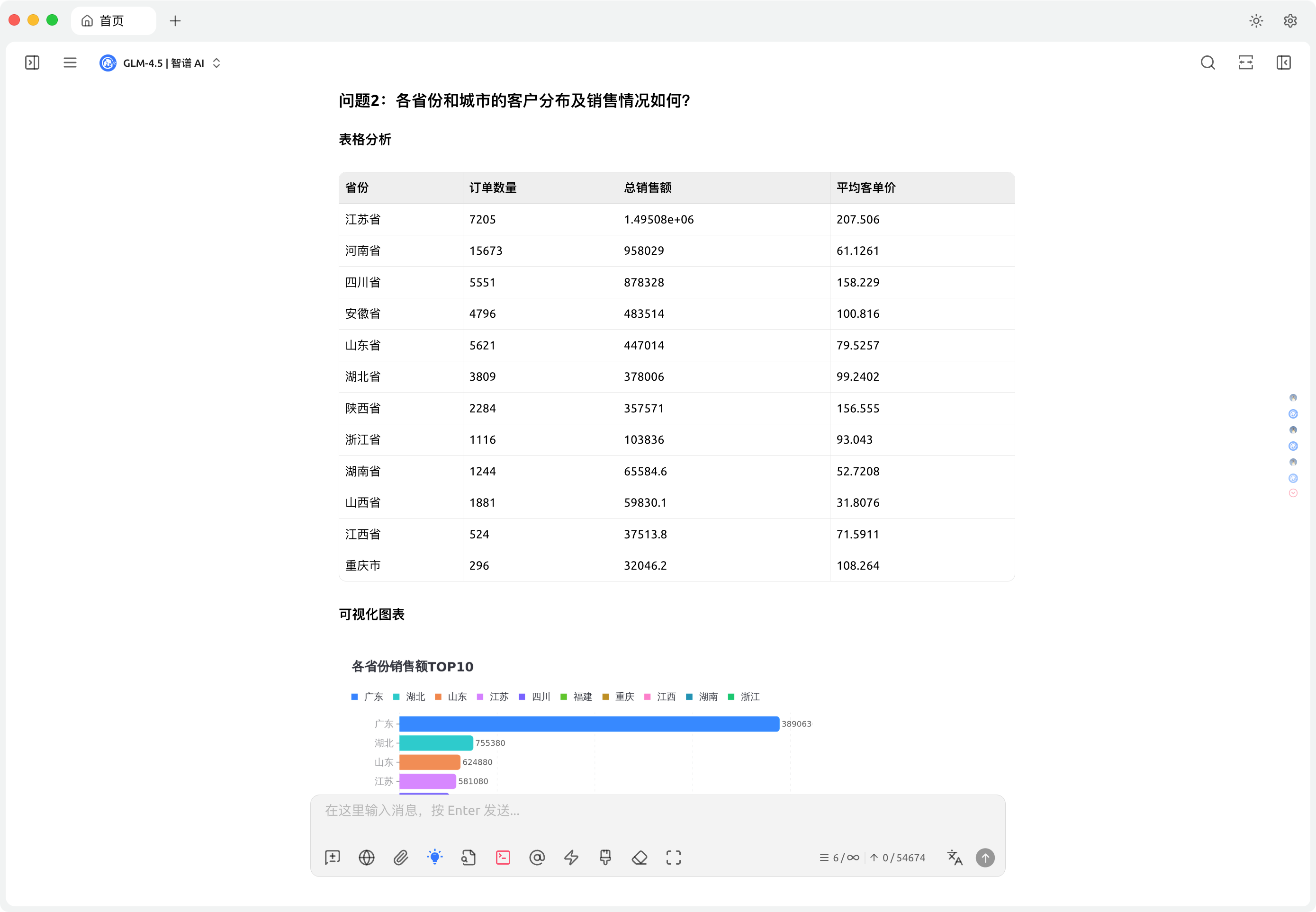
 开始分析:
开始分析:
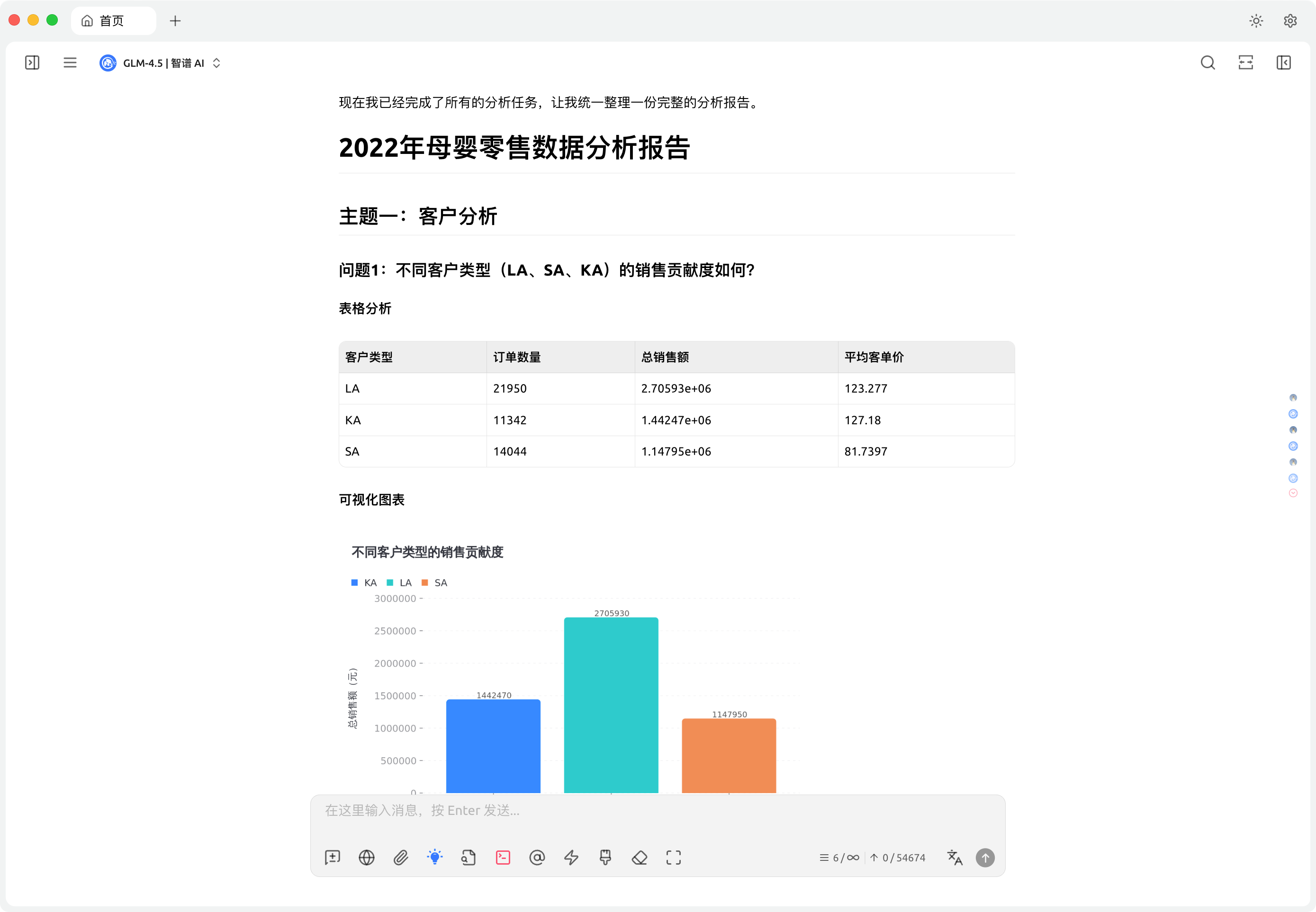
 结果报告:
结果报告:
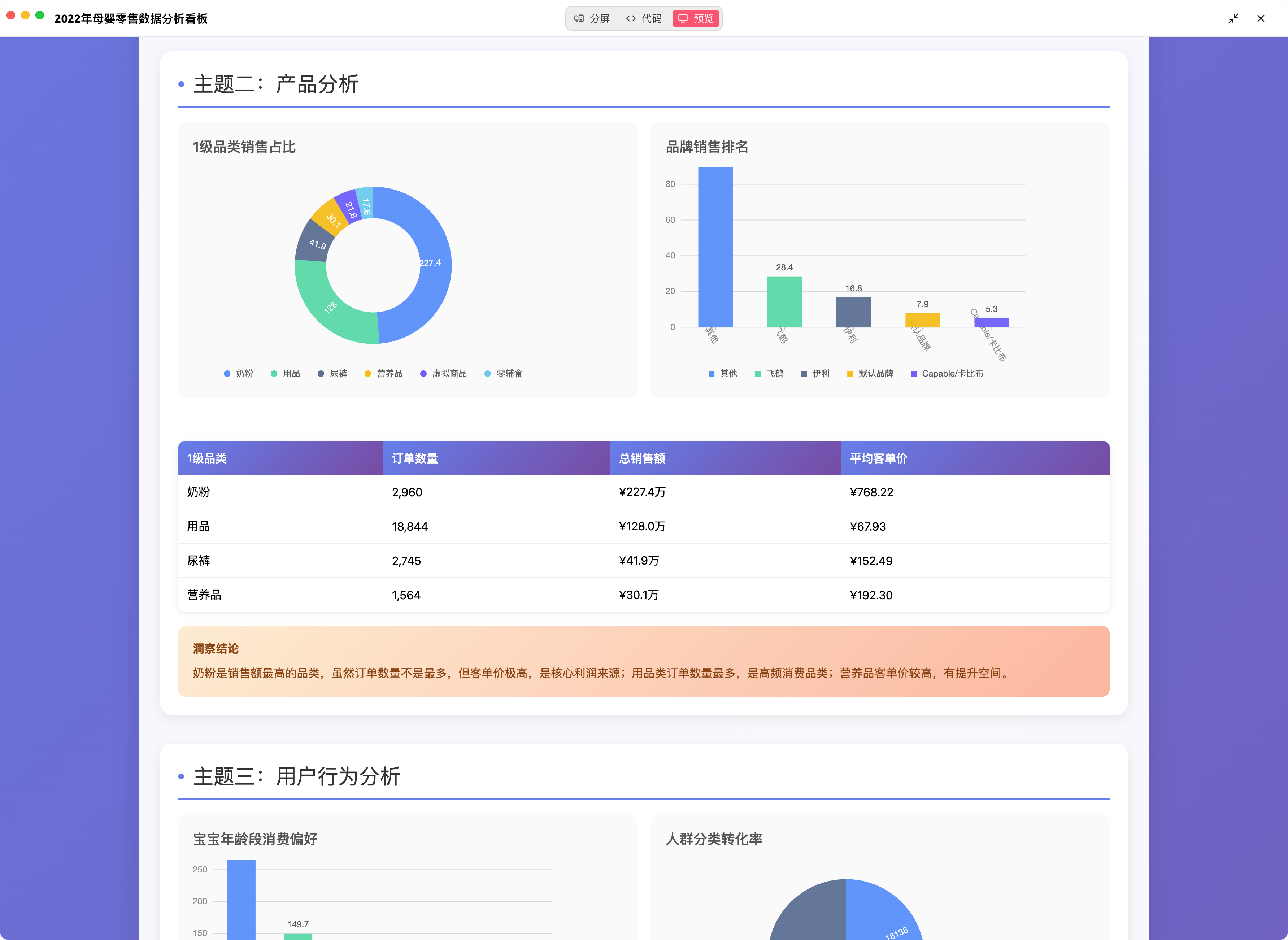
生成的看板:
Installing Chatbi
This server has no published package — it is built from source. Open the repository and follow its README.
▸ github.com/Steven-Luo/chatbi-mcp-serverFAQ
Is Chatbi MCP free?
Yes, Chatbi MCP is free — one-click install via Unyly at no cost.
Does Chatbi need an API key?
No, Chatbi runs without API keys or environment variables.
Is Chatbi hosted or self-hosted?
Self-hosted: the server runs locally on your machine via the install command above.
How do I install Chatbi in Claude Desktop, Claude Code or Cursor?
Open Chatbi on unyly.org, pick your client tab (Claude Desktop, Claude Code, Cursor) and press Install — the config is generated automatically, no JSON editing.
Related MCPs
Fetch
Web content fetching and conversion for efficient LLM usage.
AWS KB Retrieval
Retrieval from AWS Knowledge Base using Bedrock Agent Runtime.
 by modelcontextprotocol
Spring AI MCP Server
Provides auto-configuration for setting up an MCP server in Spring Boot applications.
llm-analysis-assistant
A very streamlined mcp client that supports calling and monitoring stdio/sse/streamableHttp, and can also view request responses through the /logs page. It also
 by xuzexin-hz
Compare Chatbi with
Not sure what to pick?
Find your stack in 60 seconds
Author?
Embed badge for your README
Browse similar
All ai MCPs