
Cloudflare Grafitti Server
FreeNot checkedA serverless proxy for the Graphiti MCP server, enabling AI agents to maintain memory and context through Neo4j knowledge graphs, deployed on Cloudflare Workers

About
A serverless proxy for the Graphiti MCP server, enabling AI agents to maintain memory and context through Neo4j knowledge graphs, deployed on Cloudflare Workers.
README
GitHub Actions Workflow Status License
A Cloudflare Container Worker that serves as a proxy for the Graphiti MCP (Model Context Protocol) server, providing scalable, serverless access to AI agent memory capabilities through Neo4j-backed knowledge graphs.
Overview
Graphiti Cloud bridges the gap between AI applications and persistent memory by leveraging Cloudflare's new container service to host and proxy requests to a Graphiti MCP server. This enables AI agents to maintain context and memory across interactions using a powerful knowledge graph backend.
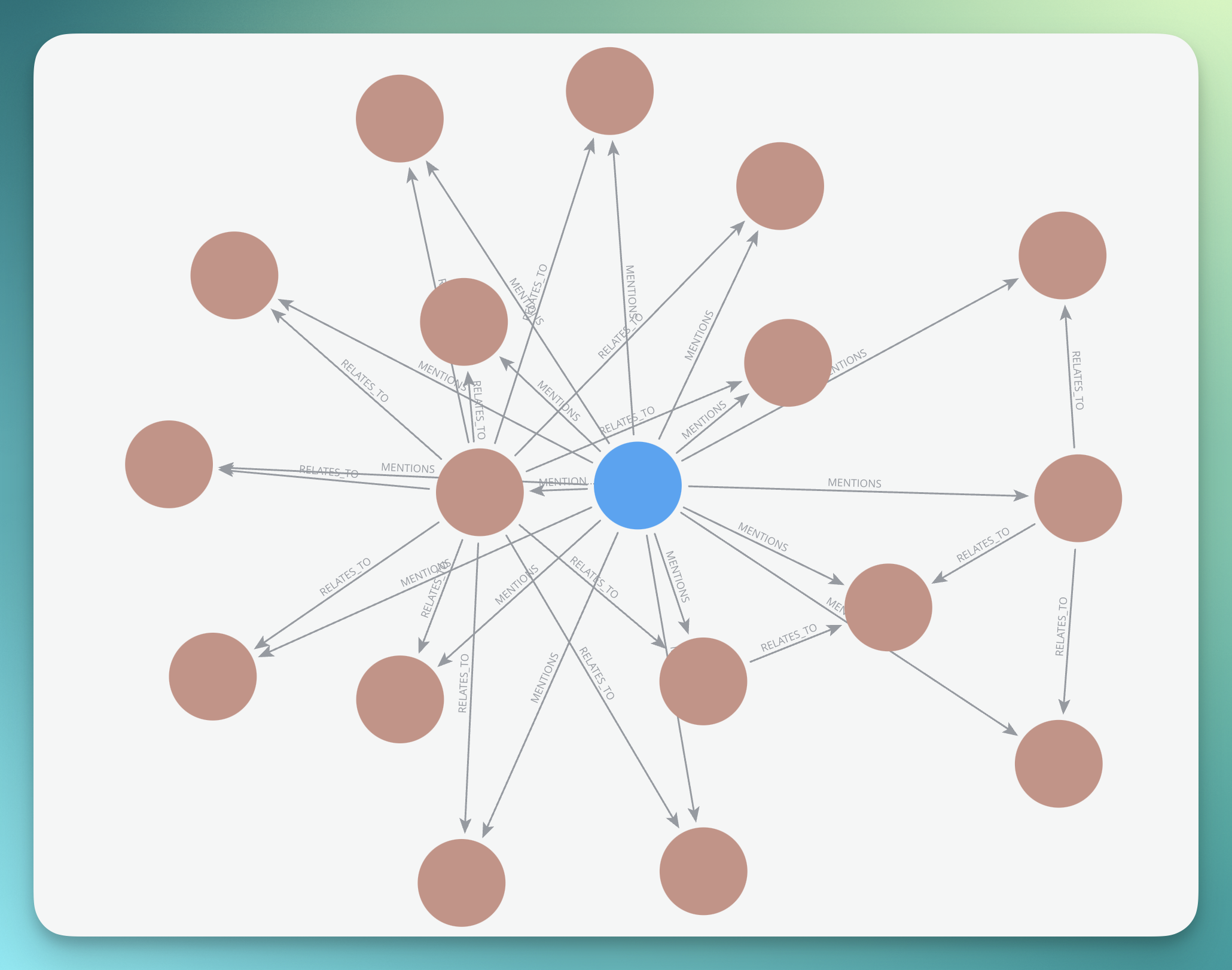
Features
- Serverless Architecture: Built on Cloudflare Workers with container support
- AI Memory Service: Persistent memory for AI agents via knowledge graphs
- Neo4j Integration: Robust graph database for complex relationship storage
- Auto-scaling: Up to 5 container instances with intelligent sleep management
- Global Edge Network: Deployed across Cloudflare's global infrastructure
- Secure: Environment-based configuration for sensitive credentials
Architecture
---
config:
  theme: neutral
  look: handDrawn
  layout: dagre
---
flowchart TB
 subgraph subGraph0["MCP-Enabled Clients"]
        Cursor["Cursor IDE"]
        Claude["Claude Desktop"]
        MCPClient["Other MCP Clients"]
  end
 subgraph subGraph1["Cloudflare Edge"]
        Worker["Graphiti Cloud Worker"]
        Container["Graphiti MCP Container"]
        CF["Cloudflare Infrastructure"]
  end
 subgraph subGraph2["External Services"]
        Neo4j[("Neo4j Knowledge Graph")]
        OpenAI["OpenAI API"]
  end
    Cursor --> Worker
    Claude --> Worker
    MCPClient --> Worker
    Worker --> Container
    Container --> Neo4j & OpenAI
    Worker -.-> CF
    Container -.-> CF
     Cursor:::Aqua
     Cursor:::Ash
     Claude:::Pine
     Claude:::Peach
     Claude:::Ash
     MCPClient:::Rose
     MCPClient:::Ash
     Worker:::Sky
     Container:::Sky
     CF:::Peach
     Neo4j:::Sky
     OpenAI:::Aqua
    classDef Pine stroke-width:1px, stroke-dasharray:none, stroke:#254336, fill:#27654A, color:#FFFFFF
    classDef Ash stroke-width:1px, stroke-dasharray:none, stroke:#999999, fill:#EEEEEE, color:#000000
    classDef Rose stroke-width:1px, stroke-dasharray:none, stroke:#FF5978, fill:#FFDFE5, color:#8E2236
    classDef Peach stroke-width:1px, stroke-dasharray:none, stroke:#FBB35A, fill:#FFEFDB, color:#8F632D
    classDef Sky stroke-width:1px, stroke-dasharray:none, stroke:#374D7C, fill:#E2EBFF, color:#374D7C
    classDef Aqua stroke-width:1px, stroke-dasharray:none, stroke:#46EDC8, fill:#DEFFF8, color:#378E7A
Quick Start
Prerequisites
- Node.js (v18 or later)
- pnpm package manager
- Wrangler CLI
- Neo4j database instance
- OpenAI API key
Neo4j Setup
You'll need a Neo4j database to store the knowledge graph. Here are your options:
Neo4j AuraDB (Recommended) - Fully managed cloud service
- Sign up at Neo4j AuraDB
- Create a free instance (up to 200k nodes and 400k relationships)
- Get your connection URI, username, and password
Self-hosted Neo4j
Neo4j Desktop
- Download Neo4j Desktop
- Create a local database for development
Learn more about Neo4j: Neo4j is a graph database that stores data as nodes and relationships, making it perfect for knowledge graphs. Check out the Neo4j Graph Database Concepts guide.
Installation
- Clone the repository:
git clone https://github.com/adam-paterson/graphiti-cloud.git
cd graphiti-cloud
- Install dependencies:
pnpm install
- For Development: Configure environment variables in
.dev.vars:
NEO4J_URI=neo4j://your-neo4j-instance:7687
NEO4J_USER=your-username
NEO4J_PASSWORD=your-password
OPENAI_API_KEY=your-openai-api-key
BEARER_TOKEN=your-secure-bearer-token
- For Production: Add secrets to your Cloudflare Worker:
# Add each secret using wrangler
wrangler secret put NEO4J_URI
wrangler secret put NEO4J_USER
wrangler secret put NEO4J_PASSWORD
wrangler secret put OPENAI_API_KEY
wrangler secret put BEARER_TOKEN
Learn more: See the Cloudflare Workers Secrets documentation for detailed instructions on managing secrets.
Development
Start the development server:
pnpm dev
The worker will be available at http://localhost:8787
Debugging with MCP Inspector
For debugging the MCP protocol communication, you can use the official MCP Inspector:
# Install the MCP Inspector globally
npm install -g @modelcontextprotocol/inspector

# Start the inspector pointing to your local worker
mcp-inspector http://localhost:8787
This will open a web interface where you can:
- Send MCP protocol requests
- View request/response payloads
- Debug the communication between your client and the Graphiti MCP server
Learn more: Check out the MCP Inspector documentation for advanced debugging techniques.
Deployment
Deploy to Cloudflare:
wrangler deploy
Configuration
Container Settings
The GraphitiMCPContainer class extends Cloudflare's Container with these configurations:
- Default Port: 8000
- Sleep Timeout: 1 hour of inactivity
- Internet Access: Enabled for external API calls
- Max Instances: 5 containers
- Image:
knowledge-graph-mcp:0.4.0
Environment Variables
| Variable | Description | Required | Example |
|---|---|---|---|
NEO4J_URI |
Neo4j database connection string | neo4j://localhost:7687 or neo4j+s://xxx.databases.neo4j.io |
|
NEO4J_USER |
Neo4j username | neo4j |
|
NEO4J_PASSWORD |
Neo4j password | your-secure-password |
|
OPENAI_API_KEY |
OpenAI API key for AI functionality | sk-... |
|
BEARER_TOKEN |
Bearer token for authentication | your-secure-bearer-token |
Usage
Basic Proxy Request
All requests are proxied to the Graphiti MCP container:
// Example client request
const response = await fetch('https://your-worker.your-subdomain.workers.dev/', {
  method: 'POST',
  headers: {
    'Content-Type': 'application/json',
  },
  body: JSON.stringify({
    // MCP protocol request
  })
})
Integration with AI Applications
Graphiti Cloud is designed to work with AI applications that support the MCP protocol:
import { MCPClient } from '@modelcontextprotocol/client'

const client = new MCPClient({
  serverUrl: 'https://your-worker.your-subdomain.workers.dev/'
})

// Use the client to interact with the knowledge graph
await client.addMemory({
  content: 'User prefers dark mode',
  context: 'user-preferences'
})
Development
Project Structure
graphiti-cloud/
├── src/
│   └── index.ts          # Main worker and container logic
├── test/
│   ├── index.spec.ts     # Test specifications
│   └── env.d.ts          # Environment type definitions
├── wrangler.jsonc        # Cloudflare Worker configuration
├── package.json          # Project dependencies
└── README.md            # This file
Scripts
pnpm dev- Start development serverpnpm lint- Run ESLintpnpm types- Generate Wrangler types
Testing
Currently, Cloudflare's test suite doesn't fully support containers. Integration testing is recommended using the deployed worker.
Contributing
- Fork the repository
- Create a feature branch:
git checkout -b feature/amazing-feature - Commit your changes:
git commit -m 'Add amazing feature' - Push to the branch:
git push origin feature/amazing-feature - Open a Pull Request
Related Projects
- Graphiti - The underlying MCP server for knowledge graphs
- Model Context Protocol - The protocol specification
- Cloudflare Containers - Cloudflare's container service
- Neo4j - The graph database powering the knowledge storage
License
MIT License Adam Paterson
Support
- Email: [[email protected]]
- Issues: GitHub Issues
- Discussions: GitHub Discussions
Built with using Cloudflare Workers and the power of knowledge graphs
from github.com/adam-paterson/cloudflare-grafitti-mcp-server
Installing Cloudflare Grafitti Server
This server has no published package — it is built from source. Open the repository and follow its README.
▸ github.com/adam-paterson/cloudflare-grafitti-mcp-serverFAQ
Is Cloudflare Grafitti Server MCP free?
Yes, Cloudflare Grafitti Server MCP is free — one-click install via Unyly at no cost.
Does Cloudflare Grafitti Server need an API key?
No, Cloudflare Grafitti Server runs without API keys or environment variables.
Is Cloudflare Grafitti Server hosted or self-hosted?
A hosted option is available: Unyly runs the server in the cloud, no local setup required.
How do I install Cloudflare Grafitti Server in Claude Desktop, Claude Code or Cursor?
Open Cloudflare Grafitti Server on unyly.org, pick your client tab (Claude Desktop, Claude Code, Cursor) and press Install — the config is generated automatically, no JSON editing.
Related MCPs
Fetch
Web content fetching and conversion for efficient LLM usage.
AWS KB Retrieval
Retrieval from AWS Knowledge Base using Bedrock Agent Runtime.
 by modelcontextprotocol
Spring AI MCP Server
Provides auto-configuration for setting up an MCP server in Spring Boot applications.
llm-analysis-assistant
A very streamlined mcp client that supports calling and monitoring stdio/sse/streamableHttp, and can also view request responses through the /logs page. It also
 by xuzexin-hz
Compare Cloudflare Grafitti Server with
Not sure what to pick?
Find your stack in 60 seconds
Author?
Embed badge for your README
Browse similar
All ai MCPs