
Databricks Advanced
FreeNot checkedAdvanced MCP server for Databricks workspace intelligence — dependency scanning, impact analysis, notebook review, and job/pipeline operations.

About
Advanced MCP server for Databricks workspace intelligence — dependency scanning, impact analysis, notebook review, and job/pipeline operations.
README
Python 3.11+ PyPI License: MIT MCP CI codecov
An advanced Model Context Protocol (MCP) server that gives AI assistants deep visibility into your Databricks workspace — 43 tools covering dependency scanning, impact analysis, notebook review, job/pipeline operations, SQL execution, catalog management, compute & warehouse control, and Unity Catalog volumes.
Features
| Domain | What it does |
|---|---|
| SQL Execution | Run SQL queries against Databricks SQL warehouses with configurable result limits |
| Table Information | Inspect table metadata, schemas, column details, row counts, and storage info |
| Dependency Scanning | Scan notebooks, jobs, and DLT pipelines to build a workspace dependency graph (DAG) |
| Graph Operations | Build, query, and refresh the workspace dependency graph |
| Impact Analysis | Predict downstream breakage from column drops, schema changes, or pipeline failures |
| Notebook Review | Detect performance anti-patterns, coding standard violations, and suggest optimizations |
| Job & Pipeline Ops | List jobs/pipelines, get run status with error diagnostics, trigger reruns |
| Catalog & Schema | List catalogs, list/describe/create/drop Unity Catalog schemas |
| Compute | List clusters, inspect status, start/stop/restart clusters |
| SQL Warehouses | List warehouses, inspect status, start/stop SQL warehouses |
| Workspace Ops | Create/read/delete notebooks, upload files, get workspace object metadata |
| UC Volumes | List volumes, inspect metadata, browse and read files in Unity Catalog volumes |
Demo
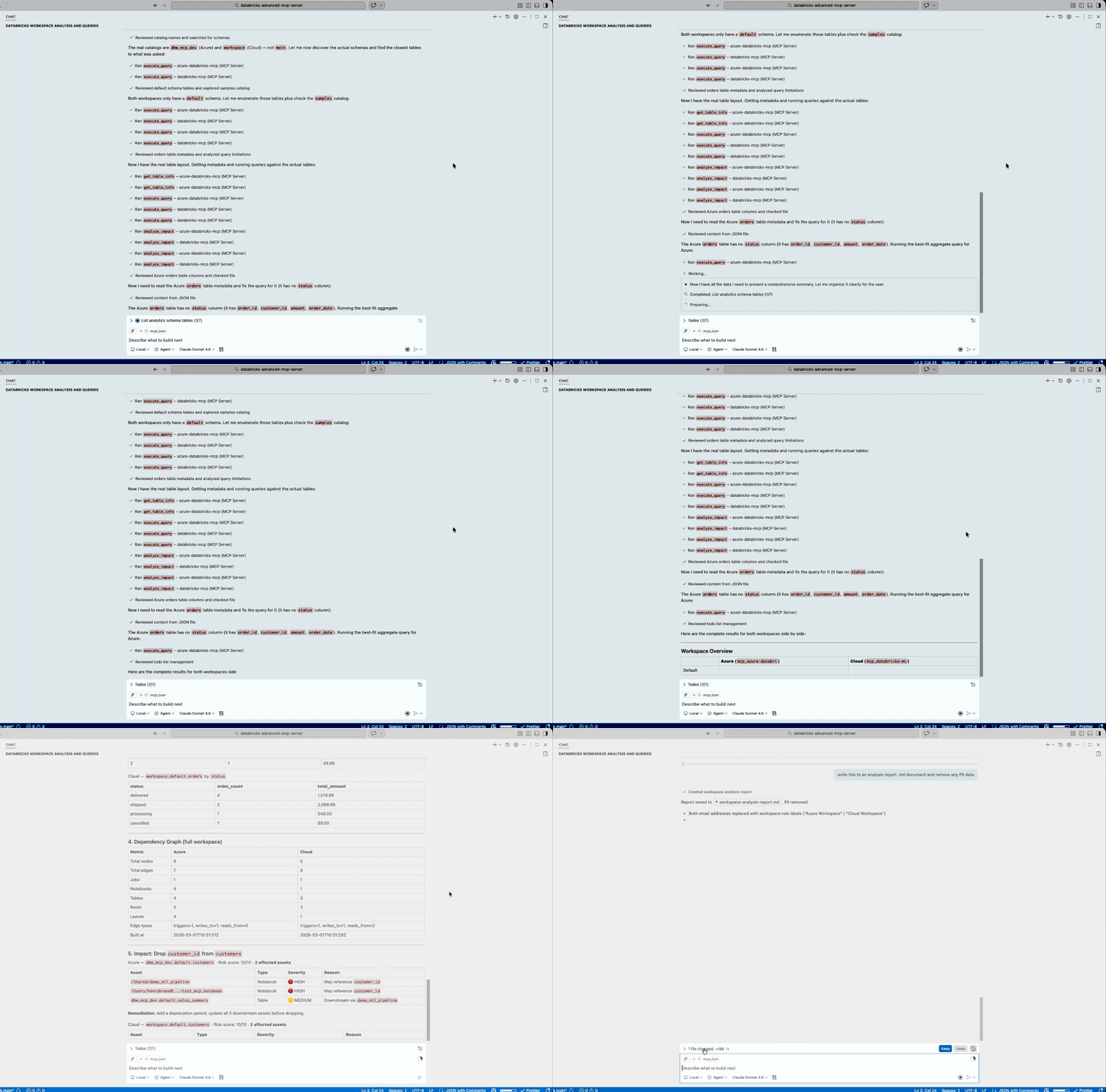
Click to play full video
https://github.com/user-attachments/assets/579282ca-bb26-4244-b0c6-3ad26050aca3
Covers SQL execution, dependency scanning, impact analysis, notebook review, and job/pipeline operations.
Quick Start
Prerequisites
- Python 3.11+
- uv — fast Python package manager
- A Databricks workspace with a SQL warehouse
- A Databricks personal access token
Other auth methods: The Databricks SDK supports unified authentication — if you don't set
DATABRICKS_TOKEN, it will fall back to Azure CLI, managed identity, or.databrickscfg. The.envsetup below uses a PAT for simplicity.Don't have a Databricks workspace yet? See infra/INSTALL.md for a one-command Azure deployment using Bicep.
1. Install
Option A: Install from PyPI (recommended)
uv pip install databricks-advanced-mcp
Or with pip:
pip install databricks-advanced-mcp
Option B: Install from source
git clone https://github.com/henrybravo/databricks-advanced-mcp-server.git
cd databricks-advanced-mcp-server
Create and activate a virtual environment:
Windows (PowerShell)
uv venv .venv
.\.venv\Scripts\Activate.ps1
uv pip install -e .
macOS / Linux
uv venv .venv
source .venv/bin/activate
uv pip install -e .
2. Configure
cp .env.example .env
Edit .env with your Databricks credentials:
# Azure Databricks:
DATABRICKS_HOST=https://adb-xxxx.azuredatabricks.net
# Databricks on AWS / GCP:
# DATABRICKS_HOST=https://dbc-xxxx.cloud.databricks.com

DATABRICKS_TOKEN=dapi_your_token
DATABRICKS_WAREHOUSE_ID=your_warehouse_id

# Optional (defaults shown)
# Azure workspaces typically use "main"; AWS/GCP workspaces use "workspace"
DATABRICKS_CATALOG=main
DATABRICKS_SCHEMA=default
3. Add to your IDE
Create .vscode/mcp.json in your project to register the MCP server with VS Code / GitHub Copilot.
Option A: PyPI install (recommended)
If you installed from PyPI (pip install databricks-advanced-mcp), the databricks-mcp CLI is available on your PATH:
{
  "servers": {
    "databricks-mcp": {
      "type": "stdio",
      "command": "databricks-mcp",
      "env": {
        "DATABRICKS_HOST": "https://adb-xxxx.azuredatabricks.net",
        "DATABRICKS_TOKEN": "dapi_your_token",
        "DATABRICKS_WAREHOUSE_ID": "your_warehouse_id"
      }
    }
  }
}
Option B: Virtual environment (source install)
If you cloned the repo and installed into a local .venv, point directly to the Python interpreter:
Windows
{
  "servers": {
    "databricks-mcp": {
      "type": "stdio",
      "command": "${workspaceFolder}/.venv/Scripts/python.exe",
      "args": ["-m", "databricks_advanced_mcp.server"],
      "envFile": "${workspaceFolder}/.env"
    }
  }
}
macOS / Linux
{
  "servers": {
    "databricks-mcp": {
      "type": "stdio",
      "command": "${workspaceFolder}/.venv/bin/python",
      "args": ["-m", "databricks_advanced_mcp.server"],
      "envFile": "${workspaceFolder}/.env"
    }
  }
}
Multiple Workspaces
Each MCP server instance connects to exactly one Databricks workspace. To work with multiple workspaces simultaneously, register a separate server entry per workspace — each with its own credentials:
{
  "servers": {
    // AWS / GCP workspace
    "databricks-cloud": {
      "type": "stdio",
      "command": "databricks-mcp",
      "env": {
        "DATABRICKS_HOST": "https://dbc-xxxx.cloud.databricks.com",
        "DATABRICKS_TOKEN": "dapi_cloud_token",
        "DATABRICKS_WAREHOUSE_ID": "cloud_warehouse_id",
        "DATABRICKS_CATALOG": "workspace"
      }
    },
    // Azure workspace
    "databricks-azure": {
      "type": "stdio",
      "command": "databricks-mcp",
      "env": {
        "DATABRICKS_HOST": "https://adb-xxxx.azuredatabricks.net",
        "DATABRICKS_TOKEN": "dapi_azure_token",
        "DATABRICKS_WAREHOUSE_ID": "azure_warehouse_id",
        "DATABRICKS_CATALOG": "main"
      }
    }
  }
}
Alternatively, with a source install you can use separate .env files per workspace:
{
  "servers": {
    "databricks-cloud": {
      "type": "stdio",
      "command": "${workspaceFolder}/.venv/bin/python",
      "args": ["-m", "databricks_advanced_mcp.server"],
      "envFile": "${workspaceFolder}/.env"
    },
    "databricks-azure": {
      "type": "stdio",
      "command": "${workspaceFolder}/.venv/bin/python",
      "args": ["-m", "databricks_advanced_mcp.server"],
      "envFile": "${workspaceFolder}/.env_azure"
    }
  }
}
4. Start using
Once configured, your AI assistant can call any of the 43 tools below. Here are example prompts organized by domain:
Explore your data
- "What tables exist in the
analyticsschema?" - "Show me the schema and metadata for
main.sales.orders" - "Run a query that counts and sums orders by status from
main.sales.orders"
Unity Catalog & schemas
- "List all catalogs I have access to"
- "What schemas exist in the analytics catalog?"
- "Describe the
main.defaultschema" - "Create a new schema called
stagingin the analytics catalog"
Understand dependencies
- "Build the full workspace dependency graph"
- "What are the upstream and downstream dependencies of
main.default.customers?" - "Scan the
/Shared/mandated_broker_v2_etl_pipelinenotebook for table references" - "Scan all jobs and show their table dependencies"
Assess impact before making changes
- "What would break if I drop the
customer_idcolumn frommain.default.customers?" - "What's the impact of removing the
amountcolumn and renamingstatustoorder_statusinmain.sales.orders?"
Review notebook quality
- "Review
/Shared/mandated_broker_v2_etl_pipelinefor performance issues" - "Review
/Shared/analysisfor all issues — performance, coding standards, and optimizations"
Monitor jobs and pipelines
- "List all jobs in the workspace"
- "What's the current status of job 12345?"
- "Show me the pipeline status for my DLT pipeline"
- "Trigger a new run of job 67890 with parameter env=prod"
Compute & SQL warehouses
- "Show me the status of cluster abc-123"
- "List all running clusters"
- "Stop the dev SQL warehouse"
- "What warehouses are currently active?"
Workspace & volumes
- "Export the ETL notebook as source"
- "What's the status of the notebook at /Workspace/Users/me/analysis?"
- "What files are in the raw-data volume?"
- "Read the config.json file from the settings volume"
MCP Tools
SQL & Tables (3 tools)
| Tool | Description |
|---|---|
execute_query |
Execute SQL against a Databricks SQL warehouse |
get_table_info |
Get table metadata — columns, row count, properties, storage |
list_tables |
List tables in a catalog.schema |
Dependency Scanning (4 tools)
| Tool | Description |
|---|---|
scan_notebook |
Scan a notebook for table/column references |
scan_jobs |
Scan all jobs for table dependencies |
scan_dlt_pipelines |
Scan all DLT pipelines for source/target tables |
scan_dlt_pipeline |
Scan a single DLT pipeline by ID for source/target tables |
Graph Operations (3 tools)
| Tool | Description |
|---|---|
build_dependency_graph |
Build the full workspace dependency graph |
get_table_dependencies |
Get upstream/downstream dependencies for a table |
refresh_graph |
Invalidate and rebuild the dependency graph cache |
Impact Analysis & Review (2 tools)
| Tool | Description |
|---|---|
analyze_impact |
Analyze impact of column drop / schema change / pipeline failure |
review_notebook |
Review a notebook for issues, anti-patterns, and optimizations |
Job & Pipeline Ops (6 tools)
| Tool | Description |
|---|---|
list_jobs |
List jobs with status and schedule info |
get_job_status |
Get detailed job run status with error diagnostics |
list_pipelines |
List DLT pipelines with state and update status |
get_pipeline_status |
Get pipeline update details with event log |
trigger_rerun |
Trigger a rerun of the latest failed job run (requires confirmation) |
trigger_job_run |
Trigger a brand-new job run with optional parameters (requires confirmation) |
Catalog & Schema (5 tools)
| Tool | Description |
|---|---|
list_catalogs |
List all Unity Catalog catalogs accessible to the current principal |
list_schemas |
List all schemas in a catalog |
describe_schema |
Get schema metadata, owner, comment, and properties |
create_schema |
Create a new schema in a catalog (requires confirmation) |
drop_schema |
Drop a schema — must be empty (requires confirmation) |
Compute (5 tools)
| Tool | Description |
|---|---|
list_clusters |
List all clusters with state, creator, and node type |
get_cluster_status |
Get detailed cluster status, spark version, and config |
start_cluster |
Start a terminated cluster (requires confirmation) |
stop_cluster |
Stop (terminate) a running cluster (requires confirmation) |
restart_cluster |
Restart a running cluster (requires confirmation) |
SQL Warehouses (4 tools)
| Tool | Description |
|---|---|
list_warehouses |
List all SQL warehouses with state, size, and type |
get_warehouse_status |
Get detailed warehouse config, scaling, and auto-stop settings |
start_warehouse |
Start a stopped SQL warehouse (requires confirmation) |
stop_warehouse |
Stop a running SQL warehouse (requires confirmation) |
Workspace Ops (7 tools)
| Tool | Description |
|---|---|
list_workspace_notebooks |
List all notebooks in a workspace path |
create_job |
Create a new Databricks job (requires confirmation) |
create_notebook |
Create a notebook in the workspace (requires confirmation) |
workspace_upload |
Upload a local file to the workspace (requires confirmation) |
read_notebook |
Read/export a notebook's content (SOURCE or HTML) |
delete_workspace_item |
Delete a notebook or folder (requires confirmation) |
get_workspace_status |
Get metadata for a workspace object (type, language, modified) |
UC Volumes (4 tools)
| Tool | Description |
|---|---|
list_volumes |
List Unity Catalog volumes in a catalog.schema |
get_volume_info |
Get volume metadata (type, storage location, owner) |
list_volume_files |
List files and directories inside a volume |
read_volume_file |
Read contents of a file from a volume |
Configuration Reference
| Variable | Required | Default | Description |
|---|---|---|---|
DATABRICKS_HOST |
Yes | — | Workspace URL (https://adb-xxx.azuredatabricks.net for Azure, https://dbc-xxx.cloud.databricks.com for AWS/GCP) |
DATABRICKS_TOKEN |
Yes | — | Personal access token or service principal token |
DATABRICKS_WAREHOUSE_ID |
Yes | — | SQL warehouse ID for query execution |
DATABRICKS_CATALOG |
No | main |
Default catalog for unqualified table names — use workspace for AWS/GCP |
DATABRICKS_SCHEMA |
No | default |
Default schema for unqualified table names |
GRAPH_CACHE_TTL |
No | 3600 |
Dependency graph cache TTL in seconds |
GRAPH_REFRESH_INTERVAL |
No | 0 |
Auto-refresh the graph in the background every N seconds. 0 disables auto-refresh |
Security note: The
execute_querytool can run any SQL against your warehouse, including DDL (DROP TABLE,ALTER TABLE) and DML (DELETE,UPDATE). Use a least-privilege service principal (see Security & Governance below) rather than a personal admin PAT in production environments.
Cloud Provider Notes
This server is tested against Azure Databricks and Databricks on AWS (.cloud.databricks.com). Key differences:
| Aspect | Azure | AWS / GCP |
|---|---|---|
| Host format | https://adb-xxx.azuredatabricks.net |
https://dbc-xxx.cloud.databricks.com |
| Default catalog | main |
workspace |
| Workspace root objects | DIRECTORY |
DIRECTORY and REPO |
All tools work on both platforms. Set DATABRICKS_CATALOG to match your workspace's default catalog.
Security & Governance
Recommended: Service Principal with Least Privilege
Avoid storing a personal admin PAT in .env or VS Code config. Instead, create a dedicated service principal with only the permissions required:
-- Grant read access on the catalog and schema
GRANT USE CATALOG ON CATALOG main TO `sp-databricks-mcp`;
GRANT USE SCHEMA ON SCHEMA main.default TO `sp-databricks-mcp`;
GRANT SELECT ON SCHEMA main.default TO `sp-databricks-mcp`;

-- For job operations (trigger_rerun, trigger_job_run, get_job_status)
-- Grant CAN_MANAGE_RUN on specific jobs only, via the Databricks UI or API
Set DATABRICKS_TOKEN to the service principal's OAuth token or M2M secret. The Databricks SDK supports OAuth M2M authentication natively — no PAT required.
Tool Risk Levels
| Risk | Tools | Notes |
|---|---|---|
| Read-only | execute_query (SELECT only), get_table_info, list_tables, scan_*, list_*, get_*, describe_schema, build_dependency_graph, get_table_dependencies, analyze_impact, review_notebook, read_notebook, read_volume_file |
Safe with read-only grants |
| Mutating | trigger_rerun, trigger_job_run, create_schema, start_cluster, stop_cluster, restart_cluster, start_warehouse, stop_warehouse, create_job, create_notebook, workspace_upload |
Require confirm=True |
| Destructive | drop_schema, delete_workspace_item, execute_query with DDL/DML |
Require confirm=True; scope permissions carefully |
Unity Catalog ACLs
All execute_query and get_table_info calls respect Unity Catalog row/column-level security. If the token's principal lacks SELECT on a table, the operation fails with a permission error — expected and correct behaviour.
Query Guard
To limit execute_query to read-only statements, restrict the SQL warehouse's channel policy or use a dedicated read-only warehouse for this MCP server.
Infrastructure (Optional)
If you need to provision a new Azure Databricks workspace, the infra/ directory contains:
main.bicep— Azure Bicep template (Premium SKU, Unity Catalog enabled)deploy.ps1— One-command PowerShell deployment scriptINSTALL.md— Detailed step-by-step deployment guide
cd infra
./deploy.ps1 -ResourceGroupName rg-databricks-mcp -Location eastus2
Development
# Install with dev dependencies
uv pip install -e ".[dev]"

# Run tests (excluding live integration tests)
uv run pytest tests/ --ignore=tests/test_workspace_ops_live.py -v

# Run tests with coverage report
uv run pytest tests/ --cov=src/databricks_advanced_mcp --cov-report=term-missing --ignore=tests/test_workspace_ops_live.py

# Lint
uv run ruff check src/ tests/

# Type check
uv run mypy src/
Architecture
src/databricks_advanced_mcp/
├── server.py              # FastMCP server + CLI entry point
├── config.py              # Pydantic settings from env vars
├── client.py              # Databricks SDK client factory
├── tools/                 # MCP tool implementations (43 tools across 13 modules)
│   ├── __init__.py        # Central registration of all tool modules
│   ├── sql_executor.py    # SQL execution (1 tool)
│   ├── table_info.py      # Table metadata (2 tools)
│   ├── dependency_scanner.py # Scan notebooks/jobs/pipelines (4 tools)
│   ├── graph_ops.py       # Build/query/refresh dependency graph (3 tools)
│   ├── impact_analysis.py # Impact analysis (1 tool)
│   ├── notebook_reviewer.py # Notebook review (1 tool)
│   ├── job_pipeline_ops.py  # Job & pipeline operations (6 tools)
│   ├── workspace_listing.py # Workspace listing (1 tool)
│   ├── workspace_ops.py   # Workspace mutations + read/delete (6 tools)
│   ├── catalog_ops.py     # Unity Catalog & schema management (5 tools)
│   ├── compute_ops.py     # Cluster management (5 tools)
│   ├── warehouse_ops.py   # SQL warehouse management (4 tools)
│   └── volume_ops.py      # Unity Catalog volumes (4 tools)
├── parsers/               # Code parsing engines
│   ├── sql_parser.py      # sqlglot-based SQL extraction
│   ├── notebook_parser.py # Databricks notebook cell parsing
│   └── dlt_parser.py      # DLT pipeline definition parsing
├── graph/                 # Dependency graph
│   ├── models.py          # Node, Edge, DependencyGraph data models
│   ├── builder.py         # Graph builder (orchestrates scans)
│   └── cache.py           # In-memory graph cache with TTL
└── reviewers/             # Notebook review rule engines
    ├── performance.py     # Performance anti-patterns
    ├── standards.py       # Coding standards checks
    └── suggestions.py     # Optimization suggestions
License
Contributions welcome! See CONTRIBUTING.md for setup instructions, PR checklist, and a list of wanted features.
Installing Databricks Advanced
This server has no published package — it is built from source. Open the repository and follow its README.
▸ github.com/henrybravo/databricks-advanced-mcp-serverFAQ
Is Databricks Advanced MCP free?
Yes, Databricks Advanced MCP is free — one-click install via Unyly at no cost.
Does Databricks Advanced need an API key?
No, Databricks Advanced runs without API keys or environment variables.
Is Databricks Advanced hosted or self-hosted?
Self-hosted: the server runs locally on your machine via the install command above.
How do I install Databricks Advanced in Claude Desktop, Claude Code or Cursor?
Open Databricks Advanced on unyly.org, pick your client tab (Claude Desktop, Claude Code, Cursor) and press Install — the config is generated automatically, no JSON editing.
Related MCPs
Fetch
Web content fetching and conversion for efficient LLM usage.
AWS KB Retrieval
Retrieval from AWS Knowledge Base using Bedrock Agent Runtime.
 by modelcontextprotocol
Spring AI MCP Server
Provides auto-configuration for setting up an MCP server in Spring Boot applications.
llm-analysis-assistant
A very streamlined mcp client that supports calling and monitoring stdio/sse/streamableHttp, and can also view request responses through the /logs page. It also
 by xuzexin-hz
Compare Databricks Advanced with
Not sure what to pick?
Find your stack in 60 seconds
Author?
Embed badge for your README
Browse similar
All ai MCPs