
Derekhuynen Server
FreeNot checkedExposes Derek Huynen's professional profile to MCP-aware AI clients, providing tools to retrieve profile, skills, experience, and projects, and resources like p

About
Exposes Derek Huynen's professional profile to MCP-aware AI clients, providing tools to retrieve profile, skills, experience, and projects, and resources like profile summary and resume.
README
derekhuynen-mcp-server
A production-grade reference MCP server in TypeScript: one core, two transports, strict types, real tests, Docker, and CI
CI License: MIT Node TypeScript Model Context Protocol
A production-grade reference implementation of a Model Context Protocol (MCP) server in TypeScript. One transport-agnostic core, two transports (stdio + Streamable HTTP), strict types, real tests, Docker, and CI. Clone it, read it, template it.
Most MCP examples are toy, single-file stdio scripts. This is what a real MCP server looks like: a clean core that registers tools, resources, and prompts once and serves them over two transports, backed by a validated data layer, a full test suite, a multi-stage Docker build, and CI.
The data it serves happens to be a real professional profile (mine), so the example is end-to-end and honest rather than foo/bar. But the reason to star it is the architecture and the patterns, which transfer to any MCP server you want to build.
Why you might care
- The production shape of an MCP server, not a snippet: clear module boundaries, a
buildServer()factory, and thin transport entrypoints. - Two transports from one core. Run it locally over stdio (Claude Desktop / Claude Code) or deploy it as a stateless Streamable HTTP service. No logic duplicated between them.
- Actually tested. 42 tests, including a real in-memory MCP client driving the server (not mocks).
- Deploy-ready. Multi-stage Dockerfile, docker-compose, health check, CORS, rate limiting, graceful shutdown, structured logging, env-based config.
- Type-safe end to end. A Zod schema is the single source of truth, with inferred TypeScript types throughout.
- A pattern worth stealing: the served content is generated from a single source of truth into a validated, reviewed snapshot, so the public surface never drifts.
What it exposes
Tools
| Tool | Arguments | Description |
|---|---|---|
get_profile |
none | Identity, title, summary, links |
get_contact |
none | Email and profile links |
get_skills |
none | Skills grouped by category |
get_projects |
none | Public portfolio projects |
get_experience |
skill?, employer?, recentOnly? |
Roles and engagements, optionally filtered |
search_experience |
query |
Keyword search across roles and projects |
Resources: profile://summary, profile://resume
Prompts: recruiter_pitch (arg: role)
See it in action
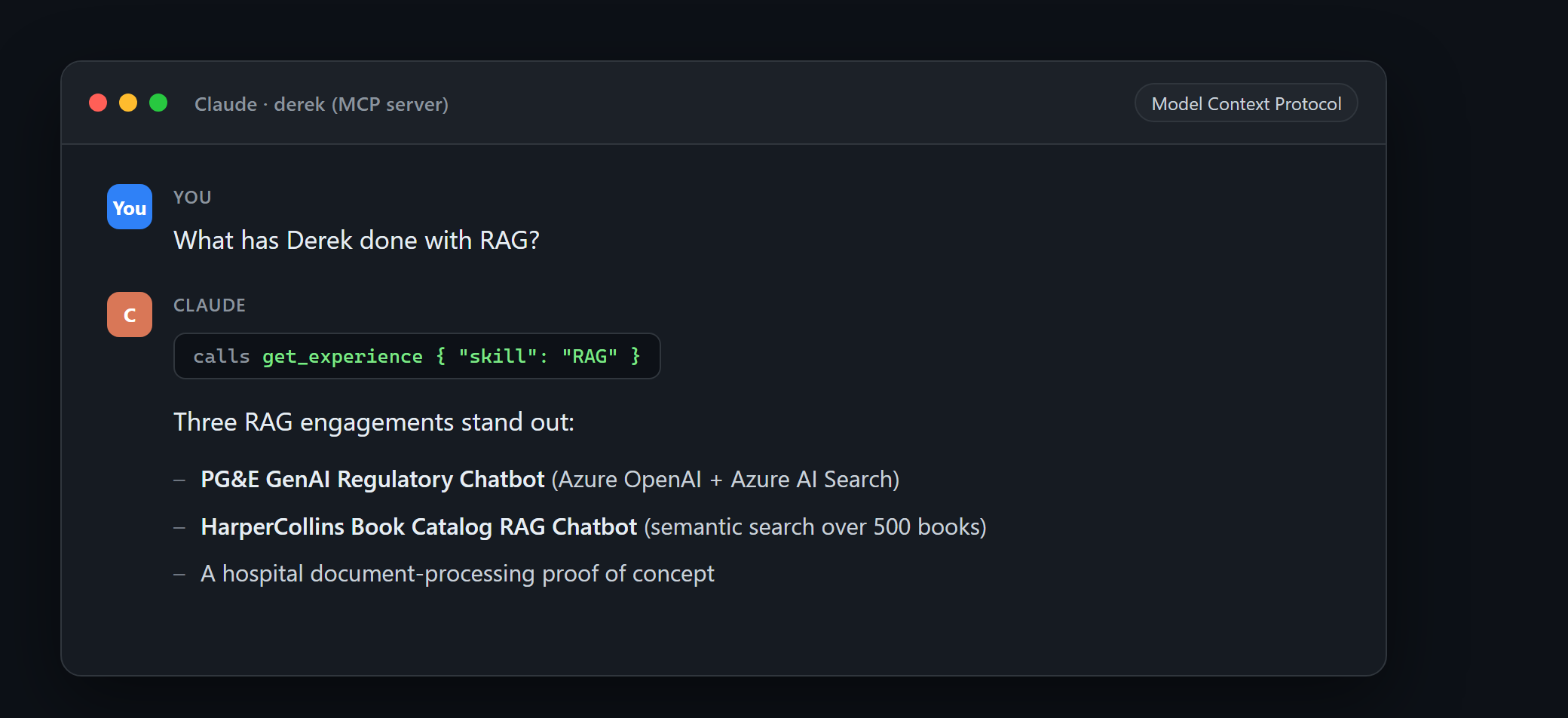
Once wired into an MCP client like Claude, the model can call the tools to answer questions about the data:
You:    What has Derek done with RAG?
Claude: (calls get_experience { "skill": "RAG" })
        Three RAG engagements stand out:
        - PG&E GenAI Regulatory Chatbot (Azure OpenAI + Azure AI Search)
        - HarperCollins Book Catalog RAG Chatbot (semantic search over 500 books)
        - A hospital document-processing proof of concept
The tool call behind that answer returns plain JSON:
// get_experience { "skill": "RAG" }  ->  (one entry shown, trimmed)
[
  {
    "slug": "neudesic-pge-genai-chatbot",
    "project": "GenAI Regulatory Chatbot",
    "title": "AI Developer",
    "employer": "Neudesic (an IBM Company)",
    "client": "PG&E (Pacific Gas & Electric)",
    "start": "2025-01",
    "end": "2025-03",
    "summary": "Core engineer on an enterprise RAG chatbot that let PG&E staff query regulatory, claims, and compliance documents in natural language with real-time, grounded citations.",
    "skills": ["RAG", "Azure OpenAI", "Semantic Kernel", "Azure AI Search"],
    "featured": true,
  },
]
Quick start
npm install
npm run build
Run over stdio (local MCP clients)
npm run start:stdio
Wire it into Claude Desktop (claude_desktop_config.json) or Claude Code:
{
  "mcpServers": {
    "derek": {
      "command": "node",
      "args": ["/absolute/path/to/derekhuynen-mcp-server/dist/transports/stdio.js"]
    }
  }
}
Run over HTTP
npm run start:http
# GET  http://localhost:3000/health
# POST http://localhost:3000/mcp   (Streamable HTTP MCP endpoint)
Example initialize call:
curl -X POST http://localhost:3000/mcp \
  -H "Content-Type: application/json" \
  -H "Accept: application/json, text/event-stream" \
  -d '{"jsonrpc":"2.0","id":1,"method":"initialize","params":{"protocolVersion":"2024-11-05","capabilities":{},"clientInfo":{"name":"curl","version":"1.0"}}}'
Run with Docker
docker compose up --build
curl http://localhost:3000/health
Configuration
| Env var | Default | Purpose |
|---|---|---|
PORT |
3000 |
HTTP port |
LOG_LEVEL |
info |
pino log level |
RATE_LIMIT_WINDOW_MS |
60000 |
Rate-limit window in milliseconds |
RATE_LIMIT_MAX |
100 |
Max requests per window |
CORS_ORIGINS |
* |
Comma-separated allowed origins |
TRUST_PROXY |
1 |
Trusted proxy hop count (for correct client IPs) |
Architecture
A transport-agnostic core (buildServer(profile)) registers all tools, resources, and prompts against an in-memory profile loaded and validated from src/data/profile.json. Two thin entrypoints connect transports to a freshly built server:
flowchart TB
    subgraph Clients["MCP clients"]
        CD["Claude Desktop / Claude Code<br/>(stdio)"]
        HC["HTTP client<br/>(Streamable HTTP)"]
    end
    subgraph Server["derekhuynen-mcp-server"]
        STDIO["transports/stdio.ts"]
        HTTPT["transports/http.ts<br/>Express: health, CORS, rate limit"]
        CORE["buildServer(profile)<br/>tools · resources · prompts"]
        Q["core/queries.ts<br/>(pure business logic)"]
    end
    DATA[("data/profile.json<br/>Zod-validated snapshot")]
    CD --> STDIO
    HC --> HTTPT
    STDIO --> CORE
    HTTPT --> CORE
    CORE --> Q
    Q --> DATA
The module layout:
src/
  data/
    schema.ts       Zod schema + inferred types (single source of truth)
    loader.ts       parse + validate the snapshot (fail fast)
    profile.json    generated, public-safe data snapshot
  core/
    queries.ts      pure business logic (unit-tested)
    tools.ts        registerTools()      thin adapters over queries
    resources.ts    registerResources()
    prompts.ts      registerPrompts()
    server.ts       buildServer(profile) factory
  transports/
    stdio.ts        stdio entrypoint
    http.ts         Express + Streamable HTTP (health, CORS, rate limit, shutdown)
The key property: one server definition, two entrypoints. Both transports call the same buildServer(), so they can never drift in what they expose.
Use it as a template
Building your own MCP server? Here is the map:
- Replace
src/data/with your own data shape and Zod schema. - Rewrite
src/core/queries.tswith your domain logic (keep it pure; it stays easy to test). - Adjust the registrations in
src/core/{tools,resources,prompts}.ts. - Leave
server.tsand the transports mostly as-is. That plumbing is the reusable part.
How the data stays honest
src/data/profile.json is not hand-written. It is generated from a separate source of truth by scripts/generate-profile.mjs (npm run generate), which strips anything private and validates the result against the schema before it can ship. This keeps the public surface accurate and is a pattern worth reusing whenever a server exposes curated data.
Development
npm run dev:http     # hot TS run of the HTTP server
npm run dev:stdio    # hot TS run of the stdio server
npm test             # vitest
npm run lint
npm run typecheck
Deploy
The repo ships deploy-ready (Dockerfile + compose). The HTTP image is stateless and runs on any container host (Azure Container Apps, Fly.io, Cloud Run, a VPS, and so on). There is no authentication because all data is public by design; the endpoint is protected by Helmet security headers, rate limiting, and CORS. Behind a proxy, set TRUST_PROXY so client IPs (and therefore rate limiting) are accurate.
Tech stack
TypeScript (strict, ESM) - @modelcontextprotocol/sdk - Zod - Express - pino - Vitest - Docker - GitHub Actions.
License
MIT (c) Derek Huynen
If this helped you understand or build an MCP server, a star is appreciated. It helps other developers find it.
Install Derekhuynen Server in Claude Desktop, Claude Code & Cursor
unyly install derekhuynen-mcp-serverInstalls into Claude Desktop, Claude Code, Cursor & VS Code — handles npx, uvx and build-from-source repos for you.
First time? Get the CLI: curl -fsSL https://unyly.org/install | sh
Or configure manually
Run in your terminal:
claude mcp add derekhuynen-mcp-server -- npx -y github:derekhuynen/derekhuynen-mcp-serverFAQ
Is Derekhuynen Server MCP free?
Yes, Derekhuynen Server MCP is free — one-click install via Unyly at no cost.
Does Derekhuynen Server need an API key?
No, Derekhuynen Server runs without API keys or environment variables.
Is Derekhuynen Server hosted or self-hosted?
Self-hosted: the server runs locally on your machine via the install command above.
How do I install Derekhuynen Server in Claude Desktop, Claude Code or Cursor?
Open Derekhuynen Server on unyly.org, pick your client tab (Claude Desktop, Claude Code, Cursor) and press Install — the config is generated automatically, no JSON editing.
Related MCPs
Fetch
Web content fetching and conversion for efficient LLM usage.
AWS KB Retrieval
Retrieval from AWS Knowledge Base using Bedrock Agent Runtime.
 by modelcontextprotocol
Spring AI MCP Server
Provides auto-configuration for setting up an MCP server in Spring Boot applications.
llm-analysis-assistant
A very streamlined mcp client that supports calling and monitoring stdio/sse/streamableHttp, and can also view request responses through the /logs page. It also
 by xuzexin-hz
Compare Derekhuynen Server with
Not sure what to pick?
Find your stack in 60 seconds
Author?
Embed badge for your README
Browse similar
All ai MCPs