
Desktop Ship
FreeNot checkedMCP server for controlling a transparent sci-fi cockpit overlay on your desktop, allowing AI agents to spawn, move, configure, and close holographic widgets (cl

About
MCP server for controlling a transparent sci-fi cockpit overlay on your desktop, allowing AI agents to spawn, move, configure, and close holographic widgets (clock, system stats, map, etc.) via MCP.
README
A transparent "cockpit" overlay for your desktop, built with Electron. It draws a sci-fi ship cockpit on top of everything (or behind everything), filled with draggable holographic widgets: clock, system stats, map, todo list, terminal, camera, Spotify, images, video and more.
It is also fully controllable by AI agents via MCP: any MCP client (Claude Code, Claude Desktop, etc.) can spawn, move, configure and close widgets on your screen.
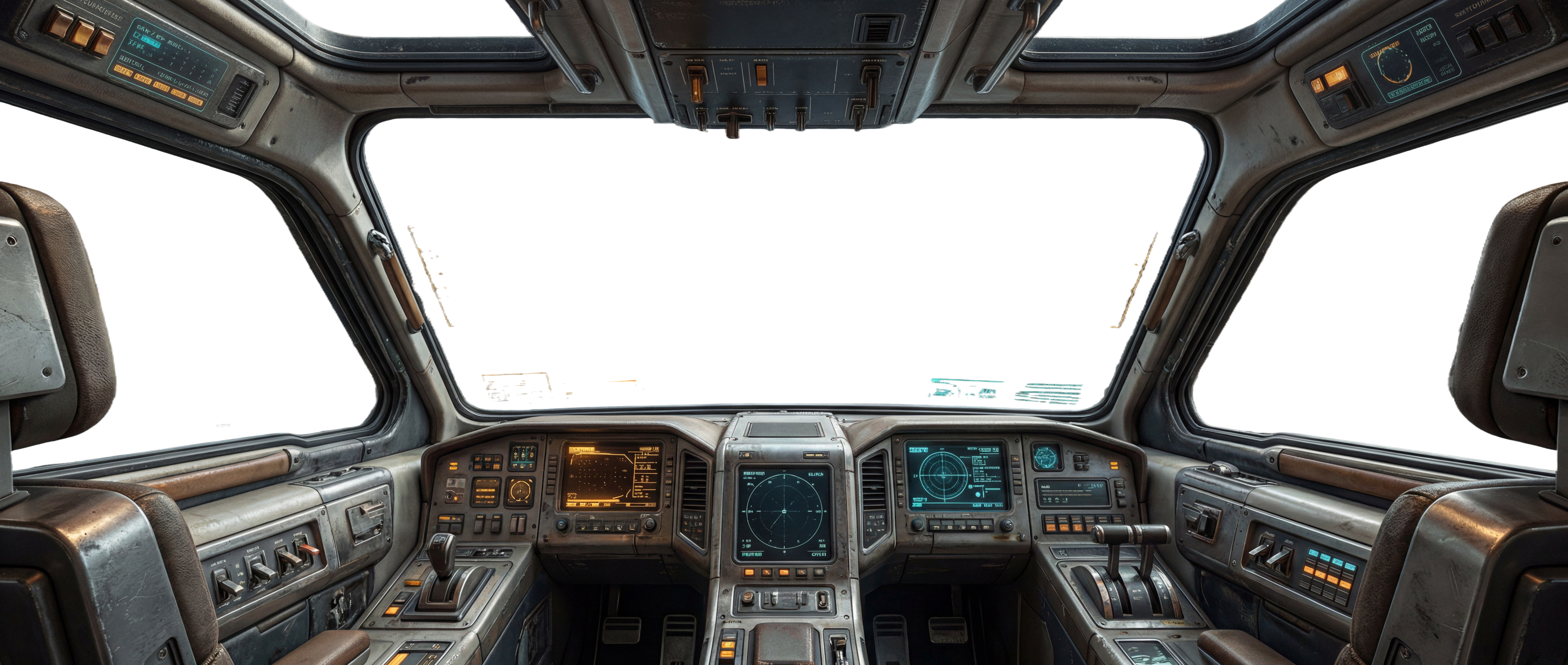
Features
- Transparent, click-through overlay that lives on any display
- Draggable, resizable holographic widgets (
clock, sys, map, ship, log, todo, image, video, folder, gmap, spotify, camera) - Always-on-top or behind-everything modes
- Built-in MCP server: control the whole cockpit from an AI agent (see MCP.md)
- Local-only control channel (WebSocket on
127.0.0.1with a per-session token)
Getting started
git clone https://github.com/louisperner/desktop-ship.git
cd desktop-ship
npm install
npm start
Requires Node.js 18+. Currently developed and tested on macOS; other platforms may work but are untested.
MCP control
Register the bundled MCP server in your MCP client and an agent can drive the cockpit (spawn widgets, move them, switch displays, toggle click-through). See MCP.md for the tool list and setup for both dev and the packaged app.
Building a DMG
npm run dist    # bundles the MCP server and builds the .dmg (arm64 + x64) into dist/
npm run pack    # packages the .app only, for quick testing
Note: to distribute outside your own machine without Gatekeeper warnings, the app must be signed and notarized with an Apple Developer ID.
License
Installing Desktop Ship
This server has no published package — it is built from source. Open the repository and follow its README.
▸ github.com/louisperner/desktop-shipFAQ
Is Desktop Ship MCP free?
Yes, Desktop Ship MCP is free — one-click install via Unyly at no cost.
Does Desktop Ship need an API key?
No, Desktop Ship runs without API keys or environment variables.
Is Desktop Ship hosted or self-hosted?
Self-hosted: the server runs locally on your machine via the install command above.
How do I install Desktop Ship in Claude Desktop, Claude Code or Cursor?
Open Desktop Ship on unyly.org, pick your client tab (Claude Desktop, Claude Code, Cursor) and press Install — the config is generated automatically, no JSON editing.
Related MCPs
Fetch
Web content fetching and conversion for efficient LLM usage.
AWS KB Retrieval
Retrieval from AWS Knowledge Base using Bedrock Agent Runtime.
 by modelcontextprotocol
Spring AI MCP Server
Provides auto-configuration for setting up an MCP server in Spring Boot applications.
llm-analysis-assistant
A very streamlined mcp client that supports calling and monitoring stdio/sse/streamableHttp, and can also view request responses through the /logs page. It also
 by xuzexin-hz
Compare Desktop Ship with
Not sure what to pick?
Find your stack in 60 seconds
Author?
Embed badge for your README
Browse similar
All ai MCPs