
Dotnet2025
FreeNot checkedEvergine-based demo presented at DotNet2025 showcasing a 3D MCP Server with LLM-powered client integration

About
Evergine-based demo presented at DotNet2025 showcasing a 3D MCP Server with LLM-powered client integration
README
This repository contains the source code for the demos presented during the DotNet 2025 event, held in Madrid and organized by Plain Concepts on Thursday, June 19th, by Jorge Cantón and Manuel Rodrigo Cabello.
The demo showcases the implementation of a Model Context Protocol (MCP) Server using the Evergine engine, as well as a console-based MCP Client powered by Large Language Models (LLMs). It demonstrates how to build both the server and client sides of MCP applications in C#, and how to enable interaction between them.
🎥 Watch the Conference Recording
📁 Projects Included
🧠 MCP Server (Evergine-based)
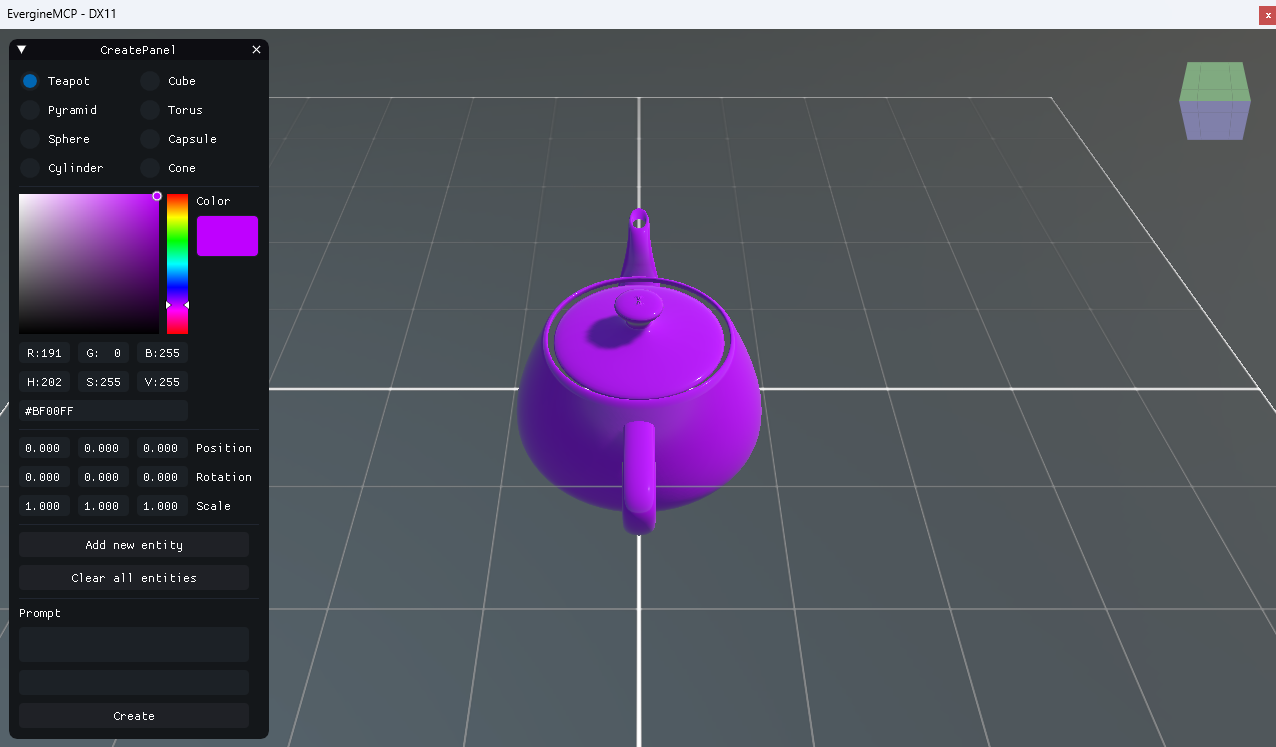
This project launches a 3D scene using Evergine and exposes a set of tools via an MCP Server:
- 🧱 Create basic 3D primitives in the scene (cube, sphere, cylinder, etc.).
- 🧹 Delete all previously added primitives from the scene.
- 🤖 Generate a 3D model using Generative AI via TripoAI, with PBR materials applied.
The server reads its configuration from an App.config file. To enable TripoAI integration, you must provide a valid API key.
<?xml version="1.0" encoding="utf-8" ?>
<configuration>
  <appSettings>
    <!-- TripoAI settings -->
    <add key="tripo-key" value="[tsk_*****]" />
  </appSettings>
</configuration>
Note. Replace [tsk*****] with your actual TripoAI API key._
💬 MCP Client (Console-based)
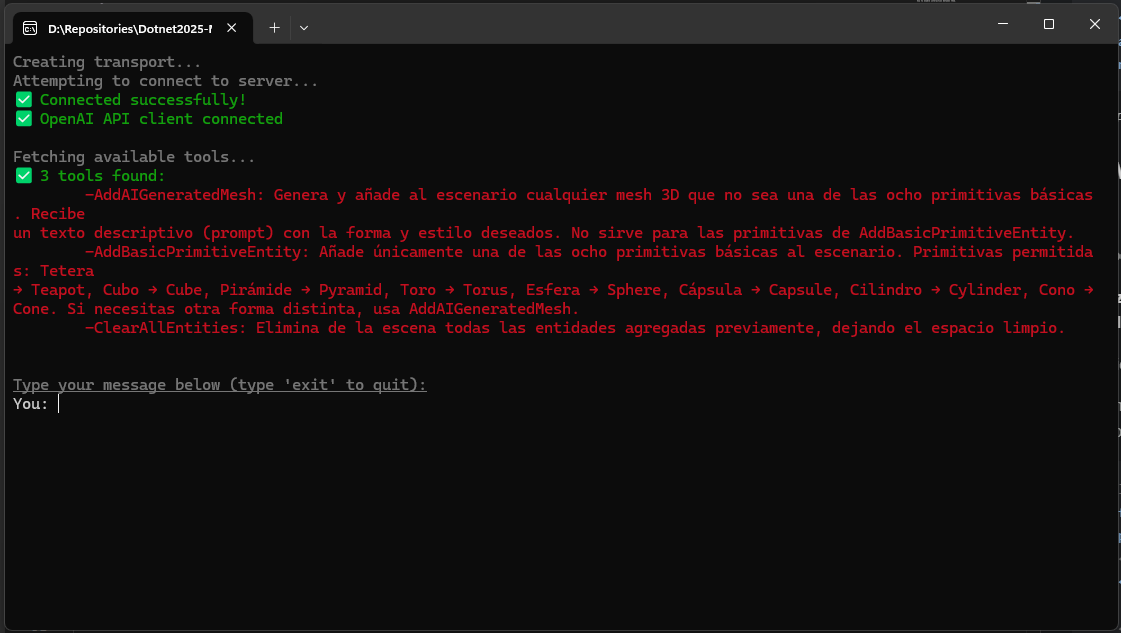
This is a console application that connects to the MCP Server and allows interaction through an LLM-powered chat interface.
It supports two backends:
- Azure OpenAI (recommended for better comprehension and reasoning)
- Ollama (for running local models; configured for
llama3.2:3b)
The client reads its configuration from a separate App.config file where you can specify:
- The path to the MCP Server executable (relative or absolute)
- Your Azure OpenAI API key, endpoint URL, and model deployment name
<?xml version="1.0" encoding="utf-8" ?>
<configuration>
  <appSettings>
    <!-- MCP Server executable path -->
    <add key="mcp-server" value="../../../../MCP-Server/EvergineMCPServer.Windows/bin/Debug/net8.0-windows/EvergineMCPServer.Windows.exe" />

    <!-- Azure OpenAI settings -->
    <add key="azure-openAi-apiKey" value="[openai-apikey]" />
    <add key="azure-openAi-apiUrl" value="[openai-apiurl]" />
    <add key="model-deployment-name" value="[openai-model-name]" />
  </appSettings>
</configuration>
During the DotNet2025 event, we used Azure OpenAI due to its superior understanding and reliability, which we recommend for advanced or production scenarios.
🚀 Technologies Used
- 💻 Evergine – Real-time graphics engine
- 🔌 Model Context Protocol (MCP)
- 🧠 Azure OpenAI & Ollama for LLM integration
- 🤖 TripoAI for 3D model generation with PBR materials
- 🟦 Fully implemented in C# using .NET 8
📚 Purpose
This project serves as a practical reference for:
- Building an MCP Server that exposes real-time 3D tools
- Implementing an MCP Client that interacts with the server through LLMs
- Establishing communication between server and client via MCP
- Integrating Generative AI into a 3D application workflow
📝 License
This project is intended for demonstration and educational purposes.
Please refer to individual tool and service licenses (e.g., Azure OpenAI, TripoAI) for their respective terms of use.
Installing Dotnet2025
This server has no published package — it is built from source. Open the repository and follow its README.
▸ github.com/Jorgemagic/Dotnet2025-MCPFAQ
Is Dotnet2025 MCP free?
Yes, Dotnet2025 MCP is free — one-click install via Unyly at no cost.
Does Dotnet2025 need an API key?
No, Dotnet2025 runs without API keys or environment variables.
Is Dotnet2025 hosted or self-hosted?
Self-hosted: the server runs locally on your machine via the install command above.
How do I install Dotnet2025 in Claude Desktop, Claude Code or Cursor?
Open Dotnet2025 on unyly.org, pick your client tab (Claude Desktop, Claude Code, Cursor) and press Install — the config is generated automatically, no JSON editing.
Related MCPs
Fetch
Web content fetching and conversion for efficient LLM usage.
AWS KB Retrieval
Retrieval from AWS Knowledge Base using Bedrock Agent Runtime.
 by modelcontextprotocol
Spring AI MCP Server
Provides auto-configuration for setting up an MCP server in Spring Boot applications.
llm-analysis-assistant
A very streamlined mcp client that supports calling and monitoring stdio/sse/streamableHttp, and can also view request responses through the /logs page. It also
 by xuzexin-hz
Compare Dotnet2025 with
Not sure what to pick?
Find your stack in 60 seconds
Author?
Embed badge for your README
Browse similar
All ai MCPs