
FGCLIP
FreeNot checkedMCP server for FG-CLIP embedding services enabling multi-modal similarity computation for text and images.

About
MCP server for FG-CLIP embedding services enabling multi-modal similarity computation for text and images.
README
MCP (Model Context Protocol) server for FG-CLIP embedding services. To obtain and configure the API key, please apply at https://research.360.cn/sass.
Features
This MCP server provides the following tools and resources:
Tools
- text_embedding: Generate embedding vectors for text
- image_embedding: Generate embedding vectors for images
- cosine_similarity: Compute cosine similarity between two lists of vectors
Use Cases
This MCP server helps users achieve the following capabilities:
- Image Feature Extraction: Convert images into high-dimensional vector representations for machine learning and similarity computation
- Text Feature Extraction: Transform text into semantic vector representations with multi-language support
- Multi-modal Similarity Computation:
- Image-to-Image Similarity: Compare visual similarity between different images
- Image-to-Text Similarity: Enable cross-modal retrieval, such as finding relevant images based on text descriptions
- Text-to-Text Similarity: Calculate semantic similarity between texts
Through these capabilities, users can build powerful search engines, recommendation systems, content classification, and multi-modal AI applications.
Tool Details
text_embedding
Generate embedding vectors for input texts.
Parameters:
texts: A list of text strings to embedmodel: The model to use (default: "fg-clip")
Returns:
saved_uris: A list of URIs where the embeddings are storedsuccess: Whether the operation succeedederror_msg: Error message, if any
image_embedding
Generate embedding vectors for images.
Parameters:
images: A list of image URLs or base64-encoded imagesmodel: The model to use (default: "fg-clip")
Returns:
saved_uris: A list of URIs where the embeddings are storedsuccess: Whether the operation succeedederror_msg: Error message, if any
cosine_similarity
Compute cosine similarity between two lists of vectors.
Parameters:
uris_a: A list of URIs for the first set of embeddingsuris_b: A list of URIs for the second set of embeddingsmode: Calculation mode (default: "pairwise")"pairwise": Compute similarity for vectors at corresponding positions"matrix": Compute a full similarity matrix for all vector pairs
Returns:
similarities: Similarity values or a similarity matrixshape: Shape information of the resultsuccess: Whether the operation succeeded
Development & Testing
git clone https://github.com/360CVGroup/FGCLIP-MCP
cd FGCLIP-MCP
uv venv
uv sync
source .venv/bin/activate
export MCP_API_KEY=your_api_key
pytest -q
MCP Host Configuration
From pypi
{
  "mcpServers": {
    "fgclip-mcp": {
      "command": "uvx",
      "args": [
        "fgclip-mcp"
      ],
      "env": {
        "MCP_API_KEY": "your_api_key"
      }
    }
  }
}
From local
{
  "mcpServers": {
    "fgclip-mcp-local": {
      "command": "uv",
      "args": [
        "--directory",
        "/path_to_fgclip-mcp/src/fgclip_mcp",
        "run",
        "/path_to_fgclip-mcp/src/fgclip_mcp/__main__.py"
      ],
      "env": {
        "MCP_API_KEY": "your_api_key"
      }
    }
  }
}
Use Case in Cursor IDE
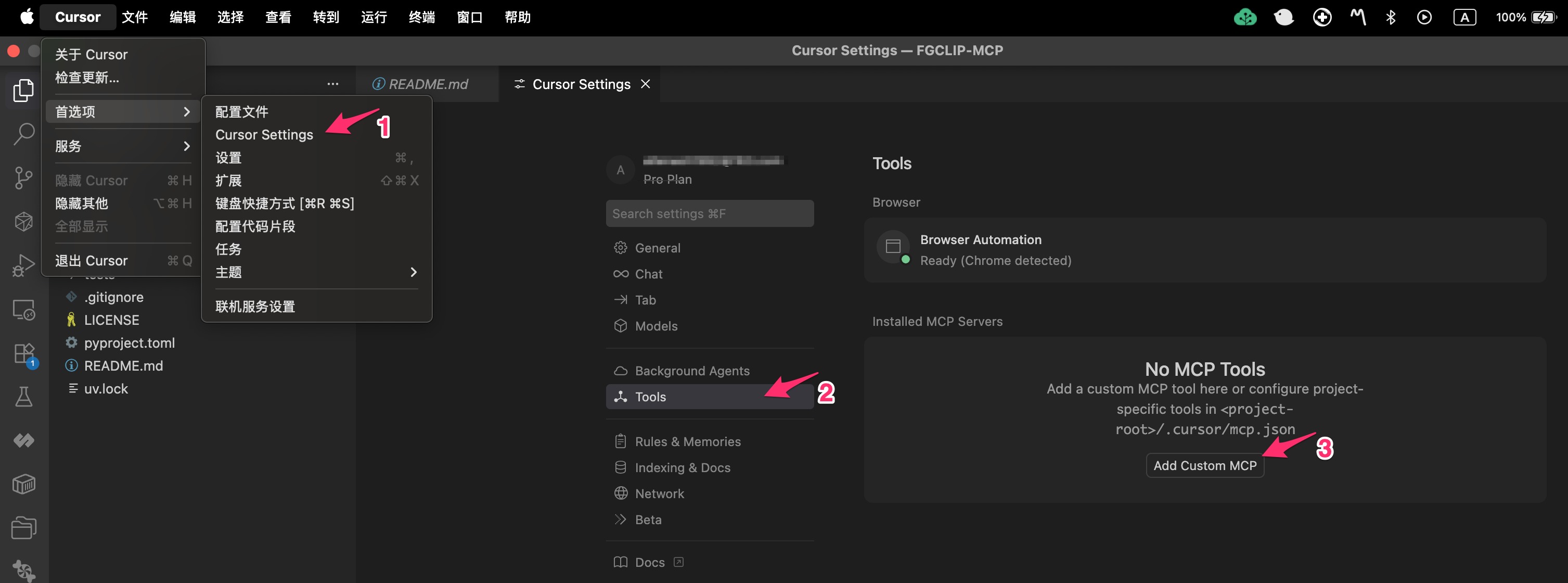
Locate MCP Setting
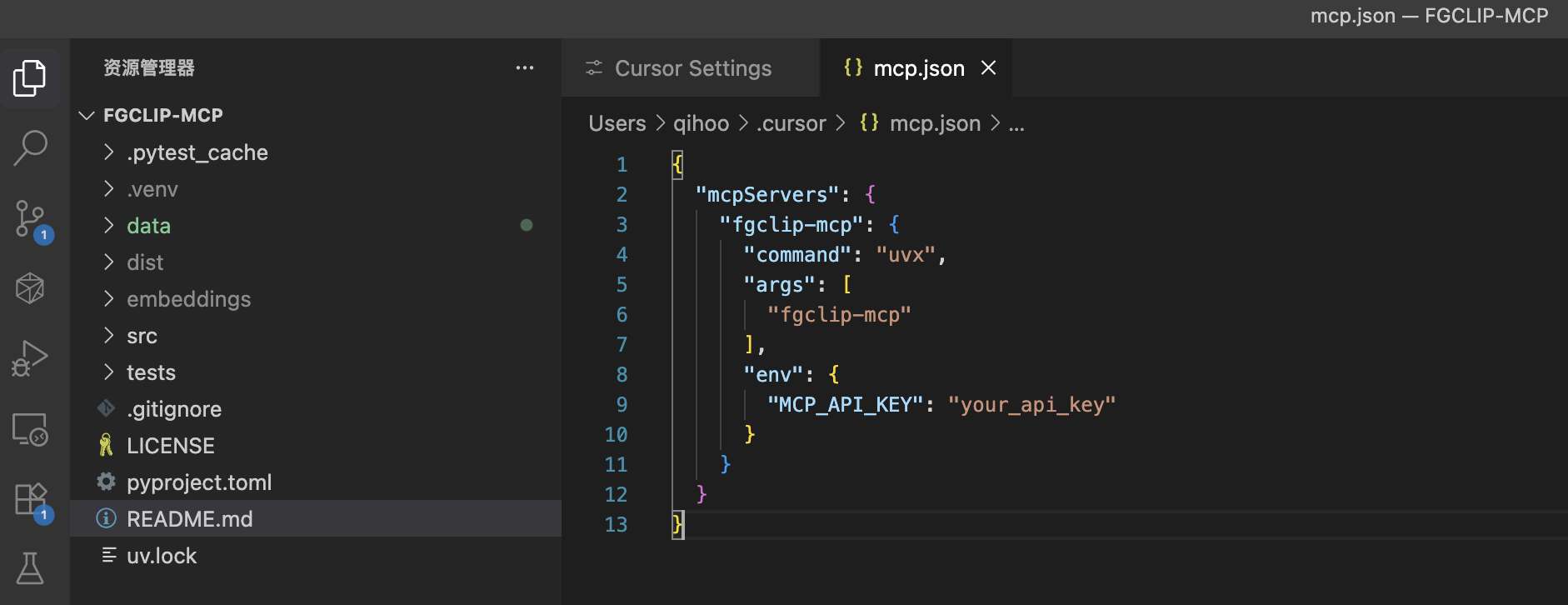
Config MCP Setting
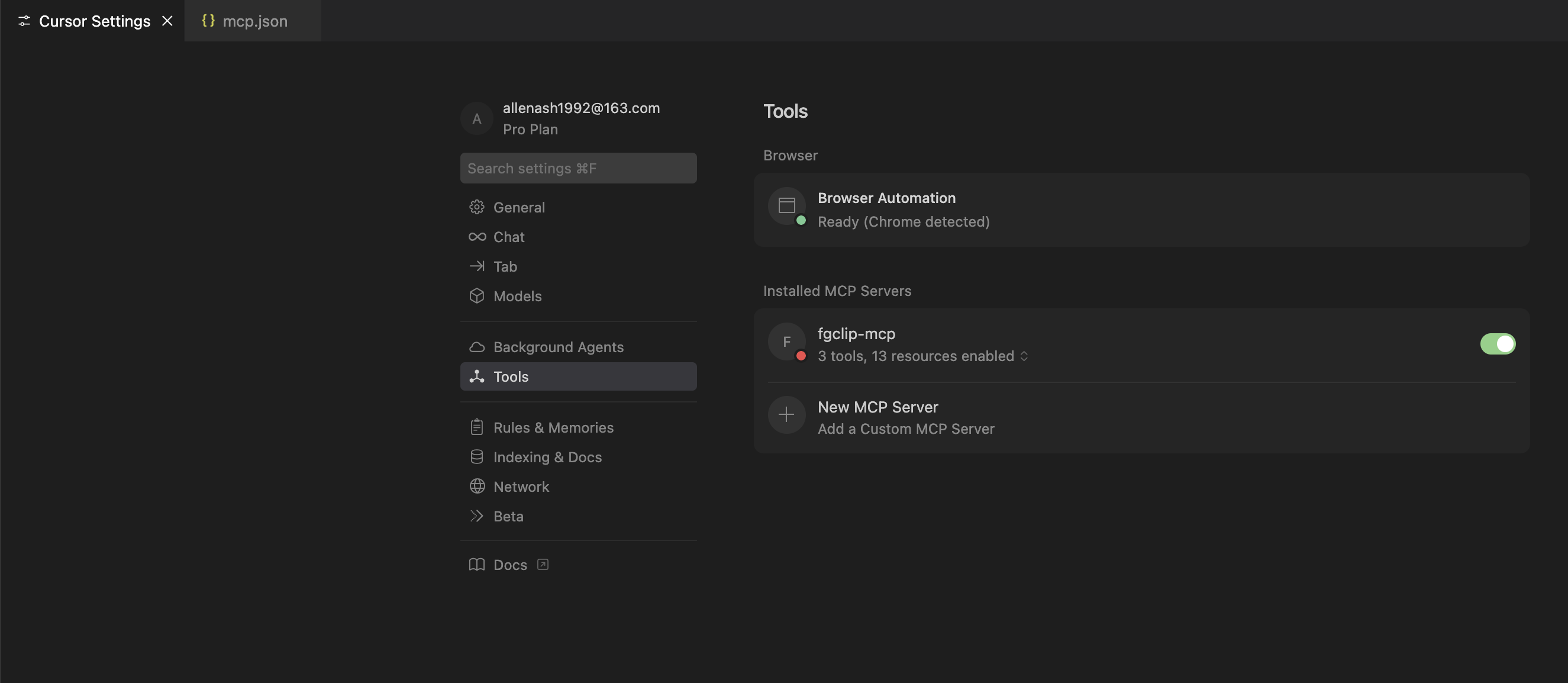
Enable MCP
Chat with MCP
Example: Searching for images based on given text
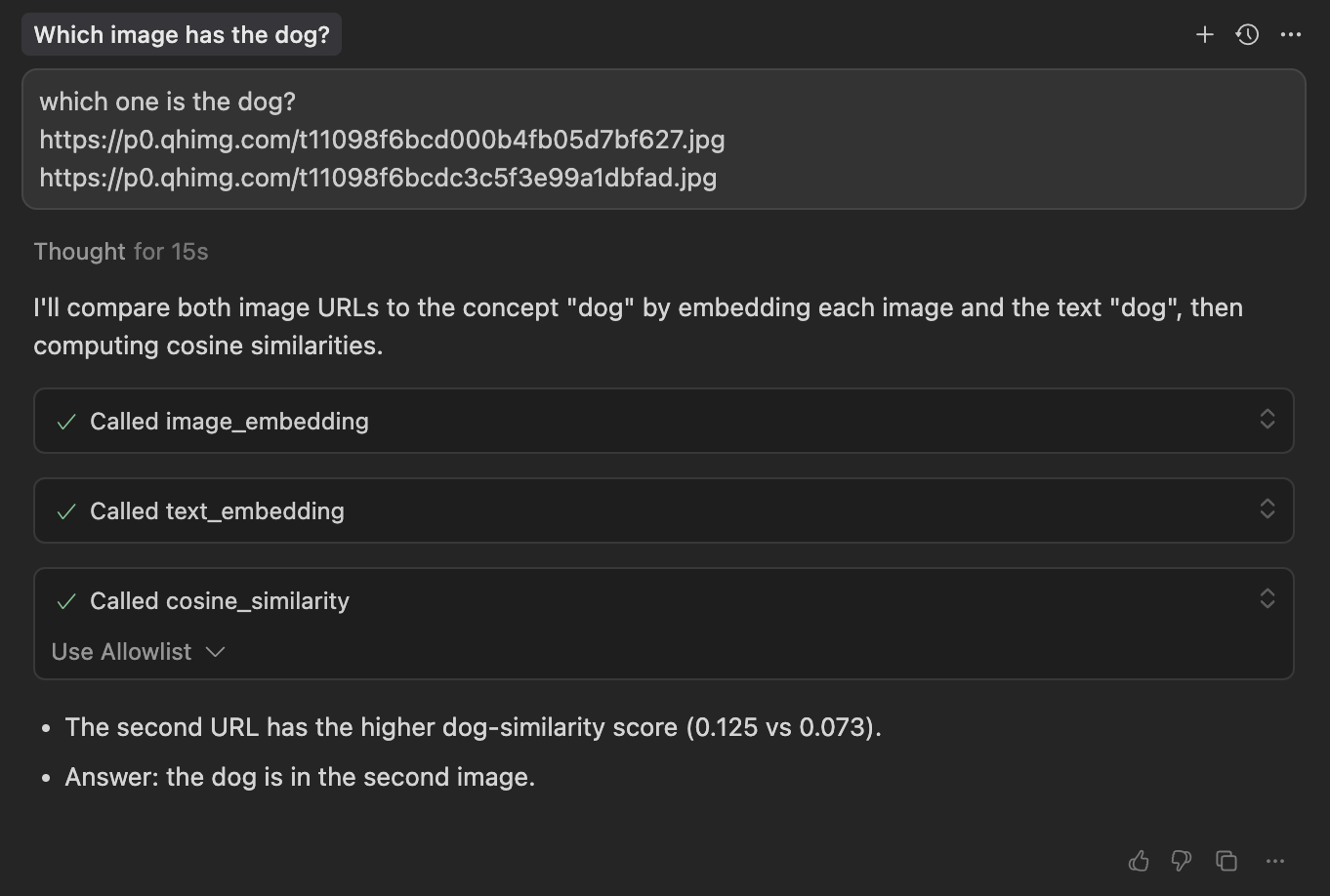
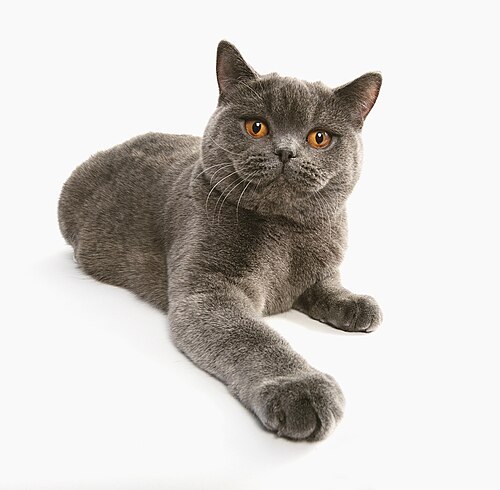

Image URLs:
- https://p0.qhimg.com/t11098f6bcd000b4fb05d7bf627.jpg
- https://p0.qhimg.com/t11098f6bcdc3c5f3e99a1dbfad.jpg
License
Apache License 2.0
Install FGCLIP in Claude Desktop, Claude Code & Cursor
unyly install fgclip-mcpInstalls into Claude Desktop, Claude Code, Cursor & VS Code — handles npx, uvx and build-from-source repos for you.
First time? Get the CLI: curl -fsSL https://unyly.org/install | sh
Or configure manually
Run in your terminal:
claude mcp add fgclip-mcp -- uvx fgclip-mcpFAQ
Is FGCLIP MCP free?
Yes, FGCLIP MCP is free — one-click install via Unyly at no cost.
Does FGCLIP need an API key?
No, FGCLIP runs without API keys or environment variables.
Is FGCLIP hosted or self-hosted?
A hosted option is available: Unyly runs the server in the cloud, no local setup required.
How do I install FGCLIP in Claude Desktop, Claude Code or Cursor?
Open FGCLIP on unyly.org, pick your client tab (Claude Desktop, Claude Code, Cursor) and press Install — the config is generated automatically, no JSON editing.
Related MCPs
Fetch
Web content fetching and conversion for efficient LLM usage.
AWS KB Retrieval
Retrieval from AWS Knowledge Base using Bedrock Agent Runtime.
 by modelcontextprotocol
Spring AI MCP Server
Provides auto-configuration for setting up an MCP server in Spring Boot applications.
llm-analysis-assistant
A very streamlined mcp client that supports calling and monitoring stdio/sse/streamableHttp, and can also view request responses through the /logs page. It also
 by xuzexin-hz
Compare FGCLIP with
Not sure what to pick?
Find your stack in 60 seconds
Author?
Embed badge for your README
Browse similar
All ai MCPs