
FreeReps
FreeNot checkedSelf-hosted health data server with visualization dashboard and MCP interface

About
Self-hosted health data server with visualization dashboard and MCP interface
README
Freely hosted Records, Evaluation & Processing Server
A self-hosted server that receives health data from Apple Watch and Oura Ring, stores it persistently, visualizes it through a web dashboard with freely configurable correlations, and exposes it as an MCP server for LLMs. The iOS companion app syncs HealthKit data directly to your server, and the built-in Oura integration pulls data via the Oura API.
Acknowledgements
The FreeReps iOS companion app is based on HealthBeat by kempu, an open-source iOS app for syncing Apple Health data. HealthBeat was adapted into the FreeReps companion app for the self-hosted FreeReps server. Licensed under the MIT License.
Screenshots
| Dashboard | Sleep |
|---|---|
 |
 |
| Metrics | Trends |
|---|---|
 |
 |
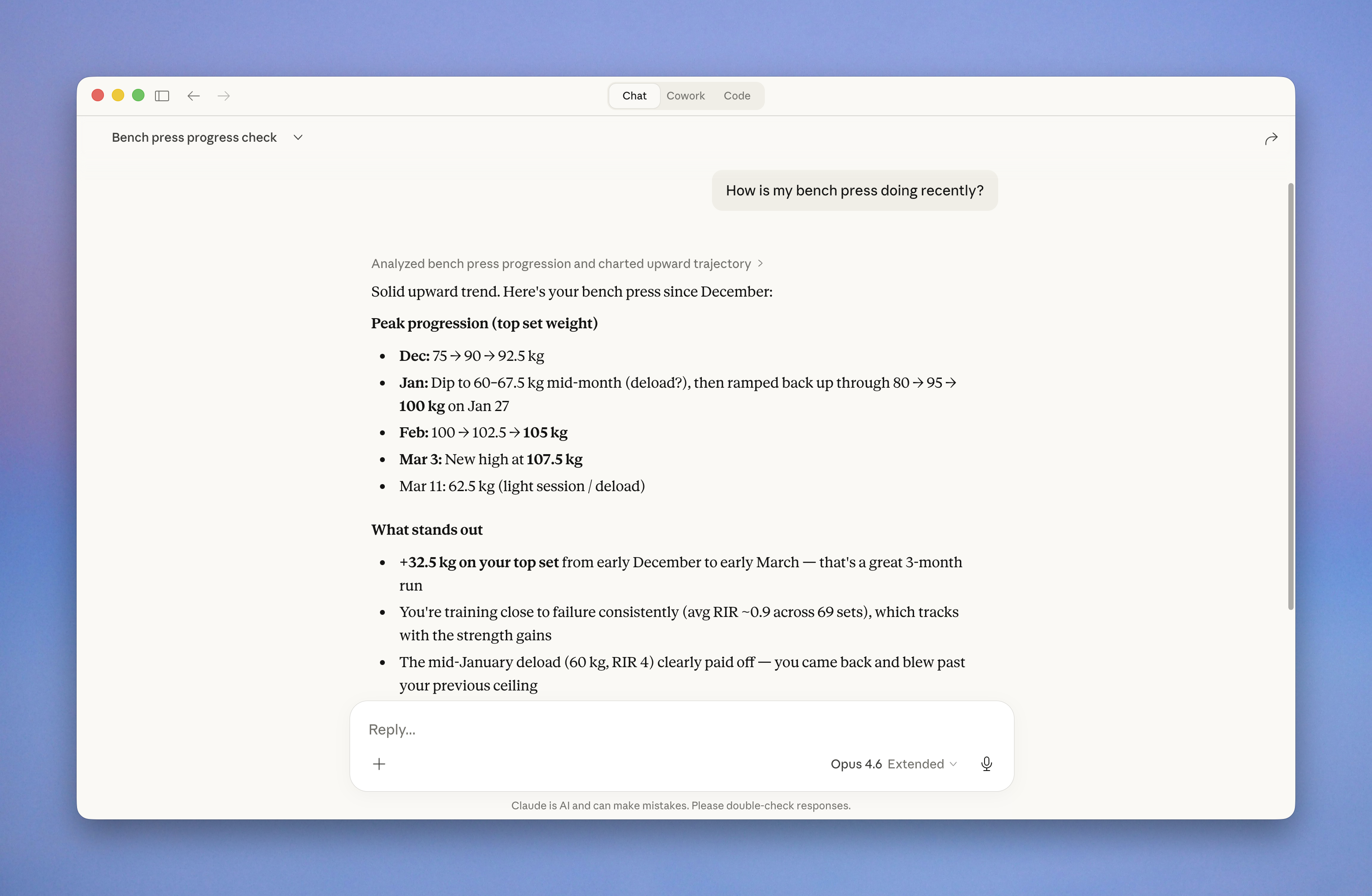
| MCP |
|---|
 |
| iOS App | |||
|---|---|---|---|
 |
 |
 |
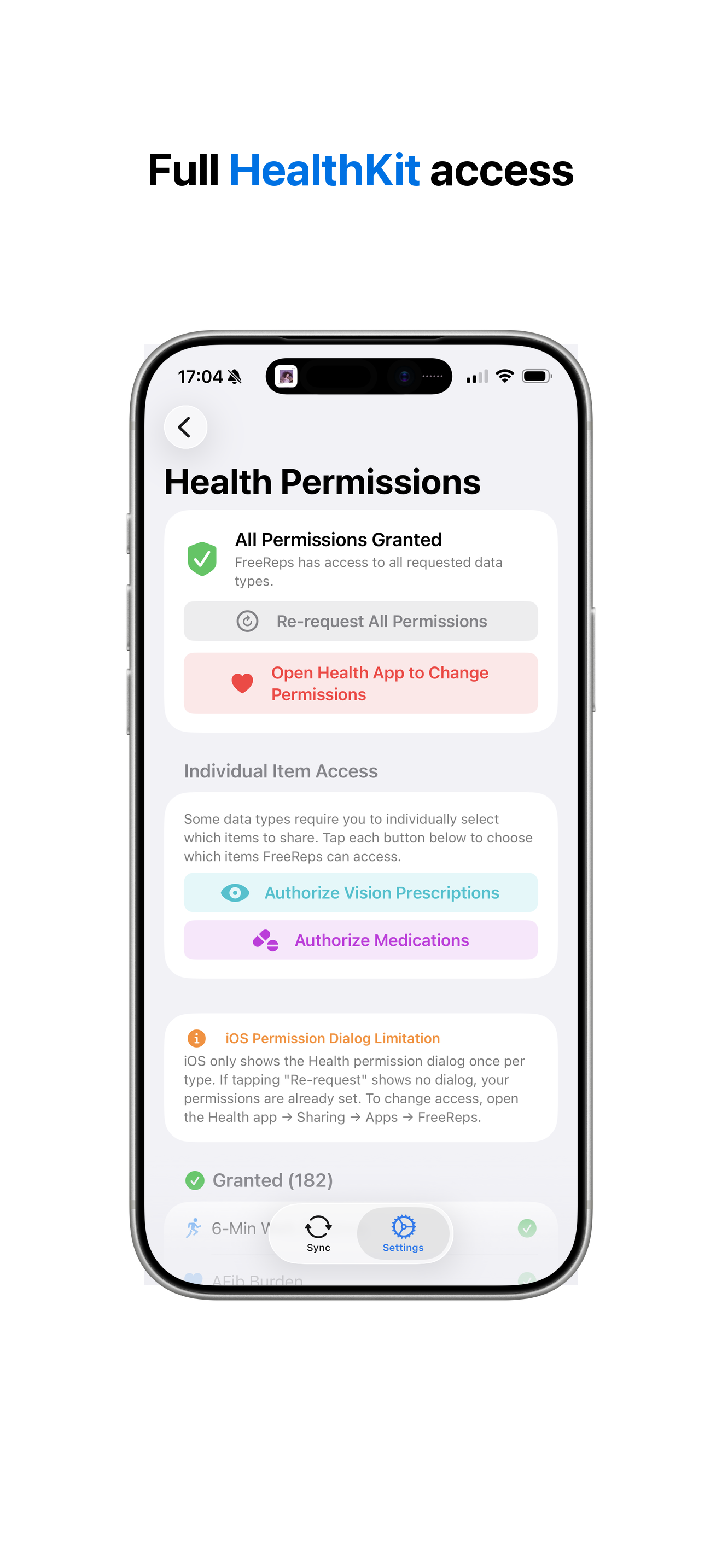 |
Why FreeReps?
Apple Health collects extensive data but offers no way to relate metrics to each other, no API for external analysis, and no export into a queryable system you own.
Other apps compute scores but are closed-source, subscription-based, and opaque. FreeReps takes the opposite approach: raw data + flexible visualization + LLM for interpretation.
Architecture
┌──────────────┐     HealthKit       ┌─────────────────────────────────────────┐
│ FreeReps     │ ────────────────→   │              FreeReps Server            │
│ iOS App      │    HTTP POST        │                                         │
└──────────────┘                     │  ┌──────────┐  ┌─────────────────┐     │
                                     │  │ Ingest   │→ │  Storage (DB)   │     │
┌──────────────┐     OAuth2 + Poll   │  │ API      │  │  Time Series    │     │
│  Oura Ring   │ ←───────────────    │  └──────────┘  └────────┬────────┘     │
│  (API v2)    │                     │  ┌──────────┐           │              │
└──────────────┘                     │  │ Oura     │→──────────┘              │
                                     │  │ Sync     │  (source-priority dedup) │
                                     │  └──────────┘                          │
                                     │              ┌──────────┬──────────┐   │
                                     │              ▼                     ▼   │
                                     │  ┌────────────────┐  ┌─────────────┐  │
                                     │  │ Web Dashboard  │  │ MCP Server  │  │
                                     │  │ Correlations   │  │ stdio / SSE │  │
                                     │  │ Trends, Charts │  └──────┬──────┘  │
                                     │  └────────────────┘         │         │
                                     └─────────────────────────────┼─────────┘
                                                                   ▼
                                                          Claude (via MCP)
                                                          = the actual
                                                            "AI coach"
Tech Stack
| Component | Technology |
|---|---|
| Backend | Go (single binary with embedded frontend) |
| Frontend | React 19 + Vite + Tailwind CSS 4 |
| Charts | uPlot (time-series) + Recharts (bar/scatter) |
| Database | PostgreSQL + TimescaleDB |
| Auth & Networking | Tailscale (tsnet) — zero-config TLS + identity |
| iOS App | Swift (HealthKit, BackgroundTasks, ActivityKit) |
| Config | YAML |
| Deployment | Docker Compose |
iOS Companion App
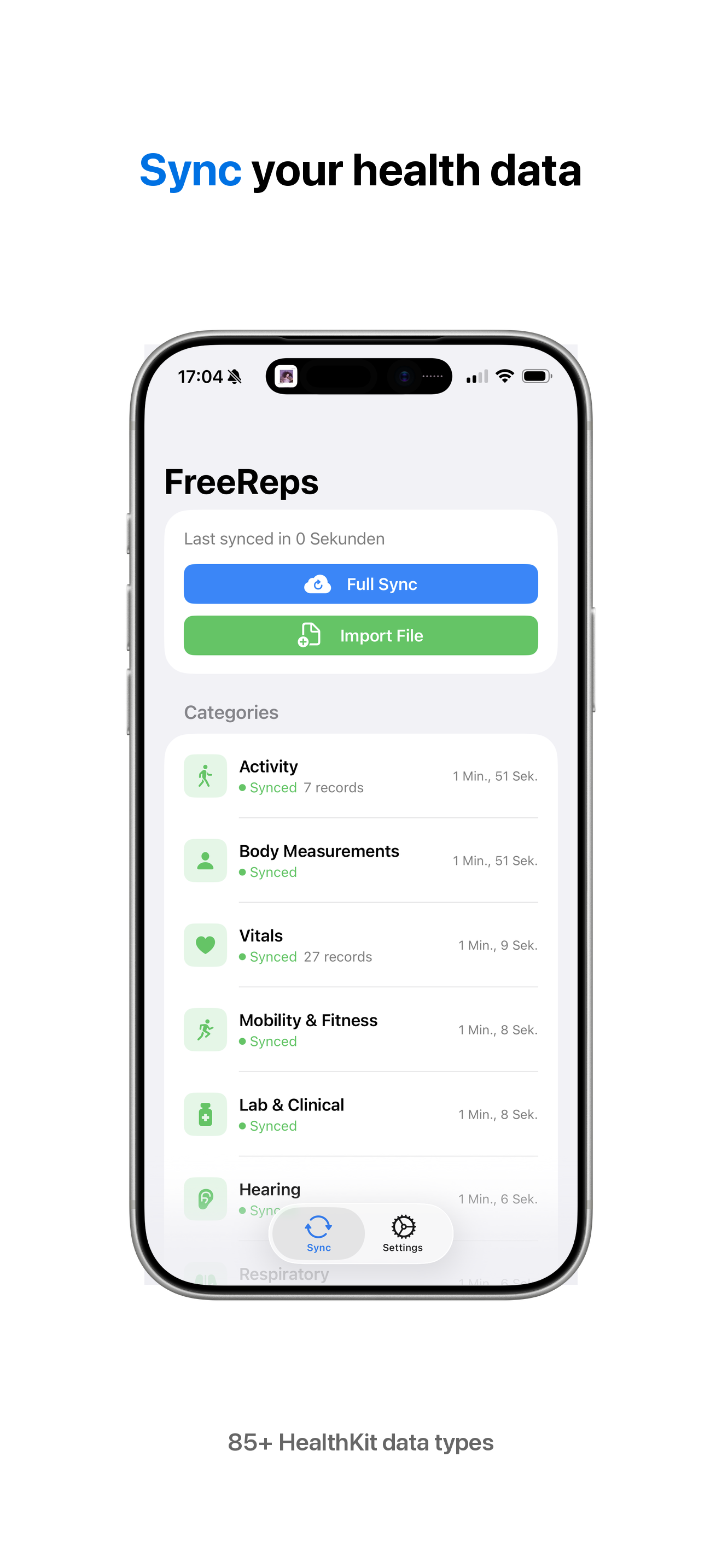
The FreeReps companion app syncs Apple HealthKit data directly to the server over HTTP. No intermediate cloud services, no third-party dependencies — just HealthKit to your server.
What it syncs
- 85+ quantity types — steps, heart rate, blood pressure, blood glucose, body temperature, VO2 max, nutrition, audio exposure, and more
- 22 category types — sleep analysis, menstrual cycles, symptoms, mindfulness, heart events, stand hours
- Workouts — activity type, duration, energy burned, distance, swim strokes, flights climbed
- Blood pressure — systolic/diastolic correlation pairs
- ECG recordings — classification, heart rate, voltage measurements
- Audiograms — hearing sensitivity by frequency
- Workout routes — GPS coordinates recorded during workouts
- Activity summaries — daily ring data (active energy, exercise minutes, stand hours)
Features
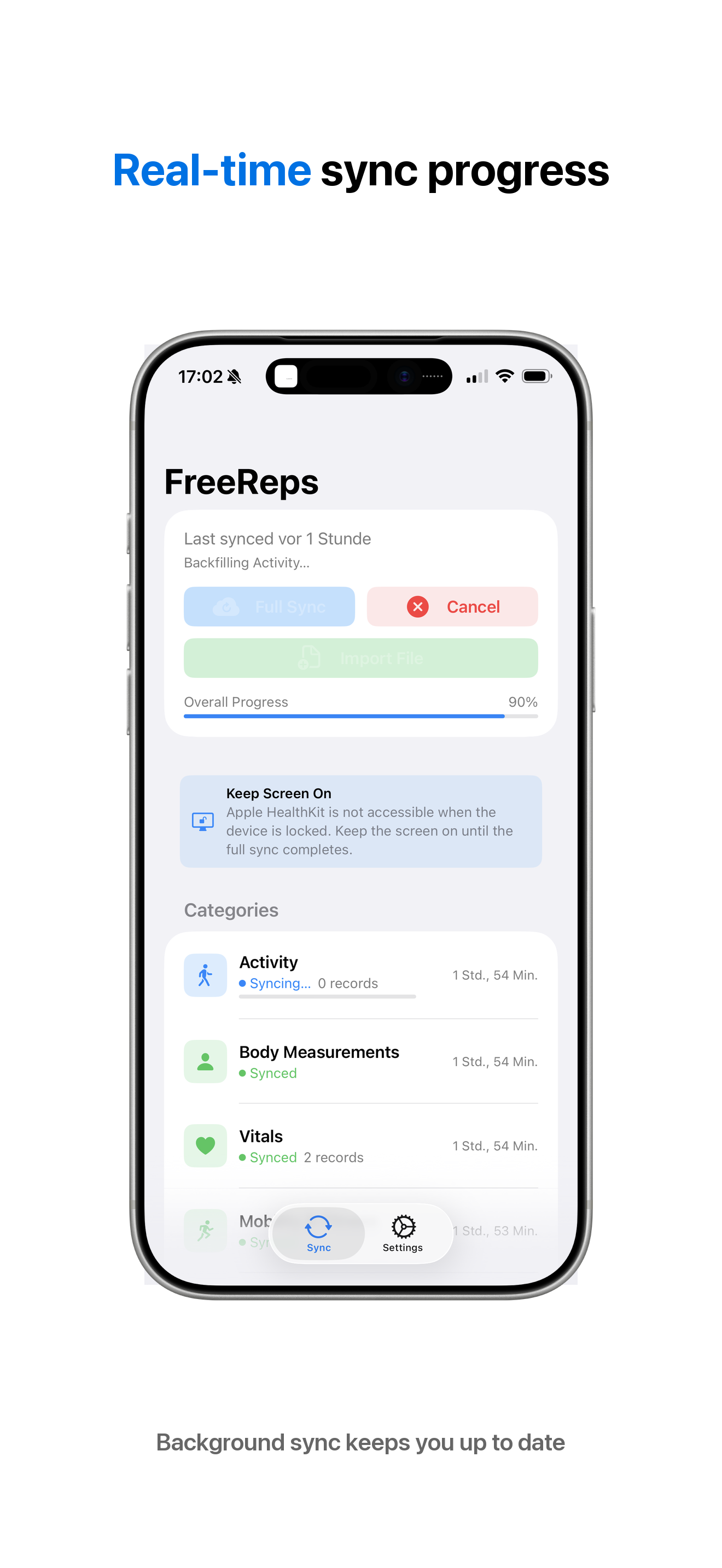
- Full and incremental sync — initial backfill of all historical data, then ongoing incremental syncs
- Real-time background sync — HealthKit observer queries for immediate delivery when new data is recorded
- Background processing — periodic sync via BGProcessingTask when the app isn't active
- Live Activity — sync progress on the lock screen and Dynamic Island
- CSV import — import Alpha Progression CSV files via share sheet or file picker
- No dependencies — pure Swift using only Apple frameworks
Requirements
- iOS 16.2+
- Physical device (HealthKit is not available in the Simulator)
- A running FreeReps server accessible from the device's network
Prerequisites
- Tailscale — FreeReps uses Tailscale for authentication and TLS natively (via tsnet). There are no passwords or API keys — access is controlled by your tailnet. Tailscale must be set up before running FreeReps.
- Health Auto Export (iOS, optional) — An alternative way to get Apple Health data into FreeReps via
.haefile exports uploaded withfreereps-upload. Not needed if using the FreeReps companion app. - mcp-proxy (optional) — Required for connecting Claude Desktop to a remote FreeReps instance. Bridges stdio↔SSE transports. Install with
brew install mcp-proxyorpip install mcp-proxy.
Quick Start
Server (Docker Compose)
git clone https://github.com/meltforce/FreeReps.git
cd FreeReps/server
cp config.example.yaml config.yaml
# Edit config.yaml — set database password, enable Tailscale
docker compose up -d
To use the pre-built image from Docker Hub instead of building locally, replace the app service's build: . with image: meltforce/freereps:latest in docker-compose.yml.
Test Server (Demo Mode)
Run a FreeReps server with demo data (e.g., for App Store review or sync testing):
Using Docker (recommended)
cd FreeReps/server
cp config.example.yaml config.yaml
# Set tailscale.enabled: false in config.yaml for local dev

docker compose up -d db
docker compose run --rm -e FREEREPS_DEMO=true app
From source
cd FreeReps/server
cp config.example.yaml config.yaml
# Set tailscale.enabled: false in config.yaml for local dev

docker compose up -d db
cd web && npm ci && npm run build && cd ..
go run ./cmd/freereps -config config.yaml -demo
This seeds the database with 90 days of realistic health data including heart rate, sleep, workouts, and activity rings. The data is deterministic and idempotent — restarting with -demo or FREEREPS_DEMO=true won't create duplicates.
The server will be available at http://localhost:8080. To tear down:
docker compose down -v
iOS App
- Open
app/FreeReps.xcodeprojin Xcode - Set your development team and bundle identifier in Signing & Capabilities
- Build and run on a physical device
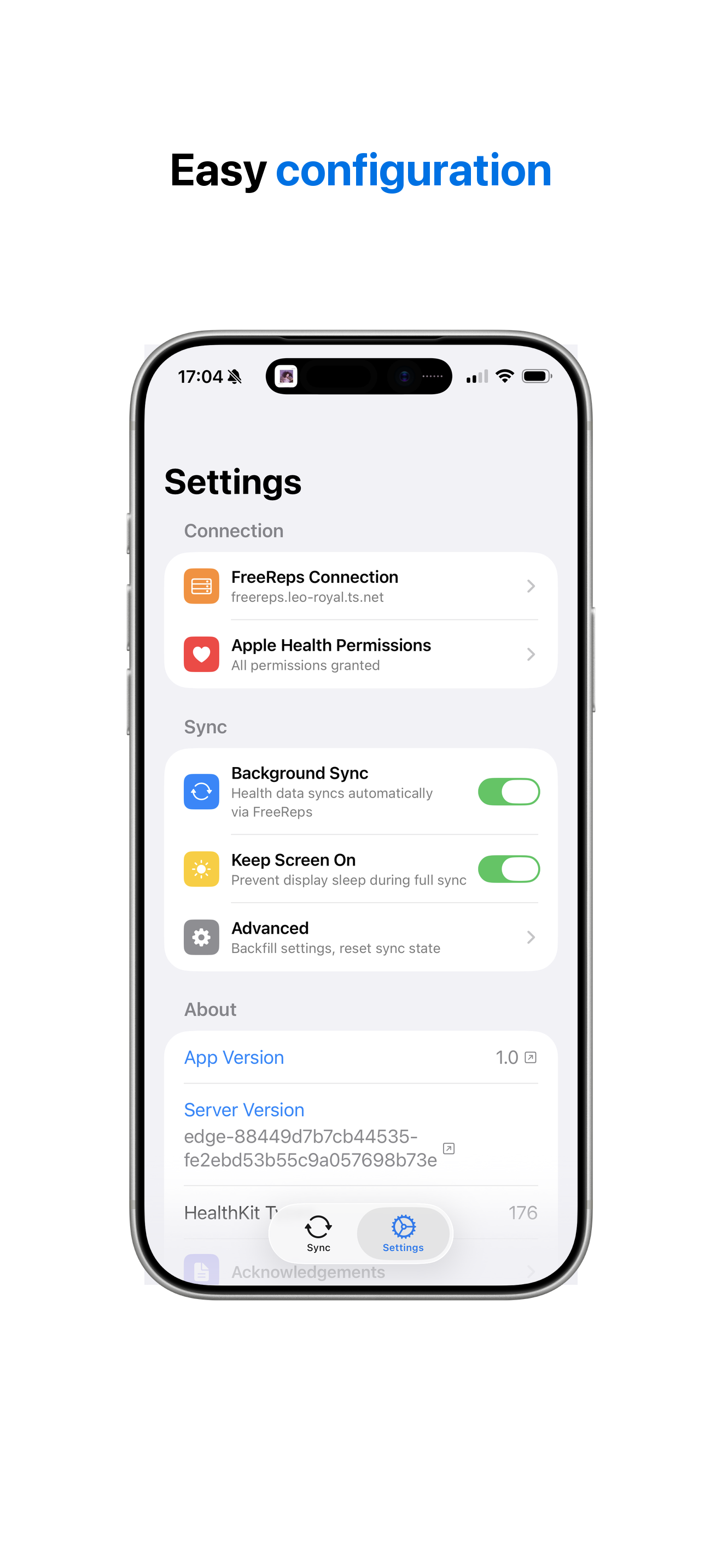
- In Settings, enter your FreeReps server URL
- Grant HealthKit permissions and start syncing
Upload Tool (macOS)
freereps-upload is a client-side CLI tool that reads .hae files from your iCloud Drive (exported by Health Auto Export), converts them to REST API format, and uploads them to your FreeReps server over Tailscale.
Install:
curl -sSL https://raw.githubusercontent.com/meltforce/FreeReps/main/server/scripts/install-upload.sh | bash
Usage:
# First run — upload all historical data
freereps-upload \
  -server https://freereps.your-tailnet.ts.net \
  -path ~/Library/Mobile\ Documents/com~apple~CloudDocs/Health\ Auto\ Export/AutoSync

# Subsequent runs — only new/changed files are uploaded (resumable)
freereps-upload \
  -server https://freereps.your-tailnet.ts.net \
  -path ~/Library/Mobile\ Documents/com~apple~CloudDocs/Health\ Auto\ Export/AutoSync
Flags:
| Flag | Default | Description |
|---|---|---|
-server |
(required) | FreeReps server URL |
-path |
(required) | Path to AutoSync directory (or parent) |
-dry-run |
false | Parse and convert without sending |
-batch-size |
2000 | Data points per metric payload |
-version |
Print version and exit |
Requirements: lzfse must be installed (brew install lzfse).
Update / Uninstall:
# Update to latest version
curl -sSL https://raw.githubusercontent.com/meltforce/FreeReps/main/server/scripts/install-upload.sh | bash -s -- --update

# Uninstall
curl -sSL https://raw.githubusercontent.com/meltforce/FreeReps/main/server/scripts/install-upload.sh | bash -s -- --uninstall
State tracking: Upload progress is tracked in ~/.freereps-upload/state.db (SQLite). Files are identified by path + size + SHA-256 hash, so changed files are re-uploaded and the tool is fully resumable.
Data Sources
FreeReps iOS App (recommended)
The companion app syncs HealthKit data directly to the server via HTTP POST. Supports full historical backfill and real-time incremental sync.
Oura Ring
FreeReps integrates directly with the Oura API v2 to pull ring data. Syncs every 30 minutes with 90-day initial backfill.
Data synced:
- Oura-exclusive — readiness score, sleep score, activity score, temperature deviation, stress, recovery, resilience, cardiovascular age
- Overlapping with Apple Watch — heart rate, HRV, SpO2, respiratory rate, steps, active calories, workouts, sleep sessions/stages
Source priority dedup: When both Oura and Apple Watch report the same metric, FreeReps deduplicates at query time using configurable source priority (Settings > Source Priority). Only the highest-priority source's data is shown — no double-counting.
Oura Setup
Register an Oura API app at cloud.ouraring.com/oauth/applications:
- Redirect URI:
https://your-freereps-host.ts.net/oura/callback - Privacy Policy URL: your FreeReps website's privacy page
- Terms of Service URL: your FreeReps website's terms page
- Enable all scopes
- Redirect URI:
Enter credentials in FreeReps: Go to Settings > Oura Ring, enter your Client ID and Client Secret, click "Save Credentials"
Authorize: Click "Authorize with Oura", approve access on Oura's page. You'll be redirected back to FreeReps.
Sync starts automatically every 30 minutes. Use "Sync Now" for immediate sync. Check Settings > Import Logs for sync status.
Health Auto Export (iOS, legacy)
The iOS app Health Auto Export can export Apple Health data as .hae files to iCloud Drive, which can then be uploaded to FreeReps using the freereps-upload CLI tool.
Alpha Progression (iOS)
Alpha Progression CSV exports provide detailed strength training data (exercises, sets, reps, weight, RIR).
Upload via the dashboard, the iOS companion app (share sheet / file picker), or POST to /api/v1/ingest/alpha.
Dashboard Features
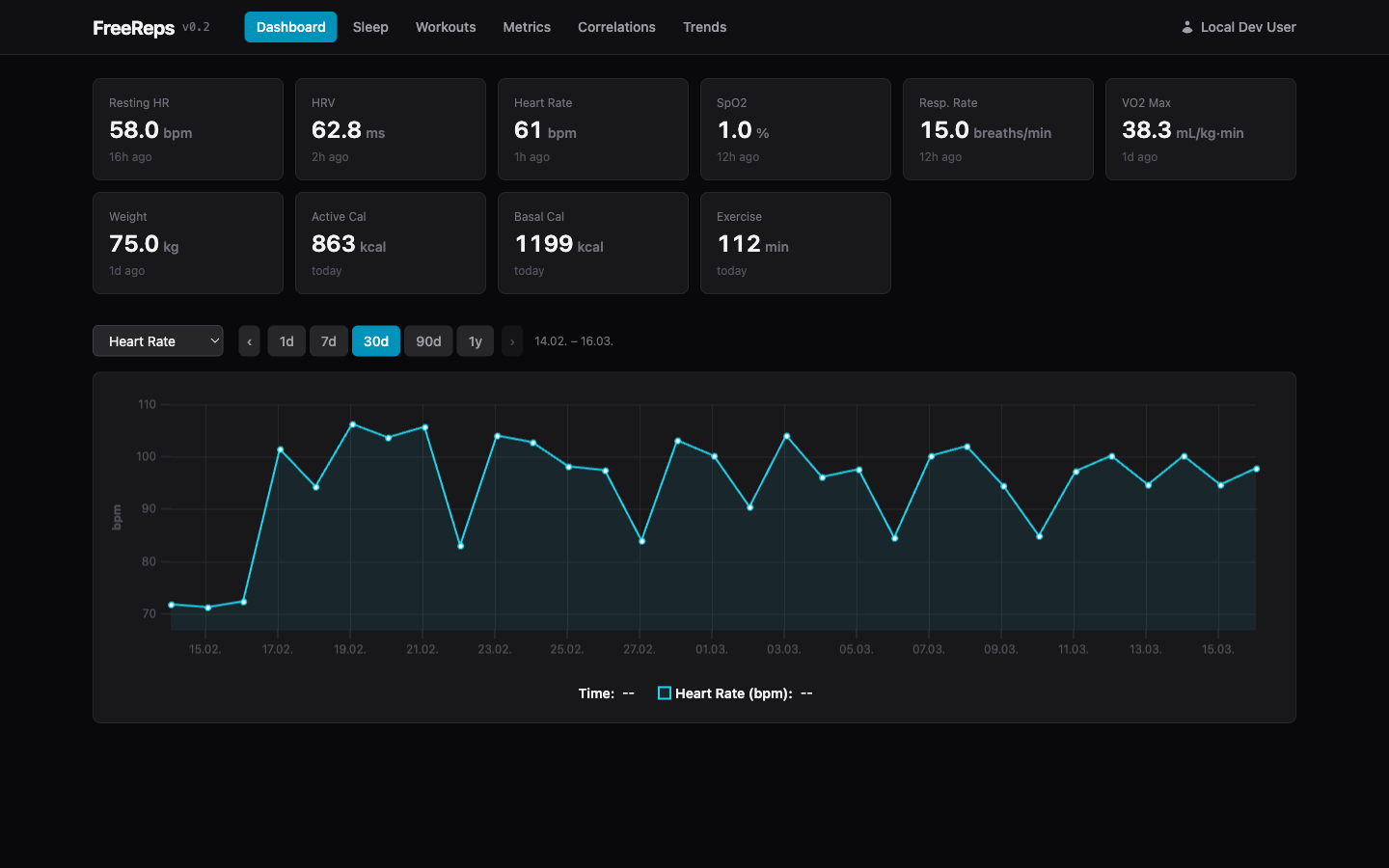
- Daily Overview — Key metrics at a glance (sleep, HRV, RHR, activity)
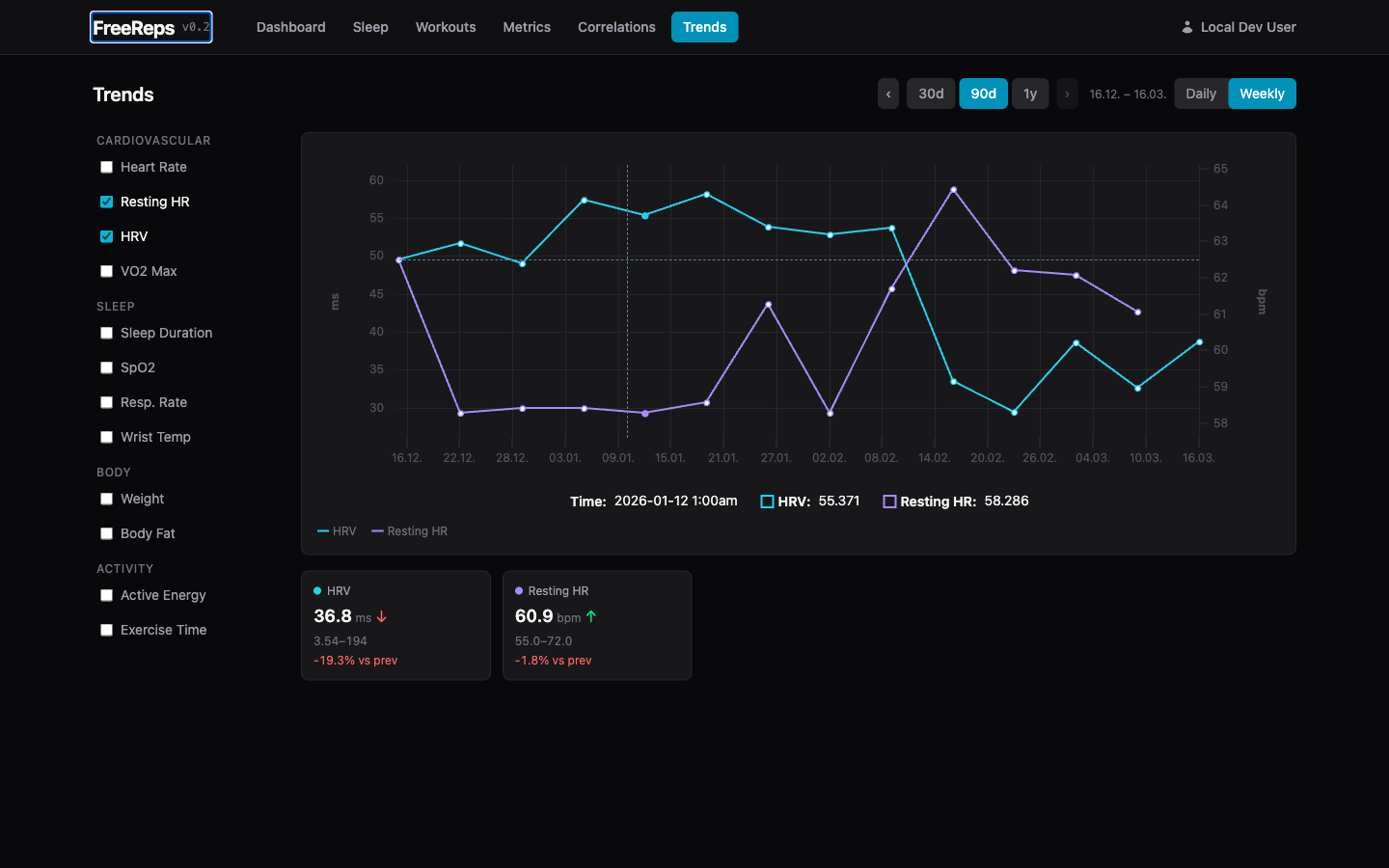
- Correlation Explorer — Plot any metric against any other (scatter + overlay, Pearson r)
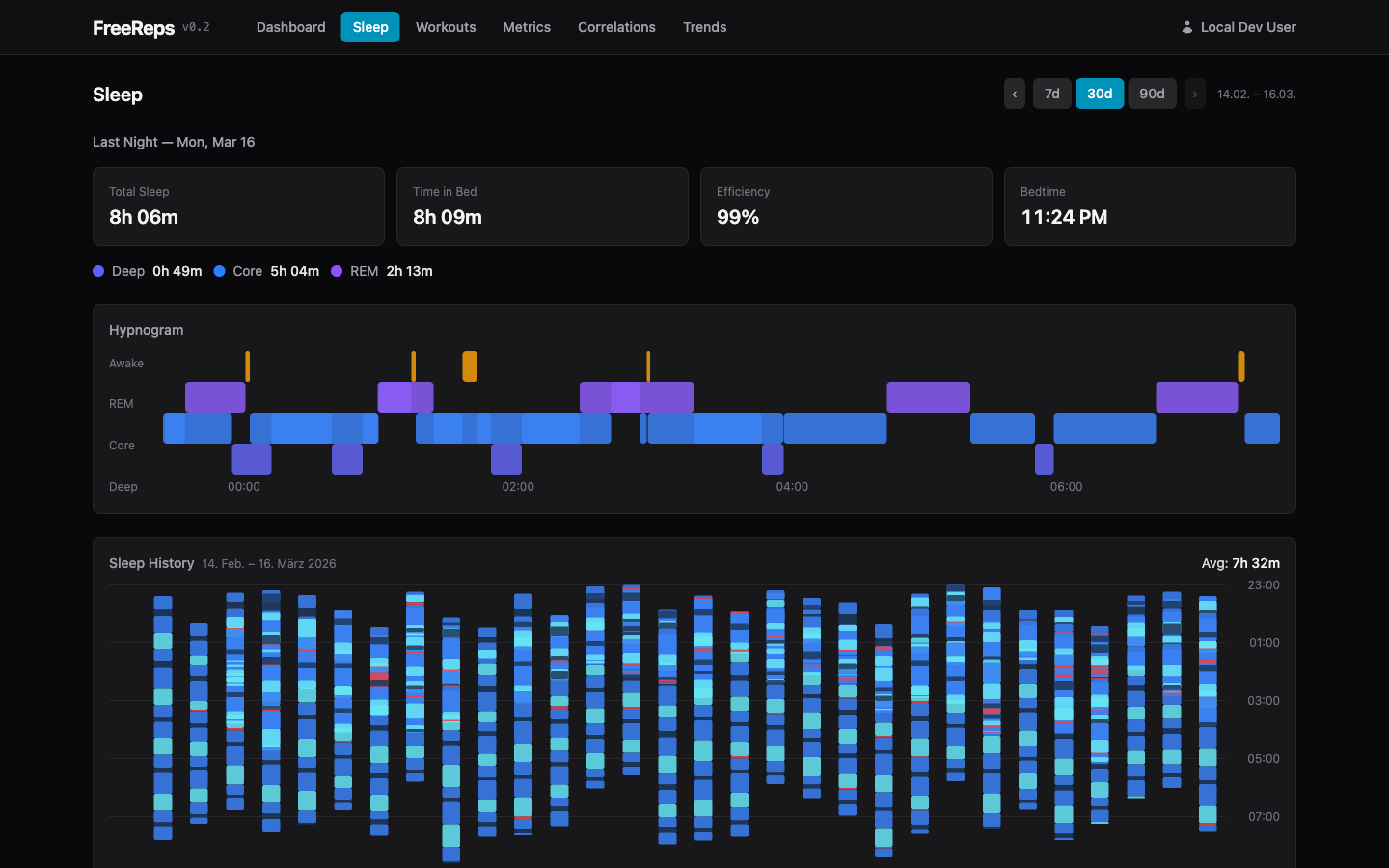
- Sleep View — Hypnogram, stages, HR/HRV/SpO2 during sleep
- Workout View — HR zones, route map, Alpha Progression sets
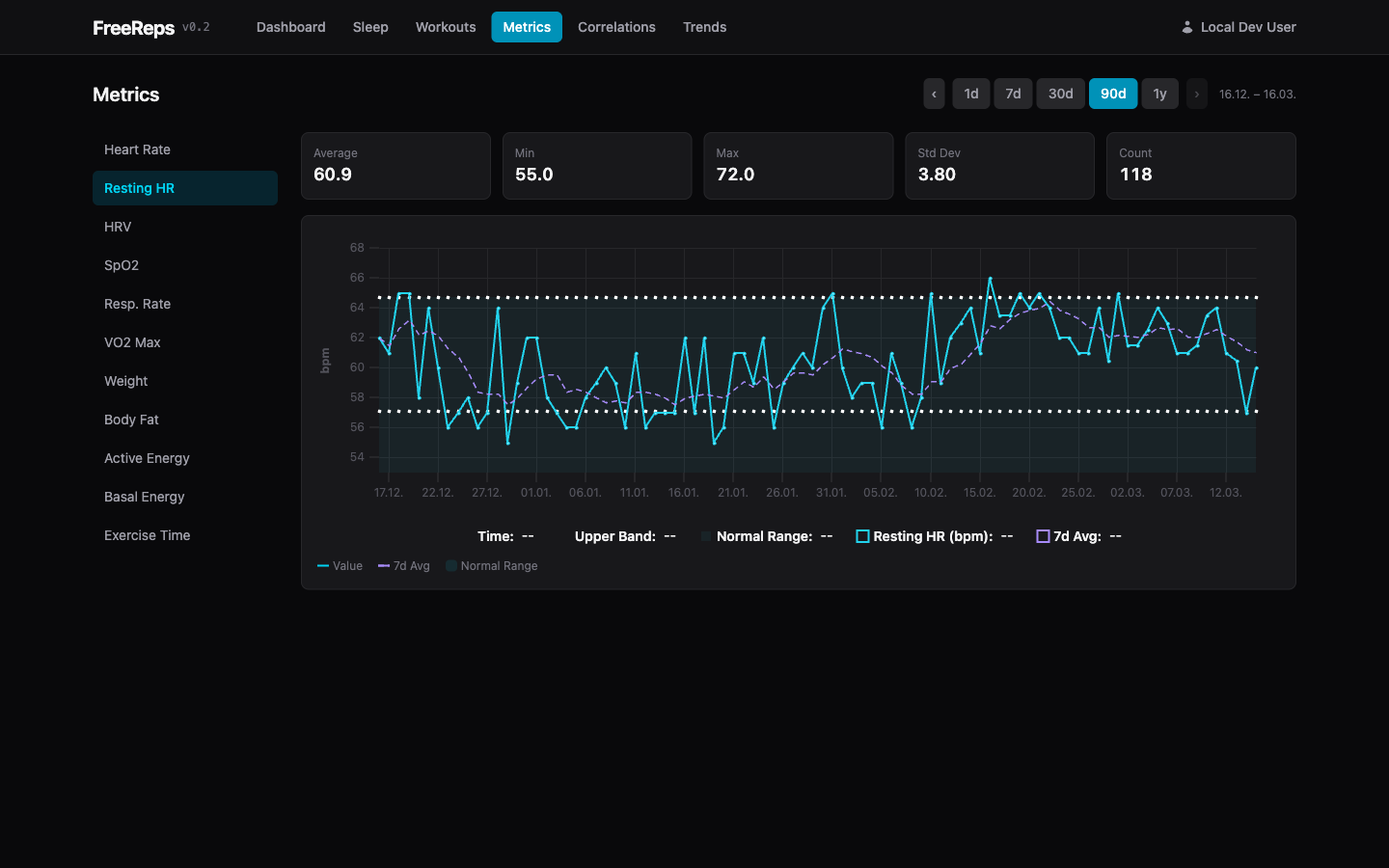
- Metrics Deep Dive — Time-series with moving average, normal range band
- Saved Views — Store correlation configurations for quick recall
MCP Server
FreeReps exposes health data to Claude (and other LLMs) via the Model Context Protocol.
Tools: get_health_metrics, get_workouts, get_sleep_data, get_metric_stats, get_correlation, compare_periods, list_available_metrics, get_workout_sets
Resources: daily_summary, recent_workouts, metric_catalog
stdio (Claude Code)
freereps --mcp -config config.yaml
Add to your Claude Code MCP config:
{
  "mcpServers": {
    "freereps": {
      "command": "/path/to/freereps",
      "args": ["--mcp", "-config", "/path/to/config.yaml"]
    }
  }
}
SSE (Remote via mcp-proxy)
The MCP SSE endpoint is available at /mcp/sse when the server is running. To connect Claude Desktop (or other stdio-only clients) to a remote FreeReps instance, use mcp-proxy to bridge stdio↔SSE:
brew install mcp-proxy # or: pip install mcp-proxy
Add to your Claude Desktop config (~/Library/Application Support/Claude/claude_desktop_config.json):
{
  "mcpServers": {
    "freereps": {
      "command": "mcp-proxy",
      "args": ["https://freereps.your-tailnet.ts.net/mcp/sse"]
    }
  }
}
No local FreeReps binary needed — mcp-proxy handles the transport bridging, and Tailscale handles authentication.
Supported Metrics
| Category | Metrics |
|---|---|
| Cardiovascular | heart_rate, resting_heart_rate, heart_rate_variability, blood_oxygen_saturation, respiratory_rate, vo2_max |
| Sleep | sleep_analysis, apple_sleeping_wrist_temperature |
| Body | weight_body_mass, body_fat_percentage |
| Activity | active_energy, basal_energy_burned, step_count, flights_climbed, apple_exercise_time |
| Oura | readiness_score, sleep_score, activity_score, temperature_deviation, stress, recovery, resilience, cardiovascular_age |
| Workouts | All types (with HR data + routes, deduped across sources) |
Design Principles
- Privacy first — All data stays local. No cloud uploads, no telemetry.
- Self-hosted — Runs on your own server/homelab.
- Data over scores — Raw data + visualization + LLM instead of proprietary algorithms.
- Flexible over opinionated — Correlation explorer instead of hard-wired dashboards.
- Single binary — Go binary with embedded web UI.
API Reference
| Endpoint | Method | Description |
|---|---|---|
/api/v1/ingest/ |
POST | Ingest health data JSON |
/api/v1/ingest/alpha |
POST | Ingest Alpha Progression CSV |
/api/v1/ingest/import |
POST | Unified import (auto-detects format) |
/api/v1/metrics/latest |
GET | Latest value per metric |
/api/v1/metrics |
GET | Time-range metric query |
/api/v1/metrics/stats |
GET | Metric statistics (avg, min, max, stddev) |
/api/v1/timeseries |
GET | Time-bucketed metric data |
/api/v1/correlation |
GET | Pearson r between two metrics |
/api/v1/sleep |
GET | Sleep sessions + stages |
/api/v1/workouts |
GET | Workout list with filters |
/api/v1/workouts/{id} |
GET | Workout detail |
/api/v1/workouts/{id}/sets |
GET | Alpha Progression sets |
/api/v1/allowlist |
GET | Metric allowlist |
/api/v1/metrics/available |
GET | Available metrics with display metadata |
/api/v1/metrics/visibility |
PUT | Save per-user metric visibility |
/api/v1/source-priority |
GET/PUT | Source priority configuration |
/api/v1/oura/status |
GET | Oura connection status |
/api/v1/oura/credentials |
PUT | Save Oura OAuth2 credentials |
/api/v1/oura/authorize |
POST | Start Oura OAuth2 flow |
/api/v1/oura/sync |
POST | Trigger manual Oura sync |
/api/v1/oura/disconnect |
DELETE | Remove Oura connection |
/api/v1/me |
GET | Current user identity |
License
Installing FreeReps
This server has no published package — it is built from source. Open the repository and follow its README.
▸ github.com/meltforce/FreeRepsFAQ
Is FreeReps MCP free?
Yes, FreeReps MCP is free — one-click install via Unyly at no cost.
Does FreeReps need an API key?
No, FreeReps runs without API keys or environment variables.
Is FreeReps hosted or self-hosted?
Self-hosted: the server runs locally on your machine via the install command above.
How do I install FreeReps in Claude Desktop, Claude Code or Cursor?
Open FreeReps on unyly.org, pick your client tab (Claude Desktop, Claude Code, Cursor) and press Install — the config is generated automatically, no JSON editing.
Related MCPs
Fetch
Web content fetching and conversion for efficient LLM usage.
AWS KB Retrieval
Retrieval from AWS Knowledge Base using Bedrock Agent Runtime.
 by modelcontextprotocol
Spring AI MCP Server
Provides auto-configuration for setting up an MCP server in Spring Boot applications.
llm-analysis-assistant
A very streamlined mcp client that supports calling and monitoring stdio/sse/streamableHttp, and can also view request responses through the /logs page. It also
 by xuzexin-hz
Compare FreeReps with
Not sure what to pick?
Find your stack in 60 seconds
Author?
Embed badge for your README
Browse similar
All ai MCPs