loading…
en/
Browse all
Gildara
FreeNot checkedConnect your AI tools to your prompt vault. Gildara gives agents structured operating contracts: prompts with roles, tools, stop conditions, and output schemas,

About
Connect your AI tools to your prompt vault. Gildara gives agents structured operating contracts: prompts with roles, tools, stop conditions, and output schemas, fetched at runtime via API. 6 tools: list, get, resolve, run (with auto-repair), create prompts, and browse agent blueprints.
README
One prompt vault. Every agent. Zero setup. Give Claude, Cursor, Windsurf, and Claude Code a shared, searchable prompt library that survives across chats, machines, and tools.
{ "mcpServers": { "gildara": { "command": "npx", "args": ["-y", "@gildara/mcp-server"] } } }
Paste into claude_desktop_config.json, restart Claude — your Gildara tools appear in Claude's tool list. No signup. No API key. The server auto-provisions a free agent on first run and prints a one-click link code to pair it with your account later.
→ Get started at gildara.io — pair your auto-provisioned agent to sync your vault and unlock Pro.
What your AI can do
- Search prompts semantically — find by meaning, not just keywords (Gemini embeddings).
- Resolve + run prompts — compiled system prompts with operating-contract sections assembled, auto-repair on JSON schema failures.
- Create + append — save new prompts, or append persistent facts to memory-type prompts.
- Dispatch briefs to agents — say "send this to gevorg" and the MCP server creates a Brief, ships it as a
.mdattachment to your paired Telegram chat, and @mentions the target agent's bot. One call closes the sketch-in-chat → agent-on-another-box → result-in-chat loop. See docs/briefs/dogfood-rollout-v0.md for the agent-side integration recipe. - Browse 48+ blueprints — pre-built agent templates.
Setup
No API key required on first run. As of v0.6.0, the MCP server auto-provisions a new agent account on first startup if no
GILDARA_API_KEYis set, and caches the key at~/.gildara/auto-key.jsonfor future runs. Skip to "Add to Claude Desktop" below — zero curl required.On first run, the server prints a link code to stderr (visible in Claude Desktop's MCP logs). Visit
https://gildara.io/link?code=XXXXXXto pair the auto-provisioned agent with your human account and inherit your subscription tier.
1. (Optional) Use an existing API key instead of auto-provisioning
Skip this whole section if you're happy with auto-provisioning.
Otherwise, get a key one of these ways:
Manual provision via API:
curl -X POST https://gildara.io/api/v1/provision \
  -H 'Content-Type: application/json' \
  -d '{"agent_label": "my-agent"}'
From the web: Go to gildara.io/account and create an API key with the agent-standard preset.
Then set GILDARA_API_KEY in your MCP config (see examples below).
2. Add to Claude Desktop
Edit your claude_desktop_config.json. No env block needed for auto-provision:
{
  "mcpServers": {
    "gildara": {
      "command": "npx",
      "args": ["-y", "@gildara/mcp-server"]
    }
  }
}
Or, with an existing key:
{
  "mcpServers": {
    "gildara": {
      "command": "npx",
      "args": ["-y", "@gildara/mcp-server"],
      "env": {
        "GILDARA_API_KEY": "pvk_your_key_here"
      }
    }
  }
}
3. Add to Cursor
Edit .cursor/mcp.json in your project root using the same configuration as Claude Desktop (with or without the env block — same rules apply).
4. Add to Claude Code
Run:
/mcp add gildara -- npx -y @gildara/mcp-server
Auto-provision works here too. Set GILDARA_API_KEY in your environment only if you want to use an existing key.
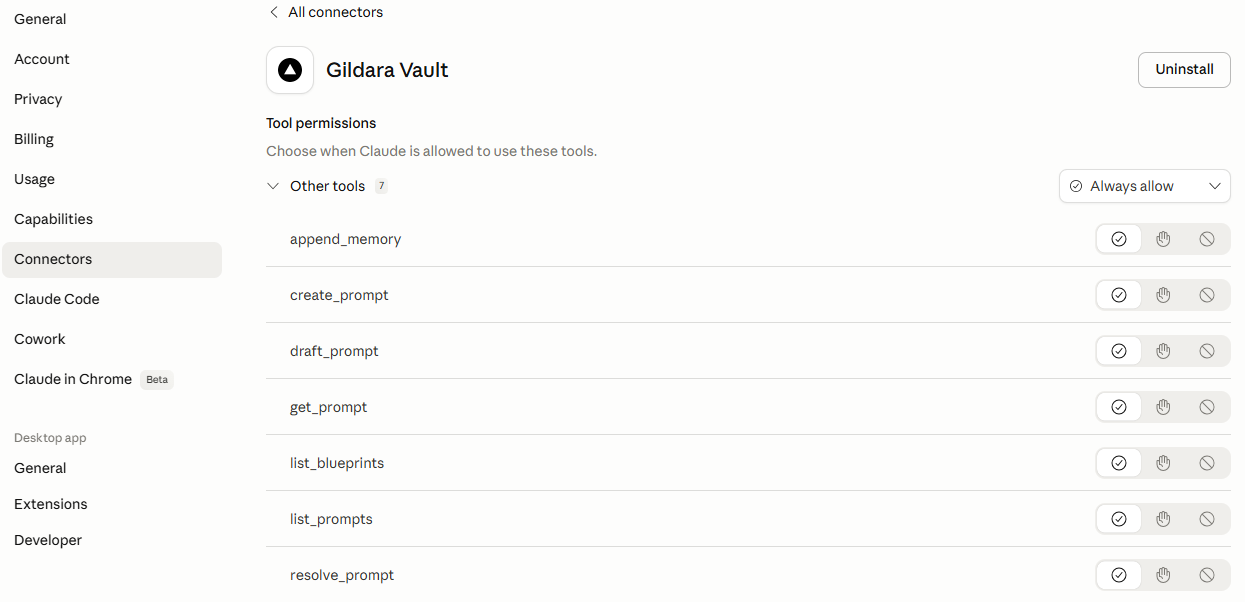
5. Add to Claude Chat (claude.ai)
Gildara supports Remote MCP via HTTP/SSE.
- Go to Settings > Connectors in Claude Chat.
- Select "Add custom connector".
- Name: Gildara Vault.
- Remote MCP server URL:
https://gildara.io/api/mcp/mcp. - Authentication: OAuth 2.1 (you will be redirected to the Gildara consent page to authorize).
Tools
| Tool | Description |
|---|---|
search_prompts |
Semantic search over your vault using Gemini embeddings |
list_prompts |
List all prompts in your vault |
get_prompt |
Get prompt details and operating contract config |
resolve_prompt |
Get compiled system prompt with variable substitution |
run_prompt |
Run prompt through AI with auto-repair |
create_prompt |
Create a new prompt |
append_memory |
Add info to an existing memory-type prompt |
save_brief |
Dispatch a brief to a named agent (MD attachment via Telegram, @mention routes to the right bot) |
list_blueprints |
Browse 48+ agent blueprint templates |
Example usage
Once connected, just tell your AI:
- "Search my vault for prompts related to security audits."
- "Resolve my code-review-agent prompt with the
code_diffvariable." - "Run the security-audit prompt against this code."
- "Append this preference to my 'Personal Context' memory: I prefer TypeScript over JavaScript."
- "Send this to gevorg: analyze last week's Meta Ads performance and flag the bottom 3 campaigns."
Local-First Support
Gildara features a local-first architecture. The MCP server automatically caches resolved prompts to ~/.gildara/cache/ to ensure your agents remain functional even if the Gildara API is temporarily unreachable.
Environment variables
| Variable | Required | Description |
|---|---|---|
GILDARA_API_KEY |
No | Your API key (pvk_...). If unset, the server auto-provisions a new agent account on first run and caches the key at ~/.gildara/auto-key.json. Set this explicitly to use an existing key. |
GILDARA_BASE_URL |
No | Override API URL (default: https://gildara.io). |
License
MIT
Contributing / Maintainers
This package is the stdio MCP server. A sibling HTTP server lives at app/api/mcp/[transport]/route.ts in the parent monorepo (powers the Claude.ai native connector). Both must stay at parity — tool names, argument schemas, response text.
Before adding, removing, or changing a tool here, read docs/MCP_INTEGRATION_CONTRACT.md and run npm run test:unit from the monorepo root to verify parity.
How to install
Run in your terminal:
claude mcp add gildara -- npx 
