
Iflow Mcp Mcp Hydra
FreeNot checkedA lightweight, extensible cybersecurity toolkit that connects AI assistants to security tools through the Model Context Protocol (MCP), enabling AI-assisted sec

About
A lightweight, extensible cybersecurity toolkit that connects AI assistants to security tools through the Model Context Protocol (MCP), enabling AI-assisted security research, scanning, and analysis.
README
⣿⣿⣿⣿⣿⣿⣿⣿⣿⣿⣿⣿⣿⣿⣿⣿⣿⣿⣿⠿⠿⠿⠿⠿⢿⣿⣿⣿⣿⣿
⣿⣿⣿⣿⣿⣿⣿⣿⣿⣿⠿⣿⣿⠟⠙⠻⠿⠋⠙⠻⠷⠄⠀⠀⠀⠀⠀⠀⢸⣿
⣿⣿⣿⣿⣿⣿⠿⢿⠿⠋⠀⠀⠀⠀⠀⠀⠀⠀⠀⠀⠀⠀⠀⠀⠀⢠⣾⣿⣿⣿
⣿⣿⣿⣿⣿⡿⠀⠀⠀⠀⠀⢀⣀⣤⣴⣶⣾⣿⣿⣿⣿⣿⣇⡀⠀⠈⠻⠿⣿⣿
⣿⣿⣿⠉⠉⠀⠀⠀⠀⣠⣶⣿⣿⣿⣿⣿⣿⣿⣿⢿⣿⣿⣿⣿⣿⣷⣶⣶⣿⣿
⣿⠿⠟⠀⠀⠀⢀⣠⣾⣿⡿⠻⠿⠟⠙⠿⠟⠻⣿⡆⠈⠻⣿⣿⣿⣿⣿⣿⣿⣿
⣿⠀⠀⠀⠀⢀⣾⠏⠈⠉⠀⠀⠀⠀⠀⠀⠀⠀⠀⠁⠀⠀⠈⠻⣿⣿⣿⣿⣿⣿
⣿⠀⠀⠀⠀⠈⠁⠀⠀⠀⠀⣠⣤⣶⣶⣶⣶⣦⡄⠀⠀⠀⠀⠀⠈⠻⣿⣿⣿⣿
⣿⠀⠀⠀⠀⠀⠀⠀⠀⣠⣾⣿⣿⣿⣿⣿⣿⣿⣦⡀⠀⣾⣿⣿⣆⣤⣾⣿⣿⣿
⣿⠀h⠀⠀⠀⠀⠀⠀⠘⠛⠛⠻⣿⣿⣿⣿⣿⣿⣿⣿⣦⠈⣻⣿⣿⣿⣿⣿⣿⣿
⣿⠀⠀⠀⠀⠀⠀⠀⠀⠀⠀⠀⠈⠉⢻⣿⣿⡿⠿⠿⠿⢿⣿⣿⣿⣿⣿⣿⣿⣿
⣿⠀⠀⠀⠀⢀⣠⣤⣤⣤⣄⣀⠀⠀⠈⠛⠹⣿⠷⣄⠀⠀⠀⠀⠉⠉⠉⣹⣿⣿
⣿⠀⠀⢀⣾⣿⣿⣿⣿⣿⣿⣿⣷⣤⣀⠀⠀⠀⠀⠀⠀⠀⠀⢀⣴⣶⣶⣿⣿⣿
⣿⠀⢀⣿⣿⣿⣿⣿⣿⣿⣿⣿⣿⣿⣿⣿⣷⣶⣶⣶⣶⣆⡀⠀⠈⠻⠿⣿⣿⣿
⣿⣤⣼⣿⣿⣿⣿⣿⣿⣿⣿⣿⣿⣿⣿⣿⣿⣿⣿⣿⣿⣿⣿⣿⣿⣶⣶⣿⣿⣿
A lightweight, extensible cybersecurity toolkit that connects AI assistants to security tools through the Model Context Protocol (MCP), enabling AI-assisted security research, scanning, and analysis.
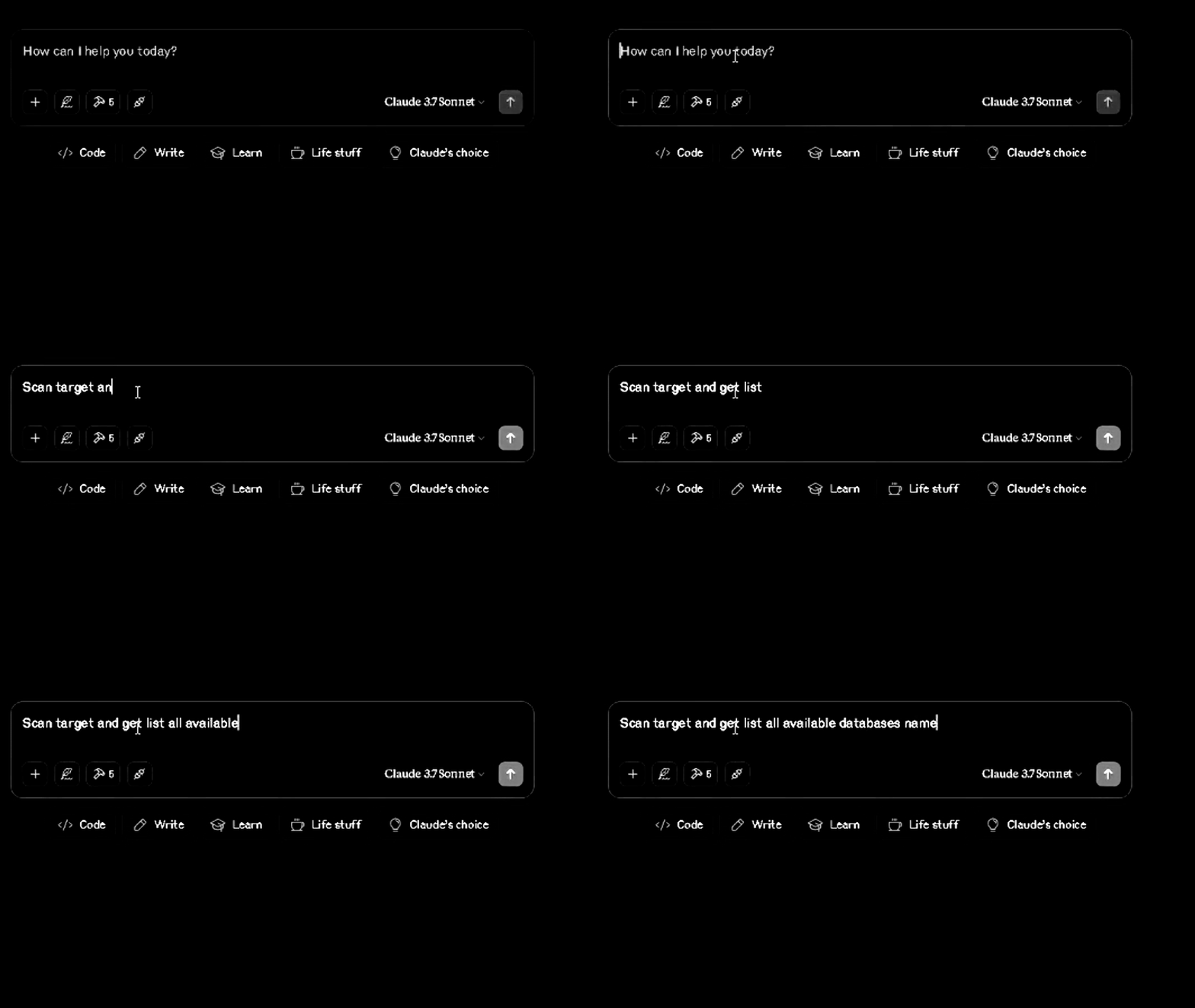
Demo - Sqlmap
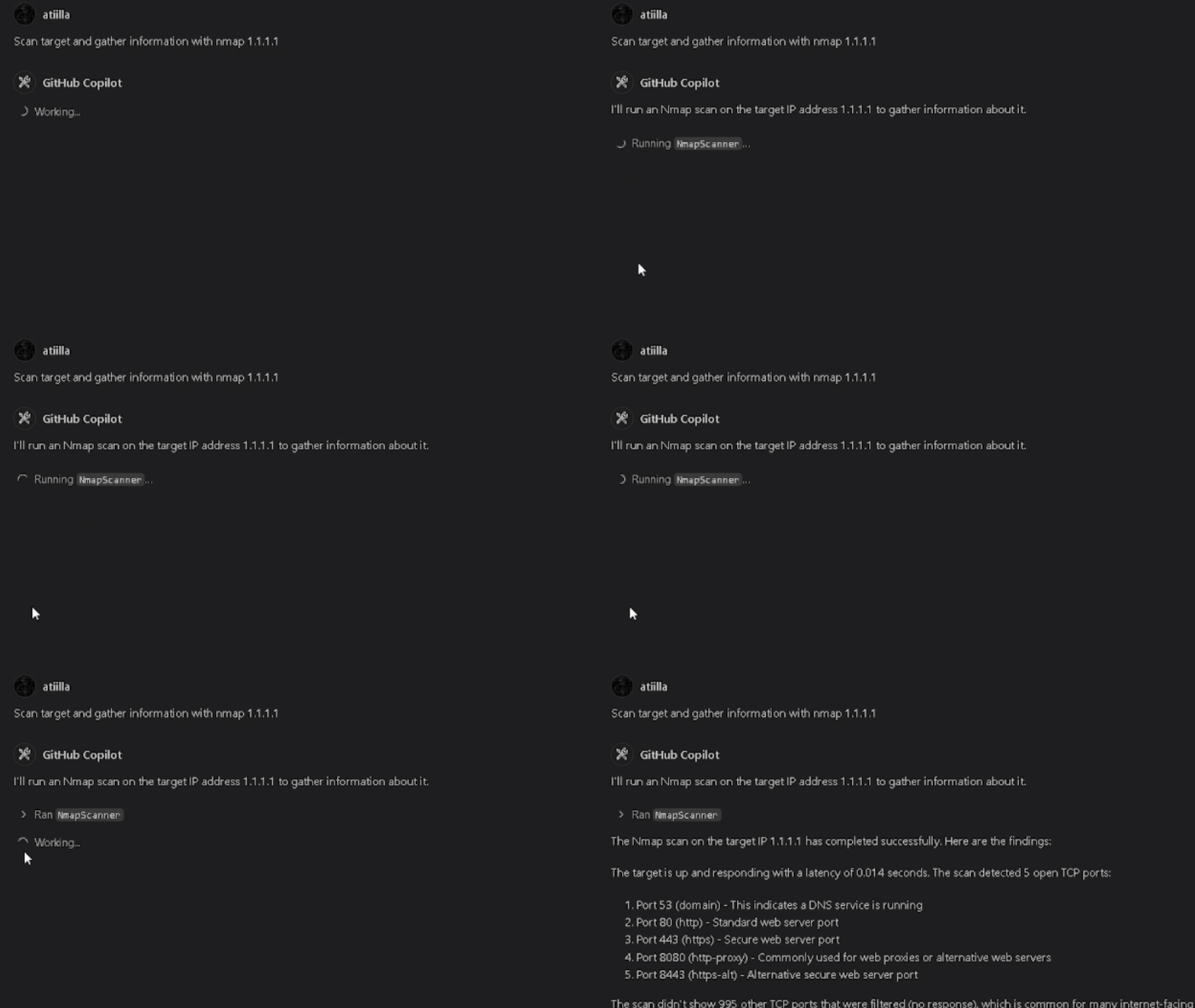
Nmap
Sqlmap
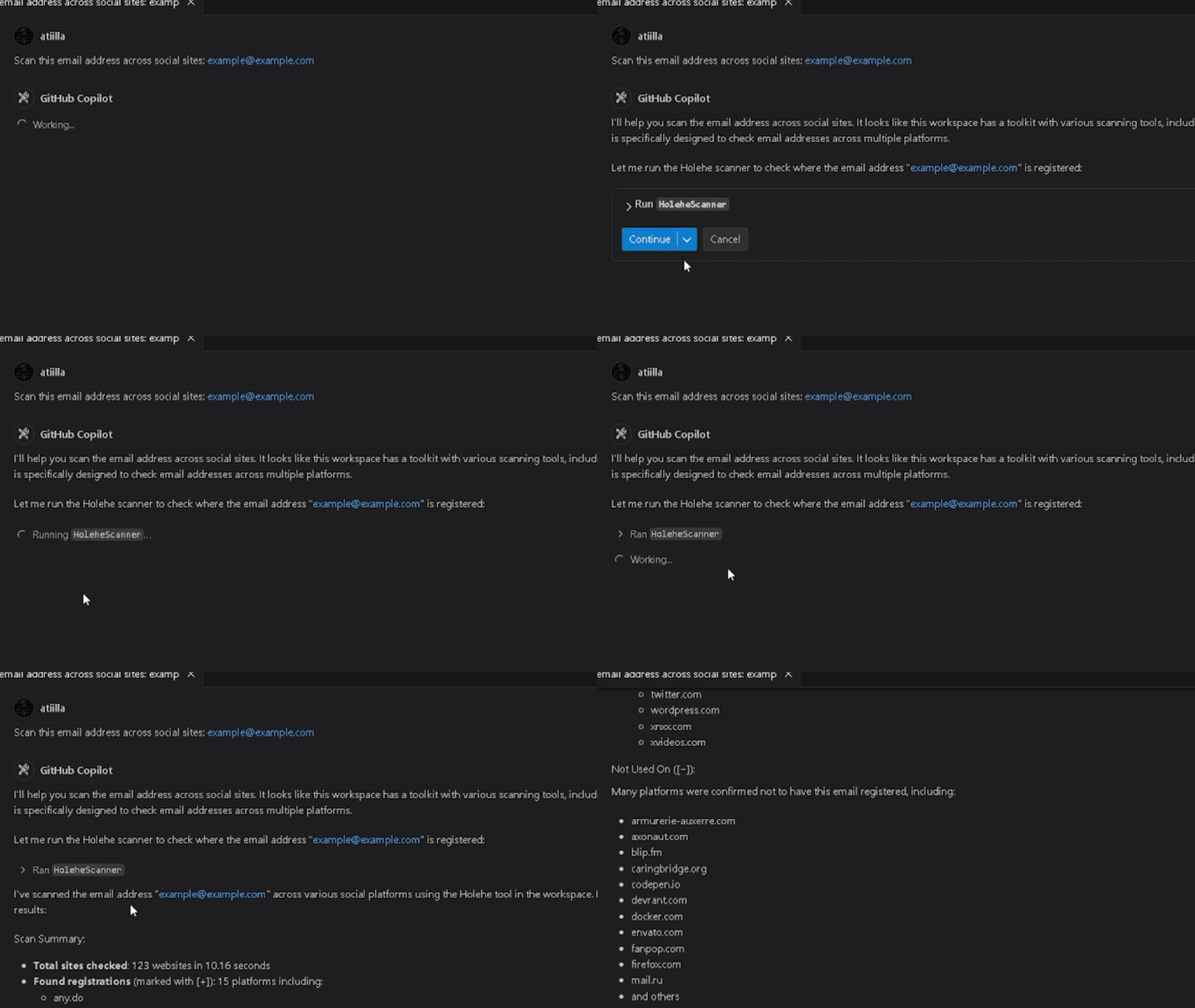
Holehe
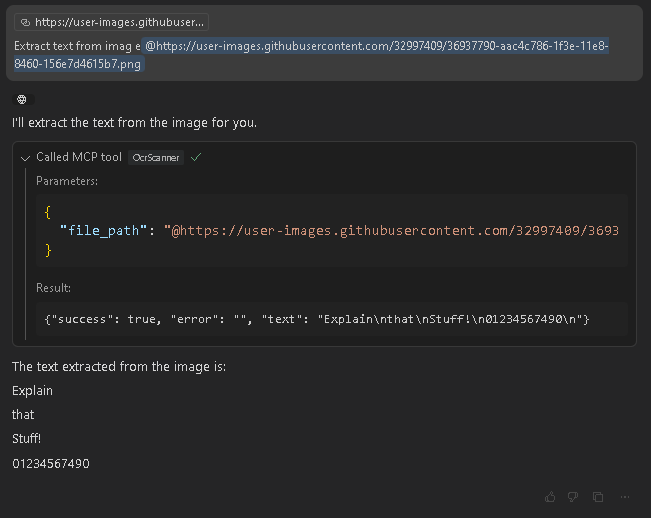
Ocr2Text
Sherlock
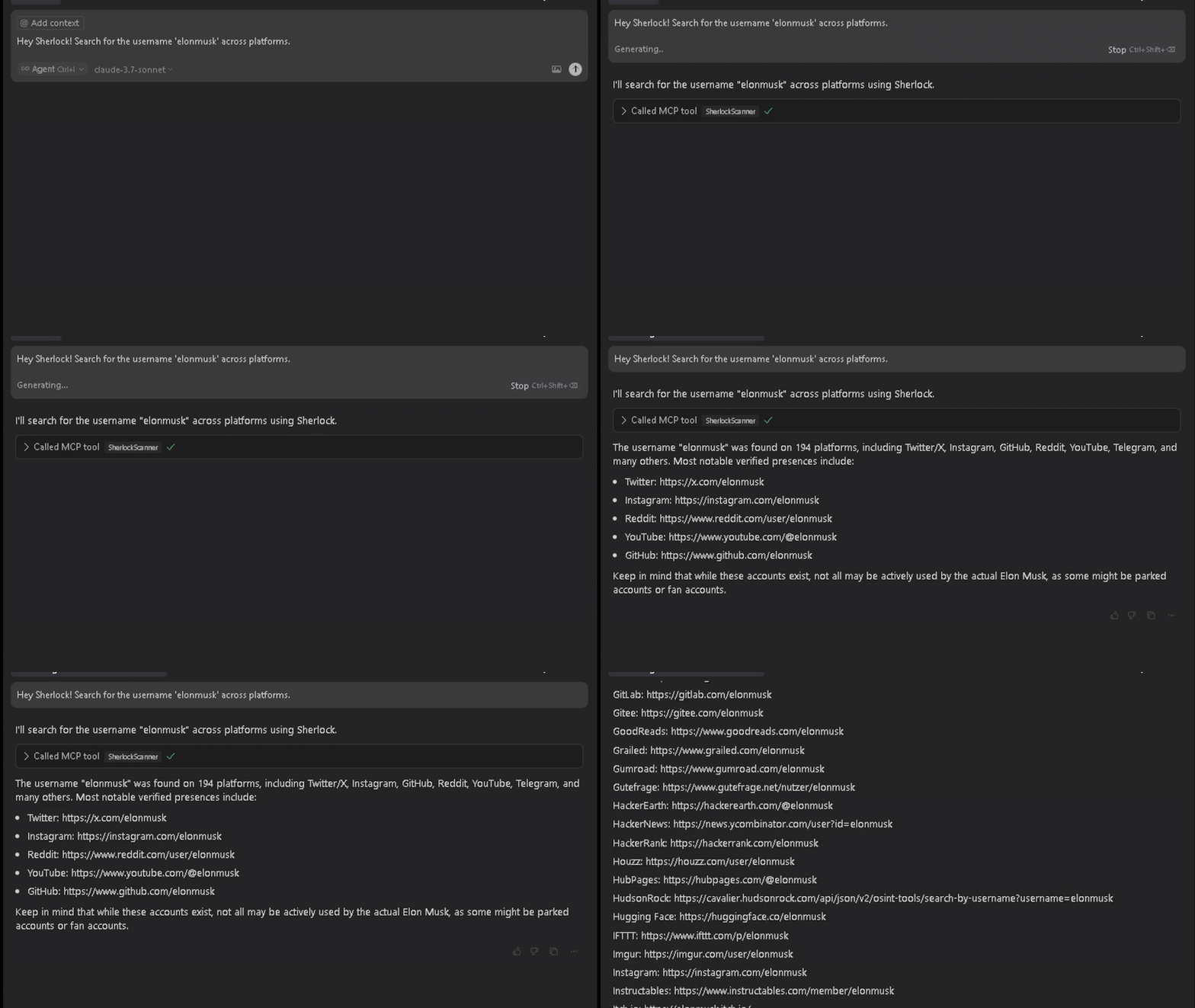
Installation
Build te Docker image
git clone https://github.com/happyhackingspace/mcp-hydra.git
cd mcp-hydra
docker build -t hydramcp .
Usage
Edit your claude_desktop_config.json
{
  "mcpServers": {
    "hydramcp": {
      "command": "docker",
      "args": ["run", "--rm", "-i","--name","hydramcp", "hydramcp"]
    }
  }
}
Or Copilot in vscode
mkdir -p .vscode
cd .vscode
touch mcp.json
```json
{
    "servers": {
        "hydramcp": {
            "command": "docker",
            "args": [
                "run",
                "--rm",
                "-i",
                "--net=host",
                "--privileged",
                "--name",
                "hydramcp",
                "hydramcp"
            ]
        }
    }
}
You can use the following prompts to test the tools:
Sublist3r
> Use Sublist3rScanner to find all subdomains for example.com and save results to the "recon" folder.
--
DNSRecon
> Run a DNS reconnaissance scan on example.com using DNSReconScanner with standard scan type.
--
Holehe
> Use HoleheScanner to check if the email address [email protected] is registered on various websites.
--
Nmap
> Scan 192.168.1.1 with NmapScanner to check for open ports in the range 1-1000.
--
Ocr2Text
> Use OcrScanner to extract text from the screenshot at /path/to/image.png.
--
Sqlmap
> Run SqlmapScanner on http://testphp.vulnweb.com/listproducts.php?cat=1 to check for SQL injection vulnerabilities.
--
WPScan
> Use WPScanScanner to scan the WordPress site at https://example.com for vulnerabilities.
--
Zmap
> Scan the subnet 192.168.1.0/24 for systems with port 80 open using ZmapScanner with 1M bandwidth.
Changelog
Implemented Tools
- Sublist3r - Domain enumeration tool
- DNSRecon - DNS Reconnaissance tool
- Holehe - Email registration checker
- Nmap - Network scanner
- OCR - Optical Character Recognition
- Sqlmap - SQL injection scanner
- WPScan - WordPress security scanner
- Zmap - Internet scanner
Planned Tools
- gobuster
- TheHarvester
- GitRecon
- Phone carrier lookup
- Netcraft
- Cloudunflare (claudflare bypass)
- Censys
- Programmable search engine
- Wayback Machine
- Shodan
- Wappalyzer
- Hunter.io
- Nuclei
- Amass
- GitSecrets - @awslabs/git-secrets or @trufflesecurity/trufflehog
- Depixelization - https://github.com/spipm/Depixelization_poc
- ExifTool
- Sudomy https://github.com/screetsec/Sudomy
Contributing
If you want to contribute to this project, please follow these steps:
- Fork the repository.
- Create a new branch (
git checkout -b feature-branch). - Make your changes and commit them (
git commit -m 'Add some feature'). - Push to the branch (
git push origin feature-branch).
Disclaimer
This project is for educational purposes only. Use it at your own risk. The author is not responsible for any damages or legal issues that may arise from the use of this software.
- Version: 0.1.0
- License: MIT
- Author: Built with ❤️ by @atiilla
- Community: @happyhackingspace | https://happyhacking.space
Installing Iflow Mcp Mcp Hydra
This server has no published package — it is built from source. Open the repository and follow its README.
▸ github.com/iflow-mcp/mcp-hydraFAQ
Is Iflow Mcp Mcp Hydra MCP free?
Yes, Iflow Mcp Mcp Hydra MCP is free — one-click install via Unyly at no cost.
Does Iflow Mcp Mcp Hydra need an API key?
No, Iflow Mcp Mcp Hydra runs without API keys or environment variables.
Is Iflow Mcp Mcp Hydra hosted or self-hosted?
Self-hosted: the server runs locally on your machine via the install command above.
How do I install Iflow Mcp Mcp Hydra in Claude Desktop, Claude Code or Cursor?
Open Iflow Mcp Mcp Hydra on unyly.org, pick your client tab (Claude Desktop, Claude Code, Cursor) and press Install — the config is generated automatically, no JSON editing.
Related MCPs
Fetch
Web content fetching and conversion for efficient LLM usage.
AWS KB Retrieval
Retrieval from AWS Knowledge Base using Bedrock Agent Runtime.
 by modelcontextprotocol
Spring AI MCP Server
Provides auto-configuration for setting up an MCP server in Spring Boot applications.
llm-analysis-assistant
A very streamlined mcp client that supports calling and monitoring stdio/sse/streamableHttp, and can also view request responses through the /logs page. It also
 by xuzexin-hz
MCP-Agent
A simple, composable framework to build agents using Model Context Protocol by [LastMile AI](https://www.lastmileai.dev)
 by lastmile-ai
Spring AI MCP Client
Provides auto-configuration for MCP client functionality in Spring Boot applications.
mcp.natoma.ai
A Hosted MCP Platform to discover, install, manage and deploy MCP servers by [Natoma Labs](https://www.natoma.ai)
MCPHub
Website to list high quality MCP servers and reviews by real users. Also provide online chatbot for popular LLM models with MCP server support.
MCP Servers Rating and User Reviews
Website to rate MCP servers, write authentic user reviews, and [search engine for agent & mcp](http://www.deepnlp.org/search/agent)
mkinf
An Open Source registry of hosted MCP Servers to accelerate AI agent workflows.
Compare Iflow Mcp Mcp Hydra with
Not sure what to pick?
Find your stack in 60 seconds
Author?
Embed badge for your README
Browse similar
All ai MCPs