
Laboratorio Gateway
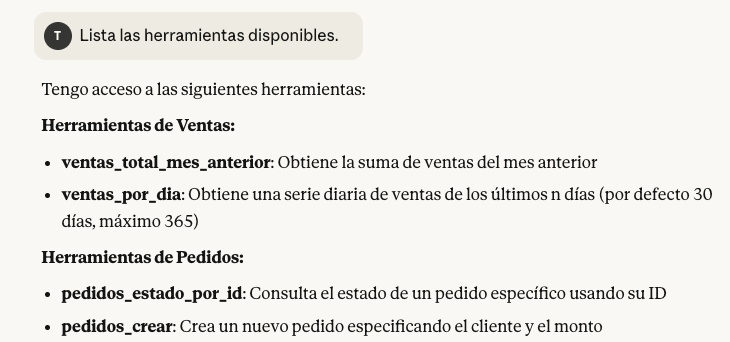
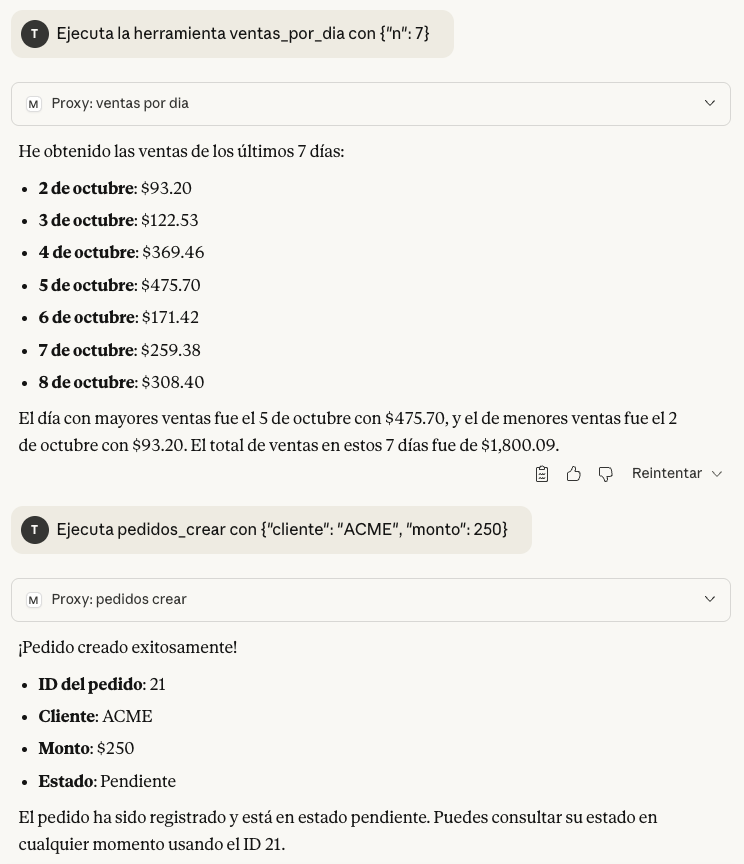
FreeNot checkedConnects multiple microservices (ventas and pedidos) through a central MCP gateway, enabling Claude Desktop to invoke sales and order tools via STDIO.

About
Connects multiple microservices (ventas and pedidos) through a central MCP gateway, enabling Claude Desktop to invoke sales and order tools via STDIO.
README
Descripción
Este laboratorio implementa una integración completa del Model Context Protocol (MCP), conectando múltiples microservicios (ventas y pedidos) a través de un gateway central.
El sistema permite que Claude Desktop invoque herramientas MCP locales mediante comunicación STDIO.
Estructura del proyecto
packages/
├─ mcp-ventas-node/     → Servidor Node.js que maneja operaciones de ventas
├─ mcp-pedidos-py/      → Servidor Python que gestiona pedidos
└─ mcp-gateway/         → Gateway que expone ambos servicios como un único MCP
Pasos de ejecución
Iniciar la base de datos
Ejecuta el contenedor PostgreSQL:
docker compose up -d
Esto levanta una instancia con las credenciales
Host: localhost
Puerto: 5433
Usuario: postgres
Contraseña: postgres
Base de datos: mcp_lab
Ejecutar los servidores de negocio
Servidor de pedidos (Python)
cd packages/mcp-pedidos-py
source .venv/bin/activate
python3 server.py
Servidor ventas (Node.js)
cd packages/mcp-ventas-node
npm run build
node dist/server.js
Gateway MCP
Este gateway conecta ambos microservicios el ecosistema MCP
cd packages/mcp-gateway
chmod +x run-gateway.sh
./run-gateway.sh
Debería salir un mensaje como este
[ventas] DB mode=postgres
[pedidos] INFO DB mode=postgres
Integración con Claude Desktoop
Crea o edita el archivo
nano ~/Library/Application\ Support/Claude/claude_desktop_config.json
Debería salir un mensaje como este
{
  "mcpServers": {
    "mcp-gateway": {
      "command": "/TuDireccion/Laboratorio MCP/packages/mcp-gateway/run-gateway.sh",
      "args": []
    }
  }
}
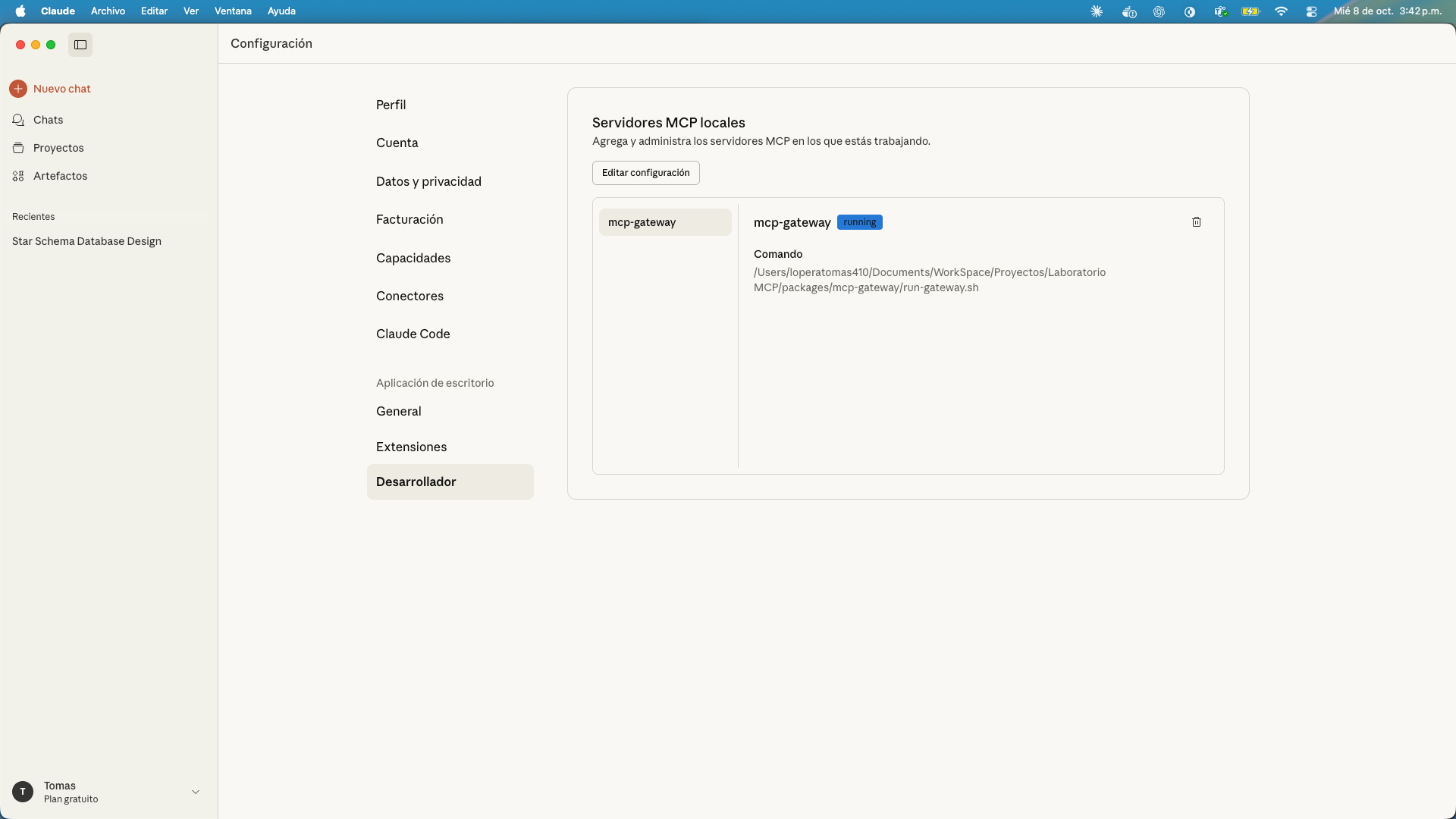
Nota: para la implementación en MAC se le debe dar permisos a Claude Desktop para acceder al disco
Claude Desktop
Installing Laboratorio Gateway
This server has no published package — it is built from source. Open the repository and follow its README.
▸ github.com/Tomaslopera/Laboratorio_MCPFAQ
Is Laboratorio Gateway MCP free?
Yes, Laboratorio Gateway MCP is free — one-click install via Unyly at no cost.
Does Laboratorio Gateway need an API key?
No, Laboratorio Gateway runs without API keys or environment variables.
Is Laboratorio Gateway hosted or self-hosted?
Self-hosted: the server runs locally on your machine via the install command above.
How do I install Laboratorio Gateway in Claude Desktop, Claude Code or Cursor?
Open Laboratorio Gateway on unyly.org, pick your client tab (Claude Desktop, Claude Code, Cursor) and press Install — the config is generated automatically, no JSON editing.
Related MCPs
Fetch
Web content fetching and conversion for efficient LLM usage.
AWS KB Retrieval
Retrieval from AWS Knowledge Base using Bedrock Agent Runtime.
 by modelcontextprotocol
Spring AI MCP Server
Provides auto-configuration for setting up an MCP server in Spring Boot applications.
llm-analysis-assistant
A very streamlined mcp client that supports calling and monitoring stdio/sse/streamableHttp, and can also view request responses through the /logs page. It also
 by xuzexin-hz
Compare Laboratorio Gateway with
Not sure what to pick?
Find your stack in 60 seconds
Author?
Embed badge for your README
Browse similar
All ai MCPs