
Langchain Mcp Multi Server
FreeNot checkedOne LangChain agent, multiple MCP servers (stdio + SSE) — powered by free NVIDIA NIM models instead of OpenAI

About
One LangChain agent, multiple MCP servers (stdio + SSE) — powered by free NVIDIA NIM models instead of OpenAI
README
Follow on X WhatsApp Channel License
Python LangChain LangGraph MCP NVIDIA NIM uv
An educational example showing how a single LangChain agent can call tools from multiple MCP servers at once — one over stdio, one over SSE — powered by a free NVIDIA NIM model (nvidia/nemotron-3-ultra-550b-a55b) instead of OpenAI.
flowchart LR
    U([User question]) --> A["LangChain agent<br/>(create_agent + ChatNVIDIA)"]
    A -->|stdio · subprocess| M["Math MCP server<br/>add · multiply"]
    A -->|SSE · http://localhost:8000/sse| W["Weather MCP server<br/>get_weather"]
    A --> R([Final answer])
📖 The two MCP transports, explained
MCP separates what a server offers (tools, prompts, resources) from how you talk to it (the transport). This repo demonstrates both classic transports:
| 🖥️ stdio | 🌐 SSE (Server-Sent Events) | |
|---|---|---|
| How it works | The client spawns the server as a subprocess and speaks JSON-RPC over stdin/stdout | The server is a standalone web service; clients connect over HTTP |
| Who starts the server | The client, automatically | You, manually (or a process manager) |
| Clients per server | Exactly one | Many simultaneous clients |
| Best for | Local tools, CLI integrations, Claude Desktop | Shared/remote services, microservices |
| In this repo | servers/math_server.py | servers/weather_server.py |
ℹ️ Newer MCP versions introduce Streamable HTTP as the successor to SSE for remote servers. SSE is still widely deployed and is what this tutorial (and most courses) teach — the client-side code barely changes.
🗂️ Project structure
.
├── servers/
│   ├── math_server.py      # MCP server #1 — stdio transport (add, multiply)
│   └── weather_server.py   # MCP server #2 — SSE transport on port 8000 (get_weather, mocked)
├── main.py                 # Example 1: agent + ONE server (stdio)
├── langchain_client.py     # Example 2: agent + MULTIPLE servers (stdio + SSE)
├── assets/                 # Screenshots
├── .env.example            # Template for your NVIDIA API key
└── pyproject.toml          # Dependencies (managed with uv)
🔑 Get a free NVIDIA API key
This project uses NVIDIA NIM hosted endpoints — free to try, no credit card:
- Go to build.nvidia.com and sign in
- Open any model page and click Get API Key
- Copy the key (starts with
nvapi-) - Create your
.envfile:
cp .env.example .env # then paste your key inside
NVIDIA_API_KEY=nvapi-xxxxxxxxxxxxxxxxxxxxxxxx
# Optional — any NIM model that supports tool calling:
# NVIDIA_MODEL=nvidia/nemotron-3-ultra-550b-a55b
⚠️ The model must support tool calling for the agent to work.
nvidia/nemotron-3-ultra-550b-a55bdoes. Browse other models in the NIM API reference.
🚀 Setup
Prerequisites: Python 3.12+ and uv.
git clone <this-repo>
cd sse-mcp
uv sync
▶️ Example 1 — One agent, one stdio server
No server to start — the client spawns math_server.py itself:
uv run main.py
Expected output:
MCP session initialized
Loaded tools: ['add', 'multiply']
The expression 54 + 2 × 3 follows the order of operations ...
**Answer: 60**
What happened under the hood:
stdio_client(...)spawned the math server as a subprocessload_mcp_tools(session)converted its MCP tools into LangChain toolscreate_agent(llm, tools)built an agentic loop around the NVIDIA model- The model decided to call
multiply(2, 3)thenadd(54, 6)— MCP carried each call to the server and the result back
▶️ Example 2 — One agent, multiple servers (stdio + SSE)
Terminal 1 — start the SSE weather server first:
uv run servers/weather_server.py
Wait for: Uvicorn running on http://localhost:8000
Terminal 2 — run the multi-server client:
uv run langchain_client.py
Expected output:
Loaded tools: ['add', 'multiply', 'get_weather']
The current weather in San Francisco is **14°C, foggy with a light breeze**.
And **2 + 2 = 4**.
The magic is MultiServerMCPClient: it aggregates tools from any number of servers behind different transports into one flat list — the agent never knows (or cares) where a tool lives:
client = MultiServerMCPClient(
    {
        "math":    {"command": "python", "args": [MATH_SERVER], "transport": "stdio"},
        "weather": {"url": "http://localhost:8000/sse", "transport": "sse"},
    }
)
tools = await client.get_tools()   # ['add', 'multiply', 'get_weather']
🔄 Differences from the original (OpenAI) course code
This example is adapted from a Udemy MCP course that uses ChatOpenAI. What changed and why:
| Change | Why |
|---|---|
ChatOpenAI() → ChatNVIDIA(model=..., timeout=300) |
Use NVIDIA NIM's free endpoints; timeout=300 because free endpoints can queue requests beyond the default 60 s read timeout |
Hardcoded absolute server path → Path(__file__).parent / "servers" / ... |
Works wherever the repo is cloned, on any OS |
langgraph.prebuilt.create_react_agent → langchain.agents.create_agent |
The former is deprecated since LangGraph 1.0; create_agent is the modern replacement (same ReAct loop underneath) |
"transport": "stdio" added explicitly |
Required by current langchain-mcp-adapters |
🛠️ Troubleshooting
| Symptom | Fix |
|---|---|
SocketTimeoutError: Timeout on reading data from socket |
The NIM endpoint is queueing your request — the timeout=300 in the code covers most cases; retry, or switch NVIDIA_MODEL to a smaller model |
ConnectionError on localhost:8000 |
The weather server isn't running — start it first (Example 2, Terminal 1) |
[Errno 10048] ... port is in use |
Another process holds port 8000 — stop it or change the port in weather_server.py (and the URL in langchain_client.py) |
Garbled characters like 14�C in the terminal |
Cosmetic Windows console encoding issue — run chcp 65001 or ignore it |
🌍 Discover more MCP servers
You don't have to write every server yourself — there is a huge ecosystem you can plug into the same MultiServerMCPClient:
- awesome-mcp-servers — a curated GitHub list with hundreds of production-ready and community MCP servers (databases, browsers, GitHub, Slack, filesystems...), organized by category.
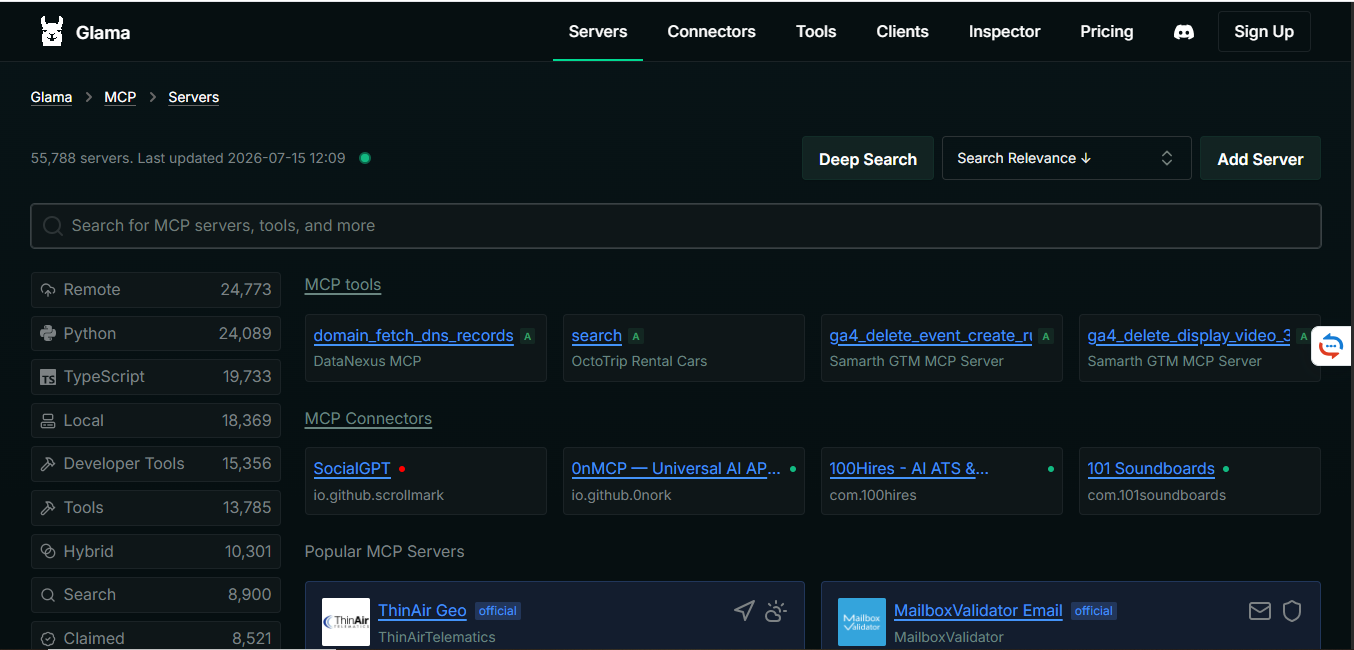
- Glama MCP directory — a searchable directory of 55,000+ MCP servers with filters by language, transport (remote/local), and category, plus its own inspector:
📚 Learn more
- Model Context Protocol — transports
- langchain-mcp-adapters — the bridge between MCP tools and LangChain
- LangGraph documentation
- NVIDIA NIM LLM APIs
- ChatNVIDIA integration docs
📄 License
MIT — see LICENSE.
Made with ❤️ for the MCP community. Follow @mcoding_off for more tutorials.
from github.com/mohamedelamraoui1/langchain-mcp-multi-server
Installing Langchain Mcp Multi Server
This server has no published package — it is built from source. Open the repository and follow its README.
▸ github.com/mohamedelamraoui1/langchain-mcp-multi-serverFAQ
Is Langchain Mcp Multi Server MCP free?
Yes, Langchain Mcp Multi Server MCP is free — one-click install via Unyly at no cost.
Does Langchain Mcp Multi Server need an API key?
No, Langchain Mcp Multi Server runs without API keys or environment variables.
Is Langchain Mcp Multi Server hosted or self-hosted?
Self-hosted: the server runs locally on your machine via the install command above.
How do I install Langchain Mcp Multi Server in Claude Desktop, Claude Code or Cursor?
Open Langchain Mcp Multi Server on unyly.org, pick your client tab (Claude Desktop, Claude Code, Cursor) and press Install — the config is generated automatically, no JSON editing.
Related MCPs
Fetch
Web content fetching and conversion for efficient LLM usage.
AWS KB Retrieval
Retrieval from AWS Knowledge Base using Bedrock Agent Runtime.
 by modelcontextprotocol
Spring AI MCP Server
Provides auto-configuration for setting up an MCP server in Spring Boot applications.
llm-analysis-assistant
A very streamlined mcp client that supports calling and monitoring stdio/sse/streamableHttp, and can also view request responses through the /logs page. It also
 by xuzexin-hz
MCP-Agent
A simple, composable framework to build agents using Model Context Protocol by [LastMile AI](https://www.lastmileai.dev)
 by lastmile-ai
Spring AI MCP Client
Provides auto-configuration for MCP client functionality in Spring Boot applications.
mcp.natoma.ai
A Hosted MCP Platform to discover, install, manage and deploy MCP servers by [Natoma Labs](https://www.natoma.ai)
MCPHub
Website to list high quality MCP servers and reviews by real users. Also provide online chatbot for popular LLM models with MCP server support.
MCP Servers Rating and User Reviews
Website to rate MCP servers, write authentic user reviews, and [search engine for agent & mcp](http://www.deepnlp.org/search/agent)
mkinf
An Open Source registry of hosted MCP Servers to accelerate AI agent workflows.
Compare Langchain Mcp Multi Server with
Not sure what to pick?
Find your stack in 60 seconds
Author?
Embed badge for your README
Browse similar
All ai MCPs