
Microsoft Events Server
FreeNot checkedEnables AI assistants to search, filter, and analyze Microsoft events (conferences, workshops, webinars) using the Microsoft Events API.

About
Enables AI assistants to search, filter, and analyze Microsoft events (conferences, workshops, webinars) using the Microsoft Events API.
README
Python 3.10+ MCP License: MIT Tests Coverage FastMCP PyPI
An MCP server that exposes the Microsoft Events API as tools for AI assistants. Search, filter, and analyze Microsoft events (conferences, workshops, webinars) directly from Claude, Cursor, or any MCP-compatible client.
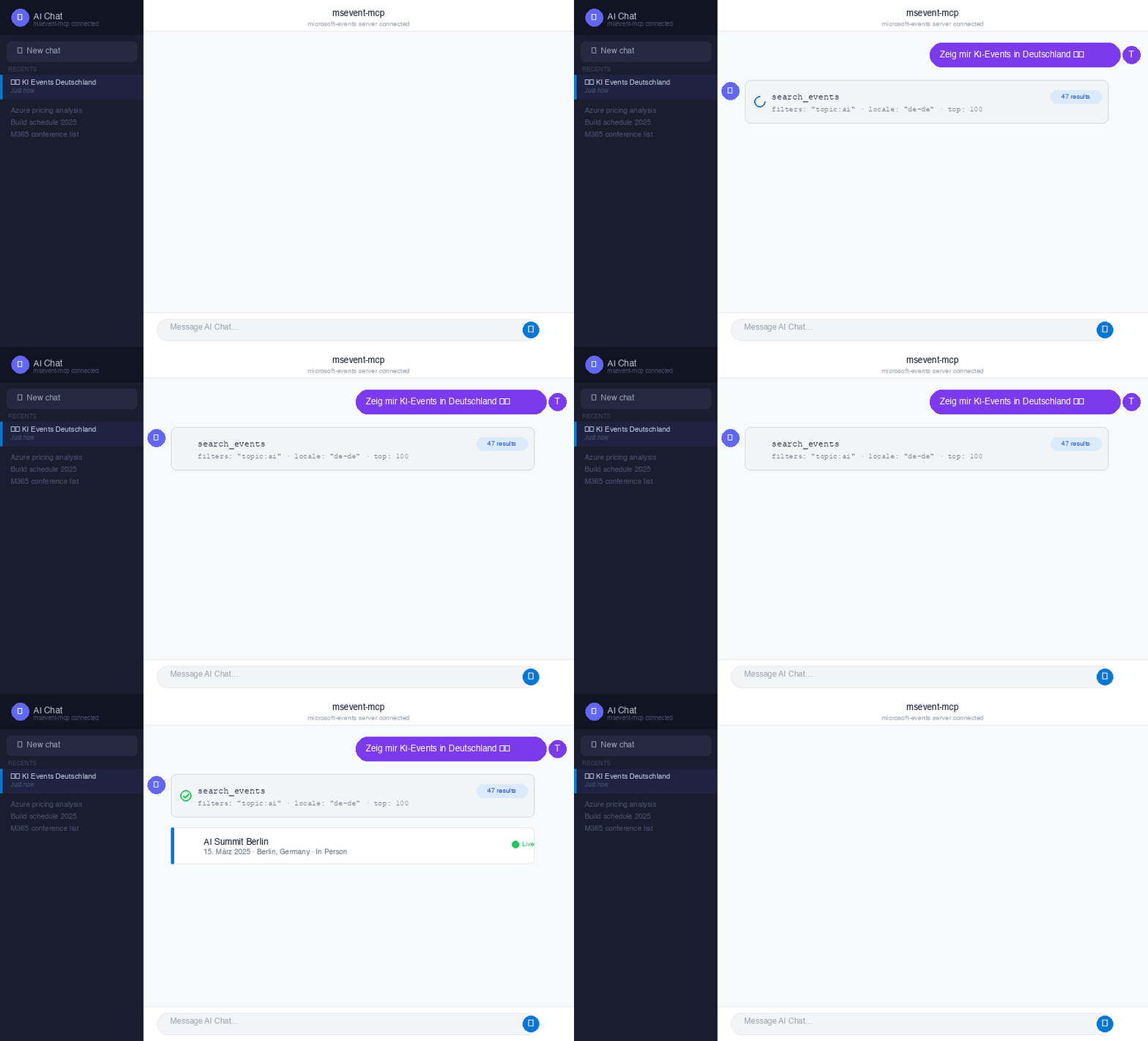
Animated chat demo — also available as interactive SVG
Features
- Search Events — Full-text search with filters by topic, product, region, format, and audience
- Event Details — Retrieve complete event information by ID
- Filter Discovery — List all available filter categories and values with event counts
- Event Statistics — Aggregated stats by country, city, format, topic, and more
- Multi-Locale — Supports
de-de,en-us, and other Microsoft API locales - In-Memory Cache — Events are indexed on first fetch for fast subsequent lookups
MCP Tools
| Tool | Description |
|---|---|
search_events |
Search events with optional filters and free-text query |
get_event_details |
Get full details for a specific event by ID |
list_filters |
List all available filter categories with counts |
get_event_stats |
Get aggregated statistics about events |
Quick Start
Install via uvx (recommended)
No cloning or pip needed — just add this to your Claude Desktop MCP config (~/Library/Application Support/Claude/claude_desktop_config.json):
{
  "mcpServers": {
    "microsoft-events": {
      "command": "uvx",
      "args": ["msevent-mcp"]
    }
  }
}
Or add it to Claude Code:
claude mcp add microsoft-events uvx msevent-mcp
uvx is included with uv. It runs the server in an isolated environment and keeps it up to date automatically.
Install from source (development)
git clone https://github.com/trsdn/msevent-mcp.git
cd msevent-mcp
pip install -r requirements.txt
python mcp_server.py
For source installs, use the full path in your MCP config:
{
  "mcpServers": {
    "microsoft-events": {
      "command": "python3",
      "args": ["/path/to/msevent-mcp/mcp_server.py"]
    }
  }
}
Usage Examples
Search for AI events in Germany
search_events(filters="topic:ai,region:europe", locale="de-de")
Get all available filters
list_filters(locale="en-us")
Get event statistics
get_event_stats(filters="format:digital")
Tests
Run the unit tests (no network required):
pip install pytest pytest-cov
python3 -m pytest test_mcp_server.py -v -m "not live"
Run with coverage report:
python3 -m pytest test_mcp_server.py -m "not live" --cov=mcp_server --cov-report=term-missing
Run live API tests (requires network):
python3 -m pytest test_mcp_server.py -v -m "live"
Test Coverage
Name            Stmts   Miss  Cover
---------------------------------------------
mcp_server.py      95      1    99%
Architecture
mcp_server.py          # MCP server with 4 tools
test_mcp_server.py     # 50 unit tests + 4 live API tests
requirements.txt       # Dependencies (fastmcp)
pyproject.toml         # Package config (uvx-installable)
pytest.ini             # Test configuration
docs/
  index.html           # GitHub Pages landing page
  demo.svg             # Animated SVG chat simulation
  demo.gif             # Animated GIF for README / social media
The server uses urllib.request for HTTP calls (no additional dependencies beyond FastMCP) and maintains an in-memory event cache for the lifetime of the process.
API Reference
The server communicates with the Microsoft Events API via POST requests. No API key is required.
Filter Categories
| Category | Example Values |
|---|---|
topic |
ai, security, cloud, data |
product |
azure, m365, dynamics |
region |
europe, north-america, asia |
format |
digital, in-person, hybrid |
audience |
developer, it-pro, business |
Built with FastMCP and the Model Context Protocol.
Install Microsoft Events Server in Claude Desktop, Claude Code & Cursor
unyly install microsoft-events-mcp-serverInstalls into Claude Desktop, Claude Code, Cursor & VS Code — handles npx, uvx and build-from-source repos for you.
First time? Get the CLI: curl -fsSL https://unyly.org/install | sh
Or configure manually
Run in your terminal:
claude mcp add microsoft-events-mcp-server -- uvx msevent-mcpFAQ
Is Microsoft Events Server MCP free?
Yes, Microsoft Events Server MCP is free — one-click install via Unyly at no cost.
Does Microsoft Events Server need an API key?
No, Microsoft Events Server runs without API keys or environment variables.
Is Microsoft Events Server hosted or self-hosted?
A hosted option is available: Unyly runs the server in the cloud, no local setup required.
How do I install Microsoft Events Server in Claude Desktop, Claude Code or Cursor?
Open Microsoft Events Server on unyly.org, pick your client tab (Claude Desktop, Claude Code, Cursor) and press Install — the config is generated automatically, no JSON editing.
Related MCPs
Fetch
Web content fetching and conversion for efficient LLM usage.
AWS KB Retrieval
Retrieval from AWS Knowledge Base using Bedrock Agent Runtime.
 by modelcontextprotocol
Spring AI MCP Server
Provides auto-configuration for setting up an MCP server in Spring Boot applications.
llm-analysis-assistant
A very streamlined mcp client that supports calling and monitoring stdio/sse/streamableHttp, and can also view request responses through the /logs page. It also
 by xuzexin-hz
Compare Microsoft Events Server with
Not sure what to pick?
Find your stack in 60 seconds
Author?
Embed badge for your README
Browse similar
All ai MCPs