
MIDI Server
FreeNot checkedEnables AI-driven MIDI composition with chord name support, interactive piano-roll preview, and multiple deployment modes.

About
Enables AI-driven MIDI composition with chord name support, interactive piano-roll preview, and multiple deployment modes.
README
MseeP.ai Security Assessment Badge
MIDI MCP Server
A Model Context Protocol (MCP) server for AI-driven MIDI composition. Generate MIDI files from structured JSON data, with chord name support, an interactive piano-roll preview UI, and multiple deployment modes.
Looking for the Agent Skills approach? It composes better songs with less context: tubone24/midi-agent-skill
Features
- Two MCP tools:
create_midi(with interactive preview UI) andparse_chord - Rich pitch input: MIDI numbers, note name strings (
"C4"), pitch arrays, or chord names ("Cmaj7") - Chord library: 25+ chord qualities — major, minor, dim, aug, 7th, maj7, m7, sus2, sus4, power, and more
- Flexible durations: numeric beats, standard strings (
'4','8'), dotted ('d4'), triplet ('T8') - Music theory resources: 7 built-in reference documents accessible as MCP resources
- Three transport modes: stdio, HTTP, or Cloudflare Workers (remote)
- MCP App UI: Piano-roll visualization and audio playback rendered directly in the conversation
Deployment Options
Option A — Remote (Cloudflare Workers)
A pre-deployed remote server is available:
https://midi-mcp-server.tubone24.workers.dev/mcp
Add it to any MCP client that supports Streamable HTTP (e.g., Claude.ai):
{
  "mcpServers": {
    "midi": {
      "type": "http",
      "url": "https://midi-mcp-server.tubone24.workers.dev/mcp"
    }
  }
}
Option B — Local stdio (recommended for desktop clients)
Build and configure as a local stdio server:
npm install
npm run build
{
  "mcpServers": {
    "musicComposer": {
      "command": "node",
      "args": ["/path/to/midi-mcp-server/build/index.js"]
    }
  }
}
Option C — Local HTTP
Run as a local Streamable HTTP server:
node build/index.js --http
# or with a custom port:
node build/index.js --http --port=8080
The server exposes:
POST /mcp— MCP Streamable HTTP endpointGET /health— Health check ({"status":"ok","version":"0.2.0"})
Tools
create_midi
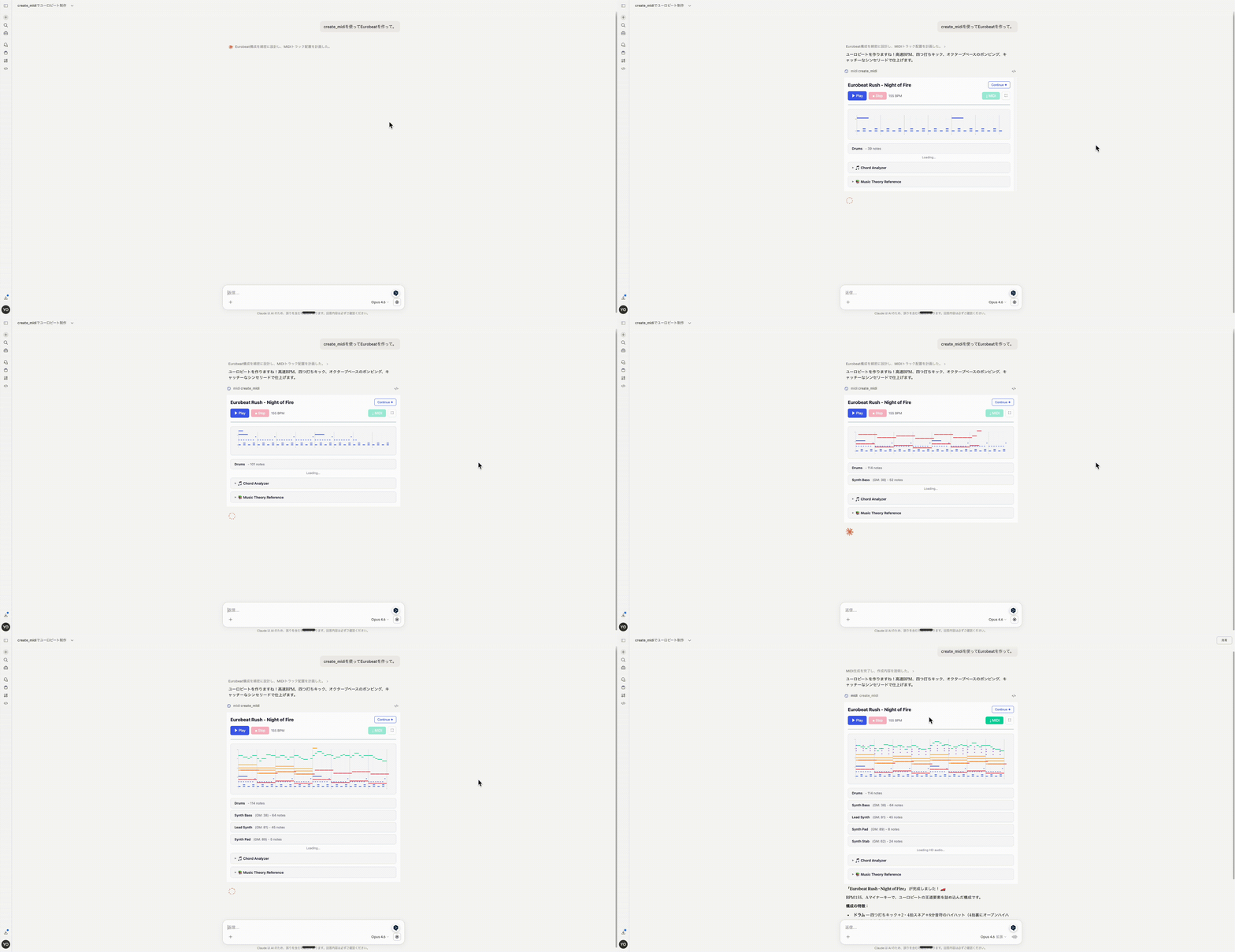
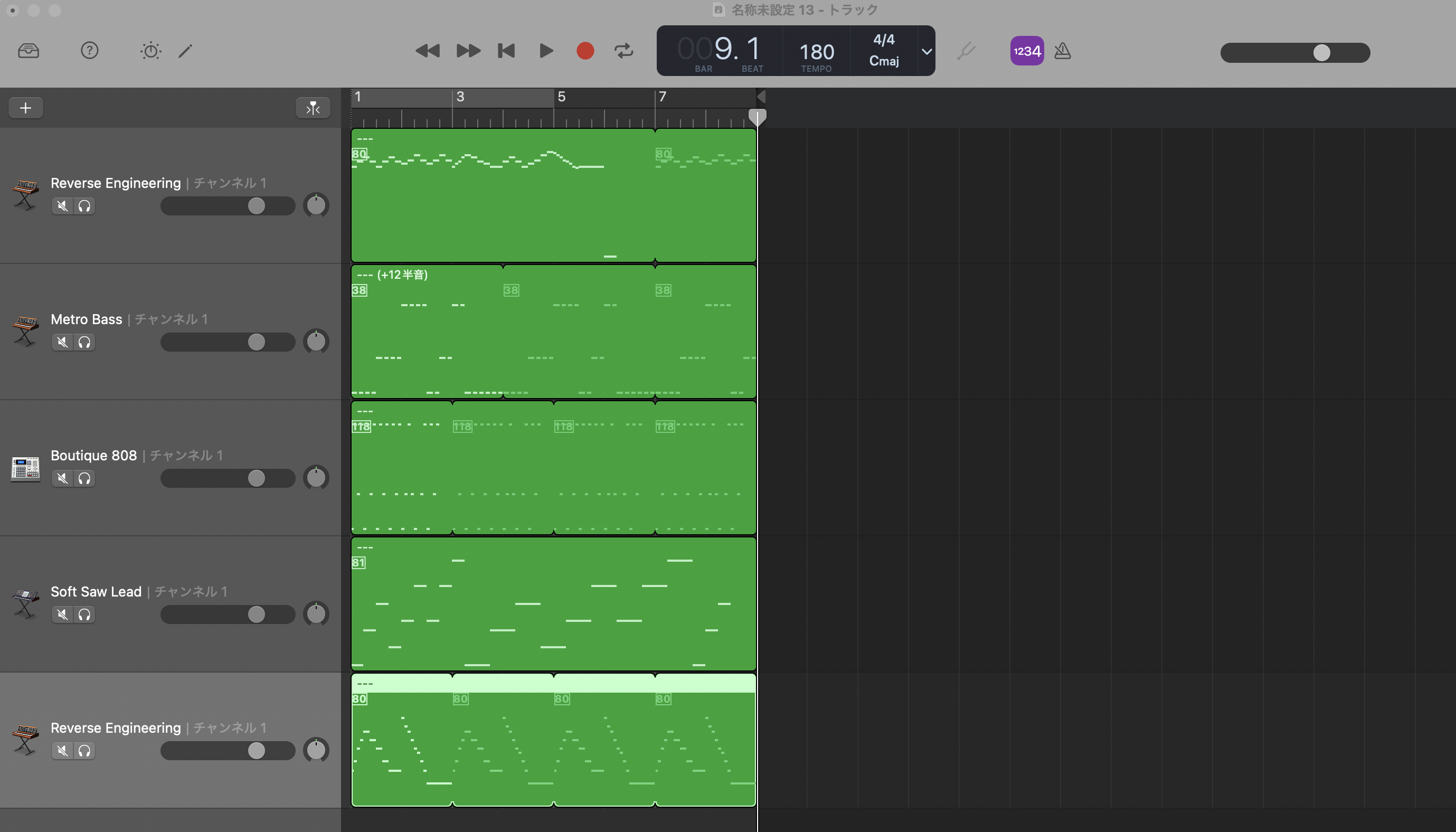
Generate a MIDI file from structured composition data. Returns base64-encoded MIDI and renders an interactive piano-roll preview with audio playback in supported MCP clients (MCP App).
Input
| Field | Type | Required | Description |
|---|---|---|---|
title |
string |
✓ | Title of the composition |
composition |
object |
✓ | Composition data (see schema below) |
Output (structured content)
| Field | Type | Description |
|---|---|---|
midiBase64 |
string |
Base64-encoded MIDI file data |
title |
string |
Composition title |
bpm |
number |
Tempo used |
trackCount |
number |
Number of tracks generated |
parse_chord
Parse a chord name and return its component MIDI pitches and note names. Useful for understanding voicings before composing.
Input
| Field | Type | Required | Description |
|---|---|---|---|
chord |
string |
✓ | Chord name, e.g. "Cmaj7", "F#m7", "G7sus4" |
octave |
number |
— | Root octave (default: 4) |
Output example
{
  "chord": "Cmaj7",
  "octave": 4,
  "midiNumbers": [60, 64, 67, 71],
  "noteNames": ["C4", "E4", "G4", "B4"]
}
Composition Schema
{
  "bpm": 120,                              // tempo (also accepted: "tempo")
  "timeSignature": { "numerator": 4, "denominator": 4 },  // optional, default 4/4
  "tracks": [
    {
      "name": "Piano",                     // optional
      "instrument": 0,                     // GM program number 0–127 (optional)
      "notes": [
        {
          "pitch": 60,                     // MIDI number, note name "C4", or array [60, 64, 67]
          "chord": "Cmaj7",                // OR use chord name (overrides pitch)
          "beat": 1,                       // beat position (1-based); OR use startTime
          "startTime": 0,                  // tick offset (alias: "time")
          "duration": "4",                 // see Duration Reference below
          "velocity": 100,                 // 0–127 (optional, default 100)
          "channel": 0                     // MIDI channel 0–15 (optional)
        }
      ]
    }
  ]
}
Pitch Input Formats
| Format | Example | Description |
|---|---|---|
| MIDI number | 60 |
Standard MIDI note number (0–127) |
| Note name | "C4" |
Letter + optional accidental + octave |
| Pitch array | [60, 64, 67] |
Multiple pitches played simultaneously |
| Chord field | chord: "Cmaj7" |
Chord name expanded automatically |
Supported accidentals: # (sharp), b (flat). Examples: "F#5", "Bb3".
Duration Reference
| Value | Description |
|---|---|
'1' |
Whole note |
'2' |
Half note |
'4' |
Quarter note |
'8' |
Eighth note |
'16' |
Sixteenth note |
'32' |
Thirty-second note |
'd1' 'd2' 'd4' 'd8' 'd16' |
Dotted variants |
'dd4' |
Double-dotted quarter |
'T4' 'T8' … |
Triplet variants |
4 (number) |
Beat-based: 1=quarter, 2=half, 4=whole, 0.5=eighth |
Supported Chord Qualities
| Quality | Example | Description |
|---|---|---|
(none) / maj |
C, Cmaj |
Major |
m / min |
Dm |
Minor |
dim |
Bdim |
Diminished |
aug |
Eaug |
Augmented |
7 |
G7 |
Dominant 7th |
maj7 / M7 |
Cmaj7 |
Major 7th |
m7 / min7 |
Am7 |
Minor 7th |
dim7 |
Bdim7 |
Diminished 7th |
m7b5 |
Bm7b5 |
Half-diminished |
aug7 |
Eaug7 |
Augmented 7th |
6 / m6 |
C6, Am6 |
6th |
9 / maj9 / m9 |
G9 |
9th variants |
add9 |
Cadd9 |
Add 9th |
11 / 13 |
C11 |
Extended |
sus2 / sus4 |
Gsus4 |
Suspended |
7sus4 / 7sus2 |
G7sus4 |
7th suspended |
power / 5 |
G5 |
Power chord |
MCP Resources
The server exposes 7 music theory reference documents as MCP resources:
| URI | Description |
|---|---|
music-theory://harmony |
Intervals, chord types, diatonic chords, cadences, voice leading |
music-theory://chord-progressions |
Common progressions by mood/genre, substitutions, modulation |
music-theory://counterpoint |
Species counterpoint rules, consonance/dissonance, motion types |
music-theory://modes-scales |
Diatonic modes, minor scale variants, pentatonic/blues, genre guide |
music-theory://orchestration |
Instrument ranges, GM program numbers, texture types |
music-theory://rhythm-patterns |
Time signatures, MIDI duration reference, genre grooves |
music-theory://voice-leading |
Forbidden parallels, voicing strategies, non-chord tones |
MCP clients that support resource reading can pass these to the AI as context, enabling theory-aware composition.
Example Composition
const composition = {
  bpm: 120,
  timeSignature: { numerator: 4, denominator: 4 },
  tracks: [
    {
      name: "Piano",
      instrument: 0,
      notes: [
        { chord: "Cmaj7", beat: 1, duration: "2", velocity: 90 },
        { chord: "Am7",   beat: 3, duration: "2", velocity: 90 },
        { chord: "Fmaj7", beat: 5, duration: "2", velocity: 90 },
        { chord: "G7",    beat: 7, duration: "2", velocity: 90 }
      ]
    },
    {
      name: "Melody",
      instrument: 0,
      notes: [
        { pitch: "E4", beat: 1, duration: "4", velocity: 100 },
        { pitch: "G4", beat: 2, duration: "4", velocity: 100 },
        { pitch: "A4", beat: 3, duration: "2", velocity: 110 }
      ]
    }
  ]
};
Demo
The prompt below generates an 8-bar melodic minor choral piece:
Create an 8-bar choral piece in a slightly minor, melodic scale.
https://github.com/user-attachments/assets/e20ebef0-fdbf-4e72-910d-41b94183f9d9
Build & Development
npm install

# Full build (UI + server)
npm run build

# Build steps individually
npm run build:ui     # Vite — builds the MCP App preview HTML
npm run build:server # tsc — compiles TypeScript server

# Deploy to Cloudflare Workers
npm run deploy

# Run tests
npm test
npm run test:coverage
Dependencies
| Package | Purpose |
|---|---|
@modelcontextprotocol/sdk |
MCP server implementation (stdio & HTTP transports) |
@modelcontextprotocol/ext-apps |
MCP Apps extension — interactive UI in conversation |
midi-writer-js |
MIDI file generation |
@tonejs/midi |
MIDI parsing (preview UI) |
soundfont-player |
Audio playback in preview UI |
zod |
Input schema validation |
Installing MIDI Server
This server has no published package — it is built from source. Open the repository and follow its README.
▸ github.com/tubone24/midi-mcp-serverFAQ
Is MIDI Server MCP free?
Yes, MIDI Server MCP is free — one-click install via Unyly at no cost.
Does MIDI Server need an API key?
No, MIDI Server runs without API keys or environment variables.
Is MIDI Server hosted or self-hosted?
Self-hosted: the server runs locally on your machine via the install command above.
How do I install MIDI Server in Claude Desktop, Claude Code or Cursor?
Open MIDI Server on unyly.org, pick your client tab (Claude Desktop, Claude Code, Cursor) and press Install — the config is generated automatically, no JSON editing.
Related MCPs
Fetch
Web content fetching and conversion for efficient LLM usage.
AWS KB Retrieval
Retrieval from AWS Knowledge Base using Bedrock Agent Runtime.
 by modelcontextprotocol
Spring AI MCP Server
Provides auto-configuration for setting up an MCP server in Spring Boot applications.
llm-analysis-assistant
A very streamlined mcp client that supports calling and monitoring stdio/sse/streamableHttp, and can also view request responses through the /logs page. It also
 by xuzexin-hz
Compare MIDI Server with
Not sure what to pick?
Find your stack in 60 seconds
Author?
Embed badge for your README
Browse similar
All ai MCPs