
Pabal Store Api
FreeNot checkedMCP server that provides App Store / Play Store ASO workflows as tools. Run it as a stdio MCP server (e.g., with Claude Desktop or MCP Inspector) to manage app

About
MCP server that provides App Store / Play Store ASO workflows as tools. Run it as a stdio MCP server (e.g., with Claude Desktop or MCP Inspector) to manage app metadata and releases.
README
Pabal Store API MCP (English) Pabal Store API MCP (한국어)
MCP server for App Store Connect & Play Console API
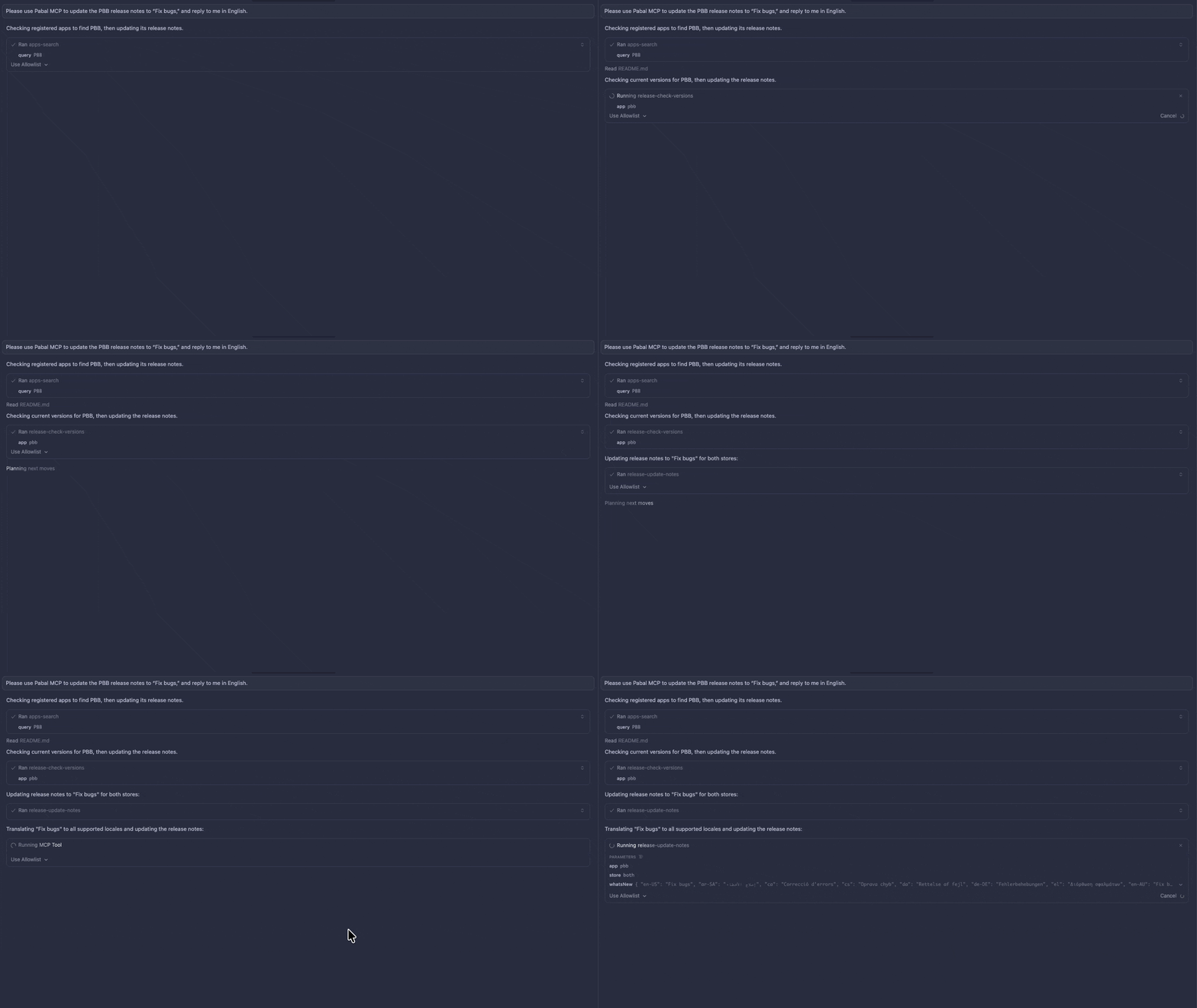
Up-to-date ASO workflows exposed as MCP tools. Run it as a stdio MCP server (Claude Code, Cursor, MCP Inspector, etc.) to manage metadata, releases, and store syncs without leaving your AI client.
[!NOTE] Runs 100% locally on your machine, so credentials and cached ASO data never leave your environment (store API calls are made directly from your device).
Quick Start
Install
npm install -g pabal-store-api-mcp
Configure
- Create config directory:
mkdir -p ~/.config/pabal-mcp
chmod 700 ~/.config/pabal-mcp
Add your credentials to
~/.config/pabal-mcp/config.json:- App Store Connect: API key (
.p8file) withissuerIdandkeyId - Google Play: Service account JSON key
- App Store Connect: API key (
Set up MCP client (Cursor, VS Code, Claude Code, etc.) to use
pabal-store-api-mcp
Registered Apps
Registered apps are stored locally in ~/.config/pabal-mcp/registered-apps.json.
It is usually created and updated by apps-init or apps-add, then used by tools such as apps-search, aso-pull, and release-note workflows.
See the app management docs for the detailed format: English / 한국어.
Features
- ✅ ASO Data Sync: Pull/push metadata from App Store and Google Play
- ✅ Release Management: Create versions and update release notes
- ✅ App Management: Auto-register apps from store APIs
- ✅ 100% Local: All operations run on your machine
MCP Tools
- Authentication:
auth-check - App Management:
apps-init,apps-add,apps-search - ASO Sync:
aso-pull,aso-push - Release Management:
release-check-versions,release-create,release-pull-notes,release-update-notes
Documentation
📖 Pabal Store API MCP Documentation (English) 📖 Pabal Store API MCP 문서 (한국어)
Development
git clone https://github.com/quartz-labs-dev/pabal-store-api-mcp.git
cd pabal-store-api-mcp
yarn install
yarn dev:mcp
License
MIT
🌐 Pabal Web
Want to manage ASO and SEO together? Check out Pabal Web.
Pabal Web is a Next.js-based web interface that provides a complete solution for unified management of ASO, SEO, Google Search Console indexing, and more.
Installing Pabal Store Api
This server has no published package — it is built from source. Open the repository and follow its README.
▸ github.com/quartz-labs-dev/pabal-store-api-mcpFAQ
Is Pabal Store Api MCP free?
Yes, Pabal Store Api MCP is free — one-click install via Unyly at no cost.
Does Pabal Store Api need an API key?
No, Pabal Store Api runs without API keys or environment variables.
Is Pabal Store Api hosted or self-hosted?
Self-hosted: the server runs locally on your machine via the install command above.
How do I install Pabal Store Api in Claude Desktop, Claude Code or Cursor?
Open Pabal Store Api on unyly.org, pick your client tab (Claude Desktop, Claude Code, Cursor) and press Install — the config is generated automatically, no JSON editing.
Related MCPs
Fetch
Web content fetching and conversion for efficient LLM usage.
AWS KB Retrieval
Retrieval from AWS Knowledge Base using Bedrock Agent Runtime.
 by modelcontextprotocol
Spring AI MCP Server
Provides auto-configuration for setting up an MCP server in Spring Boot applications.
llm-analysis-assistant
A very streamlined mcp client that supports calling and monitoring stdio/sse/streamableHttp, and can also view request responses through the /logs page. It also
 by xuzexin-hz
Compare Pabal Store Api with
Not sure what to pick?
Find your stack in 60 seconds
Author?
Embed badge for your README
Browse similar
All ai MCPs