
Panopticon
FreeNot checkedIntegrate local LLMs into your codebase. Save on tokens/cost + Always up-to-date documentation.

About
Integrate local LLMs into your codebase. Save on tokens/cost + Always up-to-date documentation.
README
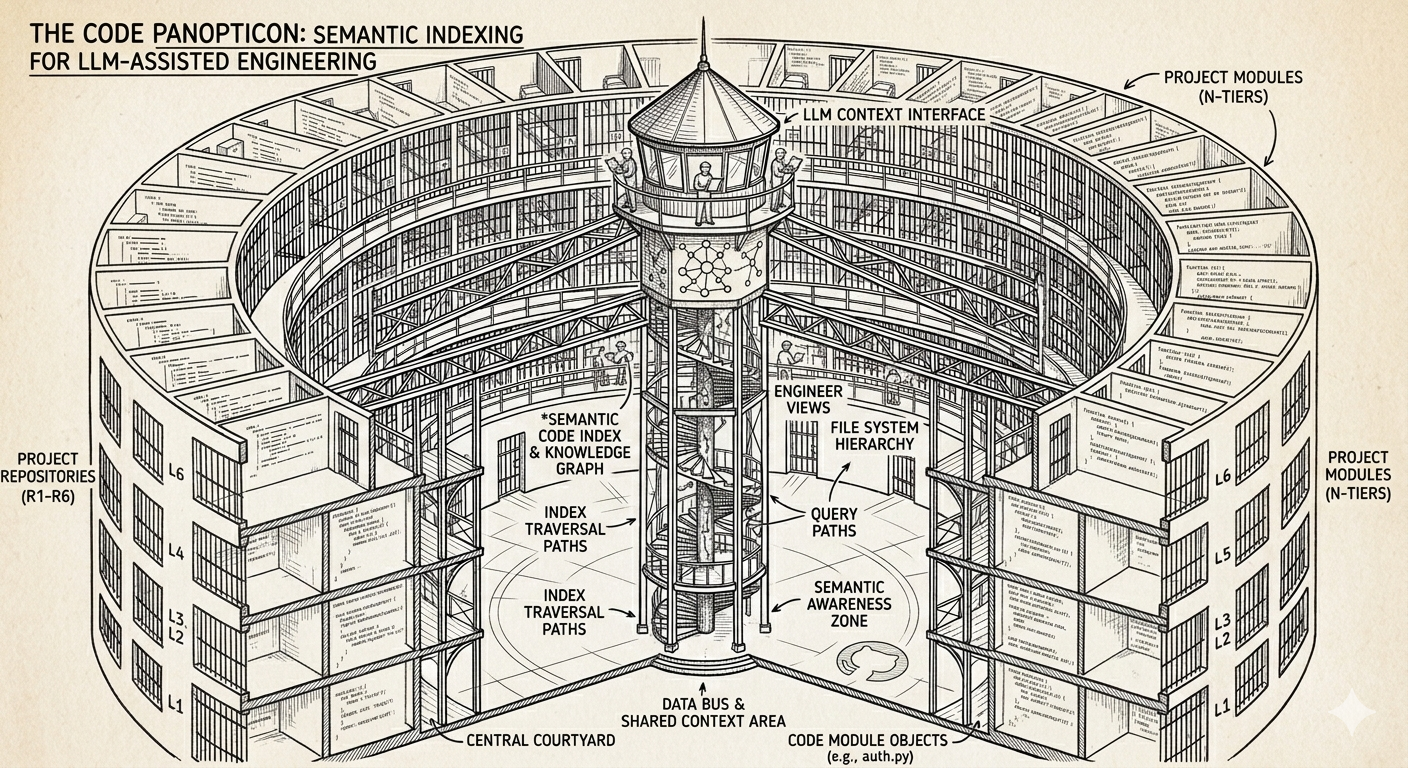
PANOPTICON
🚧 This project is in its early stages and is currently under active development 🚧
This project is a modular bricolage, purposefully integrating existing tools to expose a local codebase to a suite of language models. The strategy prioritizes cost efficiency by handling routine queries locally, reserving cloud-based models like Claude for high-complexity tasks. A significant advantage is the resulting 'always-live' documentation, which remains synchronized and queriable as the code evolves.
1. Tools Utilized
- UV
- Ollama
- Python
- LanceDB
- Continue Extension
- Nomic Embed Text (Any viable embeddings model)
- DeepSeek Coder V2 Lite (Any viable language model/s)
- Visual Studio Code / Cursor (Any branch of VSC should work)
2. Getting Started
👨🏾🔧 It is assumed that you already have UV, Python, Ollama, VS Code IDE (or equivalent) & Continue Extension installed. If not, please install them before proceeding. 👩🏾🔧
2.1 Install the dependencies - uv sync
2.2 Pull required models:
- Ensure ollama is running
ollama pull deepseek-coder-v2:liteollama pull nomic-embed-text
2.3 Replace the placeholder - "your/path/to/main.py" - with your PATH in the Continue MCP-Server config file here - .continue\mcpServers\pano.yaml
2.4 Ensure that your Continue local-config contents match the - continue_local_example.yaml - config
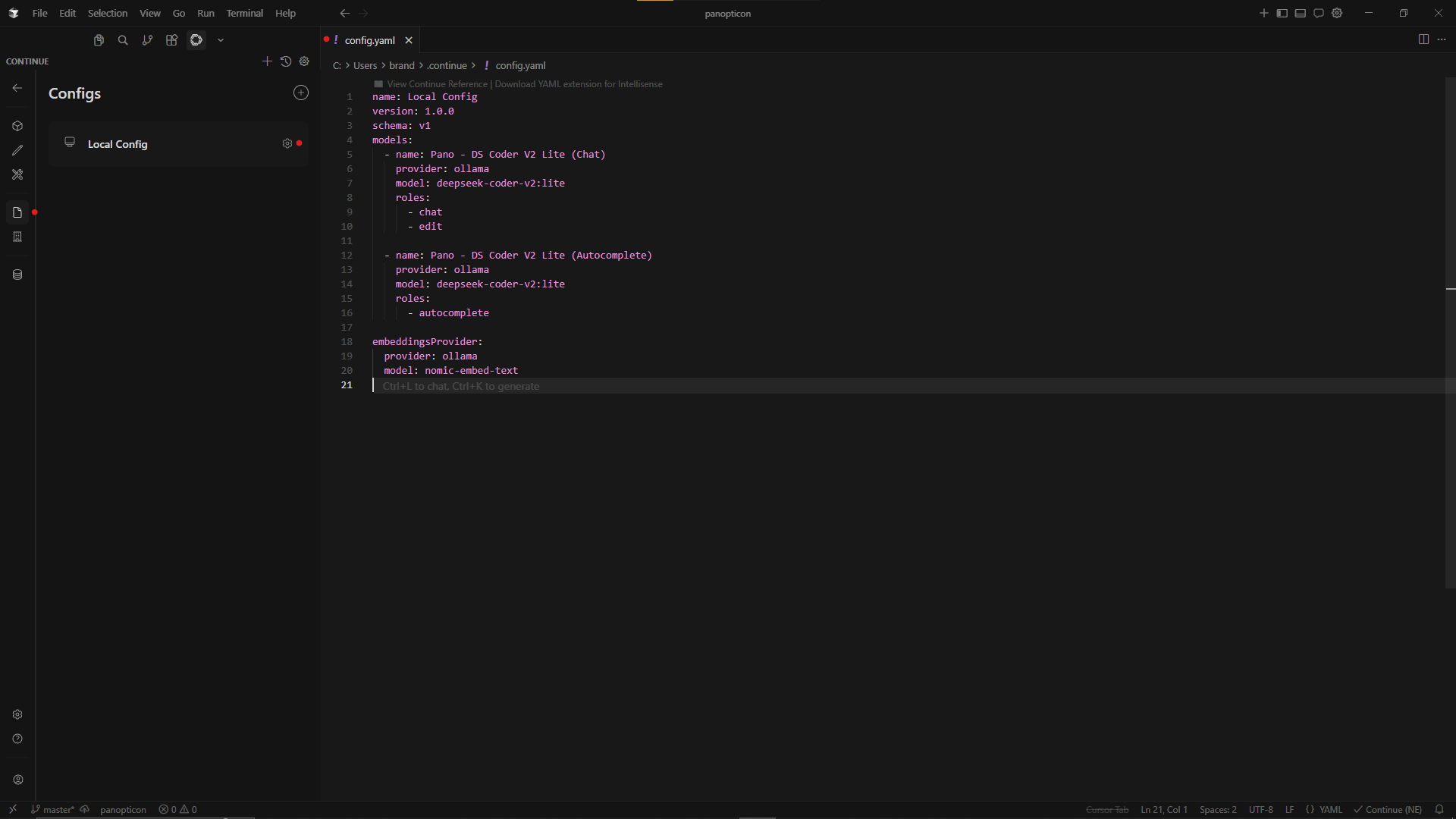 Example - Cursor IDE
2.5 Index the codebase - uv run main.py index
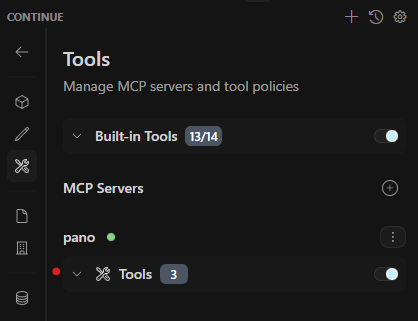
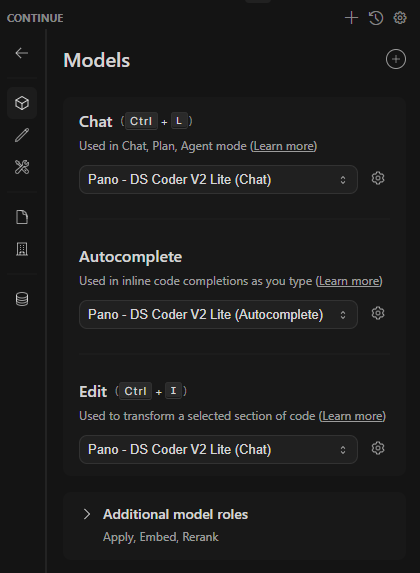
2.6 You should now be able to see your MCP Server and Query your codebase: (see below)
| 2.6.a MCP Connection | 2.6.b Ollama Models |
|---|---|
|
|
| 2.6.c Successful Query to Codebase | |
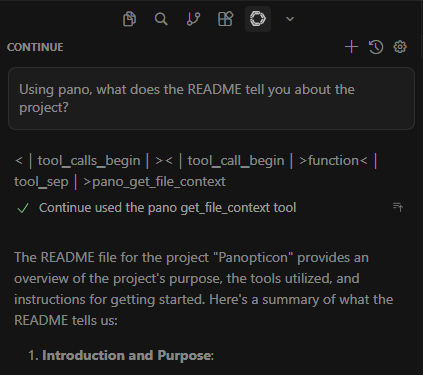
|
3. In-Progress Features
🟧 Switch to a file-change based indexing strategy
🟧 Improve usability to allow drop-in setup for any project
🟧 Evaluate other models for performance & usability (for example - qwen3-embedding:0.6b with qwen3.5:9b)
Install Panopticon in Claude Desktop, Claude Code & Cursor
unyly install panopticonInstalls into Claude Desktop, Claude Code, Cursor & VS Code — handles npx, uvx and build-from-source repos for you.
First time? Get the CLI: curl -fsSL https://unyly.org/install | sh
Or configure manually
Run in your terminal:
claude mcp add panopticon -- uvx panopticonStep-by-step: how to install Panopticon
FAQ
Is Panopticon MCP free?
Yes, Panopticon MCP is free — one-click install via Unyly at no cost.
Does Panopticon need an API key?
No, Panopticon runs without API keys or environment variables.
Is Panopticon hosted or self-hosted?
Self-hosted: the server runs locally on your machine via the install command above.
How do I install Panopticon in Claude Desktop, Claude Code or Cursor?
Open Panopticon on unyly.org, pick your client tab (Claude Desktop, Claude Code, Cursor) and press Install — the config is generated automatically, no JSON editing.
Related MCPs
Fetch
Web content fetching and conversion for efficient LLM usage.
AWS KB Retrieval
Retrieval from AWS Knowledge Base using Bedrock Agent Runtime.
 by modelcontextprotocol
Spring AI MCP Server
Provides auto-configuration for setting up an MCP server in Spring Boot applications.
llm-analysis-assistant
A very streamlined mcp client that supports calling and monitoring stdio/sse/streamableHttp, and can also view request responses through the /logs page. It also
 by xuzexin-hz
MCP-Agent
A simple, composable framework to build agents using Model Context Protocol by [LastMile AI](https://www.lastmileai.dev)
 by lastmile-ai
Spring AI MCP Client
Provides auto-configuration for MCP client functionality in Spring Boot applications.
mcp.natoma.ai
A Hosted MCP Platform to discover, install, manage and deploy MCP servers by [Natoma Labs](https://www.natoma.ai)
MCPHub
Website to list high quality MCP servers and reviews by real users. Also provide online chatbot for popular LLM models with MCP server support.
MCP Servers Rating and User Reviews
Website to rate MCP servers, write authentic user reviews, and [search engine for agent & mcp](http://www.deepnlp.org/search/agent)
mkinf
An Open Source registry of hosted MCP Servers to accelerate AI agent workflows.
Compare Panopticon with
Not sure what to pick?
Find your stack in 60 seconds
Author?
Embed badge for your README
Browse similar
All ai MCPs