
Serverless Aws
FreeNot checkedA serverless Model Context Protocol (MCP) implementation on AWS, featuring a tool-calling server and a AI-powered agent client.

About
A serverless Model Context Protocol (MCP) implementation on AWS, featuring a tool-calling server and a AI-powered agent client.
README
This is a POC of a service using AI Agents where there is a Model Context Protocol (MCP) server and one MCP Client that will interact with the MCP server and external services.
Technologies used
- Node.js
- TypeScript
- AWS SAM
- AWS Lambda
- AWS API Gateway
- Google Gemini
- Claude Desktop
How to run it locally
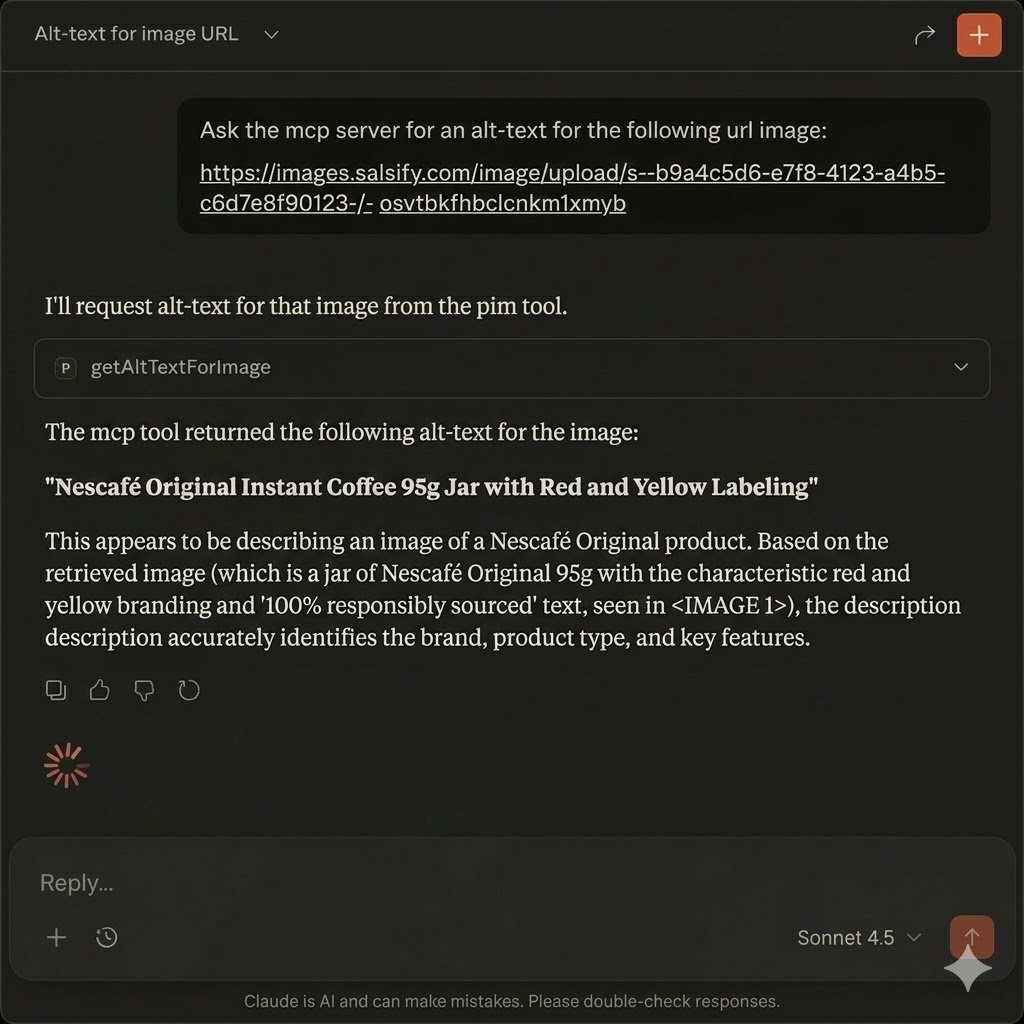
Since the MCP Client doesn't have a real use beyond interacting with the MCP server, we can use Claude Desktop as a client.
Add your
GeminiApiKeyto thesamconfig.tomlfile in the root of the project.Deploy the MCP server in AWS (Go to the Getting Started section of this Readme)
Install Claude Desktop
In your
claude_desktop_config.jsonfile, add the following configuration:{ "mcpServers": { "mcp-server": { "command": "npx", "args": [ "-y", "mcp-remote", "https://12345.execute-api.us-east-2.amazonaws.com/Prod/mcp", // your mcp server api url "--transport", "http-only", "--header", "x-api-key:abcd1234" // your api key ] } } }
Architecture
The project follows hexagonal architecture (ports and adapters) with the following structure:
src/
├── domain/           # Core business logic
│   ├── entities/     # Domain entities (WebhookEvent)
│   ├── ports/        # Interface definitions (WebhookRepository, Logger)
│   └── use-cases/    # Business use cases (ProcessWebhookUseCase)
├── infrastructure/   # Infrastructure implementations
│   └── adapters/     # Adapters for external services (CloudWatchLogger, InMemoryWebhookRepository)
└── handlers/         # Lambda function handlers
    └── webhook.ts           # SQS handler
Prerequisites
- Node.js 22.x
- AWS SAM CLI
- AWS CLI configured with appropriate credentials
- Docker (for local testing)
Getting Started
Install dependencies:
npm installBuild the project using SAM:
npm run sam:buildRun tests to ensure everything is working:
npm testFor full integration testing, deploy to AWS:
npm run sam:deploy
Development
Local Development
What You Can Test Locally
Lambda Function Testing:
npm run sam:build
sam local invoke WebhookProcessorFunction -e test-event.json
Unit Tests:
npm test
npm run test:coverage
Type Checking:
npm run type-checkLinting:
npm run lint
npm run lint:fix
What Requires AWS Deployment
- Full Integration Testing: API Gateway → SQS → Lambda flow
- Webhook Endpoint Testing: The
/webhookendpoint functionality - SQS Integration: Queue processing and DLQ behavior
To test the complete flow, deploy to AWS:
npm run sam:deploy
Then test with a real webhook request to your deployed API Gateway endpoint.
Testing
- Run unit tests:
npm test
Installing Serverless Aws
This server has no published package — it is built from source. Open the repository and follow its README.
▸ github.com/josekron/serverless-aws-mcpFAQ
Is Serverless Aws MCP free?
Yes, Serverless Aws MCP is free — one-click install via Unyly at no cost.
Does Serverless Aws need an API key?
No, Serverless Aws runs without API keys or environment variables.
Is Serverless Aws hosted or self-hosted?
Self-hosted: the server runs locally on your machine via the install command above.
How do I install Serverless Aws in Claude Desktop, Claude Code or Cursor?
Open Serverless Aws on unyly.org, pick your client tab (Claude Desktop, Claude Code, Cursor) and press Install — the config is generated automatically, no JSON editing.
Related MCPs
Fetch
Web content fetching and conversion for efficient LLM usage.
AWS KB Retrieval
Retrieval from AWS Knowledge Base using Bedrock Agent Runtime.
 by modelcontextprotocol
Spring AI MCP Server
Provides auto-configuration for setting up an MCP server in Spring Boot applications.
llm-analysis-assistant
A very streamlined mcp client that supports calling and monitoring stdio/sse/streamableHttp, and can also view request responses through the /logs page. It also
 by xuzexin-hz
Compare Serverless Aws with
Not sure what to pick?
Find your stack in 60 seconds
Author?
Embed badge for your README
Browse similar
All ai MCPs