
Skills Layer
FreeNot checkedOpen-source CLI and local agent integration layer for Skills Layer Cloud.

About
Open-source CLI and local agent integration layer for Skills Layer Cloud.
README

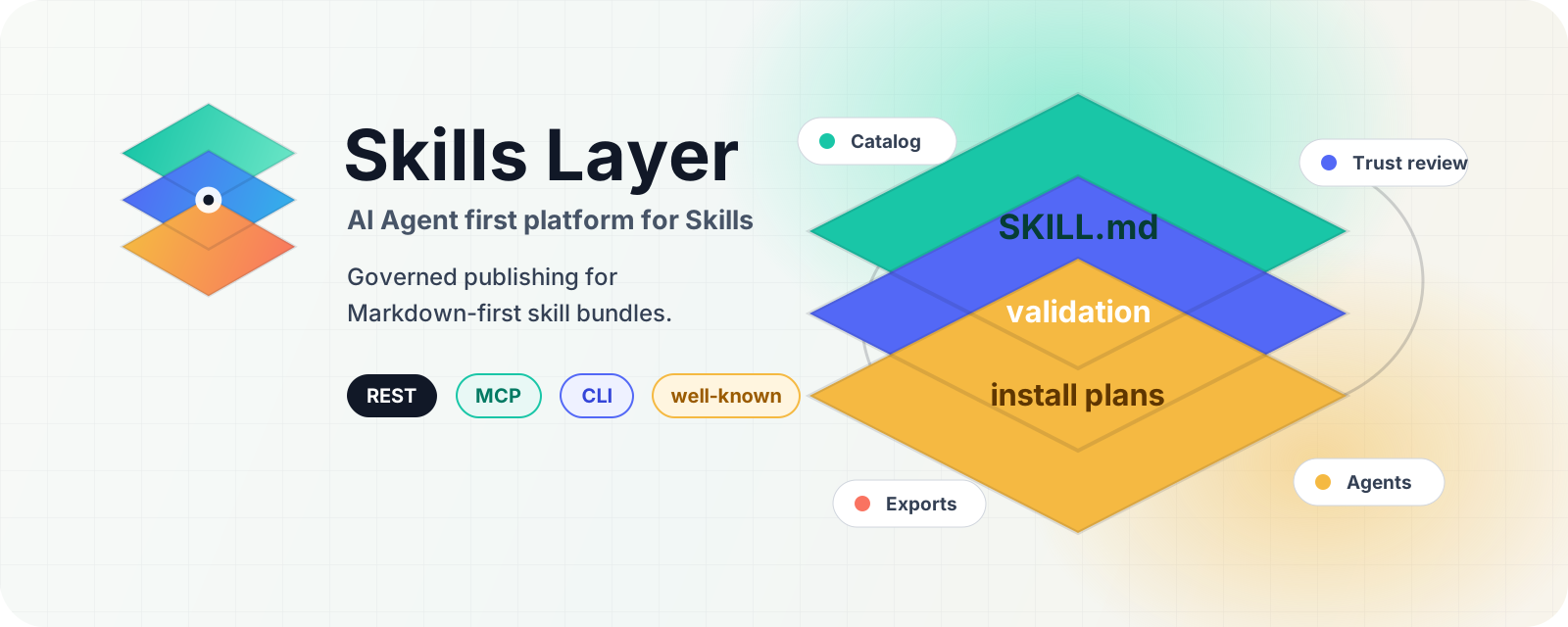





Skills Layer CLI is the open-source CLI, MCP setup, and local agent integration layer for Skills Layer Cloud.
This repository contains the public CLI/local integration surface only. The hosted backend code, marketplace services, Guardian scoring internals, and service operations remain proprietary.
Use it to discover, validate, install, export, and manage agent-ready skill bundles from a terminal. By default, backend-backed commands talk to Skills Layer Cloud. Use another endpoint only when Skills Layer explicitly provides one for your account or environment.
Skills Layer is a headless, agent-first platform for Markdown-first skill bundles centered on SKILL.md. It manages catalog metadata, validation, trust reports, installation plans, entitlements, exports, workspace deployment, and local agent materialization. It does not host a separate runtime for every user's skill; your agent, IDE, CLI, or backend remains the execution environment.

What You Can Do
| Capability | What it helps with |
|---|---|
| Discover skills | Search, compare, view featured/trending skills, and inspect trust summaries before install. |
| Validate bundles | Check SKILL.md frontmatter, references, trigger quality, archive safety, dependency manifests, and security posture. |
| Install locally | Materialize approved skills into project, global, workspace, or agent-specific folders with portable lockfile support. |
| Work with agents | Use one CLI vocabulary that aligns with Skills Layer MCP and REST surfaces. |
| Publish and maintain | Creator commands cover scaffolding, validation, submission, versioning, issues, reviews, analytics, and listing updates. |
| Govern teams | Workspace commands support team availability, deployment guidance, review, and trust-aware local use. |

What A Skill Is
A Skills Layer skill is a versioned bundle built around a required SKILL.md file and optional supporting content:
my-skill/
  SKILL.md
  references/
  scripts/
  assets/
The bundle is Markdown-first. SKILL.md frontmatter becomes structured metadata, larger context usually belongs in references/, and validation checks the bundle before users or teams rely on it.
Install
npm install -g skills-layer
skills-layer --help
For one-off use:
npx skills-layer --help
Common First Commands
skills-layer search "project planning"
skills-layer show project-planner
skills-layer trust project-planner
skills-layer install project-planner --dry-run
skills-layer install project-planner
skills-layer validate ./my-skill --json
skills-layer agents list
Backend Defaults
By default, backend-backed commands use https://api.skills-layer.com.
Use a Skills Layer-provided endpoint for a single command:
skills-layer search planning --base-url <provided-api-url>
Remember the hosted backend:
skills-layer backend cloud
Remember a Skills Layer-provided local/backend endpoint:
skills-layer backend local
Remember a Skills Layer-provided endpoint:
skills-layer backend cloud --base-url <provided-api-url>
The CLI resolves backend URLs in this order: --base-url, SKILLS_LAYER_BASE_URL, saved backend preference, saved login config, then https://api.skills-layer.com.
MCP And API
Skills Layer exposes the same product model through CLI, MCP, and REST-style surfaces. Public endpoints include:
- hosted API default:
https://api.skills-layer.com - MCP endpoint:
https://api.skills-layer.com/mcp - public docs:
https://skills-layer.com/docs - user journeys:
https://skills-layer.com/journeys
Use only endpoints published or explicitly provided by Skills Layer.
Safety Model
- Inspect trust reports before installing skills into sensitive projects.
- Use
--dry-runbefore mutating installs, submissions, workspace deployment, listing visibility, or ownership state. - Use
guardian checkbefore letting a skill drive shell, network, file, secret, browser, device, API, generated-code, or model-context actions. - Keep API keys out of visible command arguments. Login flows use saved sessions, masked prompts, secure headers, or environment-provided secrets.
What Ships
The npm package ships the public CLI runtime, the executable wrapper, this README, public README images, the package manifest, and the Apache-2.0 license.
It does not ship backend source, database credentials, private service code, or internal release checklists.
License
See LICENSE.
Install Skills Layer in Claude Desktop, Claude Code & Cursor
unyly install skills-layerInstalls into Claude Desktop, Claude Code, Cursor & VS Code — handles npx, uvx and build-from-source repos for you.
First time? Get the CLI: curl -fsSL https://unyly.org/install | sh
Or configure manually
Run in your terminal:
claude mcp add skills-layer -- npx -y skills-layerFAQ
Is Skills Layer MCP free?
Yes, Skills Layer MCP is free — one-click install via Unyly at no cost.
Does Skills Layer need an API key?
No, Skills Layer runs without API keys or environment variables.
Is Skills Layer hosted or self-hosted?
Self-hosted: the server runs locally on your machine via the install command above.
How do I install Skills Layer in Claude Desktop, Claude Code or Cursor?
Open Skills Layer on unyly.org, pick your client tab (Claude Desktop, Claude Code, Cursor) and press Install — the config is generated automatically, no JSON editing.
Related MCPs
Fetch
Web content fetching and conversion for efficient LLM usage.
AWS KB Retrieval
Retrieval from AWS Knowledge Base using Bedrock Agent Runtime.
 by modelcontextprotocol
Spring AI MCP Server
Provides auto-configuration for setting up an MCP server in Spring Boot applications.
llm-analysis-assistant
A very streamlined mcp client that supports calling and monitoring stdio/sse/streamableHttp, and can also view request responses through the /logs page. It also
 by xuzexin-hz
Compare Skills Layer with
Not sure what to pick?
Find your stack in 60 seconds
Author?
Embed badge for your README
Browse similar
All ai MCPs