loading…
en/
Browse all
Build command fails with
Supermemory
FreeNot checkedAn MCP server that enables users to visualize Supermemory document data as an interactive memory graph within MCP-compatible clients like Claude. It provides a

About
An MCP server that enables users to visualize Supermemory document data as an interactive memory graph within MCP-compatible clients like Claude. It provides a dedicated tool to fetch and render data as an interactive widget while keeping API keys secure on the server side.
README
Built with Codex. Review, test, and harden before using in production.
MCP server for rendering your Supermemory data as an interactive memory graph inside MCP-compatible clients (Claude, Inspector, and other MCP Apps hosts).
Demo Preview
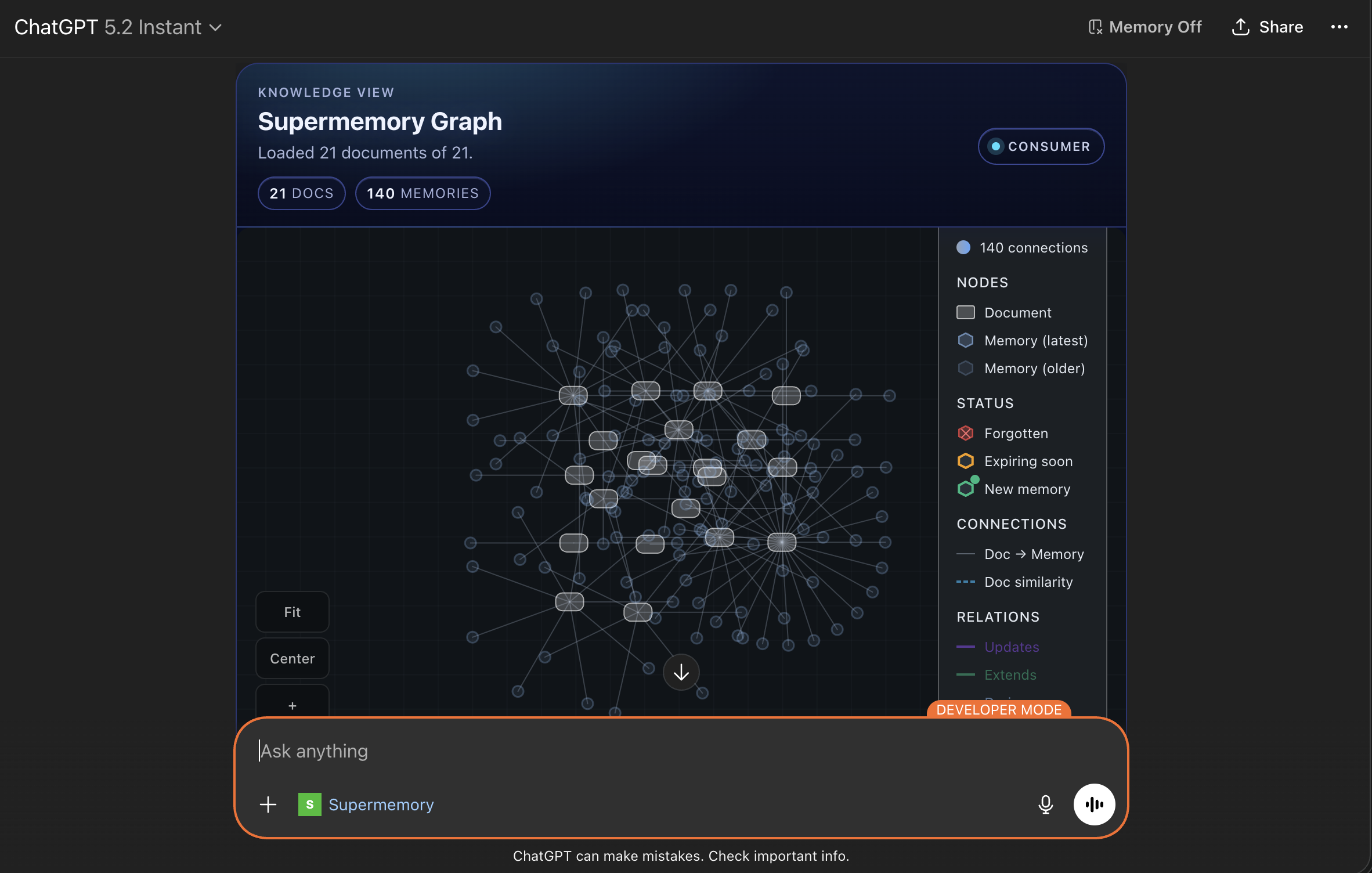
What This Server Does
- Exposes a tool:
show-memory-graph - Fetches document data from Supermemory on the server side
- Returns an interactive widget powered by
@supermemory/memory-graph - Keeps your Supermemory API key off the client
Architecture
- Runtime:
mcp-useserver - Tool handler:
/index.ts - Widget UI:
/resources/memory-graph/widget.tsx - Widget props schema:
/resources/memory-graph/types.ts - Shared styles:
/resources/styles.css
Prerequisites
- Node.js 18+
- npm
- Supermemory API key
Environment Variables
Required:
SUPERMEMORY_API_KEY=sm_...
Optional:
# Base URL for MCP server metadata (important in deployed environments)
MCP_URL=https://your-mcp-server.example.com

# Override Supermemory API host if needed
SUPERMEMORY_API_BASE_URL=https://api.supermemory.ai
Local Development
npm install
npm run dev
Open Inspector:
http://localhost:3000/inspector
Tool Contract
Tool Name
show-memory-graph
Inputs
page?: numberdefault1limit?: numberdefault250(max500)sort?: "createdAt" | "updatedAt"default"createdAt"order?: "asc" | "desc"default"desc"variant?: "console" | "consumer"default"consumer"showSpacesSelector?: booleandefault depends on variant
Behavior
- Calls
POST /v3/documents/documentson Supermemory - Returns widget props (
documents,variant, etc.) - Returns text output summary for the model
- Handles API errors and surfaces readable error messages in the widget
Deploy
mcp-use deploys source from GitHub, but environment variables are attached to the deployment (not committed to the repo).
npm run deploy
Before deploy:
- Set
SUPERMEMORY_API_KEYin the deployment environment - Set
MCP_URLto the final public URL - Redeploy/restart after environment changes
Deploy with environment variables (recommended)
Set env vars at deploy time:
npm run deploy -- \
  --env SUPERMEMORY_API_KEY=sm_your_key_here \
  --env SUPERMEMORY_API_BASE_URL=https://api.supermemory.ai
Or use an env file:
# .env.production (do not commit this file)
SUPERMEMORY_API_KEY=sm_your_key_here
SUPERMEMORY_API_BASE_URL=https://api.supermemory.ai
npm run deploy -- --env-file .env.production
If your deployment already exists, re-running deploy updates code from GitHub and keeps/updates deployment env vars based on your flags/dashboard settings.
Using with Claude
- Deploy this MCP server
- Add the MCP server URL in Claude MCP settings
- Call the tool:
show-memory-graph
Important:
- Do not put
SUPERMEMORY_API_KEYinto Claude connector fields - The key belongs only in the MCP server environment
Troubleshooting
401 Unauthorized from Supermemory
- Key is invalid, malformed, or from the wrong environment
- Ensure key value does not include
Bearer - Restart/redeploy after updating env vars
Graph header renders but canvas is blank
- Usually caused by malformed/empty memory payloads or sizing
- This project normalizes memory entries and enforces widget viewport height
- Confirm tool response includes non-empty
documents
Build command fails with mcp-use: command not found
- Dependencies are not installed in the current environment
- Run
npm installfirst
Security Notes
- API key is only used server-side
- Never expose Supermemory credentials in widget/client code
- Review CSP and external domains before production rollout
Production Checklist
- Validate input limits and rate controls
- Add request/response observability and error tracking
- Add auth and access controls for your MCP endpoint
- Load test with real document volume
- Pin dependency versions instead of
latestwhere required
Useful Links
How to install
Run in your terminal:
claude mcp add supermemory-mcp -- npx 
