
Terminal Guardian
FreeNot checkedProvides secure, sandboxed terminal access for AI assistants via the Model Context Protocol, with multi-layer risk analysis and auditable command execution.

About
Provides secure, sandboxed terminal access for AI assistants via the Model Context Protocol, with multi-layer risk analysis and auditable command execution.
README
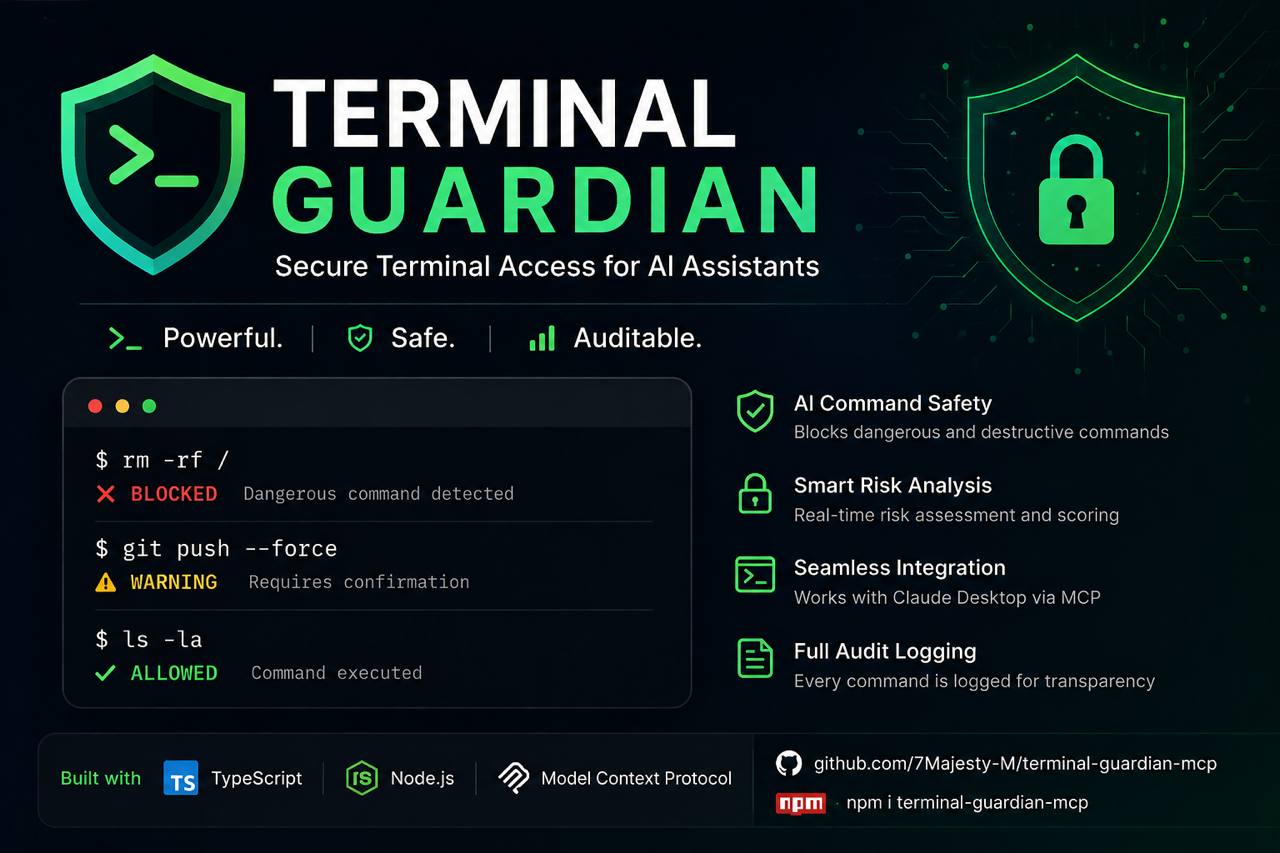
🎬 Live Demo

💡 Demo shows the core analysis engine. In real use, this runs automatically when Claude executes terminal commands via MCP — no CLI needed.
Terminal Guardian MCP
Secure, sandboxed terminal access for AI assistants via the Model Context Protocol
CI npm version License: MIT Node.js TypeScript MCP Compatible
Features · Quick Start · Claude Desktop · Tools · Security · Configuration · Windows · Roadmap
Overview
Terminal Guardian MCP is a production-grade Model Context Protocol server that gives AI assistants like Claude safe, controlled, and auditable access to your terminal. Every command is analyzed for risk, logged with full context, and executed inside configurable safety boundaries.
Built for developers who want to leverage AI in their workflows without compromising system integrity.
AI Assistant → Terminal Guardian MCP → Risk Analysis → Sandboxed Execution → Structured Result
⚠️ This server provides real terminal access. Configure it carefully. Review the Security Philosophy before deploying.
Features
🛡️ Risk Analysis Engine
Every command passes through a multi-layer safety analysis before execution:
| Risk Level | Example Commands | Behavior |
|---|---|---|
SAFE |
ls, git status, npm list |
Executed immediately |
WARNING |
rm -rf ./dist, docker stop app |
Requires explicit confirmation |
DANGEROUS |
sudo apt-get, curl | bash |
Blocked by default |
BLOCKED |
rm -rf /, shutdown, fork bombs |
Always blocked, always logged |
⚡ Secure Terminal Execution
- Shell command execution with full
stdout/stderrcapture - Configurable per-command timeouts (default: 30s, max: 5m)
- SIGTERM → SIGKILL escalation for hanging processes
- Working directory isolation within workspace root
- Output size limits to prevent memory exhaustion
- Cross-platform: auto-detects bash, sh, PowerShell, or cmd
🤖 AI Commit Message Generator (new in v1.3)
- Analyzes
git diffand generates Conventional Commits suggestions via Claude - Returns 1–5 suggestions with type, scope, subject, body, and breaking change flags
- Three styles:
conventional,simple,detailed - Automatically truncates large diffs to keep API costs low
- Requires
ANTHROPIC_API_KEYenvironment variable
📦 Workspace Templates (new in v1.3)
Scaffold new projects instantly from 8 production-ready templates:
| Template ID | Stack |
|---|---|
node-typescript |
Node.js + TypeScript + ESLint + Vitest |
node-javascript |
Node.js ESM |
python-fastapi |
FastAPI + Pydantic v2 + pytest |
python-cli |
Typer + Rich |
react-vite |
React 18 + Vite + TypeScript |
nextjs |
Next.js 15 App Router + TypeScript |
express-api |
Express + Zod + TypeScript |
mcp-server |
MCP Server starter (TypeScript) |
🔎 Process Management
- List all running processes with CPU, memory, PID, and command
- Filter by name or command substring, sort by CPU / memory / PID / name
- Terminate processes by PID with signal control (SIGTERM / SIGKILL / SIGINT / SIGHUP)
- Protected PID list — system processes (init, systemd, launchd, PID 0/1) can never be killed
- SIGKILL requires
confirmed: trueas an additional safety gate
🔐 Environment Variables
- Inspect environment variables with automatic secret masking
- Secrets are never revealed in full — shown as
sk**...xyformat - Auto-detects secrets by key name (
API_KEY,TOKEN,PASSWORD,DATABASE_URL,SECRET, ...) - Auto-detects secrets by value shape (base64 blobs, JWTs, GitHub/Stripe/Slack/OpenAI tokens)
- Filter by key name, category (
secret,path,system,runtime,unknown), or fetch specific keys
🌐 Network Diagnostics
- Ping — check host reachability and measure round-trip latency, cross-platform
- HTTP requests — GET/POST/PUT/PATCH/DELETE/HEAD with headers, body, redirect control; response body capped at 512KB
- DNS lookup — resolve hostnames via
dig→nslookup→ Node.js DNS fallback - Private/loopback addresses blocked by default (
127.x,10.x,192.168.x,::1, link-local) - Only
http://andhttps://allowed —file://,ftp://,ldap://and others are blocked
📁 Filesystem Access
- File listing, reading, and content search
- Configurable workspace root with path traversal prevention
- Glob pattern matching for targeted file searches
- Project structure analysis with language detection
🐳 Docker Integration (optional)
- List and inspect containers
- Read container logs with timestamp support
- Real-time resource stats (CPU, memory, network, block I/O)
- Execute commands inside containers (
docker_exec) with confirmation gate - Container restart with confirmation gate
- Disabled by default — opt-in via config
🌿 Git Repository Analysis
- Full
git statuswith staged/unstaged/untracked breakdown - Diff viewer with per-file additions/deletions
- Commit history with author, date, and refs
- Branch listing (local + remote)
- Read-only by default (push/commit require explicit opt-in)
📊 Session Logging
- Structured JSON logs via pino
- Every command, tool call, and security event is recorded
- Configurable log levels and output destinations
- Optional output logging (disabled by default for privacy)
🔒 Rate Limiting
- Per-minute and per-hour request limits
- In-memory bucket algorithm with automatic reset
- Clear error messages with retry-after hints
🔌 WebSocket Transport (new in v1.4)
- Run as a persistent HTTP + WebSocket server — multiple clients connect simultaneously
- Every WebSocket connection gets its own isolated MCP Server instance
- Bearer token authentication (via
Authorizationheader or?token=query string) - Built-in web dashboard at
GET /— live stats, connection count, uptime, config snippet - Health check at
GET /healthand stats API atGET /stats - Keepalive ping/pong with automatic dead connection cleanup
- Configurable max connections (default: 10)
- Works alongside stdio — choose the mode at startup via CLI flag
🖥️ Remote SSH Execution (new in v1.5)
- Execute commands on remote servers via SSH — with the same risk analysis as local execution
- Named server profiles in config (
prod,staging,dev, ...) - Key-based auth (reads
~/.ssh/id_rsaor any specified key path) and password auth - Connection pool — reuses SSH sessions, no new handshake on every command
- Host fingerprint verification to protect against MITM attacks
BLOCKED/WARNING/DANGEROUSrules apply identically on remote hosts- Configurable timeout, max connections, keepalive interval
Quick Start
Prerequisites
- Node.js ≥ 18.0.0
- npm or yarn
Install from npm
npm install -g terminal-guardian-mcp
Install from source
git clone https://github.com/7Majesty-M/terminal-guardian-mcp.git
cd terminal-guardian-mcp
npm install
npm run build
Run directly
# stdio mode — for Claude Desktop (default)
terminal-guardian-mcp

# WebSocket mode — persistent server, multiple clients
terminal-guardian-mcp --transport ws --port 3000

# WebSocket with token auth
terminal-guardian-mcp --transport ws --port 3000 --token mysecret

# Help
terminal-guardian-mcp --help
Claude Desktop Integration
Add Terminal Guardian to your Claude Desktop configuration:
macOS: ~/Library/Application Support/Claude/claude_desktop_config.json
Windows: %APPDATA%\Claude\claude_desktop_config.json
Linux: ~/.config/Claude/claude_desktop_config.json
{
  "mcpServers": {
    "terminal-guardian": {
      "command": "npx",
      "args": ["terminal-guardian-mcp"],
      "env": {
        "GUARDIAN_CONFIG": "/path/to/your/terminal-guardian.config.json",
        "ANTHROPIC_API_KEY": "sk-ant-..."
      }
    }
  }
}
ANTHROPIC_API_KEYis only required for thegit_suggest_committool. All other tools work without it.
Or if installed globally:
{
  "mcpServers": {
    "terminal-guardian": {
      "command": "terminal-guardian-mcp",
      "env": {
        "GUARDIAN_CONFIG": "/absolute/path/to/terminal-guardian.config.json"
      }
    }
  }
}
After saving, restart Claude Desktop. You should see Terminal Guardian appear in the tools list.
WebSocket mode (remote / persistent server)
If you're running Terminal Guardian as a persistent WebSocket server (e.g. on a remote machine or in Docker), connect via URL instead:
{
  "mcpServers": {
    "terminal-guardian": {
      "url": "ws://localhost:3000",
      "headers": {
        "Authorization": "Bearer mysecret"
      }
    }
  }
}
# Start the server first
terminal-guardian-mcp --transport ws --port 3000 --token mysecret

# Then open the dashboard in your browser
open http://localhost:3000
MCP Tools
Terminal Guardian exposes 24 tools across 8 domains.
Terminal
run_command
Execute a shell command with full safety analysis.
{
  "command": "npm run build",
  "cwd": "./my-project",
  "timeout": 60000,
  "confirmed": false
}
Returns:
{
  "success": true,
  "data": {
    "command": "npm run build",
    "exitCode": 0,
    "stdout": "...",
    "stderr": "",
    "duration": 4230,
    "timedOut": false,
    "workingDir": "/workspace/my-project",
    "timestamp": "2024-01-15T10:30:00.000Z",
    "riskAssessment": {
      "level": "SAFE",
      "score": 5,
      "reasons": ["No dangerous patterns detected"],
      "blocked": false
    }
  }
}
analyze_command
Analyze a command without running it.
{ "command": "rm -rf ./old-build" }
Returns:
{
  "level": "WARNING",
  "score": 40,
  "reasons": ["Recursive deletion — verify target path carefully"],
  "requiresConfirmation": true,
  "blocked": false,
  "recommendation": "Review this command carefully before proceeding."
}
SSH
ssh_list_profiles
List all configured SSH profiles.
{}
Returns:
[
  { "name": "prod",    "host": "prod.example.com", "port": 22, "username": "deploy",  "authMethod": "key",      "connected": false },
  { "name": "staging", "host": "stg.example.com",  "port": 22, "username": "ubuntu",  "authMethod": "key",      "connected": true  }
]
ssh_test
Test SSH connectivity and measure latency.
{ "profile": "prod" }
Returns:
{
  "profile": "prod",
  "host": "prod.example.com",
  "port": 22,
  "username": "deploy",
  "connected": true,
  "latencyMs": 42
}
ssh_exec ✨
Execute a command on a remote server. Uses the same risk engine as local execution.
{
  "profile": "prod",
  "command": "systemctl status nginx",
  "cwd": "/var/app"
}
Returns:
{
  "profile": "prod",
  "host": "prod.example.com",
  "command": "systemctl status nginx",
  "exitCode": 0,
  "stdout": "● nginx.service - A high performance web server...",
  "stderr": "",
  "duration": 312,
  "timedOut": false,
  "riskAssessment": { "level": "SAFE", "score": 5, "blocked": false }
}
Dangerous commands (
rm -rf /,shutdown, fork bombs) are blocked on remote hosts just like locally.
Git
git_status
{ "path": "." }
git_diff
{ "staged": false, "file": "src/api.ts" }
git_log
{ "limit": 20 }
git_suggest_commit ✨
Generate AI-powered commit message suggestions from your staged diff.
{ "staged": true, "count": 3, "style": "conventional" }
Returns:
{
  "suggestions": [
    {
      "message": "feat(auth): add JWT refresh token rotation\n\nImplements automatic rotation on each use\nto prevent token reuse attacks.",
      "type": "feat",
      "scope": "auth",
      "subject": "add JWT refresh token rotation",
      "breaking": false,
      "confidence": "high"
    }
  ],
  "model": "claude-sonnet-4-20250514",
  "tokensUsed": 312,
  "diffSummary": "Added refresh token rotation to AuthService",
  "truncated": false
}
Workspace Templates
list_templates
List all available project templates with optional tag filtering.
{ "tag": "python" }
Returns:
[
  { "id": "python-fastapi", "name": "Python FastAPI", "tags": ["python", "api", "backend"], "fileCount": 6, "postInstall": ["python -m venv .venv", "pip install -r requirements.txt"] },
  { "id": "python-cli",     "name": "Python CLI Tool", "tags": ["python", "cli"],           "fileCount": 4 }
]
apply_template ✨
Scaffold a new project from a template. Safe — cannot write outside workspace root.
{
  "templateId": "mcp-server",
  "projectName": "my-mcp-tool",
  "targetDir": "./projects/my-mcp-tool"
}
Returns:
{
  "templateId": "mcp-server",
  "projectName": "my-mcp-tool",
  "targetDir": "/workspace/projects/my-mcp-tool",
  "filesCreated": ["package.json", "tsconfig.json", "src/index.ts", "claude_desktop_config.example.json", ".gitignore", "README.md"],
  "filesSkipped": [],
  "postInstall": ["npm install", "npm run build"]
}
Processes
list_processes
{ "filter": "node", "sortBy": "memory", "limit": 20 }
kill_process
{ "pid": 12345, "signal": "SIGTERM" }
"signal": "SIGKILL"requires"confirmed": true.
Environment
get_env
{ "keys": ["NODE_ENV", "PORT", "DATABASE_URL"] }
Secret masking:
| Original | Shown as |
|---|---|
sk-proj-abc123...xyz |
sk**...yz |
postgres://user:pass@host/db |
po**...db |
eyJhbGci... (JWT) |
ey**... |
ab |
**** |
Network
ping
{ "host": "api.github.com", "count": 4 }
http_request
{
  "url": "https://api.github.com/zen",
  "method": "GET",
  "headers": { "Accept": "application/json" }
}
dns_lookup
{ "host": "github.com" }
Filesystem
list_files
{ "path": "./src", "recursive": true }
read_file
{ "path": "./src/index.ts" }
search_files
{ "query": "TODO", "path": "./src", "pattern": "**/*.ts" }
Docker (requires docker.enabled: true)
docker_ps · docker_logs · docker_stats · docker_exec
{ "container": "my-app", "command": ["node", "--version"], "confirmed": true }
Architecture
terminal-guardian-mcp/
├── src/
│   ├── index.ts              # MCP server entrypoint & tool routing (24 tools)
│   ├── types/index.ts        # Shared TypeScript types
│   ├── config/loader.ts      # Config file loading with deep merge
│   ├── security/
│   │   ├── riskAnalyzer.ts   # Multi-layer command risk analysis engine
│   │   └── rateLimiter.ts    # Per-minute/hour request throttling
│   ├── tools/
│   │   ├── executor.ts       # Cross-platform shell execution engine
│   │   ├── processManager.ts # Process listing and safe termination
│   │   └── schemas.ts        # Zod input validation schemas
│   ├── system/
│   │   └── envManager.ts     # Env vars with automatic secret masking
│   ├── network/
│   │   └── diagnostics.ts    # Ping, HTTP requests, DNS lookup
│   ├── filesystem/
│   │   └── manager.ts        # Safe file access with path enforcement
│   ├── docker/
│   │   └── manager.ts        # Dockerode integration + container exec
│   ├── git/
│   │   ├── manager.ts        # Git operations via child_process
│   │   └── commitGenerator.ts # AI commit message generation (Anthropic API)
│   ├── ssh/
│   │   ├── manager.ts        # SSH connection pool + profile management
│   │   └── executor.ts       # Remote command execution with risk analysis
│   ├── workspace/
│   │   └── templates.ts      # Project scaffolding — 8 templates
│   ├── transport/
│   │   ├── wsServer.ts       # WebSocket HTTP server + auth + multi-client
│   │   └── dashboard.ts      # Live web dashboard (dark theme, auto-refresh)
│   └── logging/
│       └── logger.ts         # Pino-based structured logging
├── tests/                    # Vitest unit tests (170 tests)
├── .github/workflows/        # CI/CD pipeline (Node 18/20/22)
├── Dockerfile                # Multi-stage build, non-root user
├── docker-compose.yml
└── terminal-guardian.config.json
Configuration
{
  "workspace": {
    "rootDir": "/home/user/projects",
    "allowedPaths": ["/home/user/projects"],
    "maxFileSize": 10485760,
    "maxFilesPerOperation": 100
  },
  "execution": {
    "timeout": 30000,
    "maxOutputSize": 1048576,
    "maxConcurrentProcesses": 5,
    "shell": "auto"
  },
  "security": {
    "enableRiskAnalysis": true,
    "blockDangerousCommands": true,
    "requireConfirmationForWarnings": true,
    "allowSudo": false,
    "allowNetworkCommands": true,
    "customBlocklist": [],
    "customAllowlist": []
  },
  "rateLimit": {
    "enabled": true,
    "maxRequestsPerMinute": 60,
    "maxRequestsPerHour": 500
  },
  "docker": {
    "enabled": false,
    "socketPath": "/var/run/docker.sock",
    "allowContainerRestart": false,
    "allowLogAccess": true
  },
  "git": {
    "enabled": true,
    "allowPush": false,
    "allowCommit": false,
    "maxLogEntries": 50
  },
  "logging": {
    "enabled": true,
    "level": "info",
    "logDir": "./logs",
    "logCommands": true,
    "logOutputs": false,
    "logSecurityEvents": true,
    "prettyPrint": false
  },
  "ssh": {
    "enabled": false,
    "timeout": 30000,
    "keepaliveInterval": 10000,
    "maxConnections": 5,
    "profiles": {}
  }
}
SSH Profiles
To use SSH tools, add profiles to ssh.profiles and set ssh.enabled: true:
{
  "ssh": {
    "enabled": true,
    "profiles": {
      "prod": {
        "host": "prod.example.com",
        "port": 22,
        "username": "deploy",
        "privateKeyPath": "~/.ssh/id_rsa"
      },
      "staging": {
        "host": "staging.example.com",
        "username": "ubuntu",
        "privateKeyPath": "~/.ssh/staging_key"
      }
    }
  }
}
Configuration Reference
| Key | Default | Description |
|---|---|---|
workspace.rootDir |
"." |
Absolute root for all filesystem operations |
workspace.maxFileSize |
10485760 |
Max readable file size in bytes (10MB) |
execution.timeout |
30000 |
Default command timeout in ms |
execution.maxOutputSize |
1048576 |
Max stdout+stderr size in bytes (1MB) |
execution.shell |
"auto" |
Shell — "auto" detects bash/pwsh/sh automatically |
security.allowSudo |
false |
Whether sudo commands are permitted |
security.customBlocklist |
[] |
Additional regex patterns to always block |
security.customAllowlist |
[] |
Patterns that bypass risk analysis |
docker.enabled |
false |
Enable Docker tool integration |
docker.allowContainerRestart |
false |
Allow restarting containers |
git.allowPush |
false |
Allow git push via run_command |
logging.logOutputs |
false |
Log stdout/stderr (may contain secrets!) |
ssh.enabled |
false |
Enable SSH tool integration |
ssh.maxConnections |
5 |
Max pooled SSH connections |
Security Philosophy
Terminal Guardian operates on a deny-by-default model with explicit allowlisting.
Always blocked
- Recursive filesystem deletion of system paths (
rm -rf /) - Fork bombs (
:(){:|:&};:) - System power management (
shutdown,reboot,halt) - Filesystem formatting (
mkfs,wipefs,dd of=/dev/) - Reverse shells and TCP redirections (
/dev/tcp/) chmod 777 /and similar root-level permission changesfile://,ftp://,ldap://URL schemes in HTTP requests- Private/loopback addresses in network tools
Requires confirmation
- Recursive deletions (
rm -rf ./anything) - Docker container stop/kill/remove
- Docker container exec (
docker_exec) - Force kills —
kill_processwithSIGKILL - Permission modifications (
chmod,chown) - Git destructive operations (
reset --hard,push) - Service management (
systemctl stop)
Always safe
- Read-only shell commands:
ls,cat,grep,find - Git inspection:
status,log,diff,branch git_suggest_commit— reads diff only, never writes anythinglist_templates— no filesystem changes- Docker read operations:
ps,images,inspect,stats,logs - npm read operations:
list,outdated,audit - System info:
whoami,uptime,df,uname list_processes— read-only, never modifies stateget_env— secrets masked before they leave the moduledns_lookup— read-only DNS querypingto public hostsssh_list_profiles,ssh_test— read-only, no command execution
Threat model
- AI hallucination safety — blocks commands an AI might suggest incorrectly
- Prompt injection defense — rate limiting and explicit confirmation prevent automation abuse
- Supply chain protection — blocks pipe-to-shell patterns (
curl | bash) - Privilege escalation — sudo blocked by default
- Secret leakage — env vars masked at read time, raw values never reach AI context
- SSRF protection — private network ranges blocked in all network tools
- Data exfiltration — output size limits, no secret logging by default
- Workspace isolation — templates and filesystem tools cannot escape workspace root
- Remote command safety — same risk engine on SSH as locally, BLOCKED means BLOCKED everywhere
Windows Support
Terminal Guardian auto-detects the available shell at startup — no manual configuration needed.
| Platform | Default Shell | Fallback |
|---|---|---|
| Linux / macOS | /bin/bash |
/bin/sh |
| Windows | pwsh (PowerShell Core) |
cmd.exe |
Windows quick start
# Option 1: PowerShell Core (recommended)
winget install Microsoft.PowerShell

# Option 2: WSL — shell auto-detects, no config change needed

# Option 3: Git Bash — set path explicitly
{
  "execution": {
    "shell": "C:\\Program Files\\Git\\bin\\bash.exe"
  }
}
Note: On Windows without WSL, Unix commands like
ls,grep,catrequire PowerShell equivalents or Git Bash.
Docker Usage
docker build -t terminal-guardian-mcp .
docker-compose up -d
docker-compose logs -f terminal-guardian
The container runs as a non-root user (guardian:guardian) with a read-only root filesystem.
Development
npm install           # Install dependencies
npm run dev           # Start in watch mode
npm test              # Run tests
npm run test:coverage # Coverage report
npm run typecheck     # TypeScript check
npm run lint          # ESLint
npm run format        # Prettier
npm run build         # Production build
Usage Examples
With Claude Desktop
"Check the git status of my project and tell me what files have changed"
"I've staged my changes — write me a commit message"
"Scaffold a new FastAPI project in ./services/users"
"Which process is eating the most CPU right now?"
"Show me all environment variables related to Node — keep secrets masked"
"Is api.github.com reachable? What's the latency?"
"Make a GET request to https://api.github.com/zen and show me the response"
"Run the test suite and show me any failures"
"There's a hung process using 4GB of RAM — find it and kill it gracefully"
"List Docker containers and check if the database is healthy"
"Run
node --versioninside the api container"
Tool call examples
Safe command:
User: Run `ls -la` in the src directory
Claude: [calls run_command {"command": "ls -la", "cwd": "src"}]
→ Returns file listing immediately (SAFE)
Confirmation required:
User: Clean up the dist directory
Claude: [calls analyze_command → WARNING]
        "rm -rf ./dist requires confirmation. Proceed?"
User: Yes
Claude: [calls run_command with confirmed: true]
Blocked:
User: Run rm -rf /
Claude: "Terminal Guardian has blocked this — it would delete the root filesystem."
AI commit message:
User: I've staged my auth refactor, suggest a commit message
Claude: [calls git_suggest_commit {"staged": true, "count": 3}]

  1. refactor(auth): extract token validation into AuthGuard class
  2. refactor(auth): decouple token logic from UserService
  3. chore(auth): reorganize auth module structure

  Which one would you like to use?
Scaffold a project:
User: Create a new MCP server called "weather-mcp"
Claude: [calls apply_template {"templateId": "mcp-server", "projectName": "weather-mcp", "targetDir": "./weather-mcp"}]

  Created 6 files. Next steps:
  cd weather-mcp && npm install && npm run build
Network check:
User: Is my API server reachable?
Claude: [calls ping {"host": "api.myapp.com", "count": 3}]
        "api.myapp.com is reachable. Avg latency: 24ms, 0% packet loss."
Env inspection:
User: What's my runtime environment?
Claude: [calls get_env {"filter": "NODE"}]
        "NODE_ENV=production, NODE_VERSION=20.11.0.
         DATABASE_URL and API_KEY are present — values masked for security."
Docker exec:
User: Check the Node version inside the api container
Claude: [calls docker_exec {"container": "api", "command": ["node", "--version"], "confirmed": true}]
        "v20.11.0"
SSH — remote server management:
User: Check nginx status on prod
Claude: [calls ssh_test {"profile": "prod"}]
        "Connected to prod.example.com (42ms latency)."

Claude: [calls ssh_exec {"profile": "prod", "command": "systemctl status nginx"}]
        "● nginx.service — active (running) since..."

User: Restart it
Claude: [calls ssh_exec {"profile": "prod", "command": "systemctl restart nginx", "confirmed": true}]
        "Done — nginx restarted. Exit code 0."
WebSocket mode — remote access:
# On your dev server
terminal-guardian-mcp --transport ws --port 3000 --token mytoken

# Dashboard: http://your-server:3000
# Claude Desktop connects via ws://your-server:3000

# Multiple Claude sessions can connect simultaneously — each gets isolated MCP instance
Roadmap
Released
- v1.0 — Secure terminal execution with risk analysis engine
- v1.0 — Filesystem access with path traversal protection
- v1.0 — Git repository analysis (status, diff, log, branches)
- v1.0 — Docker integration (ps, logs, stats, restart)
- v1.0 — Session logging, rate limiting, configurable security
- v1.0 — Cross-platform shell auto-detection (Linux / macOS / Windows)
- v1.1 — Process management (
list_processes,kill_process) - v1.1 — Environment variable inspection with automatic secret masking
- v1.2 — Network diagnostics (
ping,http_request,dns_lookup) - v1.2 — Docker container exec (
docker_exec) with confirmation gate - v1.3 — AI-powered commit message generation (
git_suggest_commit) - v1.3 — Workspace templates — 8 project starters (
list_templates,apply_template) - v1.4 — WebSocket transport (alongside stdio) with auth, dashboard, multi-client
- v1.5 — Remote SSH execution with key-based auth, connection pool, risk analysis
Planned
- v2.0 — Full gVisor/nsjail sandbox integration
- v2.0 — Per-session permission scoping
- v2.0 — Audit log export (JSON/CSV/SIEM formats)
Contributing
- Fork the repository
- Create a feature branch:
git checkout -b feature/my-feature - Commit:
git commit -m 'feat: add my feature' - Push:
git push origin feature/my-feature - Open a Pull Request
Please ensure all tests pass, TypeScript compiles cleanly, and new security patterns have test coverage.
Related Projects
- Model Context Protocol — The protocol specification
- MCP TypeScript SDK — Official SDK
- Claude Desktop — The AI assistant this was built for
License
MIT © Terminal Guardian Contributors
Built with ❤️ for the AI infrastructure community
⭐ Star this project if it's useful to you
from github.com/7Majesty-M/terminal-guardian-mcp
Install Terminal Guardian in Claude Desktop, Claude Code & Cursor
unyly install terminal-guardian-mcpInstalls into Claude Desktop, Claude Code, Cursor & VS Code — handles npx, uvx and build-from-source repos for you.
First time? Get the CLI: curl -fsSL https://unyly.org/install | sh
Or configure manually
Run in your terminal:
claude mcp add terminal-guardian-mcp -- npx -y terminal-guardian-mcpFAQ
Is Terminal Guardian MCP free?
Yes, Terminal Guardian MCP is free — one-click install via Unyly at no cost.
Does Terminal Guardian need an API key?
No, Terminal Guardian runs without API keys or environment variables.
Is Terminal Guardian hosted or self-hosted?
Self-hosted: the server runs locally on your machine via the install command above.
How do I install Terminal Guardian in Claude Desktop, Claude Code or Cursor?
Open Terminal Guardian on unyly.org, pick your client tab (Claude Desktop, Claude Code, Cursor) and press Install — the config is generated automatically, no JSON editing.
Related MCPs
Fetch
Web content fetching and conversion for efficient LLM usage.
AWS KB Retrieval
Retrieval from AWS Knowledge Base using Bedrock Agent Runtime.
 by modelcontextprotocol
Spring AI MCP Server
Provides auto-configuration for setting up an MCP server in Spring Boot applications.
llm-analysis-assistant
A very streamlined mcp client that supports calling and monitoring stdio/sse/streamableHttp, and can also view request responses through the /logs page. It also
 by xuzexin-hz
Compare Terminal Guardian with
Not sure what to pick?
Find your stack in 60 seconds
Author?
Embed badge for your README
Browse similar
All ai MCPs