

About
Custom interactive charts in LLM conversations using MCP Apps
README
Ask your AI assistant to draw a chart. Get back something interactive, embedded right in the conversation.
This is an MCP server for Vega-Lite and Vega, open-source grammars for building interactive visualizations from JSON. It works with any client that supports MCP Apps, including Claude, ChatGPT, Goose, and VS Code.
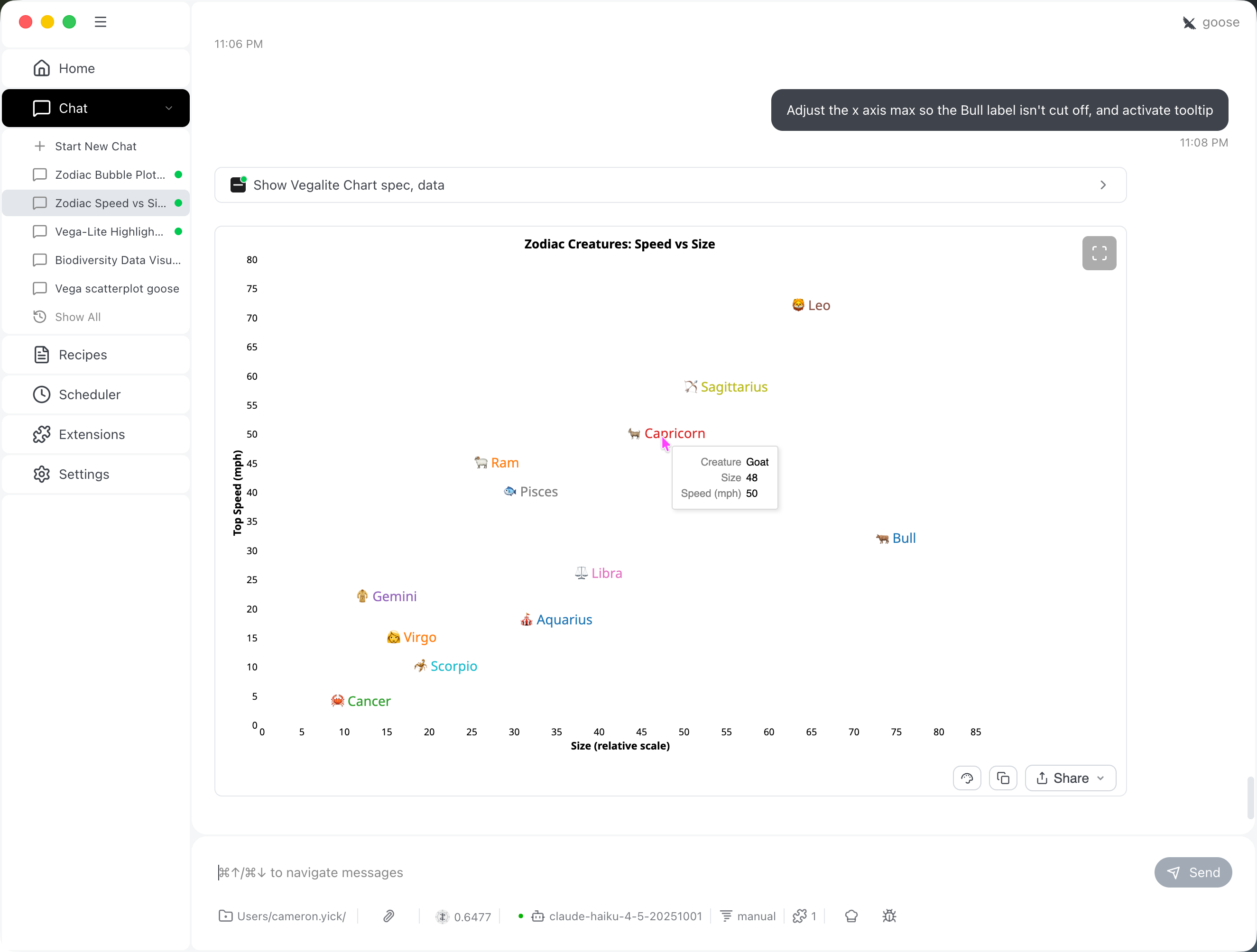
Browse the Vega-Lite and Vega example galleries for charts to remix.
Install
Claude Desktop (macOS / Windows)
Download the latest .mcpb file from the Releases page and double-click it. Claude will show an installation dialog and handle the rest.
Once installed, try asking: "Draw a bar chart comparing sales of [10, 20, 15, 25] for products A, B, C, D."
Other clients
See docs/INSTALL.md for build-from-source instructions and stdio / HTTP transport setup for Goose, VS Code, and ChatGPT.
Tools
show_vegalite_chart
Renders a Vega or Vega-Lite chart from a JSON spec. Pass data separately from the spec; it is injected at render time, keeping the spec clean and making validation straightforward.
Example
{
  "spec": {
    "$schema": "https://vega.github.io/schema/vega-lite/v6.json",
    "mark": "bar",
    "encoding": {
      "x": {"field": "category", "type": "nominal"},
      "y": {"field": "value", "type": "quantitative"}
    },
    "data": {"name": "table"}
  },
  "data": {
    "table": [
      {"category": "A", "value": 10},
      {"category": "B", "value": 20}
    ]
  }
}
| Parameter | Type | Description |
|---|---|---|
spec |
object | Vega-Lite or Vega JSON spec. Use "data": {"name": "tableName"} to reference named data sources. URL data sources are blocked. |
data |
{ [name]: rows[] } |
Named data tables matching the names in the spec. Defaults to {}. |
height |
integer | Max container height in pixels. Defaults to 500. |
Returns { success: boolean, errors?: string[] }. Validation runs the Vega-Lite compiler and checks that every named data source referenced in the spec has a corresponding entry in data.
Prefer Vega-Lite for most charts. Pass a raw Vega spec (with "$schema": "https://vega.github.io/schema/vega/v5.json") when you need capabilities Vega-Lite cannot express, such as custom layout transforms.
learn_vegalite_syntax
Returns a compact Vega-Lite v6 cheat sheet covering field types, mark types, encoding channels, and common transforms. Calling this before generating a spec helps the model stay within the supported grammar and avoid invalid field names. Kept intentionally brief; advanced features aren't documented here yet.
FAQ
Does it fetch external data or run arbitrary code?
No to both. Specs with remote data URLs are rejected before rendering, and the client-side loader blocks HTTP requests at runtime. All data must be passed through the tool call. The renderer uses Vega's sandboxed interpreter rather than eval, so arbitrary code execution is not possible.
Is it safe to deploy publicly?
This server was designed for local, single-user use. See docs/frequently-asked-questions.md for more.
Contributing
See CONTRIBUTING.md for development setup, pull request guidelines, and architecture decision records.
License
Installing Vega
This server has no published package — it is built from source. Open the repository and follow its README.
▸ github.com/hydrosquall/vega-mcp-serverFAQ
Is Vega MCP free?
Yes, Vega MCP is free — one-click install via Unyly at no cost.
Does Vega need an API key?
No, Vega runs without API keys or environment variables.
Is Vega hosted or self-hosted?
Self-hosted: the server runs locally on your machine via the install command above.
How do I install Vega in Claude Desktop, Claude Code or Cursor?
Open Vega on unyly.org, pick your client tab (Claude Desktop, Claude Code, Cursor) and press Install — the config is generated automatically, no JSON editing.
Related MCPs
Fetch
Web content fetching and conversion for efficient LLM usage.
AWS KB Retrieval
Retrieval from AWS Knowledge Base using Bedrock Agent Runtime.
 by modelcontextprotocol
Spring AI MCP Server
Provides auto-configuration for setting up an MCP server in Spring Boot applications.
llm-analysis-assistant
A very streamlined mcp client that supports calling and monitoring stdio/sse/streamableHttp, and can also view request responses through the /logs page. It also
 by xuzexin-hz
Compare Vega with
Not sure what to pick?
Find your stack in 60 seconds
Author?
Embed badge for your README
Browse similar
All ai MCPs