
Vscode As
FreeNot checkedExpose VSCode features such as file viewing and editing as MCP, enabling advanced AI-assisted coding directly from tools like Claude Desktop

About
Expose VSCode features such as file viewing and editing as MCP, enabling advanced AI-assisted coding directly from tools like Claude Desktop
README
A VSCode extension that turns your VSCode into an MCP server, enabling advanced coding assistance from MCP clients like Claude Desktop.
Key Features
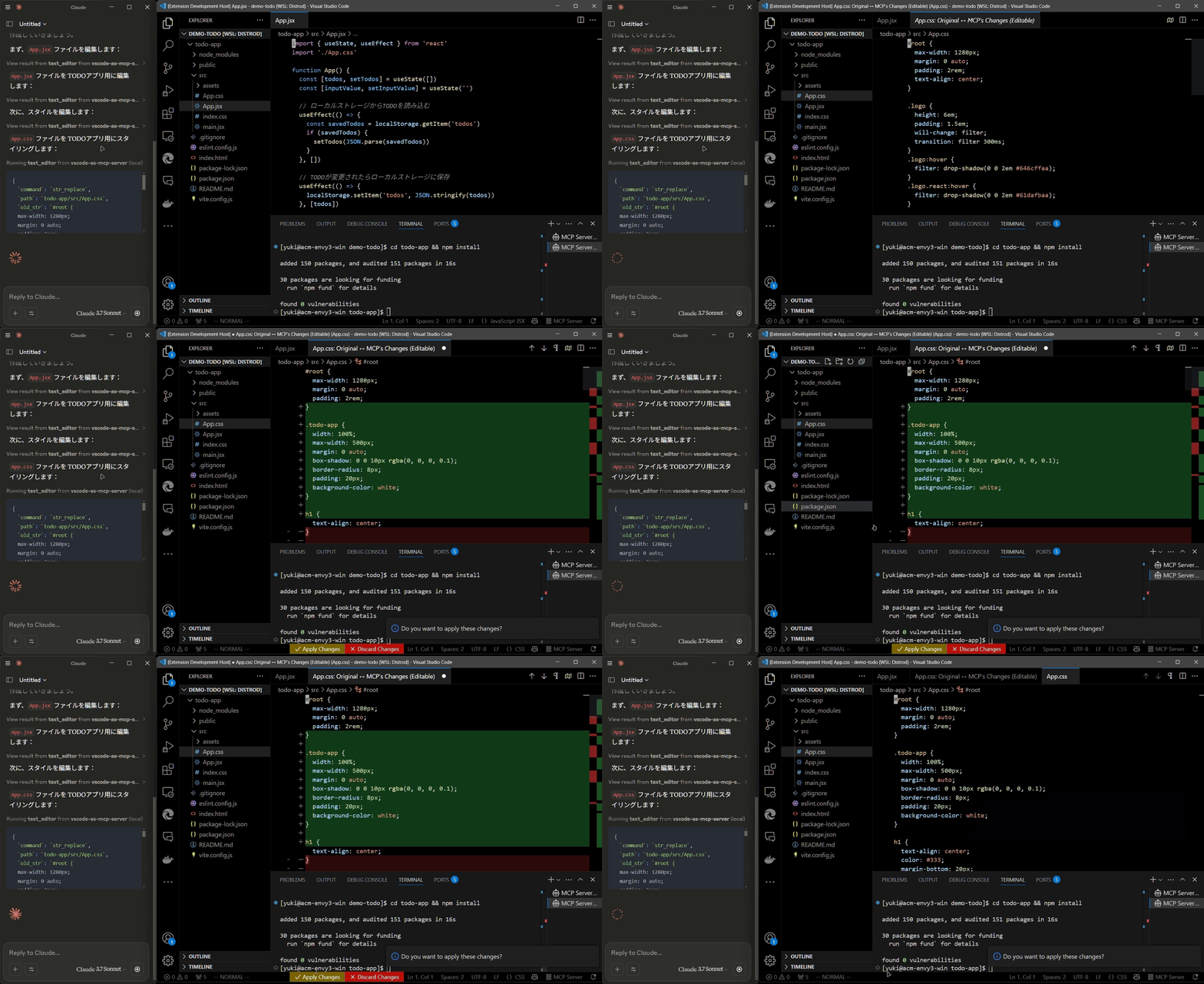
Code Editing Support
- Review proposed code changes from an LLM through diffs, allowing you to accept, reject, or provide feedback.
- Real-time diagnostic messages (e.g., type errors) sent instantly to the LLM for immediate corrections.
Terminal Operations
- Execute commands within VSCode’s integrated terminal (supports background/foreground execution, and timeout settings).
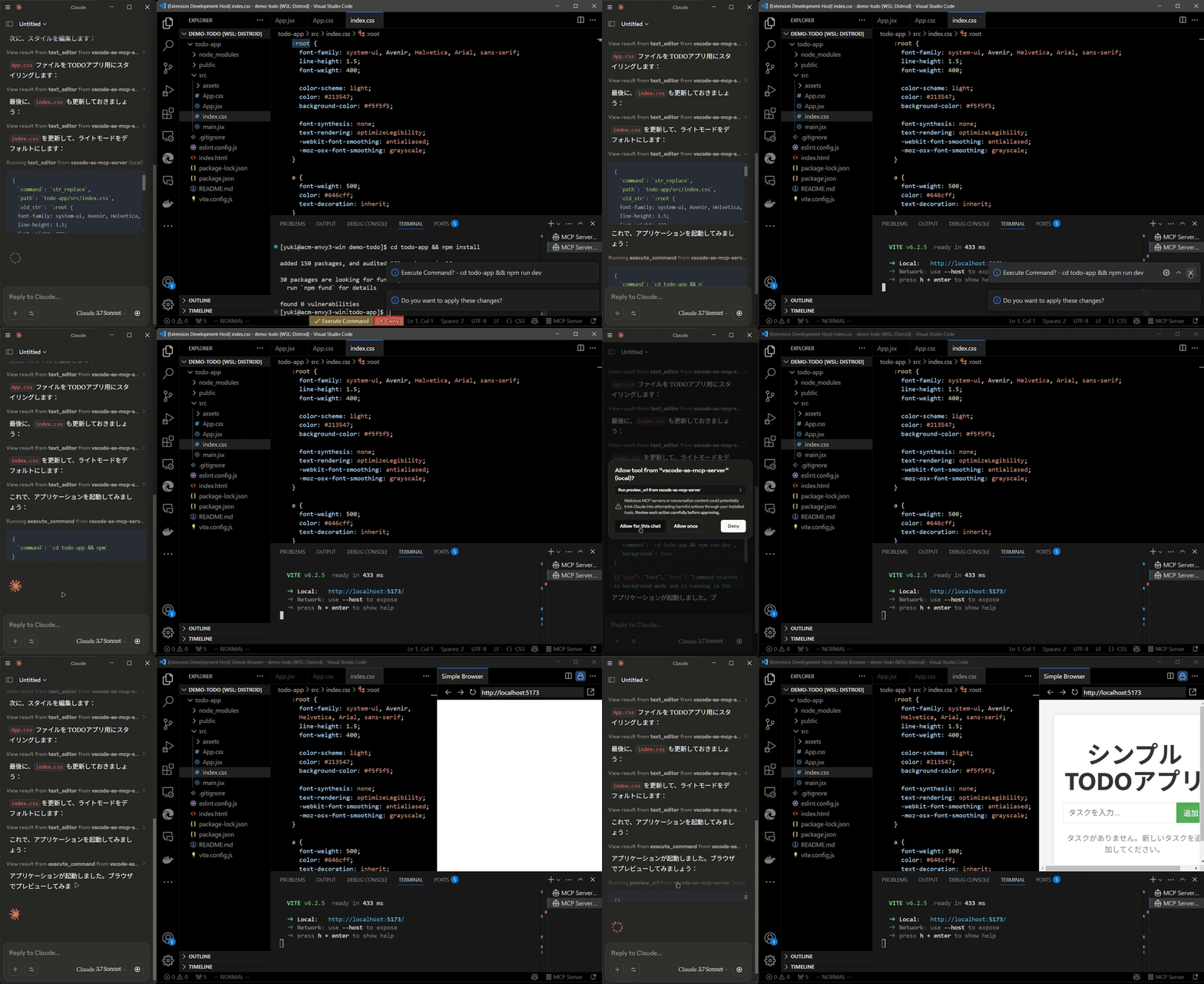
Preview Tools
- Preview URLs directly within VSCode’s built-in browser (e.g., automatically opens browser preview after starting a Vite server).
Multi-instance Switching
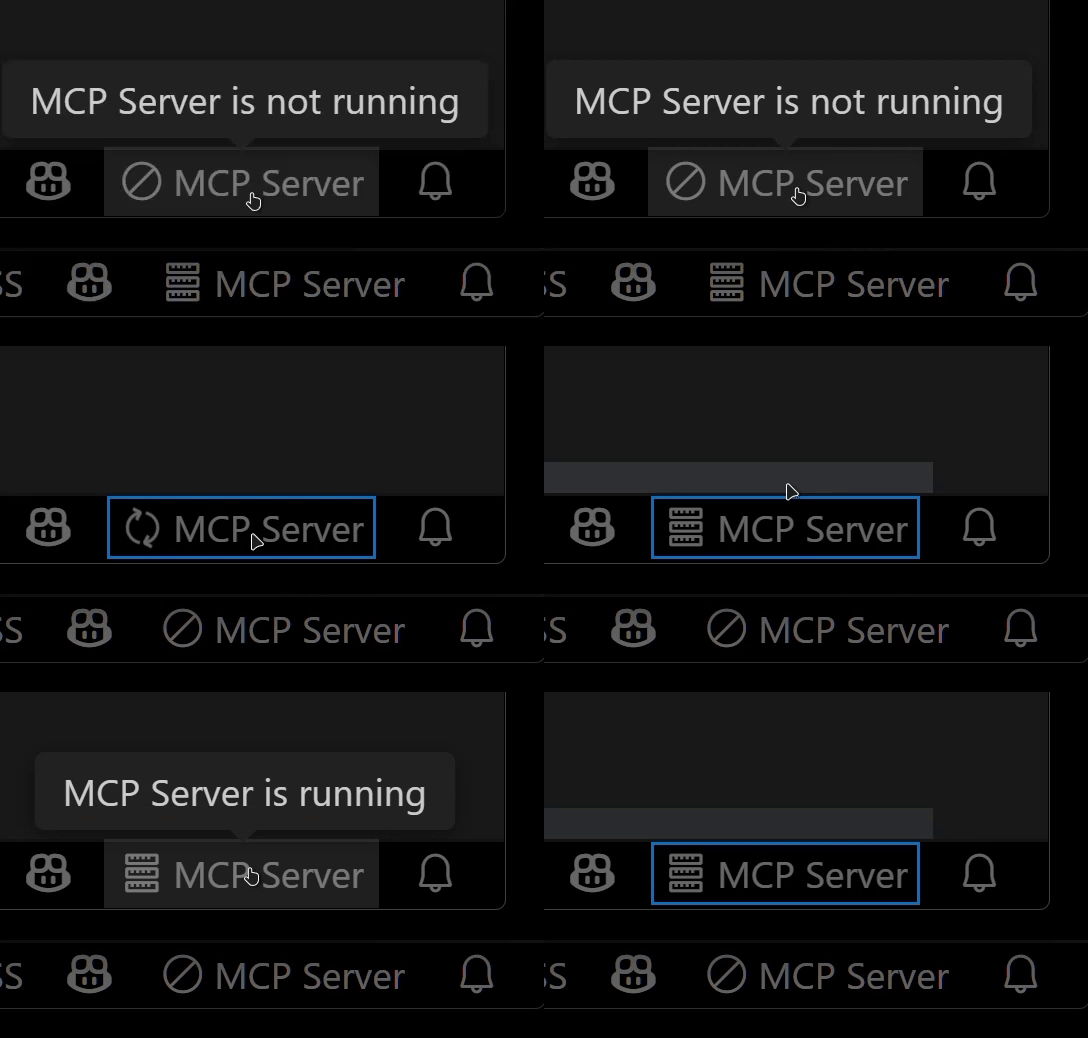
- Easily switch the MCP server between multiple open VSCode windows.(Just by clicking the status bar item)
Relay Functionality (Experimental)
- Relay and expose built-in MCP servers introduced in VSCode 1.99 externally.
- Allows external access to tools provided by other MCP extensions, such as GitHub Copilot.
Available Built-in Tools
- execute_command: Execute commands in VSCode’s integrated terminal
- code_checker: Retrieve current diagnostics for your code
- focus_editor: Focus specific locations within files
- list_debug_sessions / start_debug_session / restart_debug_session / stop_debug_session: Manage debug sessions
- text_editor: File operations (view, replace, create, insert, undo)
- list_directory: List directory contents in a tree format
- get_terminal_output: Fetch output from a specified terminal
- list_vscode_commands / execute_vscode_command: List and execute arbitrary VSCode commands
- preview_url: Open URLs within VSCode’s integrated browser
Installation & Setup
Install the extension from the VSCode Marketplace.
Configure your MCP client:
- Using mcp-installer: You can simply instruct it to "install the vscode-as-mcp-server MCP server".
- Other clients like Claude Desktop: Add the following to your configuration file (
claude_desktop_config.json):
{
  "mcpServers": {
    "vscode": {
      "command": "npx",
      "args": ["vscode-as-mcp-server"]
    }
  }
}
Check the MCP server status in the bottom-right VSCode status bar:
- (Server icon): Server is running
- ∅: Click to start the server

Motivation
This extension was developed to mitigate high costs associated with metered coding tools (like Roo Code and Cursor). It's an affordable, self-hosted alternative built directly into VSCode.
Bug reports and feedback are very welcome! 🙇
Future Roadmap
- Ability to select which built-in MCP servers to expose
- WebView-based approval UI (similar to Roo Code)
- Integration with VSCode's file history (Timeline)
- Instant toggling of auto-approvals and tool activation/deactivation
- Customizable server port configuration
Installing Vscode As
This server has no published package — it is built from source. Open the repository and follow its README.
▸ github.com/acomagu/vscode-as-mcp-serverFAQ
Is Vscode As MCP free?
Yes, Vscode As MCP is free — one-click install via Unyly at no cost.
Does Vscode As need an API key?
No, Vscode As runs without API keys or environment variables.
Is Vscode As hosted or self-hosted?
Self-hosted: the server runs locally on your machine via the install command above.
How do I install Vscode As in Claude Desktop, Claude Code or Cursor?
Open Vscode As on unyly.org, pick your client tab (Claude Desktop, Claude Code, Cursor) and press Install — the config is generated automatically, no JSON editing.
Related MCPs
Fetch
Web content fetching and conversion for efficient LLM usage.
AWS KB Retrieval
Retrieval from AWS Knowledge Base using Bedrock Agent Runtime.
 by modelcontextprotocol
Spring AI MCP Server
Provides auto-configuration for setting up an MCP server in Spring Boot applications.
llm-analysis-assistant
A very streamlined mcp client that supports calling and monitoring stdio/sse/streamableHttp, and can also view request responses through the /logs page. It also
 by xuzexin-hz
Compare Vscode As with
Not sure what to pick?
Find your stack in 60 seconds
Author?
Embed badge for your README
Browse similar
All ai MCPs