loading…
en/
Browse all
 by modelcontextprotocol
 by xuzexin-hz
yoryocoruxo-ai/rendoc-mcp-server
FreeNot checkedGenerate professional PDF documents (invoices, contracts, reports, certificates) from reusable templates or inline HTML/Handlebars markup via the [rendoc](https

About
Generate professional PDF documents (invoices, contracts, reports, certificates) from reusable templates or inline HTML/Handlebars markup via the rendoc API. 7 tools for document generation, template management, and usage tracking.
README
The rendoc MCP server lets AI assistants like Claude Desktop, Cursor, and any other MCP-compatible client generate professional PDF documents on demand. Connect your AI to rendoc and it can create invoices, contracts, reports, certificates, and any other PDF — from reusable templates or inline HTML/Handlebars markup — all from a natural language prompt.
Turn "Generate an invoice for Acme Corp, 40 hours of consulting at €85/h" into a delivered PDF in seconds.
Use Cases
| Use Case | Example Prompt |
|---|---|
| Invoices | "Generate an invoice for client X with these line items..." |
| Contracts | "Draft a freelance contract for TechStart SL, €18,000 fee, 50% upfront..." |
| Certificates | "Issue a course completion certificate for María González..." |
| Reports | "Create a March 2026 sales report with these KPIs..." |
| Bulk generation | "Generate certificates for all 50 attendees in this CSV" |
| Custom documents | Anything you can describe in HTML + data |
See detailed walkthroughs in `examples/`.
Features
- 7 tools for document generation, template management, and usage tracking
- Template-based or inline — save reusable templates or pass markup on the fly
- Handlebars syntax — use
{{variables}},{{#each}},{{#if}}in your markup - Multiple paper sizes — A4, Letter, Legal, A3, A5, portrait or landscape
- Schema validation — templates can declare a JSON Schema so the AI can't pass invalid data
- Zero config — just set
RENDOC_API_KEYand go - Lightweight — ~35 KB unpacked, pure TypeScript, only 2 runtime dependencies
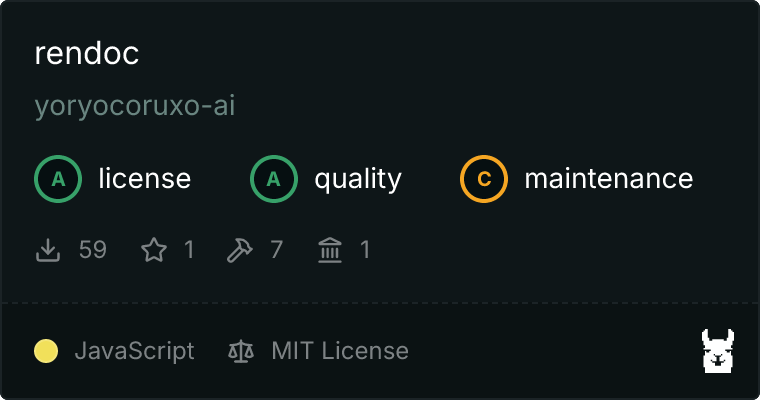
- Verified on Glama — security, quality, and license checks passed
Quick Setup for Claude Desktop
Add this to your Claude Desktop configuration file (claude_desktop_config.json):
{
  "mcpServers": {
    "rendoc": {
      "command": "npx",
      "args": ["-y", "@rendoc/mcp-server"],
      "env": {
        "RENDOC_API_KEY": "your-api-key"
      }
    }
  }
}
Restart Claude Desktop. The rendoc tools will appear in the MCP tools menu.
Quick Setup for Claude Code
Add this to your project or global settings (.claude/settings.json):
{
  "mcpServers": {
    "rendoc": {
      "command": "npx",
      "args": ["-y", "@rendoc/mcp-server"],
      "env": {
        "RENDOC_API_KEY": "your-api-key"
      }
    }
  }
}
Quick Setup for Cursor
Add to ~/.cursor/mcp.json (or your project's .cursor/mcp.json):
{
  "mcpServers": {
    "rendoc": {
      "command": "npx",
      "args": ["-y", "@rendoc/mcp-server"],
      "env": {
        "RENDOC_API_KEY": "your-api-key"
      }
    }
  }
}
Available Tools
| Tool | Description | Key Parameters |
|---|---|---|
generate_document |
Generate a PDF from a template or inline markup | template_id or markup, data, paper_size?, orientation?, filename? |
list_templates |
List available document templates | category? |
preview_template |
Inspect a template's markup, styles, and schema | template_id |
create_template |
Create a new reusable template | name, slug, markup, schema, category?, styles?, sample_data?, paper_size?, orientation?, is_public? |
delete_template |
Delete a template by ID | template_id |
get_document |
Get details of a generated document | document_id |
get_usage |
View monthly API usage statistics | (none) |
Each tool returns structured JSON with download URLs, document IDs, and metadata the assistant can act on.
Get an API Key
- Sign up at rendoc.dev
- Go to the API Keys dashboard
- Create a new key and copy it into your MCP client config
Environment Variables
| Variable | Required | Default | Description |
|---|---|---|---|
RENDOC_API_KEY |
Yes | — | Your rendoc API key for authentication |
RENDOC_API_URL |
No | https://rendoc.dev |
Base URL for the rendoc API (useful for self-hosted instances) |
Examples
Detailed walkthroughs with real prompts and tool calls:
- 01 — Invoice from inline markup — single-shot invoice generation
- 02 — Freelance contract template — create once, reuse forever
- 03 — Certificate from saved template — multi-step tool discovery
- 04 — Monthly sales report — rich visualizations with CSS
- 05 — Bulk generation from dataset — 50 PDFs from one prompt
How It Works
┌──────────────┐   MCP/stdio    ┌────────────────────┐   HTTPS   ┌─────────────┐
│ Claude Code  │ ─────────────▶ │ @rendoc/mcp-server │ ────────▶ │ rendoc API  │
│ / Desktop    │                │   (this package)    │           │  (PDF gen)  │
└──────────────┘ ◀───────────── └────────────────────┘ ◀──────── └─────────────┘
        ▲         tool results                        download URL
        │
        └── User prompt: "Generate an invoice for..."
The MCP server translates natural language tool calls from your AI assistant into authenticated REST requests to the rendoc API, and returns structured responses with PDF download URLs.
Contributing
Contributions are welcome. See CONTRIBUTING.md for development setup and PR guidelines.
For security issues, please see SECURITY.md and email [email protected] — do not open a public issue.
Links
- Website: rendoc.dev
- Docs: rendoc.dev/docs
- npm Package: @rendoc/mcp-server
- Glama Listing: glama.ai/mcp/servers/@yoryocoruxo-ai/rendoc-mcp-server
- Official SDKs: @rendoc/sdk (TypeScript), rendoc (Python)
License
MIT — see LICENSE.
How to install
Run in your terminal:
claude mcp add yoryocoruxo-ai-rendoc-mcp-server -- npx Related MCPs
Fetch
Web content fetching and conversion for efficient LLM usage.
by Community
1
AWS KB Retrieval
Retrieval from AWS Knowledge Base using Bedrock Agent Runtime.
by modelcontextprotocolSpring AI MCP Server
Provides auto-configuration for setting up an MCP server in Spring Boot applications.
by Community
llm-analysis-assistant
A very streamlined mcp client that supports calling and monitoring stdio/sse/streamableHttp, and can also view request responses through the /logs page. It also
by xuzexin-hzCompare yoryocoruxo-ai/rendoc-mcp-server with
Not sure what to pick?
Find your stack in 60 seconds
Author?
Embed badge for your README
Browse similar
All ai MCPs