

About
Zalo Model Context Protocol (MCP) Server Integration
README
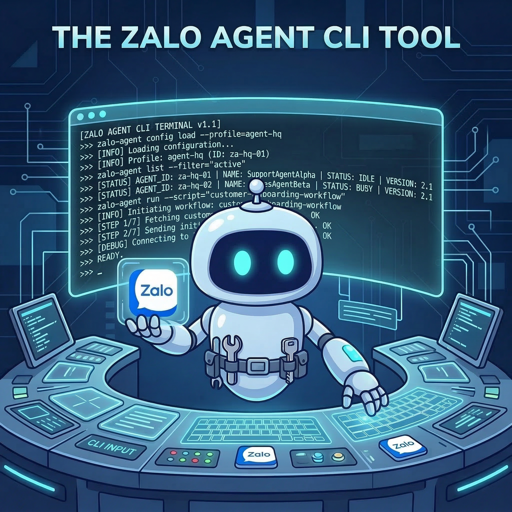
zalo-mcp
Gói cài đặt độc lập Model Context Protocol (MCP) server cho Zalo. Môi trường đóng gói (sandbox) 1-click giúp AI agents (Claude Code, Cursor) tự động hóa Zalo Personal & Official Account mà không làm rác máy tính của bạn.
[!TIP] Sự khác biệt giữa
zalo-mcpvàzalo-agent-cli?
zalo-agent-cli: Là bộ mã nguồn lõi (engine). Xử lý toàn bộ logic API, login, và chứa mã nguồn thật sự của MCP Server.zalo-mcp(Repo này): Là vỏ bọc triển khai nhanh (deployment wrapper). Nó không chứa mã nguồn lõi. Thay vào đó, nó dùng lệnh tự động tạo ra một thư mục cục bộ an toàn, kéo engine về, tải Node/Python, cấu hình.envđể Claude/Cursor có thể chạy ngay lập tức mà hệ thống của bạn hoàn toàn sạch sẽ.
📋 Yêu cầu hệ thống
Trước khi chạy trình cài đặt, hãy đảm bảo máy bạn đã có:
- Node.js: Phiên bản 22 trở lên (Bắt buộc cho MCP server).
- Python: Phiên bản 3.8 trở lên (Tùy chọn, cần thiết nếu muốn server tự render biểu đồ hoặc PDF report).
- Git: Cần thiết để clone các bản cập nhật phụ thuộc.
🚀 Bắt đầu nhanh (Cài đặt 1 dòng lệnh)
Mọi phụ thuộc (dependencies) sẽ được tải vào một thư mục cách ly. Bạn có thể cài đặt server ở bất kỳ đâu trên máy tính chỉ với 1 lệnh duy nhất:
macOS / Linux:
curl -fsSL https://raw.githubusercontent.com/ardennguyen/zalo-mcp/main/zalo-mcp.sh | bash -s install
Windows (PowerShell):
Set-ExecutionPolicy Bypass -Scope Process -Force; irm https://raw.githubusercontent.com/ardennguyen/zalo-mcp/main/zalo-mcp.ps1 | Out-File $env:TEMP\zalo-mcp.ps1; & $env:TEMP\zalo-mcp.ps1 install
Trình cài đặt sẽ làm gì?
- Tạo thư mục
zalo-mcptại vị trí hiện tại. - Tải các file wrapper và cấu hình.
- Cài đặt các gói Node.js vào thư mục
node_modules/cục bộ. - Tạo môi trường ảo Python biệt lập (
venv/). - Tạo file cấu hình
.env.
(Lưu ý: Bạn có thể được hỏi nhập Port nếu chạy ở chế độ tương tác, hoặc bạn có thể tự sửa .env sau).
🔑 Đăng nhập & Xác thực
Mọi thông tin xác thực đều được lưu cục bộ và an toàn trên máy của bạn.
A. Zalo Cá Nhân (API Không chính thức)
- Chạy lệnh đăng nhập:
npm run login - Một mã QR sẽ hiển thị trên terminal. Mở app Zalo trên điện thoại > Quét mã QR (đừng dùng camera thường của điện thoại).
[!IMPORTANT] Vị trí lưu trữ Credentials: Lưu mã hóa tại
~/.zalo-agent-cli/(quyền0600). Cảnh báo: Đây là API không chính thức, tài khoản cá nhân của bạn có thể bị khóa (ban) nếu dùng để spam liên tục. Không nên dùng nick chính.
B. Zalo Official Account (API v3.0 Chính thức)
- Khởi tạo kết nối OA:
npm run oa:init -- --app-id <YOUR_APP_ID> --secret <YOUR_APP_SECRET> - Làm theo hướng dẫn trên trình duyệt để ủy quyền ứng dụng.
[!IMPORTANT] Vị trí lưu trữ Credentials: Lưu an toàn tại
~/.zalo-agent/oa-credentials.json. OA Access Tokens hết hạn sau 25 giờ. Refresh bất cứ lúc nào bằng lệnh:npm run oa:refresh
🤖 Tích hợp AI Agent (MCP)
Đảm bảo cấu hình AI client của bạn trỏ tới file mcp-server.js trong thư mục cài đặt zalo-mcp.
1. Claude Code
Thêm đoạn sau vào mcpServers trong ~/.claude/settings.json:
{
  "mcpServers": {
    "zalo": {
      "command": "node",
      "args": ["/đường/dẫn/tuyệt/đối/zalo-mcp/mcp-server.js"],
      "cwd": "/đường/dẫn/tuyệt/đối/zalo-mcp"
    }
  }
}
2. Cursor
Thêm MCP server mới trong settings của Cursor:
- Name:
zalo - Type:
stdio - Command:
node /đường/dẫn/tuyệt/đối/zalo-mcp/mcp-server.js
🛠️ Quản lý & Cập nhật
Cập nhật bản mới nhất: (Cập nhật engine, node_modules, python deps)
- Windows:
.\zalo-mcp.ps1 update - macOS / Linux:
./zalo-mcp.sh update
Dọn dẹp môi trường: (Xóa sạch mọi deps để cài lại từ đầu)
- Windows:
.\zalo-mcp.ps1 clean - macOS / Linux:
./zalo-mcp.sh clean
📖 Tài liệu đầy đủ
Wiki → github.com/ardennguyen/zalo-agent-cli/wiki
Hướng dẫn chi tiết cho tất cả lệnh, thiết lập MCP, cache cục bộ, Official Account API và nhiều hơn nữa — cả tiếng Việt lẫn tiếng Anh.
English
Self-contained Model Context Protocol (MCP) server installer for Zalo. A 1-click sandboxed deployment that enables AI agents (Claude Code, Cursor) to automate Zalo Personal & Official Accounts without cluttering your host system.
[!TIP] What is the difference between
zalo-mcpandzalo-agent-cli?
zalo-agent-cli: The core automation engine. It does all the heavy lifting, API logic, auth, and contains the actual MCP server source code.zalo-mcp(This Repo): The lightweight deployment wrapper. It contains no core code. Instead, its 1-click script safely pulls the engine into a local sandboxed folder, sets up Node/Python, and configures.envso Claude/Cursor can run instantly while keeping your global system pristine.
📋 Prerequisites
- Node.js: v22 or higher (required for MCP server).
- Python: v3.8 or higher (Optional, for rendering charts and PDFs).
- Git: Required to pull dependencies.
🚀 Quick Start (One-Line Installation)
macOS / Linux:
curl -fsSL https://raw.githubusercontent.com/ardennguyen/zalo-mcp/main/zalo-mcp.sh | bash -s install
Windows (PowerShell):
Set-ExecutionPolicy Bypass -Scope Process -Force; irm https://raw.githubusercontent.com/ardennguyen/zalo-mcp/main/zalo-mcp.ps1 | Out-File $env:TEMP\zalo-mcp.ps1; & $env:TEMP\zalo-mcp.ps1 install
🔑 Authentication
A. Personal Zalo Account (Unofficial API)
- Run the login command:
npm run login - Scan the printed QR code using the Zalo app on your phone.
[!IMPORTANT] Safety Notice: This uses an unofficial API. Your personal account can get banned if heavily abused for spam.
B. Zalo Official Account (Official API v3.0)
- Initialize OA credentials:
npm run oa:init -- --app-id <YOUR_APP_ID> --secret <YOUR_APP_SECRET> - Follow the browser prompt.
Refresh tokens anytime with:
npm run oa:refresh
🤖 AI Agent Integration (MCP)
Configure your AI clients to run the server in stdio mode:
Claude Code (~/.claude/settings.json):
{
  "mcpServers": {
    "zalo": {
      "command": "node",
      "args": ["/absolute/path/to/zalo-mcp/mcp-server.js"],
      "cwd": "/absolute/path/to/zalo-mcp"
    }
  }
}
Cursor: Add new MCP server: stdio -> node /absolute/path/to/zalo-mcp/mcp-server.js
🛠️ Management Commands
- Update Deps:
.\zalo-mcp.ps1 updateor./zalo-mcp.sh update - Clean Env:
.\zalo-mcp.ps1 cleanor./zalo-mcp.sh clean
📖 Documentation
Full Wiki → github.com/ardennguyen/zalo-agent-cli/wiki
Detailed guides for all commands, MCP setup, local cache, Official Account API, and more — available in both English and Tiếng Việt.
License
Install Zalo Mcp in Claude Desktop, Claude Code & Cursor
unyly install zalo-mcpInstalls into Claude Desktop, Claude Code, Cursor & VS Code — handles npx, uvx and build-from-source repos for you.
First time? Get the CLI: curl -fsSL https://unyly.org/install | sh
Or configure manually
Run in your terminal:
claude mcp add zalo-mcp -- npx -y @ardennguyen/zalo-mcpFAQ
Is Zalo Mcp MCP free?
Yes, Zalo Mcp MCP is free — one-click install via Unyly at no cost.
Does Zalo Mcp need an API key?
No, Zalo Mcp runs without API keys or environment variables.
Is Zalo Mcp hosted or self-hosted?
Self-hosted: the server runs locally on your machine via the install command above.
How do I install Zalo Mcp in Claude Desktop, Claude Code or Cursor?
Open Zalo Mcp on unyly.org, pick your client tab (Claude Desktop, Claude Code, Cursor) and press Install — the config is generated automatically, no JSON editing.
Related MCPs
Fetch
Web content fetching and conversion for efficient LLM usage.
AWS KB Retrieval
Retrieval from AWS Knowledge Base using Bedrock Agent Runtime.
 by modelcontextprotocol
Spring AI MCP Server
Provides auto-configuration for setting up an MCP server in Spring Boot applications.
llm-analysis-assistant
A very streamlined mcp client that supports calling and monitoring stdio/sse/streamableHttp, and can also view request responses through the /logs page. It also
 by xuzexin-hz
Compare Zalo Mcp with
Not sure what to pick?
Find your stack in 60 seconds
Author?
Embed badge for your README
Browse similar
All ai MCPs